


Why Look for a Coassemble Alternative?
Coassemble is a quick-to-launch course authoring and delivery tool. Its drag-and-drop builder is fast for simple training content, and the interface is clean enough that non-technical teams can produce courses without help. As programs mature, though, several limits start to bite. The G2 LMS category lists dozens of platforms that close these specific gaps.
Per-user pricing that scales with your roster. Coassemble charges per learner, so costs rise linearly as your audience grows. For teams training hundreds or thousands of external users, partners, or customers, the per-seat model creates budget pressure that flat-rate or tiered pricing avoids. This is the single most common reason teams start shopping.
Thin reporting and analytics. Built-in analytics cover completions and quiz scores, but lack the depth L&D teams need to measure effectiveness. You cannot build custom reports, segment learner data across departments, or track trends over time without manual exports. Teams that rely on learning analytics often end up supplementing Coassemble with external BI tools.
No xAPI or cmi5 support. Coassemble can export SCORM packages, but it does not support xAPI or cmi5 at all. For teams that need to track learning across multiple systems or comply with the full range of modern elearning standards, this is a hard constraint. The official xAPI specification explains why activity-level tracking matters once training spans more than one tool.
A small integration library. Native connections to HR systems, CRMs, and workflow tools are limited compared with established LMS platforms. Teams running training operations across several systems feel this gap quickly.
Basic assessment and limited branching. If your training needs rubric-based grading or conditional learning paths that adapt to learner performance, Coassemble does not offer those natively. Quiz and assessment tools stay at a basic multiple-choice level.
No offline access. Learners must stay connected to complete training. For field teams, manufacturing environments, or any context with unreliable internet, that is a practical barrier the alternatives below have addressed.
These are the specific points where Coassemble's simplicity becomes a constraint. Each tool below is anchored to one or more of these gaps so you can match the fix to your situation.
What to Look for in an Online Training Platform
The right Coassemble alternative depends on the problem you are solving, not just the feature count. The criteria below help you identify which gaps matter most before you evaluate individual platforms.
Content standards and interoperability. If you import SCORM packages from other authoring tools, or if you plan to track learning data across systems using xAPI, your LMS needs native support for these standards. This is non-negotiable for organizations with existing content libraries or multi-platform training architectures.
Reporting depth. Basic completion tracking is a starting point, not a destination. Look for platforms with custom report builders, role-based dashboards, and the ability to correlate training data with business outcomes. The difference between surface-level analytics and actionable training metrics shapes how effectively you can iterate on your programs.
Integration platform. Check for native connections to your HRIS, CRM, SSO provider, and communication tools. An open API and webhook support matter if your workflows require custom automation. The fewer manual data transfers between systems, the more scalable your training operation becomes.
Pricing model alignment. Per-user pricing works well at small scale but punishes growth. Flat-rate, per-author, or tiered models often make more sense for organizations training large learner populations. Calculate your total cost at current scale and at projected scale before committing.
Assessment and evaluation capabilities. If your training involves compliance, certification, or skill validation, you need more than basic quizzes. Look for rubric-based grading, proctored assessments, assignment submissions, and the ability to build competency-based programs with clear evaluation criteria.
Learning path flexibility. Conditional logic, prerequisites, and adaptive sequencing allow you to personalize the learner experience based on performance or role. This matters most for organizations running multi-track onboarding programs or certification pathways where not every learner needs the same content.
Deployment context. Consider whether your learners need offline access, mobile-first experiences, or white-label portals. The delivery environment shapes which platforms are viable.
10 Best Coassemble Alternatives
The tools below span a wide range, from SMB-friendly platforms to enterprise systems. Each one is anchored to a specific Coassemble gap, whether that is per-seat pricing, thin reporting, missing xAPI support, or a lack of community and live learning. Key attributes covered for each entry: SCORM and xAPI compliance, custom reporting depth, starting price, and free-trial terms.
| Tool | SCORM | xAPI | Custom reports | Starting price | Free trial | Best for |
|---|---|---|---|---|---|---|
| Teachfloor | Yes (upload) | No | Yes | $89/mo | 14 days | Authoring plus community and cohorts in one platform |
| TalentLMS | Yes (1.2 / 2004) | No | Yes | $119/mo | Free for 5 users | SMB onboarding and compliance with SCORM |
| LearnWorlds | Yes (1.2 / 2004) | No | Yes | $24/mo | 30 days | Selling courses and branded academies |
| Docebo | Yes (all) | Yes | Yes | Custom | Demo only | Enterprise multi-audience learning |
| iSpring Learn | Yes (all) | Yes | Yes | ~$3.58/user/mo | 30 days | PowerPoint-based content and offline access |
| 360Learning | Yes (1.2 / 2004) | Yes | Yes | $8/user/mo | 30 days | Collaborative, SME-driven authoring |
| Tovuti LMS | Yes (all) | Yes | Yes | $199/mo | Demo only | Feature-dense single platform |
| Thinkific | No | No | Yes | $36/mo | 14 days | Creators monetizing courses |
| LearnDash | Add-on | Add-on | Add-on | $29/mo (Cloud) | Demo only | WordPress-based ownership and control |
| Absorb LMS | Yes (all) | Yes | Yes | Custom | Demo only | Large-scale enterprise compliance |
Teachfloor

Overview
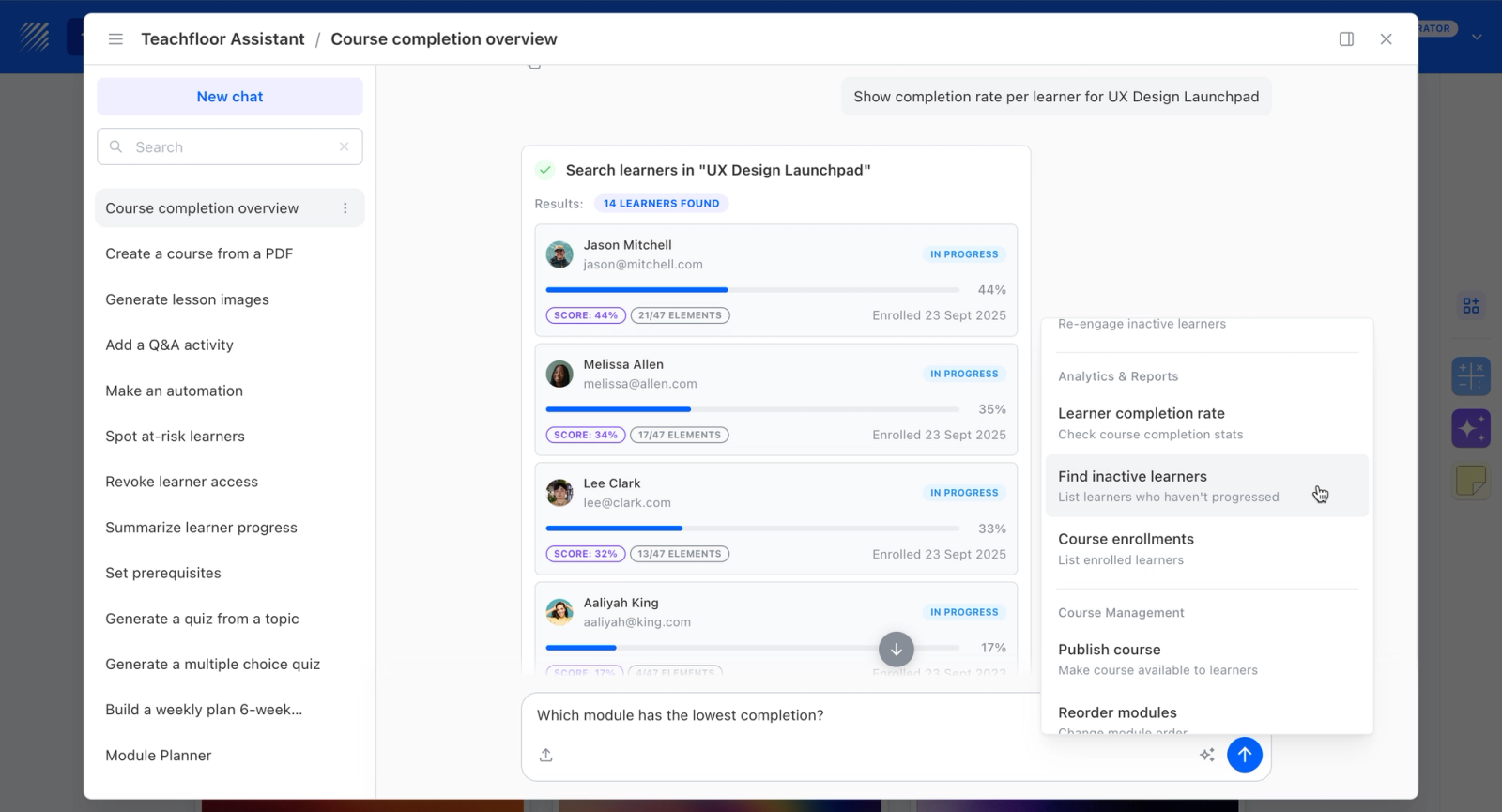
Teachfloor is a course platform that combines authoring with delivery and engagement features, positioned for teams that have outgrown an authoring-focused tool such as Coassemble. AI-assisted authoring turns material into structured lessons, and the platform adds cohorts, live sessions, discussion threads, and rubric-based peer review around the content. Coassemble centers on building and publishing courses; Teachfloor covers the same authoring step plus the surrounding delivery and assessment. It suits teams moving from standalone modules to structured programs.
Core Capabilities
- AI-assisted authoring that keeps course building fast, so leaving Coassemble does not mean losing the quick-creation workflow you relied on
- Cohort and live delivery on top of self-paced courses, turning isolated modules into structured programs with start dates and group progression
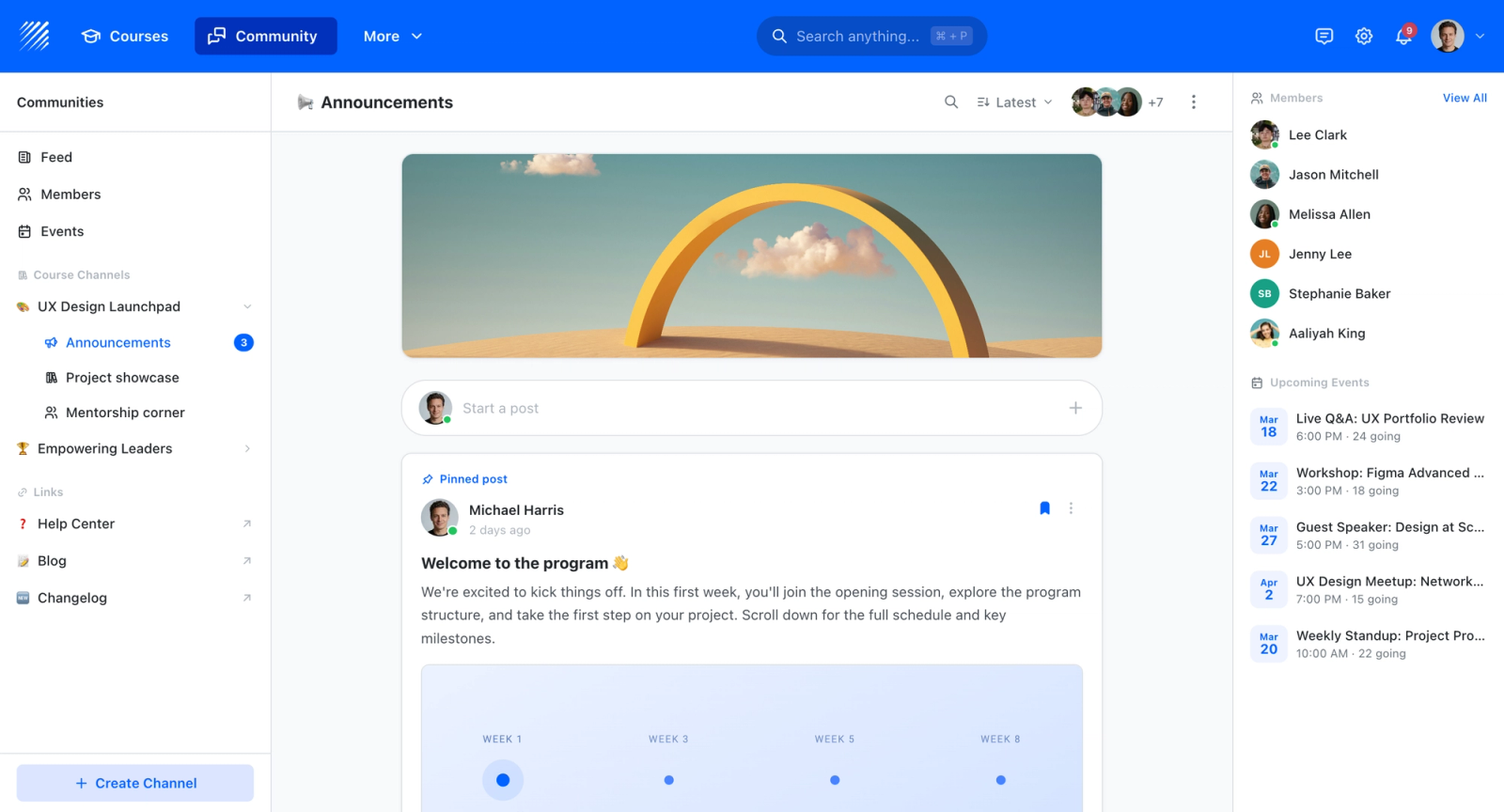
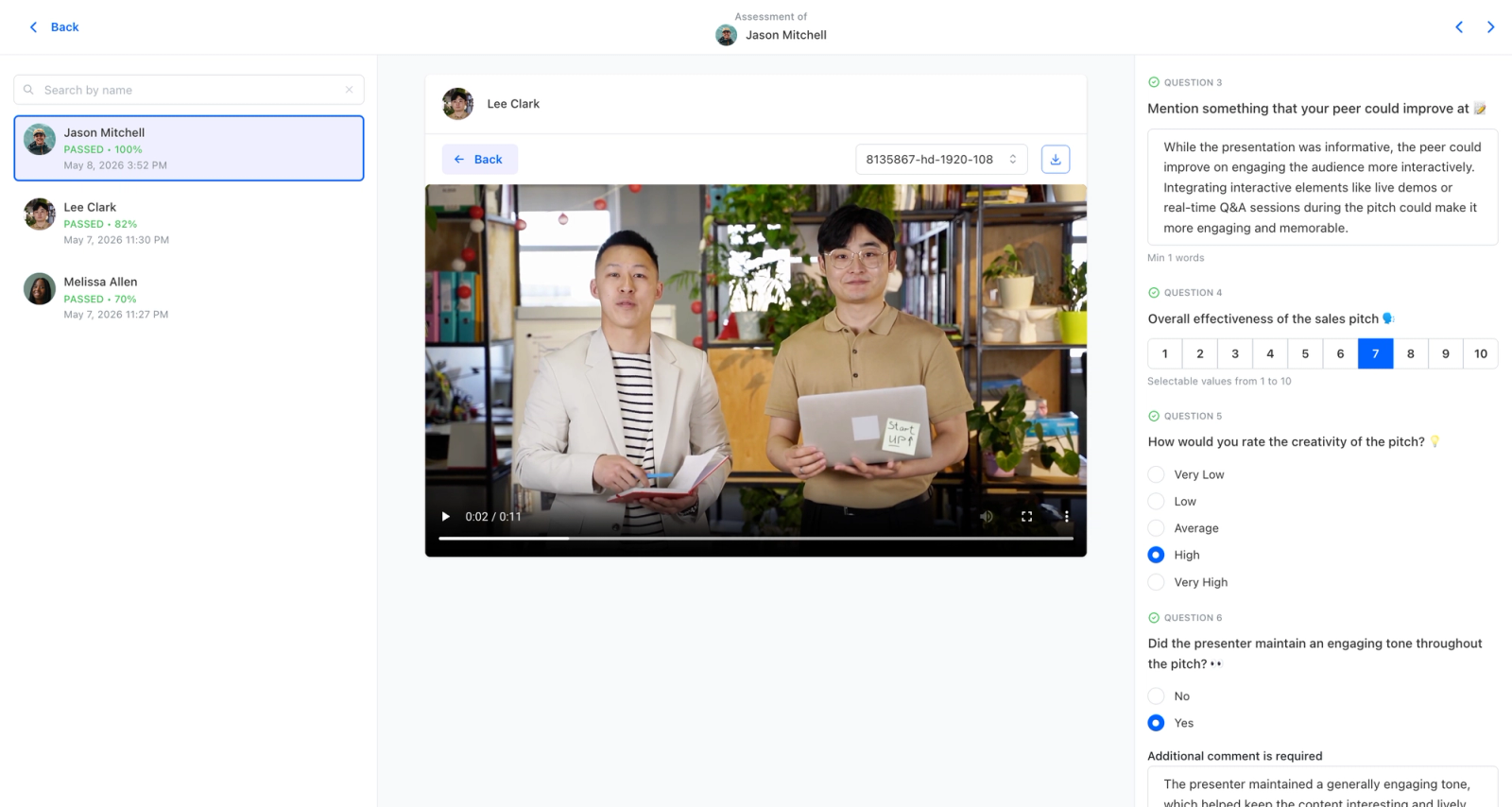
- Active learning through discussion, group activities, and weighted rubric-based peer review, the engagement layer authoring tools simply do not have
- Quizzes, certificates, white-label on your own domain, and multi-branch organization for scaling beyond a handful of courses
- SCORM support and analytics so existing content and reporting needs come along as the program matures
Best For
Teams that started with Coassemble for fast course creation and have outgrown authoring-only tooling, now wanting cohorts, live sessions, and peer interaction without giving up build speed.
Pricing Overview
- Startup plan from $89 per month for up to 50 learners
- Full Features plan with custom pricing, white-label, SSO, and advanced integrations
- 14-day free trial; no permanent free plan
- Nonprofit discounts available
Limitations
- More platform than Coassemble, so the simplest single-module use cases may find it more than they need
- Engagement features like cohorts and peer review pay off most when learners participate, adding less for purely self-paced reference content
- No free plan; starts at $89/mo for up to 50 learners, where Coassemble's per-learner model can look cheaper at very small scale before it climbs with the roster
Quick Comparison Insight
Teachfloor covers the same authoring step Coassemble handles, then adds cohort delivery, live sessions, and peer review for teams whose training has grown beyond standalone modules.
TalentLMS
Overview
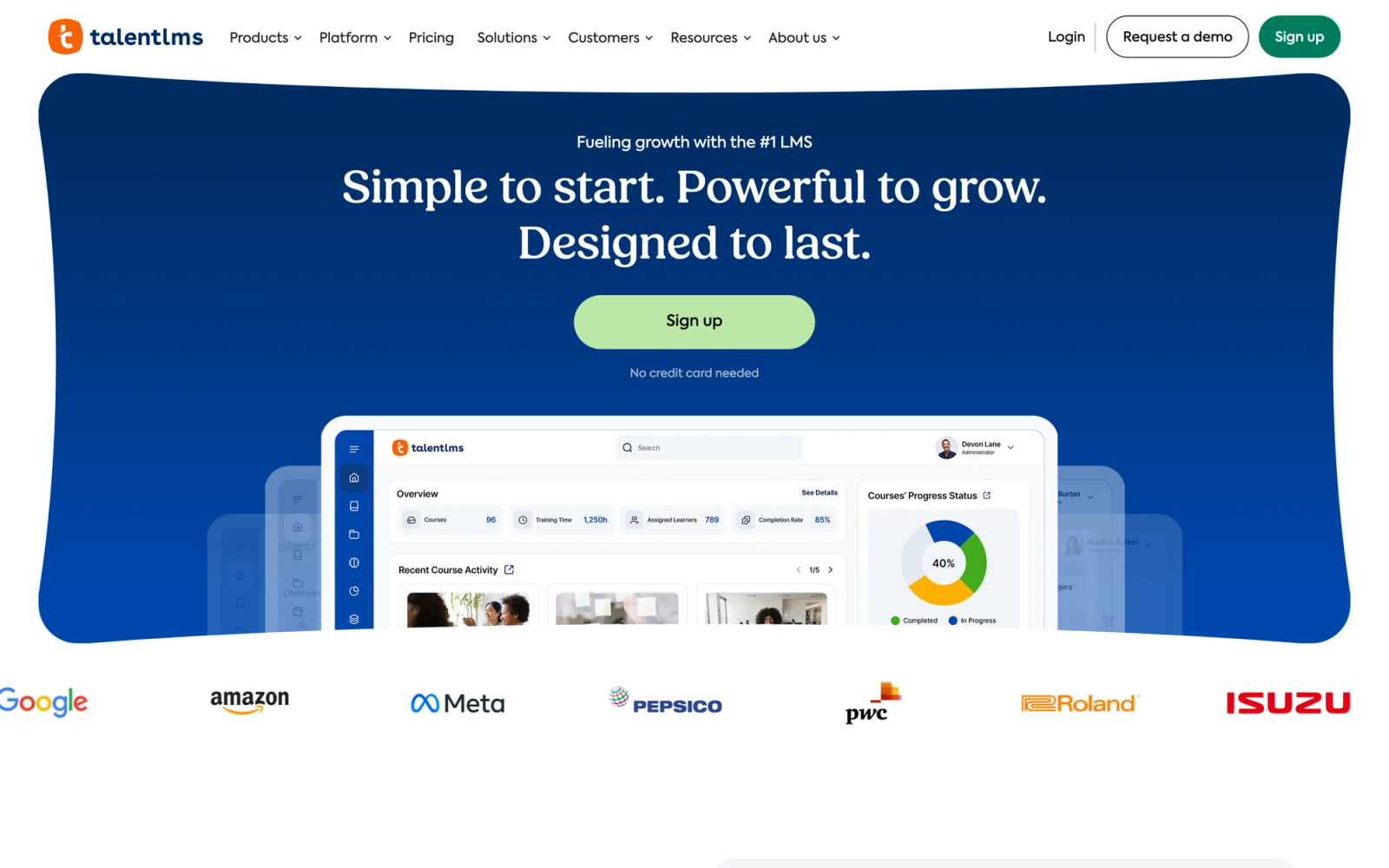
TalentLMS is built around administrative ease. Where Coassemble prioritizes course authoring, TalentLMS focuses on being a complete training management system that stays manageable without a dedicated LMS administrator. Setup is fast: a functional portal with courses, users, and groups can be configured in well under an hour.
What separates TalentLMS from Coassemble most clearly is its SCORM support. You can upload SCORM 1.2 and 2004 packages directly, and they track properly without the kind of workarounds Coassemble often requires. For teams with existing SCORM content from tools like Articulate or Adobe Captivate, this alone removes a significant friction point.
Core Capabilities
- Full SCORM 1.2 and SCORM 2004 compliance with reliable package tracking and score passback
- Built-in course authoring with text, video, presentations, and iframe embedding
- Branching and prerequisites that let you build structured learning paths with conditional logic
- Gamification features including points, badges, leaderboards, and custom levels
- Multi-tenancy with branches, allowing separate training portals for different departments, clients, or partners
- Custom reports and scheduled report delivery via email
- Native integrations with Zoom, GoToMeeting, Salesforce, Shopify, and Zapier
- eCommerce engine for selling courses with Stripe and PayPal integration
- Automated user management with group rules, SSO (SAML), and REST API access
- Compliance training tools with certification tracking and automatic renewal reminders
Standout Strength
TalentLMS delivers a complete LMS experience without requiring a dedicated administrator. The learning curve is shallow enough that HR generalists and team leads can manage it, while the feature set covers SCORM, compliance tracking, and multi-branch deployments. That combination of accessibility and capability is hard to find at its price point.
Best For
Small-to-midsize businesses running employee onboarding, compliance training, or partner education programs. Particularly strong for teams that need SCORM support without enterprise complexity, and for organizations managing training across multiple branches or client groups.
Pricing Overview
- Free plan available for up to 5 users and 10 courses
- Core plan starts at about $119 per month (billed annually) for up to 100 users
- Higher tiers (Grow, Pro, Enterprise) scale by active user count
- Custom quotes for large deployments. See our LMS pricing guide for how per-user tiers compare
Limitations
- The built-in course authoring is functional but basic compared to dedicated authoring tools. Complex interactive content still requires an external tool like Articulate.
- No xAPI support, which limits advanced learning data tracking across external systems.
- The user interface, while usable, has not been significantly updated in terms of visual design. It feels less polished than newer competitors.
Quick Comparison Insight
More structured than Coassemble for training administration and compliance tracking. Less powerful for on-platform content creation, but far better at importing and managing SCORM content.
LearnWorlds
Overview
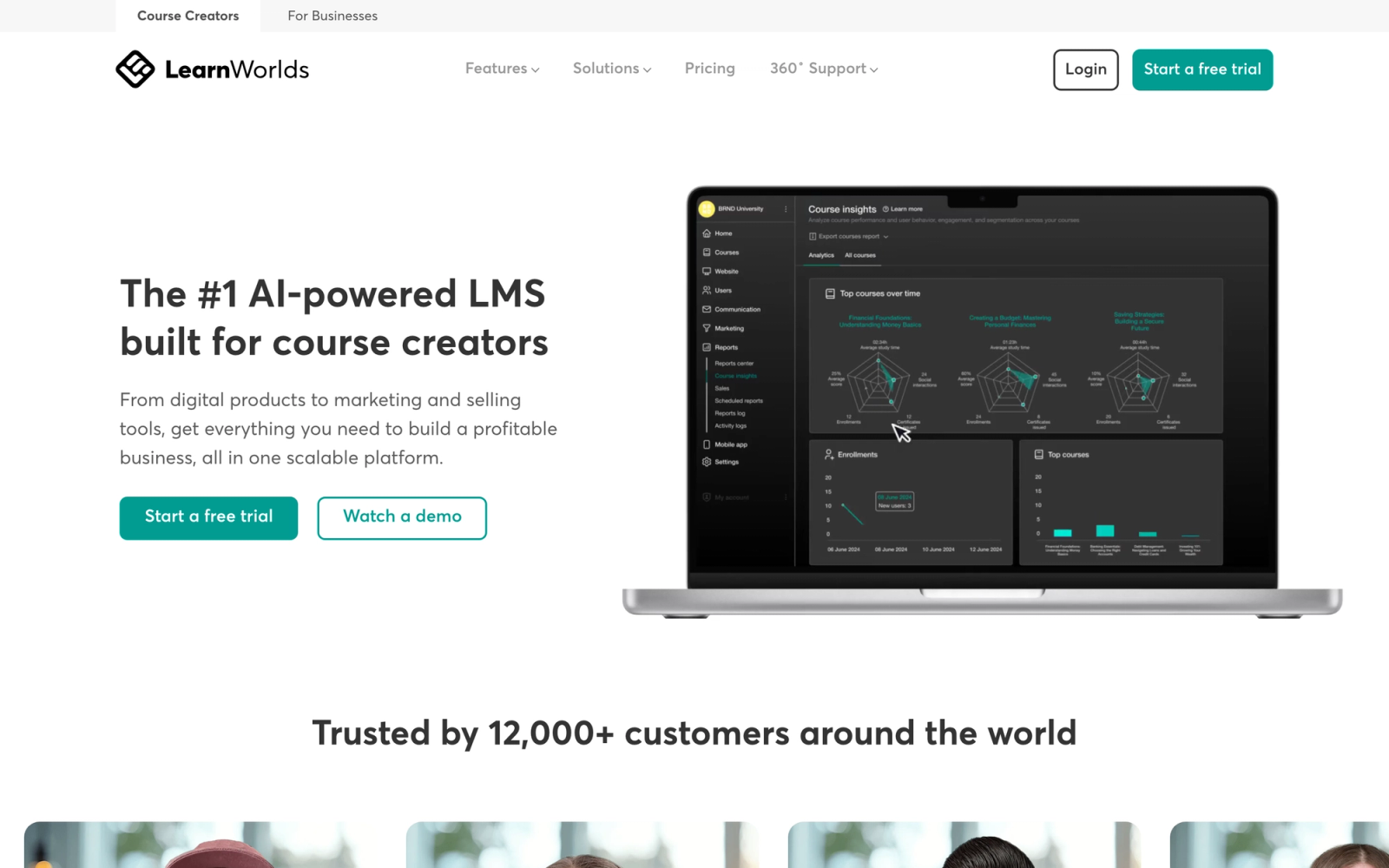
LearnWorlds positions itself at the intersection of course creation and course selling, which gives it a different angle from both Coassemble and traditional LMS platforms. The platform combines a solid page builder, interactive video tools, and a full eCommerce engine into a single product. The interactive video editor lets you add in-video questions, popovers, and navigation buttons directly onto the timeline, something Coassemble does not offer.
The platform is strongest when training is both a product and a learning experience. If you are building a branded training academy, selling courses to external audiences, or running certification programs that need a public-facing storefront, LearnWorlds handles that end-to-end.
Core Capabilities
- Interactive video player with in-video quizzes, branching, transcripts, and table of contents
- SCORM 1.2 support for importing third-party content packages
- Built-in website and landing page builder with customizable templates and full CSS/JavaScript access
- eCommerce with subscriptions, bundles, payment plans, coupons, and affiliate management
- Assessment engine with assignments, formal exams, rubric-based grading, and certificate generation
- Custom course player with progress tracking, note-taking, and bookmarking for learners
- White-label mobile app (available on higher plans) with push notifications
- Integrations with Zapier, Mailchimp, HubSpot, Google Analytics, and Facebook Pixel
- Built-in community features with social learning discussions and learner networking
- Advanced analytics with cohort reports, course funnels, engagement heatmaps, and revenue tracking
Standout Strength
LearnWorlds is one of the few platforms that handles both course delivery and course commerce without requiring plugins or third-party storefronts. The interactive video tools add a layer of engagement that most competitors, including Coassemble, do not match. For training businesses that measure success in both learning outcomes and revenue, LearnWorlds covers both sides.
Best For
Course creators, training businesses, and organizations building branded academies for external audiences. Strong for certification providers, professional development programs, and any team that needs to monetize training content through a polished, branded experience.
Pricing Overview
- Starter plan at $24 per month (billed annually) with limited features
- Pro Trainer plan at $79 per month, which opens up most core features
- Learning Center plan at $249 per month with white-label app and advanced reporting
- High Volume plan with custom pricing for enterprise needs
- 30-day free trial available
Limitations
Supports SCORM 1.2 and 2004 but not xAPI or cmi5, which limits cross-system activity tracking.
- The breadth of features creates a steeper learning curve. Initial setup and course design take longer than simpler tools.
- Some advanced features (white-label app, bulk user actions, advanced SSO) are locked behind higher-tier plans.
Quick Comparison Insight
Stronger than Coassemble for monetized training and interactive video content. Less focused on internal corporate training, but far more capable as a training business platform.
Docebo
Overview
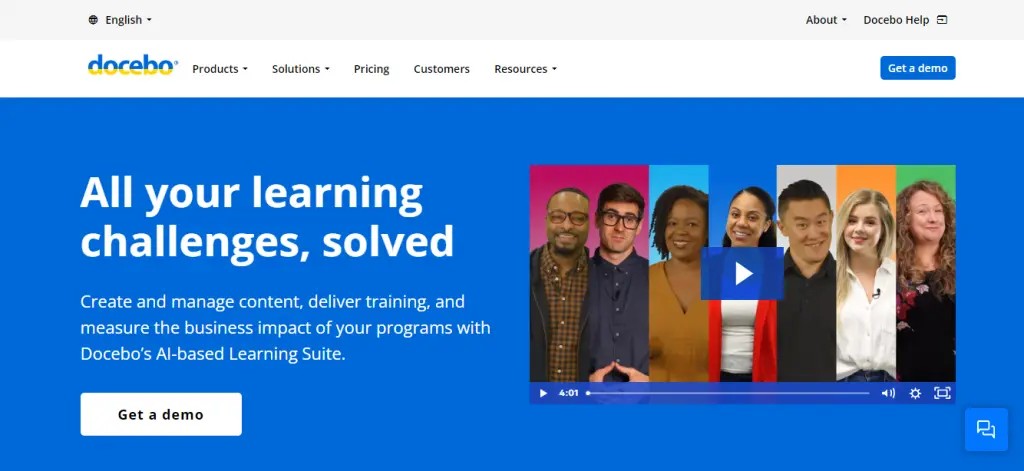
Docebo is an enterprise learning platform that operates at a different scale from Coassemble entirely. While Coassemble targets small teams that need fast course creation, Docebo serves organizations managing thousands of learners across multiple audiences: employees, partners, customers, and compliance populations. The platform uses AI-driven features for content tagging, skill mapping, and learning recommendations, which separates it from most mid-market tools.
Multi-audience architecture is where Docebo makes its clearest case against simpler tools. A single instance can run completely separate learning experiences for internal employees, external partners, and customer education programs, each with its own branding, content library, and reporting. Coassemble has no equivalent capability.
Core Capabilities
- Full SCORM 1.2, SCORM 2004, xAPI, and AICC support for content interoperability
- AI-powered content tagging, skill matching, and personalized learning recommendations
- Multi-audience architecture with extended enterprise support for partners, customers, and resellers
- Custom report builder with scheduled delivery, data visualizations, and exportable dashboards
- Over 400 native integrations including Salesforce, MS Teams, Slack, Workday, and SAP SuccessFactors
- Built-in content marketplace (Docebo Content) with licensed courses from third-party providers
- Social learning features with Q&A forums, expert channels, and user-generated content
- Automated enrollment rules, learning path assignments, and compliance recertification workflows
- White-label branding with custom domains, themes, and mobile app customization
- Headless LMS option via API for embedding learning experiences into other applications
Standout Strength
Docebo runs multiple audience types from one instance without requiring separate LMS contracts or configurations. Its combination of AI-driven learning recommendations, over 400 integrations, and full standards compliance (SCORM, xAPI, AICC) makes it suited for companies where L&D reports to business outcomes, not just completion rates. Compared to Coassemble, the gap in reporting depth and integration breadth is substantial.
Best For
Mid-to-large enterprises with 500+ learners that need to manage internal training, partner certification, and customer education under one roof. Particularly strong for organizations in regulated industries, global companies requiring multi-language support, and L&D teams that report training ROI to leadership.
Pricing Overview
- Custom enterprise pricing based on active users and feature requirements
- No publicly listed prices; typical contracts start in the mid-four-figure annual range
- Free demo available through the Docebo website
Limitations
- The platform's depth creates a significant implementation timeline. Plan for weeks of setup and configuration, not days.
- Pricing is opaque, and the total cost can be high when factoring in implementation services, premium support, and add-on modules.
- Smaller organizations (under 200 learners) may find the platform over-engineered for their needs.
Quick Comparison Insight
Far more powerful than Coassemble across every dimension, but designed for a fundamentally different buyer. Best suited for organizations where training infrastructure is a long-term strategic investment.
iSpring Learn
Overview
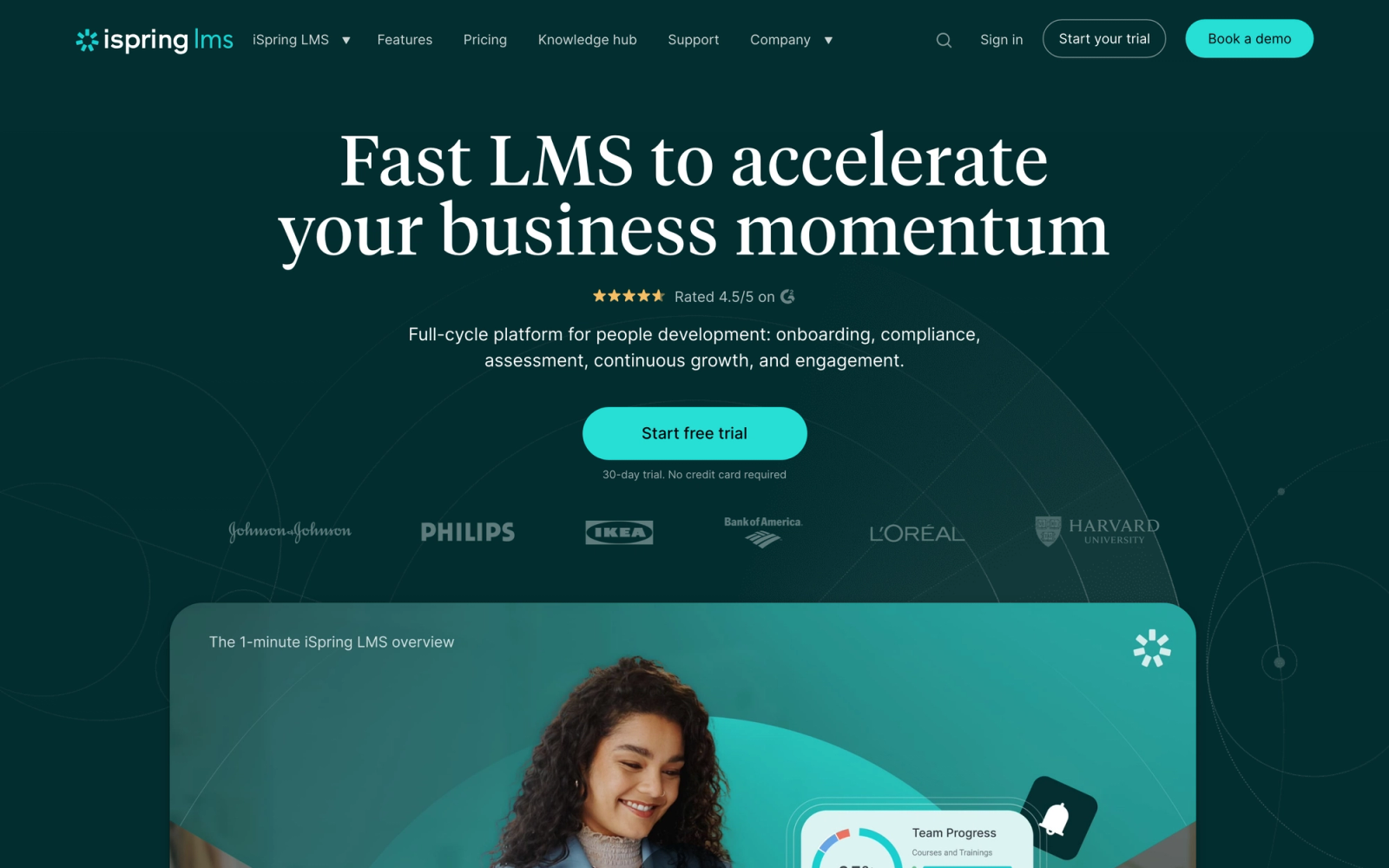
iSpring Learn is the delivery half of the iSpring platform; its companion authoring tool, iSpring Suite, runs inside PowerPoint. If your organization already produces training content in PowerPoint, this pairing removes the rebuild step entirely. Slide decks become full SCORM courses with quizzes, interactions, and dialog simulations without leaving the PowerPoint interface, then publish directly to iSpring Learn for assignment and tracking.
Where Coassemble requires teams to rebuild content inside its own editor, iSpring preserves existing PowerPoint workflows. Because the authoring tool and the LMS were designed as a matched pair, the handoff between creation and delivery is direct: convert a deck, publish it to iSpring Learn, assign it to a learner group. The whole sequence takes only a few minutes.
Core Capabilities
- Full SCORM 1.2, SCORM 2004, xAPI, and cmi5 support for interoperability with any compliant content
- Native integration with iSpring Suite for PowerPoint-to-eLearning conversion with quizzes, interactions, and role-plays
- Dialog simulation builder for creating branching conversation practice scenarios
- Reporting with completion tracking, quiz analytics, department-level dashboards, and scheduled report delivery
- Organizational structure mapping that mirrors your company hierarchy for department-based training assignments
- Automated training assignments based on user groups, roles, departments, or hire dates
- Mobile app with offline access, allowing learners to download and complete courses without internet connectivity
- Calendar and event management for scheduling instructor-led training sessions alongside online courses
- API access, Zapier integration, and webhooks for connecting to HR systems and other business tools
- Supervisor portal where managers can track their team's progress without needing admin access
Standout Strength
iSpring Learn's standout case is breadth of coverage in a familiar format. The combination of PowerPoint-native authoring, full standards compliance (xAPI and cmi5 included), and genuine offline access through the mobile app addresses three of Coassemble's clearest limitations at once. No other platform in this list matches the depth of the PowerPoint-to-LMS connection.
Best For
Corporate L&D teams and HR departments that produce training content in PowerPoint and need to deliver it through a structured LMS. Particularly strong for compliance-heavy organizations, companies with field workers who need offline access, and teams that want instructor-led training alongside self-paced courses.
Pricing Overview
- Sold per registered user with a 300-user minimum on the Business plan
- Business plan runs roughly $3.58 to $4.46 per user per month depending on volume (billed annually)
- Custom pricing for larger enterprises
- 30-day free trial available
Limitations
- The authoring tool (iSpring Suite) requires a separate purchase and runs only on Windows. Mac users need a workaround.
- The LMS interface is functional but not as visually polished as newer platforms like LearnWorlds or Thinkific.
- Without iSpring Suite, the platform's authoring capabilities are limited to basic content upload and arrangement.
Quick Comparison Insight
A stronger choice than Coassemble for organizations with established PowerPoint content workflows and compliance requirements. Less intuitive for quick, from-scratch course creation, but far deeper in standards support and offline delivery.
360Learning
Overview
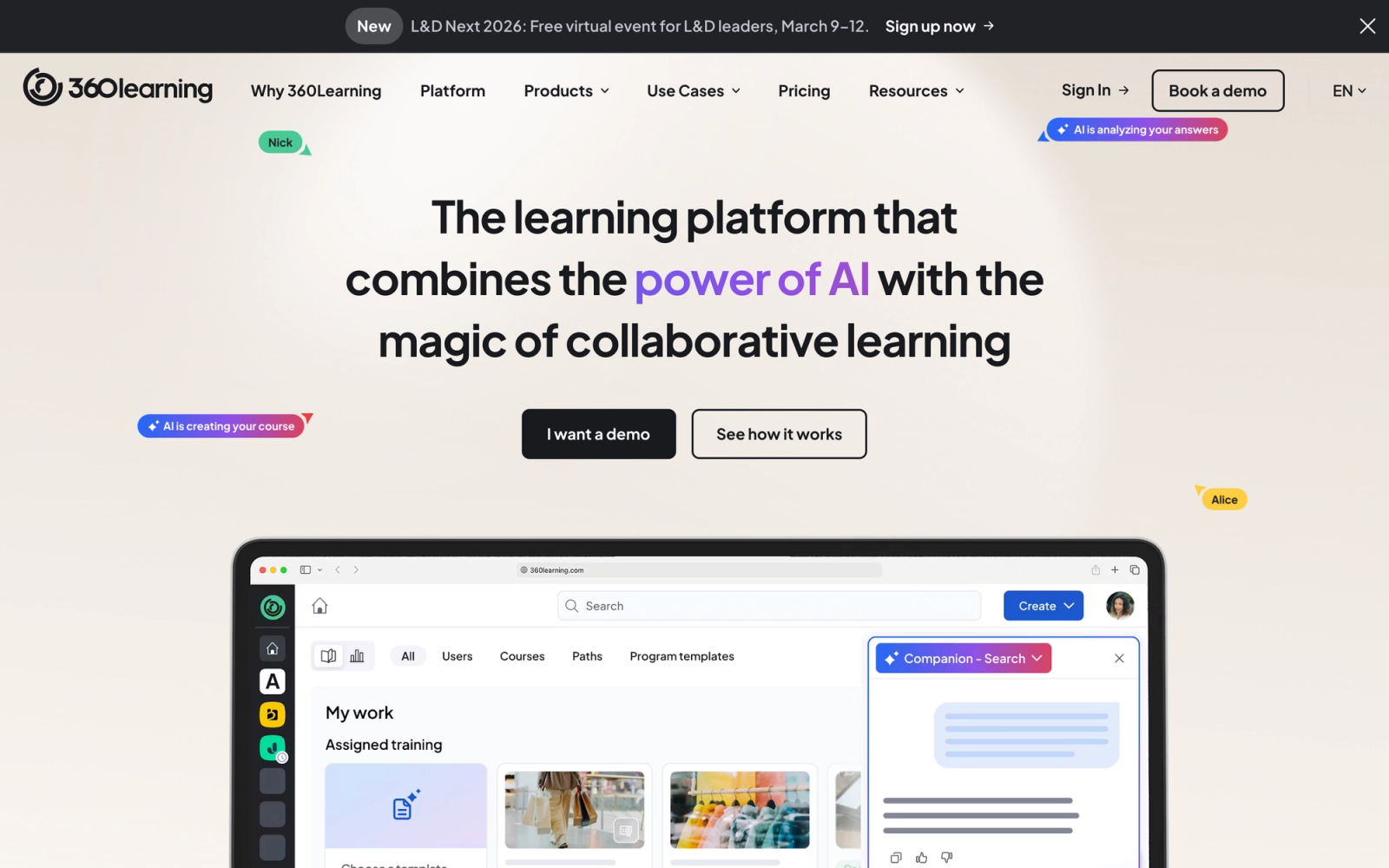
360Learning takes a fundamentally different approach to training by positioning itself as a collaborative learning platform rather than a top-down LMS. The core idea is that subject matter experts across the organization should be able to create and iterate on courses without bottlenecking through a central L&D team. This is a sharp contrast to Coassemble, where course creation is simpler but still follows the traditional author-publishes-learner-consumes model.
The collaborative authoring workflow is where 360Learning genuinely differentiates. Multiple contributors can draft, review, and refine courses in a shared workspace. Learner feedback flows directly back to course authors through relevance scores and reaction signals, creating a feedback loop that most LMS platforms lack entirely.
Core Capabilities
- Collaborative course authoring where SMEs, managers, and L&D teams co-create content in a shared editor
- SCORM 1.2, SCORM 2004, and xAPI support for importing and tracking third-party content
- Relevance scoring system where learners rate course usefulness, triggering automatic review cycles for low-rated content
- Discussion forums attached to individual courses and lessons, enabling peer learning within the course context
- Automated onboarding workflows with sequenced course assignments, reminders, and manager checkpoints
- Custom dashboards with group-level and organization-level reporting, exportable data, and compliance tracking
- Native integrations with HRIS platforms (BambooHR, Workday), communication tools (Slack, Teams), and SSO providers
- Mobile-responsive design with push notifications for assignments and deadlines
- Built-in assessment tools with quizzes, assignments, and peer review evaluations
- Academy feature for creating branded learning portals for external partner and customer training
Standout Strength
360Learning decentralizes course creation. Instead of relying on a small L&D team to produce all training content, 360Learning enables subject matter experts to author courses directly, with L&D providing oversight and quality control. This model scales content production far faster than traditional approaches. Coassemble's authoring tools are easy to use, but they do not have this collaborative infrastructure built in.
Best For
L&D teams in organizations with 200+ employees that want to scale content production by involving SMEs across departments. Particularly strong for companies with fast-changing training needs (product updates, process changes, regulatory shifts) where the traditional create-review-publish cycle is too slow.
Pricing Overview
- Team plan starts at $8 per registered user per month
- Business plan with advanced features available at custom pricing
- 30-day free trial available
Limitations
- The collaborative model requires organizational buy-in. If SMEs are not willing to contribute as authors, the platform's core value proposition weakens.
- The interface has a learning curve for administrators, particularly around workflow configuration and reporting setup.
- Less suited for organizations that need a simple, top-down content delivery model with minimal user interaction.
Quick Comparison Insight
A more collaborative and scalable approach to content creation than Coassemble. Stronger for organizations that treat training as an ongoing, decentralized process. Less ideal for small teams that just need a single author to push courses quickly.
Tovuti LMS
Overview
Tovuti bundles course authoring, delivery, community tools, and virtual classroom capabilities into one product. The breadth is its main argument for teams looking to reduce the number of separate tools in their training stack.
Tovuti's built-in content interaction types are unusually numerous. Over 40 interaction templates are available within the course builder, from drag-and-drop exercises to timeline activities. Coassemble offers a solid set of content blocks, but Tovuti's library of interaction types is noticeably broader. The trade-off is complexity: Tovuti takes more time to learn and configure than simpler platforms.
Core Capabilities
- Over 40 interactive content types within the built-in course authoring tool, including simulations, branching scenarios, and game-based activities
- Full SCORM 1.2, SCORM 2004, xAPI, and AICC compliance for importing and tracking external content
- Virtual classroom integration with live session scheduling, screen sharing, breakout rooms, and attendance tracking
- Community portal with discussion boards, user profiles, event calendars, and direct messaging between learners
- Adaptive learning paths with prerequisites, conditional branching, and competency-based progression
- Custom reporting with real-time dashboards, individual learner timelines, and exportable data
- eCommerce functionality with subscription models, bundles, discount codes, and payment processing
- White-label branding with custom domains, themes, and mobile-responsive design
- Automated notifications, enrollment triggers, certification renewals, and manager alerts
- Open API, Zapier integration, and native connectors for Salesforce, BambooHR, and other business tools
Standout Strength
Tovuti covers an unusually wide surface area in a single product. Virtual classrooms, content authoring, community features, eCommerce, and compliance tracking are all built in rather than bolted on. For mid-market companies that want to replace multiple point solutions with one platform, Tovuti's breadth is its primary argument. Compared to Coassemble, the feature gap is substantial, particularly around xAPI tracking, adaptive learning, and virtual classroom delivery.
Best For
Mid-market companies with 200 to 5,000 learners that need a single platform for both content creation and delivery, including blended learning with virtual classrooms. Strong for organizations running both internal training and external education programs, particularly those in corporate training environments that need compliance tracking alongside engagement features.
Pricing Overview
- Starter plan at $199 per month
- Growth plan at $299 per month, Business plan at $399 per month
- Professional plan with custom pricing for larger deployments
- Free demo available on request
Limitations
- The breadth of features comes at the cost of simplicity. Onboarding and initial configuration take longer than leaner platforms.
- Pricing is on the higher end for the mid-market segment, which may not fit smaller teams with tight budgets.
- Some features feel less polished than dedicated tools in the same category (e.g., the community tools are not as refined as standalone community platforms).
Quick Comparison Insight
Significantly more feature-rich than Coassemble, with genuine xAPI support and virtual classroom capabilities. The trade-off is higher cost and a steeper learning curve, making it better suited for mid-market buyers than small teams.
Thinkific

Overview
Thinkific is a course platform built for independent creators, coaches, and small businesses that want to build and sell online courses. It is less of a traditional LMS and more of a course commerce platform, which gives it a distinctly different personality from Coassemble. Where Coassemble is designed for internal team training, Thinkific is optimized for external audience monetization.
The course builder in Thinkific is clean and intuitive. A multi-module course with video lessons, quizzes, and a completion certificate can be set up in under 30 minutes. The platform also handles the business side of selling courses, including payment processing, student management, affiliate programs, and marketing integrations, without requiring third-party plugins.
Core Capabilities
- Drag-and-drop course builder with video, text, PDF, quiz, survey, and downloadable resource modules
- Full eCommerce engine with one-time purchases, subscriptions, memberships, bundles, and payment plans
- Customizable site builder for creating a branded course website with landing pages and checkout flows
- Student engagement tools including discussion areas, progress tracking, and completion certificates
- Native integrations with Mailchimp, ConvertKit, ActiveCampaign, Zapier, Google Analytics, and Stripe
- Thinkific Communities feature for building membership-based learning communities alongside courses
- Affiliate management for recruiting and tracking partner-driven course sales
- Mobile-responsive course player with offline video download support on the mobile app
- TCommerce (Thinkific Payments) for streamlined checkout with lower transaction fees on higher plans
- API access and webhook support for custom integrations and workflow automation
Standout Strength
Thinkific handles both the learning experience and the business infrastructure for selling courses. The platform does not try to be an enterprise LMS, and that focus keeps it simple for its target audience. Compared to Coassemble, Thinkific is weaker for internal training workflows but far stronger for building a training business around your content.
Best For
Independent course creators, coaches, consultants, and small businesses that monetize expertise through online courses. Strong for professional development providers, certification programs, and organizations building subscription-based training libraries for external audiences.
Pricing Overview
- No permanent free plan; Thinkific retired its free tier in 2025
- Basic plan from about $36 per month (billed annually)
- Start plan from about $74 per month, Grow plan from about $149 per month
- 14-day free trial; no per-learner fees on any plan
Limitations
- No SCORM support. You cannot import SCORM packages, which rules it out for organizations with existing SCORM content libraries.
- Reporting is adequate for course sales metrics but lacks the depth needed for compliance tracking or organizational training analytics.
- The platform is not designed for internal employee training, so features like manager dashboards, department-based assignments, and HRIS integrations are absent.
Quick Comparison Insight
Better than Coassemble for selling courses and building a training business. Not a viable replacement for teams running internal corporate training programs or needing SCORM compliance.
LearnDash
Overview
LearnDash is a WordPress-based LMS plugin, which immediately sets it apart from every other tool in this list. Rather than being a hosted SaaS platform, LearnDash transforms a WordPress site into a full learning management system. This gives you complete control over design, functionality, and data, but it also means you are responsible for hosting, security, and maintenance.
The WordPress platform is what makes LearnDash powerful. Combined with plugins for membership management, eCommerce (WooCommerce), form builders, and page builders, you can construct a training platform that matches almost any requirement. The flexibility is clear: you can customize virtually everything, from the course player layout to the enrollment workflow to the reporting dashboard. Coassemble's simplicity is faster to start with, but LearnDash's customizability is in a different category.
Core Capabilities
- Course builder with lessons, topics, quizzes, and assignments organized into a hierarchical structure
- Full SCORM and xAPI (Tin Can API) support through official add-ons for importing and tracking external content
- Advanced quiz engine with eight question types, question banks, conditional messaging, time limits, and certificate triggers
- Drip content scheduling that releases lessons based on enrollment date, prerequisites, or specific dates
- Group management with group leaders who can track progress, enroll users, and generate reports for their cohort
- WooCommerce integration for selling courses with subscriptions, memberships, bundles, and recurring payments
- Automated notifications and triggers for enrollment, completion, quiz failure, assignment submission, and certificate issuance
- ProPanel add-on for real-time reporting dashboards with individual learner tracking and course analytics
- Focus Mode, a distraction-free course player that removes site navigation and keeps learners on task
- Open-source architecture with full access to code, templates, hooks, and filters for custom development
Standout Strength
LearnDash provides data ownership and design control that no hosted SaaS LMS can offer by definition: your data stays on your server, and your feature set expands through WordPress plugins rather than waiting for a vendor's roadmap. Gamification, community forums, CRM connections, and advanced enrollment logic are all available through existing WordPress plugins rather than proprietary add-ons. For teams with WordPress development capacity, the customization ceiling is substantially higher than any closed platform.
Best For
WordPress-savvy teams, agencies, and training businesses that want full control over their learning platform. Strong for organizations with development resources that need a highly customized training site, educational institutions running course catalogs, and businesses integrating training tightly with an existing WordPress website.
Pricing Overview
- Starts at $199 per year for a single site license
- Higher tiers available for multi-site licenses and agency use
- LearnDash Cloud (hosted version) available starting at $29 per month
- No per-user fees on self-hosted plans
Limitations
- Requires WordPress hosting, setup, and ongoing maintenance. This is not a "sign up and start building" platform.
- Performance depends on your hosting infrastructure. Poorly optimized WordPress installs can lead to slow load times with large learner populations.
- xAPI and SCORM support require add-on purchases, which increases the total cost.
Quick Comparison Insight
Far more customizable than Coassemble, but requires WordPress expertise and ongoing technical management. Best for teams that want ownership of their platform, not for teams that want a managed SaaS experience.
Absorb LMS
Overview
Absorb LMS is an enterprise-grade learning platform built for large-scale training operations. It serves organizations that need to train thousands of learners across employee onboarding, compliance, partner education, and customer training, often simultaneously. The platform's architecture is designed for scale, with multi-tenant configurations, AI-powered admin tools, and a focus on reducing administrative overhead.
What distinguishes Absorb from Coassemble is not just feature depth, it is operational maturity. The admin experience in Absorb is built around automation: smart rules for enrollment, AI-assisted content recommendations, and triggered workflows that reduce the manual effort required to run training at scale. The interface emphasizes reducing clicks per administrative task across the admin dashboard.
Core Capabilities
- Full SCORM 1.2, SCORM 2004, xAPI, AICC, and cmi5 support, covering every major elearning interoperability standard
- Absorb Infuse, a headless LMS option that lets you embed learning experiences directly into other applications and workflows
- AI-powered administrative tools including smart search, auto-tagging, content recommendations, and intelligent enrollment suggestions
- Custom reporting engine with drag-and-drop report builder, scheduled delivery, and executive dashboards
- Multi-tenancy with separate branding, user pools, content libraries, and reporting for different audiences
- eCommerce module for selling courses with payment processing, bundling, and subscription management
- Observation checklists for tracking and validating on-the-job skills assessment and practical competencies
- Native integrations with Salesforce, ADP, BambooHR, Workday, Zoom, and webinar platforms
- Mobile app with offline access and push notifications for learners in the field
- Configurable compliance management with automatic recertification, audit trails, and regulatory reporting
Standout Strength
Absorb's core engineering assumption is that L&D teams are understaffed relative to the learner populations they manage. AI-driven enrollment rules, auto-tagging, and triggered recertification workflows cut administrative time across the board. Full standards compliance (SCORM, xAPI, AICC, cmi5) and multi-tenant architecture make it viable for organizations where training spans thousands of people across multiple business units or geographies, a scope that Coassemble was never designed to serve.
Best For
Large enterprises with 1,000+ learners that need a scalable LMS for compliance training, employee development, partner education, and customer training. Particularly strong for regulated industries (healthcare, finance, manufacturing) and organizations that need to embed learning into existing business applications via headless LMS delivery.
Pricing Overview
- Custom enterprise pricing based on active learners, features, and deployment complexity
- No publicly listed prices; contracts typically start in the mid-five-figure annual range
- Free demo available through the Absorb website
Limitations
- The implementation process is longer and more involved than mid-market or SMB platforms. Budget weeks for setup, not days.
- Pricing is not transparent and tends to be significantly higher than platforms targeting smaller organizations.
- The platform's depth can be overwhelming for small L&D teams without dedicated LMS administrators.
Quick Comparison Insight
Absorb is built for the opposite end of the market from Coassemble. It is the right choice for enterprises that need industrial-grade training infrastructure, but overkill for small teams building quick courses.
How to Choose the Right Coassemble Alternative
The right replacement depends on the specific gaps you are trying to close. Rather than comparing features in isolation, consider which of these scenarios matches your situation.
You need better SCORM and standards support. If importing existing SCORM content and tracking learning data across systems is your primary concern, TalentLMS, iSpring Learn, and Docebo are the strongest options. iSpring Learn adds xAPI and cmi5 support alongside the tightest PowerPoint integration. Docebo covers every standard and adds AI-driven learning recommendations at enterprise scale.
You want to sell courses, not just deliver them. LearnWorlds and Thinkific are built for monetizing training. LearnWorlds is stronger on interactive content and video-based learning, while Thinkific is simpler and better for creators who want to launch fast without per-learner fees. Neither is designed for internal employee training.
You need enterprise-scale compliance and reporting. Docebo and Absorb LMS are the clear choices for a large corporate training platform. Both handle multi-tenant deployments, detailed compliance workflows, and the kind of reporting that satisfies regulatory audits. Absorb's AI-assisted administration reduces the workload on L&D teams managing large learner populations.
You want to decentralize content creation. 360Learning is the standout here. If your bottleneck is a small L&D team trying to produce all training content, 360Learning's collaborative authoring model lets subject matter experts across the organization contribute directly.
You need maximum customization and platform ownership. LearnDash gives you full control through WordPress, but requires technical resources to set up and maintain. It is the right choice for teams with development capacity that want to build a custom training experience without SaaS constraints.
You want authoring plus community and cohorts in one platform. Teachfloor is the most flexible pick. It keeps the course authoring Coassemble buyers rely on, adds community, peer review, and live sessions, and runs self-paced, social, live, or cohort-based programs in one place, with flat per-program pricing instead of per seat.
You want a single platform that covers everything. Tovuti LMS aims to be the broadest single product, combining authoring, delivery, virtual classrooms, community, and eCommerce. The trade-off is higher cost and complexity, but it reduces the number of tools in your stack.
The decision should start with your learner population size, your content format (self-paced, live, blended), and the standards compliance requirements your organization faces. Match those constraints first, then evaluate usability and pricing within the shortlist that remains.
FAQ
Can I import my Coassemble courses into another LMS?
It depends on how your courses were built. Coassemble can export content as SCORM packages, so you can often move courses into another SCORM-compliant LMS without rebuilding them from scratch. Interactive elements built only in Coassemble's editor may not survive the export cleanly, and platforms without SCORM import (such as Thinkific) will not accept the packages. Plan to re-upload media like videos and PDFs directly, and test one exported course before migrating in bulk.
Which Coassemble alternative is best for small teams?
TalentLMS and Thinkific both work well for small teams, for different reasons. TalentLMS offers a free plan for up to 5 users and handles internal training with SCORM support. Thinkific is better if you are selling courses externally. For small teams running interactive or cohort-based training with community and peer feedback, Teachfloor starts at $89 per month with a 14-day trial.
Do any of these alternatives offer offline access?
iSpring Learn and Absorb LMS both offer mobile apps with offline course access, allowing learners to download content and complete it without an internet connection. Progress syncs automatically when connectivity returns. TalentLMS offers a mobile app as well, though its offline capabilities are more limited. Most other platforms in this list require an active internet connection.
Which platform has the best reporting?
Docebo and Absorb LMS offer the deepest reporting capabilities with custom report builders, scheduled delivery, and executive dashboards. For mid-market needs, 360Learning and Tovuti LMS provide solid reporting with custom dashboards and group-level analytics. TalentLMS covers the basics well for smaller teams. The right reporting tool depends on whether you need simple completion tracking or detailed analytics for measuring training impact across business outcomes.
Is it worth switching from Coassemble if I only need basic training?
Not necessarily. Coassemble's strength is quick, simple course creation for small teams. If your training needs are straightforward, you are not hitting the limitations around SCORM, reporting, or integrations, and your learner count is manageable within the pricing model, switching introduces migration cost and learning curve without proportional benefit. Consider switching only when specific limitations are actively blocking your training goals.


