


Why Look for an H5P Alternative?
H5P is an open-source framework for interactive HTML5 content, popular with educators who want embeddable quizzes, interactive videos, and drag-and-drop activities without licensing fees. The catch is operational: the self-hosted plugin runs inside WordPress, Moodle, or Drupal, the visuals can feel dated, and a few features push you toward the paid H5P.com SaaS. The tools below close those gaps, and the list runs from free, open-source SCORM authoring to polished commercial suites, so you can match the fix to your budget. You can review the full range of H5P content types on the official H5P content types page.
Technical overhead for self-hosting. Running H5P on your own infrastructure means managing a PHP stack with WordPress, Moodle, or Drupal as the host. For teams without developers, keeping plugins updated and troubleshooting broken content types across CMS versions is ongoing work for what should be a simple authoring tool. Lumi Education and Adapt Learning remove that server dependency while staying free.
No native SCORM export without H5P.com. The self-hosted version does not export SCORM packages out of the box. If you need to upload interactive content to an LMS that expects SCORM or xAPI packages, you either pay for H5P.com or rely on workarounds. Most tools on this list export SCORM 1.2, SCORM 2004, and xAPI natively.
Basic analytics. H5P tracks completion and scores but not the interaction-level data L&D teams need: where learners drop off inside an activity, which distractors they pick, or how engagement varies across groups. If learning analytics matter to your program, H5P's reporting feels thin.
Dated visual design. Some H5P content types have not been updated visually in years, and customization is limited to basic color and font overrides. For branded training or customer-facing education, that gap shows. Rise 360, Genially, and isEazy Author all produce noticeably more refined output.
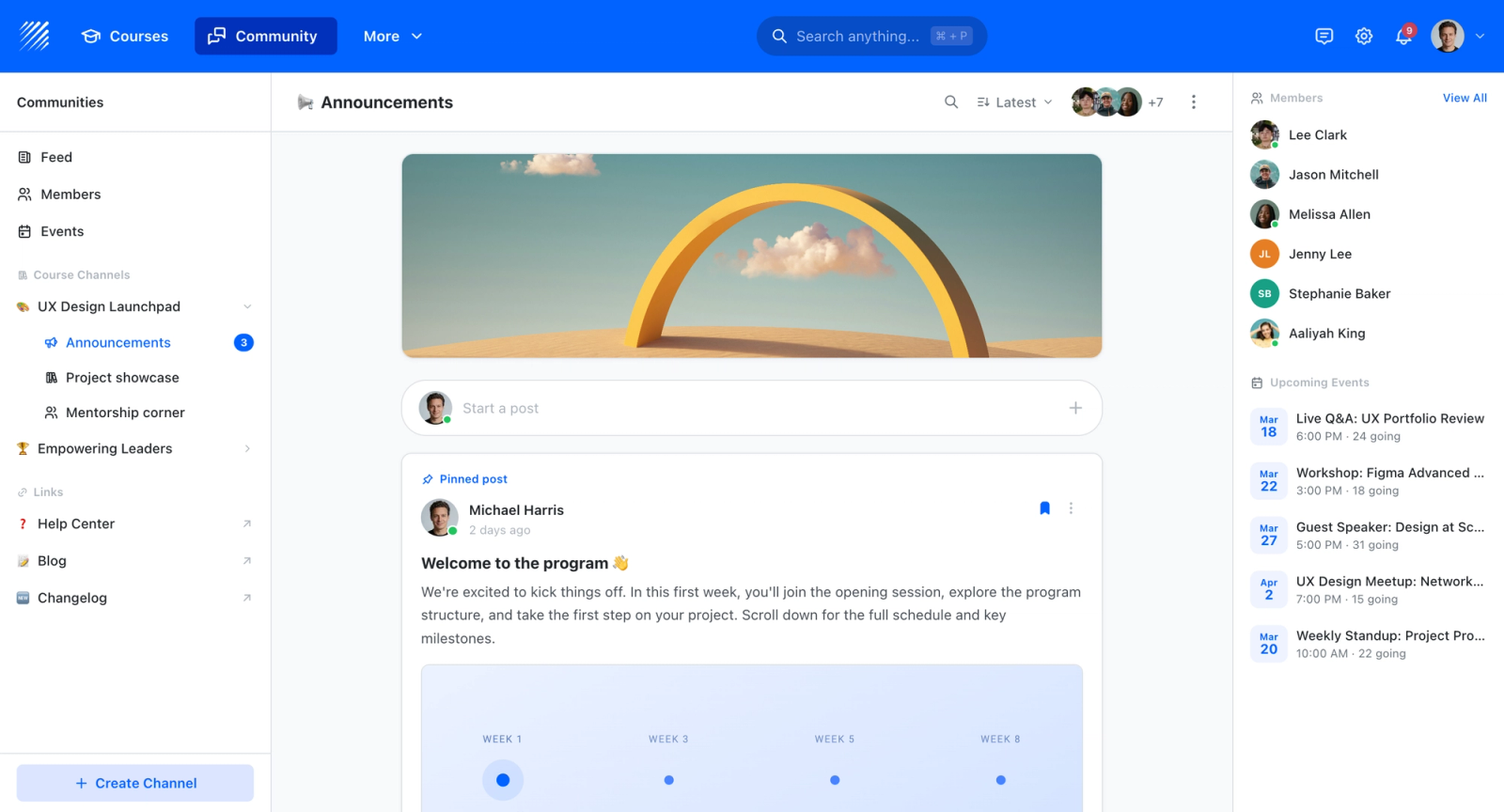
Limited engagement model. H5P interactivity happens between a learner and a screen. It has no built-in community, discussion, peer review, or live sessions, so completion and outcomes depend entirely on the content holding attention. Teams that want social and live learning, not just self-paced widgets, need a different kind of platform, which is where Teachfloor leads this list.
None of these issues disqualify H5P for every use case. But if you have outgrown the self-hosted setup, need polished output, reliable SCORM packaging, detailed analytics, or genuine social interaction, the tools below address those gaps directly. (All pricing is current as of June 2026.)
What to Look for in an Interactive Content Tool
Before comparing individual platforms, it helps to define the criteria that matter most for your workflow and learners.
Authoring flexibility. Can the tool create the specific interaction types you need? Some platforms excel at scenario-based branching. Others focus on screen recordings with embedded quizzes. Match the tool to your actual content formats, not a feature count on a marketing page.
Output standards. If your content needs to live inside an LMS, check for native SCORM 1.2, SCORM 2004, or xAPI export. Not every authoring tool outputs to every standard, and compatibility issues between authoring tools and LMS platforms are more common than vendors admit.
Design control. How much visual customization does the tool allow? Can you apply brand colors, fonts, and layouts consistently across content? For teams building cohort-based courses or client-facing training, design quality directly affects perceived value.
Collaboration workflow. If multiple people contribute to content creation, look for real-time co-authoring, review workflows, and version history. Solo authoring tools create bottlenecks when teams scale.
Analytics depth. Basic completion tracking is table stakes. The more useful question is whether the tool captures interaction-level data: time spent per slide, quiz attempt patterns, drop-off points, and comparative performance across groups.
Learning curve and speed. A powerful tool that takes weeks to learn may not be the right fit for teams that need to produce content quickly. Consider who on your team will actually use the tool and what their technical comfort level is.
Total cost. Subscription pricing, per-seat versus per-author models, export limitations on lower tiers, and hidden costs for features like SCORM packaging all affect the real price. A tool that appears free can become expensive when you need the features that matter.
10 Best H5P Alternatives
The tools below span free, open-source SCORM authoring through polished commercial suites, plus one platform built for social and live learning. Each addresses a different combination of the limitations outlined above, and the list covers solo creators, corporate L&D teams, and education organizations alike. Each entry leads with the specific H5P gap it closes.
| Tool | SCORM export | Open source / free | Closes which H5P gap | Starting price | Free trial | Best for |
|---|---|---|---|---|---|---|
| Teachfloor | Yes | 14-day | Yes | $89/mo | 14-day | Engaging, interactive courses with community + AI |
| Articulate Rise 360 | Yes | No | Polished visuals and fast responsive output | $499/yr (standalone) | 30 days | L&D teams producing responsive courses quickly |
| Adobe Captivate | Yes | No | Advanced simulation and branching logic | $33.99/mo | 30 days | Software simulations and complex interactivity |
| iSpring Suite | Yes | No | Native SCORM from existing PowerPoint | $770/author/yr | 14 days | PowerPoint-based rapid course development |
| Genially | No (embed / LTI) | Free tier | Visual polish and animation | Free / $25/mo | Free plan | Visually striking interactive presentations |
| Lumi Education | Yes | Open source | Self-hosting and SCORM export for H5P content | Free | Free | H5P content types without a CMS server |
| Adapt Learning | Yes | Open source | Open-source SCORM authoring, modern responsive output | Free | Free | Developers wanting free, open-source SCORM authoring |
| Lectora | Yes | No | Accessibility compliance (WCAG, Section 508) | $1,398/yr | Free trial | Accessibility-compliant enterprise content |
| Elucidat | Yes | No | Governance and scale across many authors | $1,650/author/yr | Demo only | Large L&D teams producing at scale |
| isEazy Author | Yes | Free tier | Template-driven visual quality | ~$77/author/mo | Free plan | Fast, polished cloud-based course creation |
| Camtasia | Yes | No | Producing the video itself, not just overlays | $179.88/yr | Free trial | Video-first training with embedded quizzes |
Teachfloor

Overview
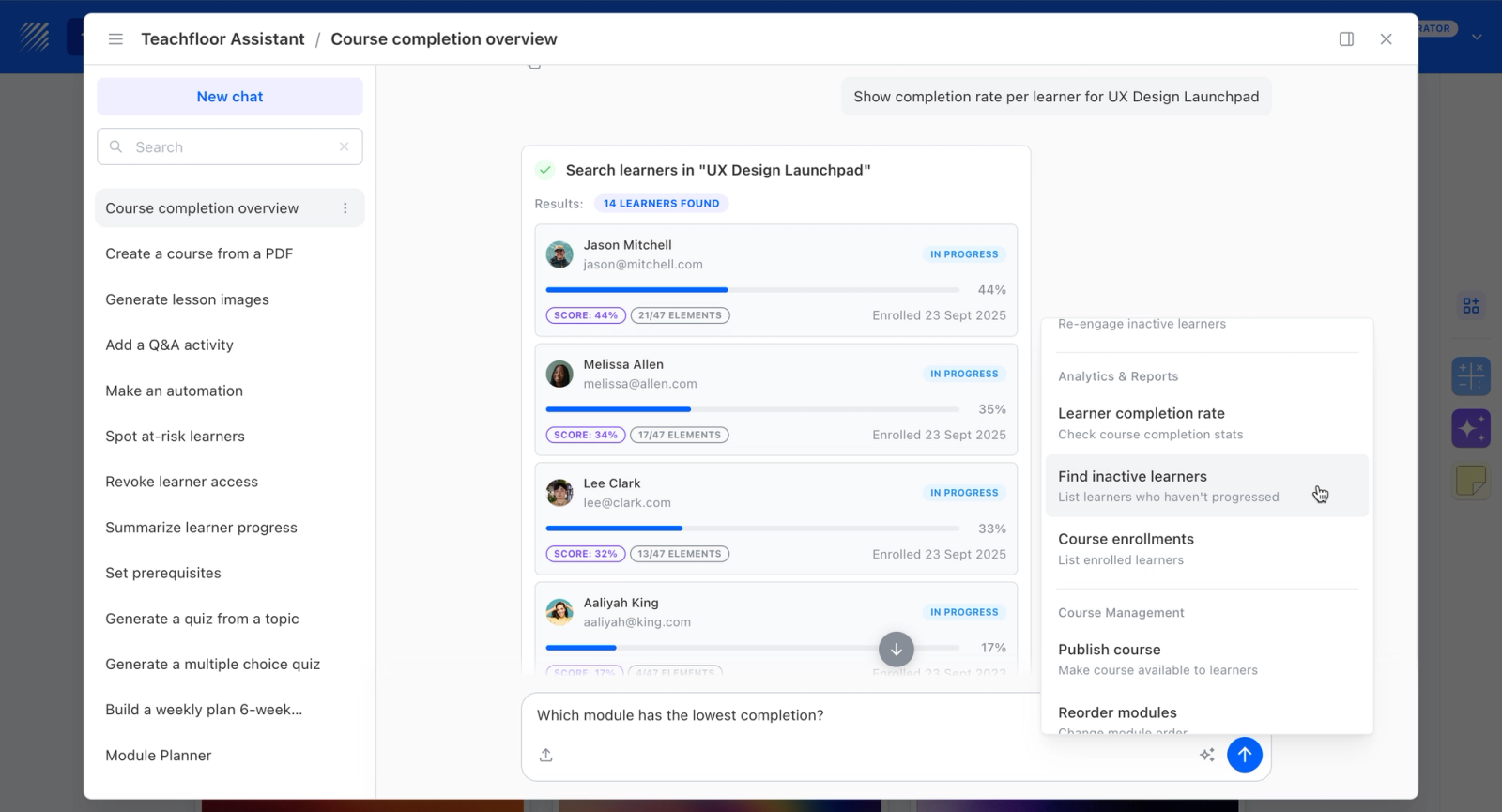
Teachfloor takes a different path than H5P: instead of authoring interactive widgets to embed elsewhere, it gives you a hosted platform where AI-assisted authoring turns your material into full courses with quizzes, assessments, and certificates. There is nothing to self-host, so you skip the WordPress, Moodle, or Drupal maintenance that makes H5P operationally heavy. It supports SCORM for content you need to move between systems, and delivers self-paced, live, or cohort-based learning on your own white-labeled domain. For training teams that want interactivity and assessment without managing server infrastructure, it removes H5P's biggest operational friction.
Core Capabilities
- AI-assisted authoring that drafts course structure and questions from your source material
- Built-in quizzes and assessments with completion tracking, no plug-in installation required
- Fully hosted with nothing to self-host, maintain, or patch
- SCORM support for moving content into or out of other systems
- White-label delivery on your own domain with a current, non-dated interface
- Self-paced, live, or cohort delivery rather than standalone embeddable widgets
Best For
Educators and training teams that want interactive content and assessment in a hosted, branded platform and want to avoid the self-hosting and upkeep that H5P requires.

Pricing Overview
- Startup plan from $89 per month for up to 50 learners
- Full Features plan with custom pricing, white-label, SSO, and advanced integrations
- 14-day free trial; no permanent free plan
- Nonprofit discounts available
Limitations
- Not free or open-source like H5P; pricing starts at $89/mo with no permanent free plan
- Does not produce embeddable standalone interactive widgets to drop into an external site or CMS
- Smaller library of individual interaction types than H5P's catalog of content types
Quick Comparison Insight
Against H5P, Lumi, and Adapt Learning, Teachfloor trades free open-source widget authoring for a hosted, AI-assisted course platform, making it the choice when you want to deliver and assess complete courses rather than embed interactive pieces into something you already run.
Articulate Rise 360
Overview
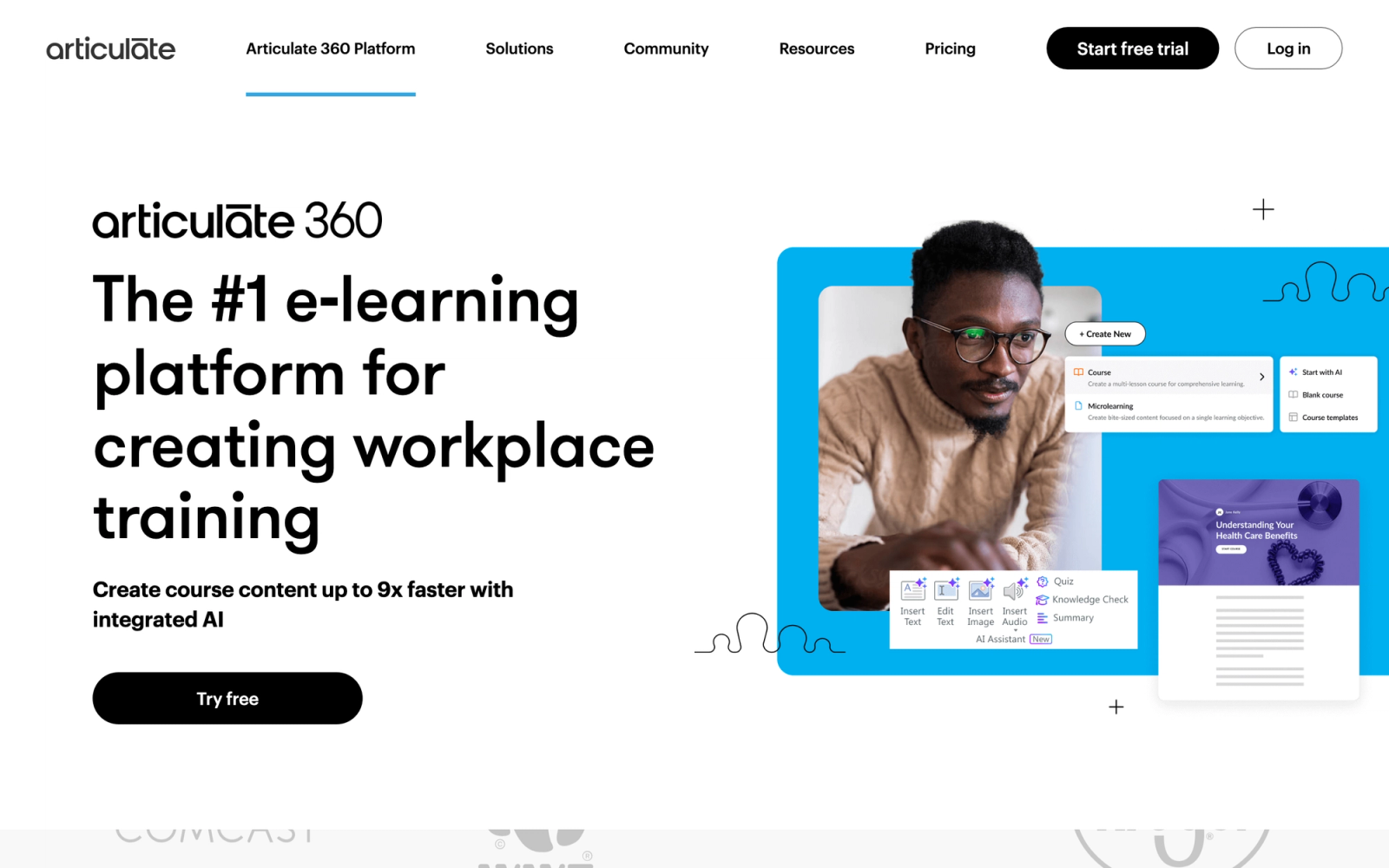
Articulate Rise 360 is part of the Articulate 360 suite and focuses specifically on responsive, web-based course creation. Where H5P gives you individual interactive widgets to embed, Rise 360 provides a full course authoring environment with a block-based editor that produces clean, mobile-responsive output without requiring any code.
Rise 360's most immediate advantage is production speed. The block-based approach means you drag in content blocks, text, images, interactions, knowledge checks, timelines, labeled graphics, and sorting activities, and the layout adapts automatically. For teams producing online courses on a deadline, that speed is a meaningful improvement over H5P's widget-by-widget assembly.
Core Capabilities
- Block-based responsive course editor with automatic mobile adaptation
- Over 20 built-in interaction types including flashcards, labeled graphics, process diagrams, sorting, matching, and timeline activities
- Knowledge check blocks with multiple choice, multiple response, fill-in-the-blank, and matching formats
- SCORM 1.2, SCORM 2004, and xAPI export for LMS deployment
- Native integration with Articulate Storyline 360 for embedding complex simulations inside Rise courses
- Content Library with thousands of stock photos, illustrations, icons, and video assets
- Real-time team collaboration with simultaneous editing and review workflows
- Rise 360 supports course-level theming with custom brand colors, fonts, and logo placement
- Lessons can be duplicated across projects, enabling template reuse for consistent course design
- Localization support with multi-language labels for navigation and buttons
Standout Strength
Rise 360 eliminates the trade-off between speed and polish. The visual output looks professional without design expertise, and the block editor means subject matter experts can contribute content without learning a complex tool. Compared to H5P, the visual quality gap is immediately apparent.
Best For
Corporate L&D teams and training organizations that need to produce responsive, SCORM-compliant courses quickly. Particularly strong for onboarding programs, compliance training, and product education where multiple authors contribute content.
Pricing Overview
- Starting price: Rise 360 sold standalone from about $499 per author per year
- Pricing model: Per-author annual subscription
- Articulate 360 bundle (adds Storyline 360 and other tools) from $1,199 per author per year, $1,449 with the AI tier
- Free 30-day trial available (no credit card required)
Limitations
- Rise 360 is also bundled into the broader Articulate 360 suite. If you need Storyline as well, the full bundle is a significant step up in price.
- Interaction types, while polished, are less granular than what Storyline or dedicated simulation tools offer. Complex branching scenarios require Storyline blocks embedded within Rise.
- Offline editing is not supported. Rise 360 is entirely cloud-based, which creates a dependency on internet connectivity.
Quick Comparison Insight
More polished and faster to produce with than H5P, but significantly more expensive. Best for teams that value production speed and visual consistency over open-source flexibility.
Adobe Captivate
Overview
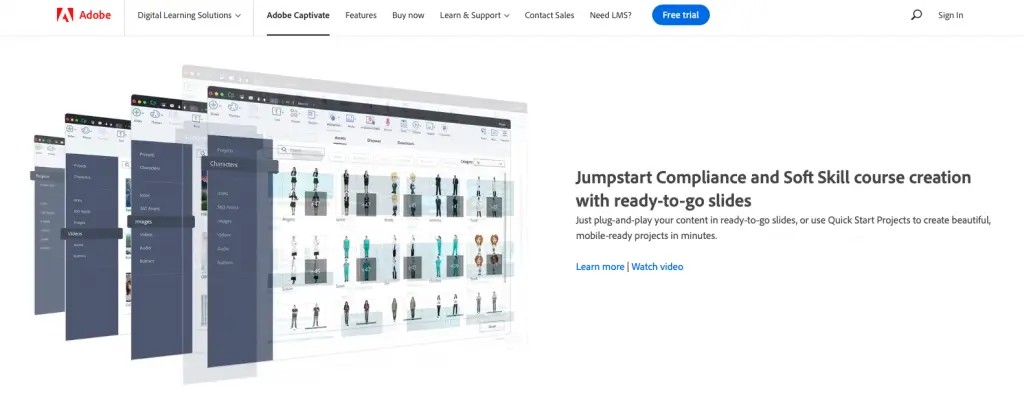
Adobe Captivate is a desktop-based authoring tool designed for creating complex interactive content, software simulations, and VR-based immersive learning. It occupies a different segment than H5P. Where H5P provides lightweight embeddable interactions, Captivate is built for producing fully packaged elearning modules with advanced interactivity, conditional logic, and multi-state objects.
Captivate's interface complexity is the price of admission. This is not a tool you learn in an afternoon. The trade-off is capability: Captivate produces software simulations with automated screen capture, responsive projects that adapt to any device, and interactions with variable-driven logic that go well beyond what H5P's content types support.
Core Capabilities
- Automated software simulation capture with try, demo, and assessment modes
- Responsive design with fluid box layouts that adapt to desktop, tablet, and mobile screens
- Advanced interaction builder with multi-state objects, variables, and conditional actions
- VR project support for creating 360-degree immersive learning experiences
- SCORM 1.2, SCORM 2004, and xAPI output with detailed reporting to LMS
- Built-in quiz engine with question pools, randomization, remediation branching, and question-level scoring
- Text-to-speech integration and closed caption support for accessibility
- PowerPoint import with animation preservation for converting existing slide decks into interactive modules
- Geolocation and device-specific variables for context-aware content delivery
- Integration with Adobe Creative Cloud assets for consistent design across projects
Standout Strength
Captivate owns the software simulation niche. The automated screen capture, combined with the ability to generate practice and assessment modes from a single recording, makes it the practical choice for IT training and software rollout programs. H5P has nothing comparable for this use case.
Best For
Enterprise L&D teams creating software training, compliance modules with complex branching logic, and organizations invested in the Adobe suite. Also a strong fit for teams building VR-based learning experiences.
Pricing Overview
- Starting price: $33.99 per month per user (Adobe lists $39.99 per month month-to-month)
- Pricing model: Subscription, per-author seat
- Team and enterprise plans available with custom, volume-discounted pricing
- Free trial available
Limitations
- Steep learning curve. Captivate's power comes with interface complexity that can slow down new authors for weeks.
- The responsive design system, while capable, requires careful planning. Poorly configured fluid boxes produce inconsistent layouts across devices.
- Desktop-only application. There is no cloud-based version, which limits collaboration and remote authoring workflows.
Quick Comparison Insight
Far more powerful than H5P for advanced simulations and conditional logic, but requires significantly more technical skill and ongoing investment. Overkill for teams that only need simple quizzes and interactive videos.
iSpring Suite
Overview
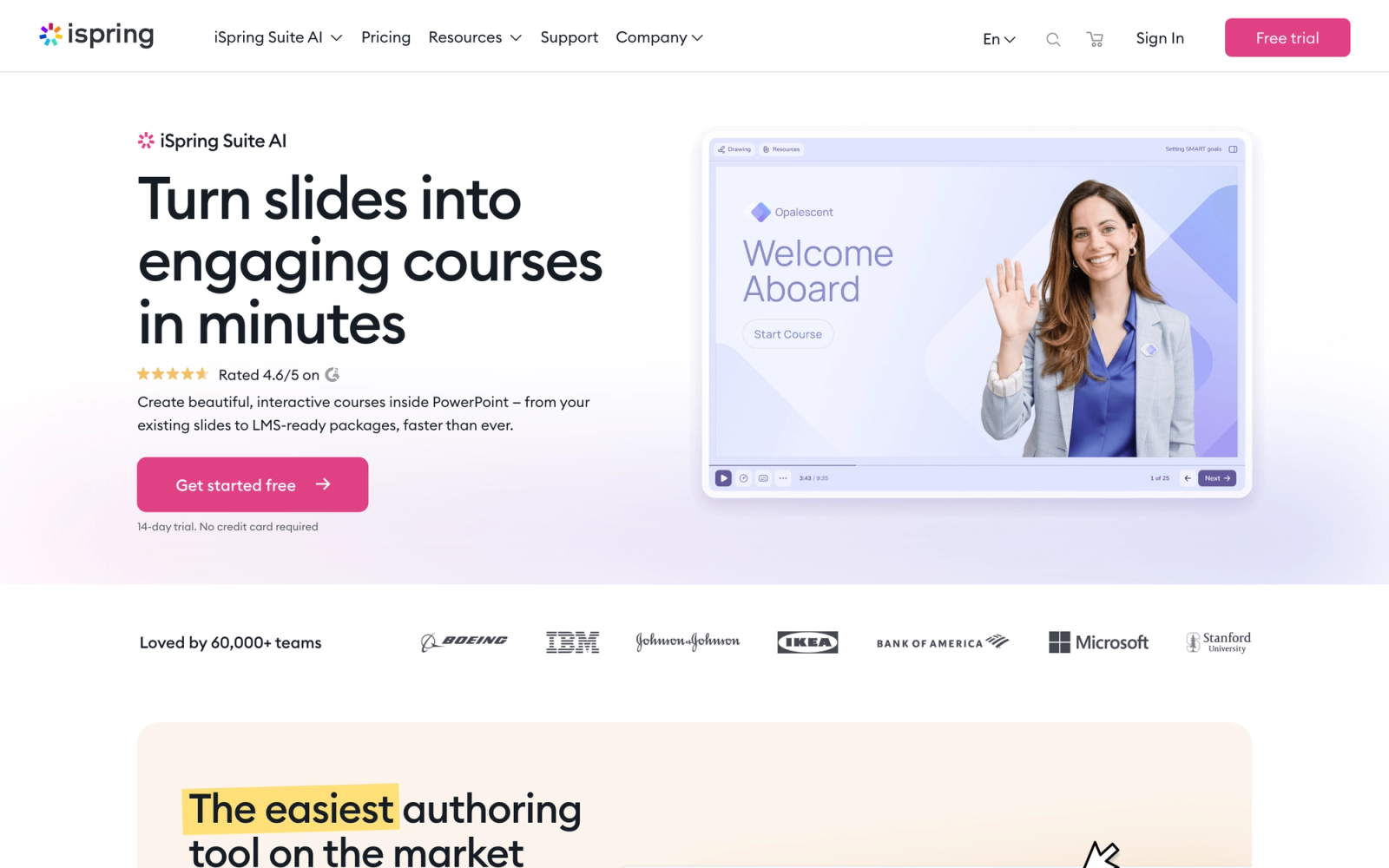
iSpring Suite is a PowerPoint-based authoring toolkit that converts existing slide decks into interactive elearning courses. For teams already comfortable with PowerPoint, iSpring removes the need to learn an entirely new interface. It sits as a ribbon plugin inside PowerPoint and adds course authoring, quiz creation, dialogue simulation, and screen recording capabilities directly.
The PowerPoint integration is both iSpring's greatest strength and its defining constraint. Content creation feels immediately familiar because the slide metaphor carries through the entire workflow. If your team has existing PowerPoint training materials, iSpring can convert them into SCORM-compliant interactive courses in a fraction of the time it would take to rebuild them in H5P or another standalone tool.
Core Capabilities
- PowerPoint plugin that preserves animations, transitions, and slide master designs during conversion
- Built-in quiz maker with 14 question types including drag-and-drop, hotspot, sequence, and Likert scale
- Dialogue simulation builder for creating branching conversation scenarios with character assets
- Screen recording and video editing with annotations, captions, and picture-in-picture narrator overlay
- SCORM 1.2, SCORM 2004, xAPI, and cmi5 export
- Interaction builder for timelines, catalogs, FAQ accordions, and labeled graphics
- Built-in text-to-speech engine with natural-sounding narration in multiple languages
- Content Library with characters, backgrounds, objects, and slide templates
- iSpring Space cloud platform for team collaboration, review, and approval workflows
- HTML5 output that works across all modern browsers and devices
Standout Strength
iSpring builds on existing PowerPoint skills and assets. There is no new interface to learn, no content migration, and no retraining. For organizations that have invested years in PowerPoint-based training materials, iSpring turns that investment into interactive elearning without starting over. Compared to H5P, the learning curve is virtually flat for PowerPoint users.
Best For
Corporate L&D teams and subject matter experts who already work in PowerPoint and need to convert presentations into interactive elearning content. Particularly effective for rapid course development, product training, and compliance modules.
Pricing Overview
- Starting price: $770 per author per year for iSpring Suite
- iSpring Suite Max (includes iSpring Space collaboration platform): $970 per author per year
- Pricing model: Per-author annual license
- Free 14-day trial available
Limitations
- Windows-only. iSpring Suite runs as a PowerPoint plugin, so macOS users are excluded entirely.
- Content is constrained by the slide-based paradigm. Scrolling long-form layouts like Rise 360's block model are not possible.
- The dialogue simulation builder, while useful, produces somewhat rigid conversation flows compared to dedicated branching tools.
Quick Comparison Insight
Faster to adopt than H5P for PowerPoint-proficient teams, with native SCORM export that H5P's self-hosted version lacks. Less flexible for non-slide-based content formats.
Genially
Overview
Genially is a cloud-based platform for creating interactive visual content, including presentations, infographics, interactive images, gamified experiences, and learning modules. It occupies a different niche than traditional elearning authoring tools. Where H5P focuses on embeddable educational interactions, Genially prioritizes visual storytelling with interactive layers.
Genially's animation and interaction system goes further than most authoring tools. Every canvas element can carry entrance animations, hover effects, click-triggered popups, and linked navigation. The result is closer to an interactive microsite than a traditional course slide. For educators and trainers who want engaging content without coding, the canvas-based approach is a meaningful departure from H5P's form-driven editors.
Core Capabilities
- Drag-and-drop canvas editor with thousands of customizable templates for presentations, infographics, and interactive images
- Interactive hotspots, tooltips, popup windows, and embedded media triggers on any element
- Animation system with entrance, exit, hover, and continuous motion effects
- Gamification features including escape rooms, quiz games, and interactive timelines
- Embed support for video, audio, Google Maps, social media, and external URLs within interactive layers
- Real-time collaboration with simultaneous multi-user editing
- Brand kit functionality for applying consistent colors, fonts, and logos across all content
- Integration with Google Classroom, Microsoft Teams, and LMS platforms via embed or LTI
- Analytics dashboard showing views, interaction rates, and time spent per section
- Accessible via browser with no software installation required
Standout Strength
Genially produces visually striking interactive content faster than almost any other tool in this list. The template library is deep, the animation system is intuitive, and the output looks polished without requiring design skills. For content that needs to capture attention, such as onboarding experiences, product showcases, or interactive reports, Genially excels where H5P's utilitarian design falls short.
Best For
Educators, marketing-adjacent L&D teams, and organizations that need interactive visual content beyond traditional elearning. Strong fit for K-12 and higher education, interactive presentations, and any context where visual engagement drives learning outcomes.
Pricing Overview
- Free tier available with Genially branding and limited features
- Pro plan starts at $7.49 per month, billed annually
- Master plan at about $25 per month for premium templates and analytics
- Team plans available with collaboration features
- Education pricing available at reduced rates
Limitations
- No native SCORM export. Content is delivered via embed links or LTI, which limits compatibility with LMS platforms that require packaged content.
- The free tier includes Genially branding on all outputs, which is a non-starter for professional and corporate use.
- While visually impressive, the interaction depth does not match dedicated elearning tools. Complex quiz scoring, branching logic, and variable-driven content are limited.
Quick Comparison Insight
More visually polished and faster to create with than H5P, but lacks SCORM export and the elearning-specific interaction depth that corporate training teams typically require. Better suited for engagement-driven content than formal assessment.
Lumi Education
Overview
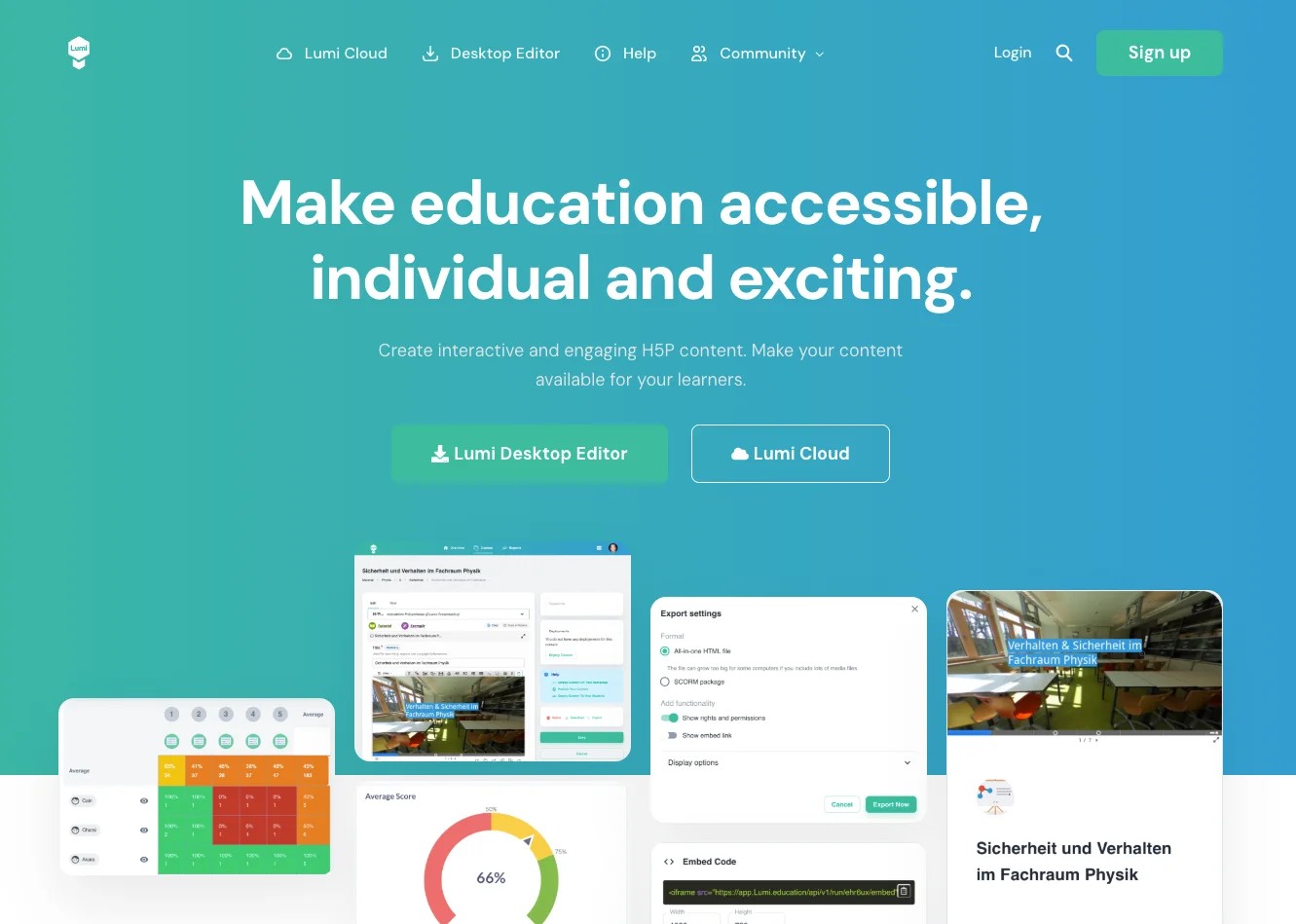
Lumi Education is a free, open-source desktop application that lets you create, edit, and export H5P content without needing a WordPress, Moodle, or Drupal installation. It directly addresses one of H5P's biggest friction points: the requirement for a CMS host. With Lumi, you download a standalone application, create H5P content types locally, and export them as standalone HTML files or SCORM packages.
Lumi's value proposition is clear: it is essentially H5P without the server dependency. You get the same content types, the same editor interfaces, but packaged in a desktop app that runs on Windows, macOS, and Linux. For educators who like H5P's content model but find the self-hosting requirement burdensome, Lumi is the most direct solution.
Core Capabilities
- Desktop application available for Windows, macOS, and Linux with no server or CMS required
- Full access to H5P content types including interactive video, course presentation, branching scenario, and quizzes
- Export as standalone HTML files that run in any browser without server dependencies
- SCORM export for uploading interactive content to any SCORM-compliant LMS
- Batch processing for creating and managing multiple H5P content files
- Open-source with community-driven development and transparent code
- Local file storage with no cloud dependency for data privacy
- Support for uploading and editing existing .h5p files created elsewhere
Standout Strength
Lumi exists to solve H5P's infrastructure problem. If you want H5P content types without running a PHP server, Lumi is the answer. The SCORM export capability alone fills a gap that the self-hosted H5P plugin cannot address, making it possible to use H5P content within any learning management system that supports SCORM packages.
Best For
Individual educators, solo instructional designers, and small teams that want H5P content types without server infrastructure. Particularly useful for freelance course creators and schools that need SCORM packages from H5P content for LMS deployment.
Pricing Overview
- Completely free and open-source
- No paid tiers, no premium features behind a paywall
- Supported by community donations
Limitations
- The content types are still H5P content types, so you inherit the same visual design limitations and dated aesthetics of the H5P framework itself.
- No collaboration features. Lumi is a single-user desktop application with no team workflow, review process, or shared content library.
- Analytics are not included. You rely entirely on whatever tracking your LMS provides when learners interact with exported SCORM packages.
Quick Comparison Insight
Solves H5P's biggest operational pain point (self-hosting) while preserving the same content model. Does not address H5P's design limitations or analytics gaps. Best understood as H5P made portable, not as a fundamentally different tool.
Adapt Learning
Overview
Adapt Learning is a free, open-source authoring framework for building responsive, multi-device elearning that exports to SCORM and xAPI. It closes two H5P gaps at once: it is genuinely free and open-source, and unlike H5P's self-hosted plugin it produces packaged SCORM content out of the box. It comes in two forms, a command-line framework for developers and the Adapt Authoring Tool, a browser-based interface for non-coders.
Output is single-page, scrolling, and fully responsive, closer in feel to a modern course than H5P's individual widgets. Because the project is community-driven and plugin-based, the available components keep expanding, and organizations can self-host the authoring tool with no per-seat licensing.
Core Capabilities
- Open-source framework with no licensing fees, self-hosted or developer-run
- Responsive single-page output that adapts to desktop, tablet, and mobile
- SCORM 1.2, SCORM 2004, and xAPI export for any compliant LMS
- Plugin architecture with a growing library of interactive components and question types
- Browser-based Adapt Authoring Tool for non-technical authors
- Active open-source community contributing themes, components, and extensions
- Full control over the source code and hosting for data privacy
Standout Strength
Adapt is the open-source answer for teams that want free SCORM authoring with modern, responsive output. Where H5P needs a CMS host and lacks native SCORM, Adapt packages standards-compliant content directly, and the code is yours to extend. For developer-friendly organizations, that combination of zero licensing cost and full source access is difficult to replicate with a commercial tool.
Best For
Developers, universities, and budget-conscious teams that want free, open-source SCORM authoring with responsive output and are comfortable self-hosting or maintaining the framework.
Pricing Overview
- Completely free and open-source under the GPL license
- No paid tiers; costs are limited to your own hosting and maintenance
- Commercial support available from third-party vendors if needed
Limitations
- The command-line framework requires technical skill; even the Authoring Tool benefits from someone comfortable with installation and hosting.
- No built-in analytics beyond what your LMS captures from the exported package.
- Visual styling depends on themes and plugins, so polished output takes more setup than a template-first commercial tool.
Quick Comparison Insight
The closest open-source upgrade to self-hosted H5P for teams that need real SCORM export. Free and standards-compliant, but it trades commercial polish and support for self-managed flexibility.
Lectora
Overview
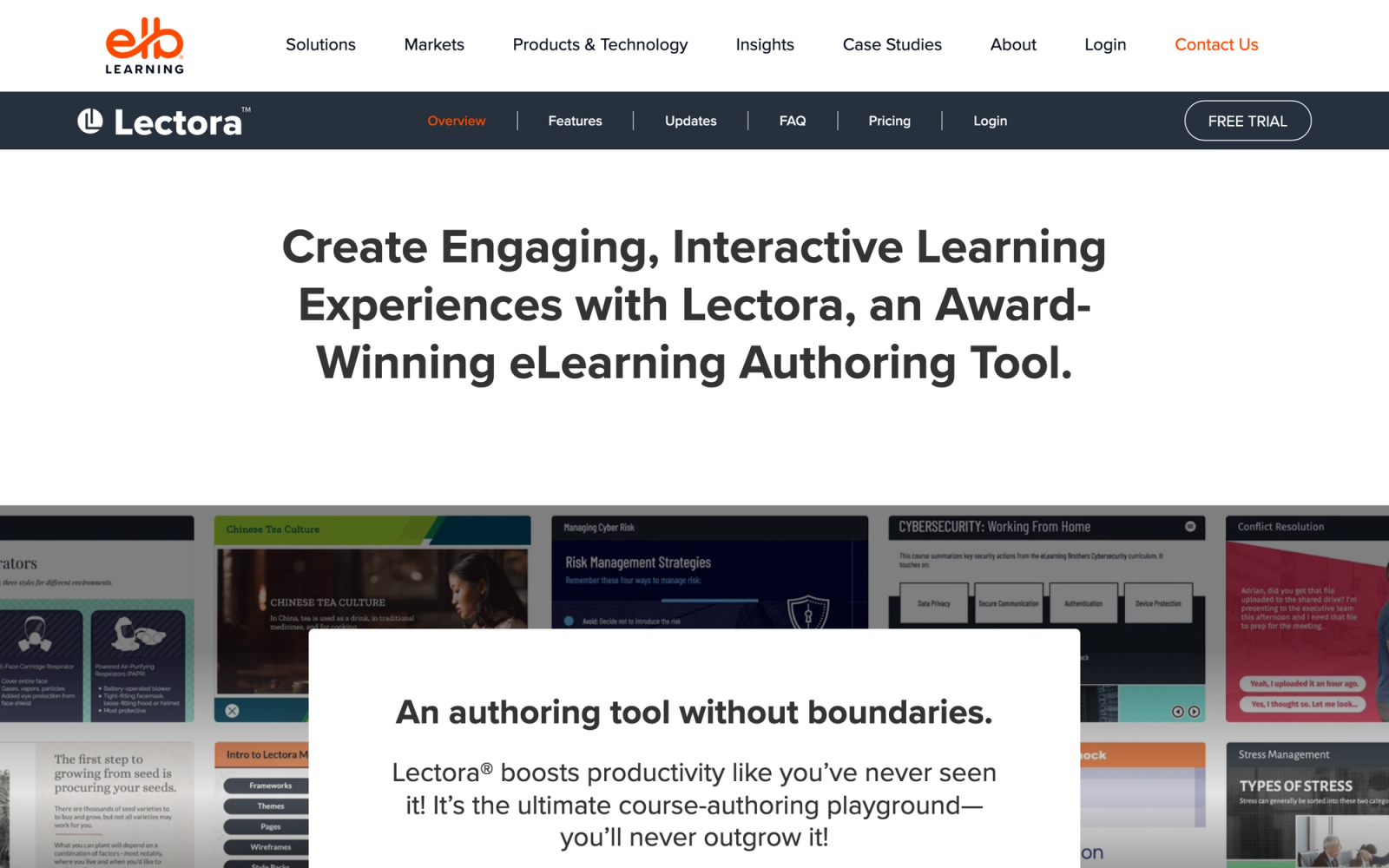
Lectora, developed by ELB Learning, is one of the longest-standing elearning authoring tools in the market. It is built for organizations that need granular control over content behavior, accessibility compliance, and output standards. Where H5P provides a set of predefined interaction templates, Lectora gives you a freeform canvas with deep control over actions, triggers, variables, and conditional logic.
Lectora distinguishes itself through its commitment to accessibility. The tool generates Section 508 and WCAG 2.1 AA compliant output by default, with built-in tools for testing and validating accessibility. For government agencies, healthcare organizations, and any team required to meet accessibility standards, this is not a nice-to-have feature. It is a requirement that H5P does not address with the same rigor.
Core Capabilities
- Freeform page-based editor with pixel-level control over layout, positioning, and object behavior
- Built-in Section 508 and WCAG 2.1 AA accessibility checker with automated compliance validation
- Action and trigger system for creating conditional interactions, branching paths, and variable-driven content
- SCORM 1.2, SCORM 2004, xAPI, AICC, and cmi5 output support
- Responsive design engine with device-specific layout views and breakpoint management
- Built-in screen recording and video editing for software demonstrations
- ReviewLink collaboration platform for stakeholder feedback, annotations, and approval workflows
- Extensive question types with randomization from question pools, remediation feedback, and retry logic
- Available as both desktop (Lectora Desktop) and cloud (Lectora Online) versions
- Translation management with multi-language support and XLIFF export for localization workflows
Standout Strength
Lectora handles accessibility compliance with a depth that other authoring tools treat as an afterthought. The built-in accessibility checker, combined with compliant output generation, makes it the default choice for government and regulated industry training where WCAG compliance is audited.
Best For
Enterprise L&D teams in government, healthcare, financial services, and other regulated industries where accessibility compliance is mandatory. Also well-suited for complex training programs that require granular interaction logic and multi-language deployment.
Pricing Overview
- Lectora (Gold Suite, includes Lectora Online and Desktop) starts at about $1,398 per author per year
- Bundles Lectora Online, Lectora Desktop, ReviewLink, and the asset library
- Pricing model: Per-author licensing
- Free trial available for both versions
Limitations
- The interface has a steeper learning curve than block-based or template-driven tools. New authors need meaningful ramp-up time to become productive.
- Visual design capabilities, while flexible, require more manual effort to achieve modern aesthetics compared to template-first tools like Rise 360 or isEazy.
- The desktop version requires Windows. Lectora Online provides cross-platform access but with a reduced feature set compared to the desktop edition.
Quick Comparison Insight
Far more capable than H5P for accessibility-compliant, enterprise-grade content. Requires more authoring expertise and budget, but delivers output that meets regulatory standards H5P cannot guarantee.
Elucidat
Overview
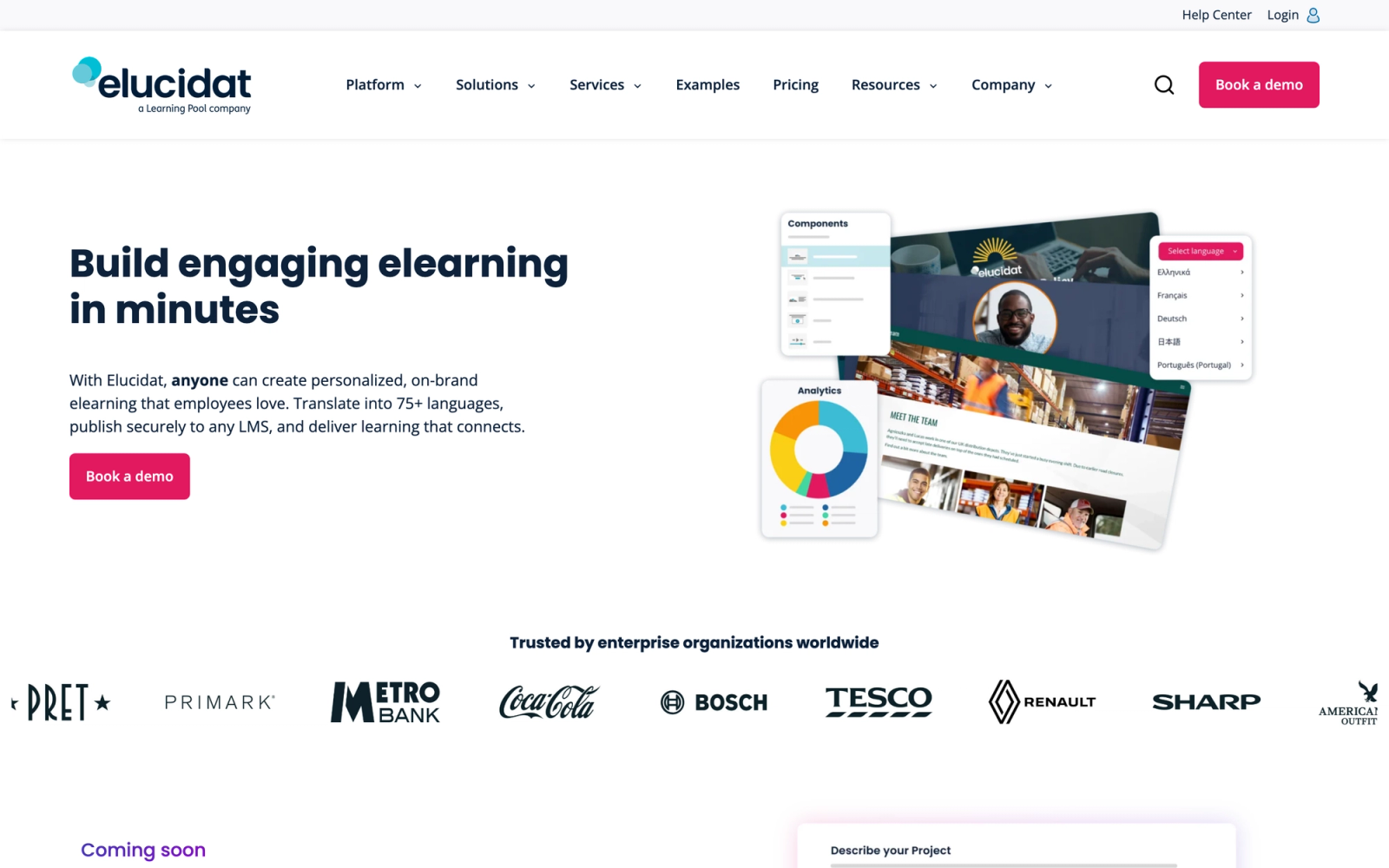
Elucidat is a cloud-based authoring platform designed specifically for large L&D teams that need to produce elearning content at scale. The platform focuses on governance, brand consistency, and production efficiency across distributed authoring teams. Where H5P is a content creation framework for individual interactions, Elucidat is an enterprise authoring system with role-based permissions, style guides enforcement, and centralized asset management.
Elucidat's collaboration infrastructure is built for organizational scale. Authoring permissions, content approval workflows, and brand-locked style guides let organizations give dozens of authors access without risking inconsistent output. For L&D operations managing hundreds of courses across multiple business units, that control layer is something H5P's open-ended framework does not provide.
Core Capabilities
- Cloud-based authoring with real-time collaboration and role-based access permissions
- Style guide enforcement that locks brand colors, fonts, and layout rules across all projects
- Page-based editor with pre-built interaction patterns including scenarios, knowledge checks, and media-rich layouts
- Learning Accelerator tool for AI-assisted rapid content generation from existing materials
- Built-in analytics with engagement tracking, completion rates, and performance dashboards
- SCORM 1.2, SCORM 2004, and xAPI export
- Centralized asset library for images, videos, and reusable components shared across teams
- Automatic responsive output optimized for desktop, tablet, and mobile
- Localization workflow with side-by-side translation editing and XLIFF support
- Variation publishing for delivering different content versions to different audiences from a single source
Standout Strength
Elucidat solves the consistency problem of large-scale content production. When 20 or 50 authors create courses across an enterprise, maintaining a coherent look and feel is harder than any single piece of content creation. Locked style guides, approval workflows, and centralized analytics make it possible to scale authoring without sacrificing output quality, a layer of control that H5P's open framework never attempts.
Best For
Enterprise L&D teams with multiple authors, large course catalogs, and a need for brand-consistent, scalable content production. Strong fit for organizations in financial services, retail, and technology that run global employee training programs across regions.
Pricing Overview
- Growth plan from about $1,650 per author per year (3-seat minimum, roughly $4,950 per year)
- Team and Enterprise tiers are quote-based and require a sales conversation
- Free demo available upon request
Limitations
- Enterprise-oriented pricing puts Elucidat out of reach for small teams and individual creators.
- The interaction types, while well-designed, are less granular than what Captivate or Lectora offer for complex simulation scenarios.
- The platform is optimized for standardized content production. Highly custom, one-off creative projects may feel constrained by the style guide framework.
Quick Comparison Insight
Solves a completely different problem than H5P. Where H5P is about creating individual interactive widgets, Elucidat is about managing interactive content production across an enterprise. Not a replacement for H5P's flexibility, but a significant upgrade for teams that need governance and scale.
isEazy Author
Overview
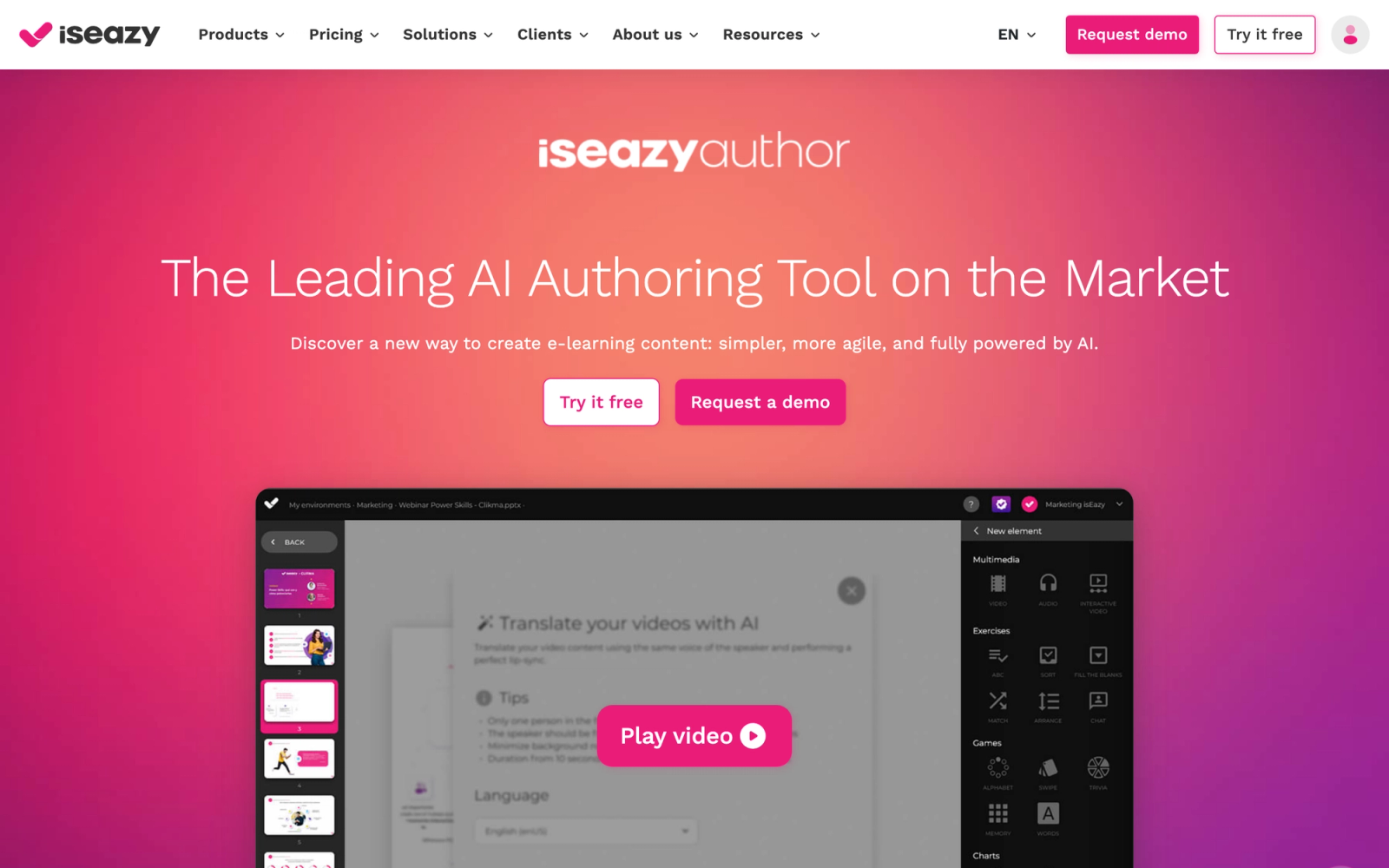
isEazy Author is a cloud-based elearning authoring tool that prioritizes visual quality and speed of production. The platform uses a slide-based editor with a library of professionally designed templates, making it possible to create polished interactive courses without graphic design expertise. Compared to H5P's utilitarian content editors, isEazy Author produces noticeably more visually refined output.
Building a course in isEazy feels closer to using a modern design tool than a traditional authoring platform. Templates are well-crafted, the interface is clean, and the drag-and-drop editing is responsive. It is particularly well-suited for teams that need professional-looking courses quickly without custom CSS or manual layout adjustments that H5P often requires.
Core Capabilities
- Cloud-based slide editor with a library of professionally designed, customizable templates
- Interactive elements including quizzes, drag-and-drop activities, hotspots, and matching exercises
- Gamification features with scoring, badges, and learner progress indicators
- SCORM 1.2, SCORM 2004, and xAPI export for LMS integration
- AI-powered content generation assistant for creating course outlines and initial content drafts
- Multi-language course creation with translation management tools
- Real-time collaboration with team editing, comments, and approval workflows
- Accessibility-focused output with WCAG compliance features
- Brand theming with custom color palettes, fonts, and logo application across all slides
- Automatic responsive adaptation for mobile and tablet viewing
Standout Strength
isEazy Author delivers visual quality that exceeds what most competing tools produce at the same speed. The template-driven approach means that even authors with no design background produce courses that look professionally designed. For teams where visual presentation matters for learner engagement or brand perception, isEazy closes the gap between "fast to create" and "looks impressive." H5P's default styling cannot compete on visual polish.
Best For
Mid-size L&D teams and training companies that need visually polished courses produced quickly. Well-suited for onboarding programs, product training, and soft skills content where presentation quality influences learner engagement.
Pricing Overview
- Free plan available with basic features and isEazy branding
- Pro plan starts at about $77 per author per month
- Business and Enterprise plans available with additional features and priority support
- Free trial available
Limitations
- The template-driven approach means less flexibility for highly custom layouts. If your design needs fall outside the template library, you may feel constrained.
- Advanced interactivity, such as complex branching with variable logic, is more limited compared to Captivate or Lectora.
- The free plan includes isEazy branding on exported content, which limits its usefulness for professional deployments.
Quick Comparison Insight
Significantly more visually polished than H5P with minimal effort, and faster to produce with. Trades H5P's open-source flexibility for a curated, template-driven experience that prioritizes design quality.
Camtasia
Overview
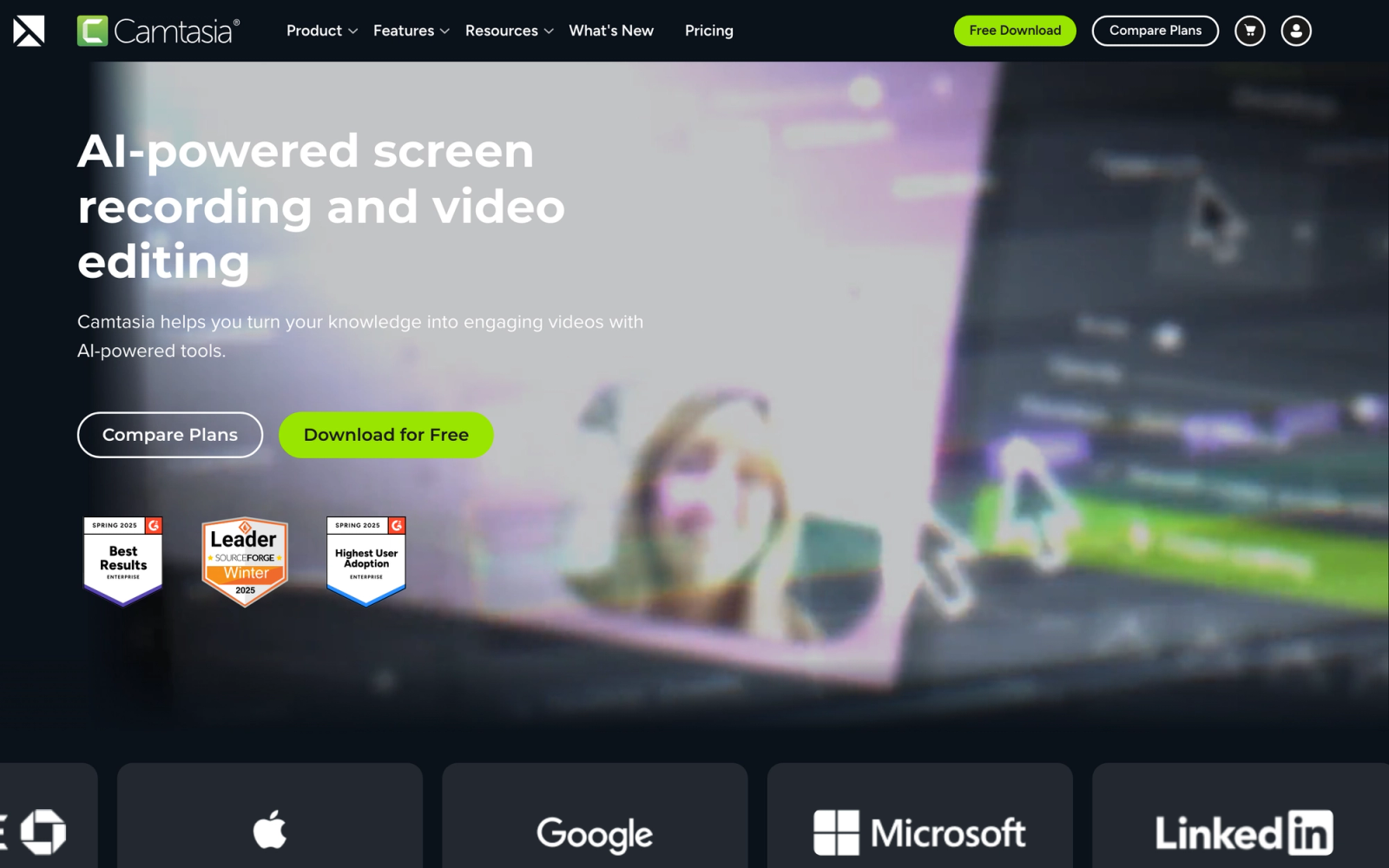
Camtasia, by TechSmith, is a screen recording and video editing tool that includes interactive features for creating quiz-based assessments within video content. It occupies a different category than pure elearning authoring tools, but for teams that rely heavily on video-based training, Camtasia addresses a use case that H5P's interactive video content type handles less effectively.
The screen recording quality and editing workflow in Camtasia are a step above what most elearning authoring tools offer for video. The multi-track timeline editor, cursor effects, annotation tools, and library of transitions give you production-quality output. Where H5P lets you add interactive overlays to an existing video, Camtasia lets you produce the video itself with embedded interactivity from a single tool.
Core Capabilities
- Professional screen recording with system audio, microphone, and webcam capture
- Multi-track timeline video editor with transitions, annotations, and motion graphics
- Interactive quiz and survey elements embedded directly within video playback
- Cursor smoothing, highlighting, and click effects for software demonstrations
- Library of templates, intros, lower thirds, and motion backgrounds
- SCORM-compliant export for deploying interactive video quizzes to an LMS
- PowerPoint import and recording for converting presentations into video-based training
- Asset library with royalty-free music, sound effects, and customizable graphics
- Closed caption and subtitle tools with import and auto-generation options
- Output to MP4, GIF, and SCORM with configurable quality settings
Standout Strength
Camtasia integrates recording, editing, and interactive assessment in a single desktop application, which eliminates the handoff between separate tools. For software training, process walkthroughs, and tutorial content, that single-workflow approach produces finished interactive video faster than splitting production across applications. H5P's interactive video type adds overlays to existing video; it cannot produce the video itself.
Best For
IT trainers, software educators, and L&D teams that produce video-first training content. Strong fit for software demonstration training, process documentation, and any context where screen recordings need embedded knowledge checks.
Pricing Overview
- Subscription from $179.88 per year (Essentials); perpetual licenses were discontinued for new buyers in late 2024
- Teams plan at about $269.88 per year per user; enterprise pricing is custom
- Camtasia + Snagit bundle available at a discounted rate
- Volume licensing available for teams
- Free 30-day trial available
Limitations
- Camtasia is a video tool with interactive features, not a full elearning authoring suite. Interactive capabilities are limited to quizzes embedded in video. You cannot create standalone drag-and-drop activities, branching scenarios, or non-video interactive content.
- The interactive quiz options are basic compared to dedicated authoring tools. Multiple choice and fill-in-the-blank are available, but complex question types are not.
- File sizes for video-based content can be significantly larger than HTML-based interactive content, which affects LMS storage and learner bandwidth requirements.
Quick Comparison Insight
Superior to H5P for producing video-based interactive training from scratch, but narrower in scope. If video is your primary content format, Camtasia is a strong fit. If you need diverse non-video interaction types, look elsewhere on this list.
How to Choose the Right Alternative
The right H5P alternative depends on what you are actually trying to accomplish, not just which tool has the longest feature list.
If you need H5P content without the server overhead, Lumi Education is the most direct path. You keep the same content types and gain SCORM export, without maintaining a CMS installation.
If your priority is producing polished courses quickly, Rise 360 or isEazy Author will get you from concept to finished course faster than H5P, with significantly better visual output. Rise 360 fits teams already using the Articulate suite. isEazy suits teams that want template-driven speed at a lower price point.
If your team lives in PowerPoint, iSpring Suite converts your existing investment in slide decks into interactive elearning without forcing a tool migration. The learning curve is negligible for PowerPoint users.
If you need advanced simulations or software training, Adobe Captivate and Lectora provide the conditional logic, variable systems, and simulation capture tools that H5P cannot match. Captivate is stronger for software simulations. Lectora is the better choice when accessibility compliance is mandatory.
If you produce content at enterprise scale, Elucidat's governance framework, brand enforcement, and distributed authoring workflows solve problems that only surface when you have dozens of authors and hundreds of courses.
If visual engagement matters more than formal assessment, Genially creates interactive content that looks striking, though it trades SCORM compatibility for design freedom.
If video is your primary format, Camtasia combines screen recording, editing, and embedded quizzes in a single workflow that H5P's interactive video type cannot match.
If engagement and interaction matter more than a library of self-paced widgets, Teachfloor takes a different approach. Instead of packaging interactivity into content objects, it builds interactivity into the learning experience through community, peer review, and live sessions, with the flexibility to run programs self-paced, social, live, or in cohorts, and AI to speed up course creation.
The critical question is not which tool is "best." It is which tool matches your content format, team size, technical capacity, and delivery model. Start from the problem, not the feature list.
FAQ
Is there a free, open-source H5P alternative with SCORM export?
Yes. Lumi Education and Adapt Learning are both free and open-source, and both export SCORM packages, which self-hosted H5P does not do natively. Lumi is the most direct swap if you want H5P content types as a desktop app, while Adapt produces modern, responsive, single-page courses. Beyond those, most tools with SCORM export are paid, though several offer free trials or limited free tiers.
Which H5P alternative is best for interactive, social learning rather than self-paced widgets?
Teachfloor. H5P creates interactions between a learner and a screen; Teachfloor adds interactions between learners through community, peer review, live sessions, and group projects, and it can run programs self-paced, social, live, or in cohorts. For programs where completion depends on engagement and accountability, that social layer is the difference.
Can I migrate existing H5P content to another tool?
Not directly in most cases. H5P content is stored in a proprietary .h5p format. Lumi Education can open and edit .h5p files, but moving to Rise 360, Captivate, or isEazy means rebuilding the content natively. Some platforms, including Teachfloor, can also embed existing H5P or SCORM objects inside a course if you prefer not to rebuild. If you have a large library, factor migration effort into your decision.
Which H5P alternative is best for non-technical users?
Rise 360 and isEazy Author both prioritize ease of use, with block-based and template-driven editors that need no technical background. For interactive courses with built-in community and AI course creation, Teachfloor is also approachable for non-developers. All three are far simpler than managing a self-hosted H5P installation.
How much do H5P alternatives cost?
It ranges widely. Lumi Education and Adapt Learning are free and open-source. Teachfloor starts at $89 per month, Genially and isEazy Author have free tiers, Captivate is $33.99 per month, and Rise 360 is about $499 per author per year standalone. At the high end, Lectora (about $1,398 per author per year) and Elucidat (about $1,650 per author per year) target enterprise teams. For more on what drives platform cost, see our guides to LMS pricing and the most affordable LMS options.
Do any of these tools work offline?
Lumi Education, Adobe Captivate, iSpring Suite, Lectora Desktop, and Camtasia are desktop applications that work without a connection. Rise 360, Genially, Elucidat, isEazy Author, Adapt's authoring tool, and Teachfloor are cloud-based and require connectivity.


