

Why Look for a Workday Learning Alternative?
Workday Learning is the learning management module inside the broader Workday Human Capital Management (HCM) suite. For organizations already running Workday HCM for payroll, talent, and HR operations, it adds a convenient layer for assigning compliance training and tracking completions. But as a dedicated learning platform, it falls short in several areas that push L&D teams to look elsewhere.
Workday HCM dependency. Workday Learning is not available as a standalone product. You must be a Workday HCM customer to access it, which means organizations that do not use Workday for HR cannot consider it at all. For those that do, the learning module is an additional cost on top of an already significant HCM investment.
Limited content authoring. Workday Learning provides basic content hosting and SCORM support, but it lacks a native authoring environment with any meaningful depth. Teams that need to build interactive courses, scenario-based training, or multimedia-rich content find themselves purchasing a separate authoring tool, then uploading packages into Workday. That adds friction to every content update cycle.
Basic learning features compared to dedicated LMS platforms. Features like learning paths, social learning, skill-gap analysis, and adaptive delivery are either absent or shallow in Workday Learning. Organizations that need more than simple course assignment and completion tracking quickly outgrow what the module offers.
Restricted third-party content integration. Connecting external content libraries, marketplace courses, or custom content from providers outside the Workday environment is more difficult than it should be. Teams relying on content from LinkedIn Learning, Udemy Business, or specialized industry providers often face integration friction.
Reporting tied to the Workday environment. While Workday's overall analytics framework is strong, learning-specific reporting is limited. Custom reports on learner engagement, content effectiveness, and skill progression require workarounds or supplementary tools. L&D teams that need granular learning analytics often find the native reports insufficient.
If your organization needs a learning platform that can stand on its own, support advanced content creation, or deliver training experiences beyond basic course assignment, the alternatives below address those gaps directly.
What to Look for in a Corporate Learning Platform
Replacing or supplementing Workday Learning is not a minor decision. It touches content workflows, compliance tracking, reporting, and often dozens of integrations. Before evaluating individual platforms, anchor on the criteria that matter most for your L&D operation.
Content authoring and management. Can your team build, update, and publish courses without relying on a separate authoring tool? Look for platforms with built-in course builders, support for SCORM and xAPI, video hosting, and the ability to create assessments natively. A streamlined content creation workflow reduces time-to-publish significantly.
Learning path and skills architecture. Does the platform support structured learning paths, prerequisite logic, and skill mapping? For organizations moving beyond compliance-only training toward employee development, this is a critical capability gap that Workday Learning does not fill well.
Third-party content integration. Check for native connectors to content libraries like LinkedIn Learning, Coursera for Business, or Udemy Business. An open content approach means your team can blend internal training with curated external resources without manual uploads.
Reporting and analytics depth. Look beyond completion rates. The best platforms offer engagement analytics, assessment performance breakdowns, manager dashboards, and skill progression tracking. If your current Workday reports require spreadsheet exports to get the insights you need, prioritize this criterion.
User experience and adoption. A learning platform only works if people use it. Evaluate the learner interface, mobile experience, and how the platform surfaces relevant content. Clunky interfaces drive learners away, regardless of how strong the back-end features are.
Integration with your existing HR stack. If you are keeping Workday HCM for core HR, the learning platform must sync user data, organizational structures, and role assignments. Check for pre-built Workday connectors or a flexible API that supports your employee onboarding process and ongoing role-based assignments.
Total cost of ownership. Subscription fees, implementation costs, content migration, and ongoing administration time all factor in. A platform with a lower per-user price can end up costing more if it requires extensive consulting or custom development to meet your requirements.
10 Best Workday Learning Alternatives
The platforms below range from enterprise learning suites to mid-market LMS options and collaborative learning tools. Each addresses a different combination of the gaps outlined above. They cover a wide spectrum of organization sizes, training complexity, and operational needs.
| Tool | Content authoring | Social and live learning | Workday HCM sync | Starting price | Free trial | Best for |
|---|---|---|---|---|---|---|
| Teachfloor | AI course creation, built-in | Community, peer review, live Zoom | API and Zapier | $89/mo | 14 days | Flexible, social and cohort-based programs |
| Cornerstone OnDemand | Limited (uses external tools) | Basic social features | Pre-built connector | Custom (six figures) | Demo only | Regulated, compliance-heavy enterprises |
| Docebo | Built-in authoring | Social learning, AI discovery | Pre-built connector | Custom (mid five figures) | Demo only | Mid-to-large teams wanting AI on a mature LMS |
| SAP SuccessFactors Learning | Limited (uses external tools) | Work Zone collaboration | HCM data exchange | Custom (bundled with HCM) | Demo only | SAP-invested regulated enterprises |
| Absorb LMS | Built-in authoring | Limited social features | API and connectors | Custom (no public list) | Demo only | Clean UX and fast mid-market setup |
| 360Learning | Collaborative authoring | Peer feedback, discussions | Pre-built connector | $8/user/mo | 30 days | Subject-matter-expert content creation |
| TalentLMS | Built-in authoring | Basic forums | Via Zapier | $149/mo | Free plan | SMBs needing quick, affordable setup |
| LearnUpon | Built-in authoring | Limited social features | Pre-built connector | Custom (low five figures) | Demo only | Training employees, partners and customers |
| Bridge | Built-in authoring | 1:1s and manager check-ins | Pre-built connector | Custom (from ~$12,500/yr) | Demo only | Manager-led development conversations |
| Degreed | None (LXP, no authoring) | Social sharing, recommendations | Pre-built connector | Custom (six figures) | Demo only | Skills-first enterprise learning |
Teachfloor

Overview
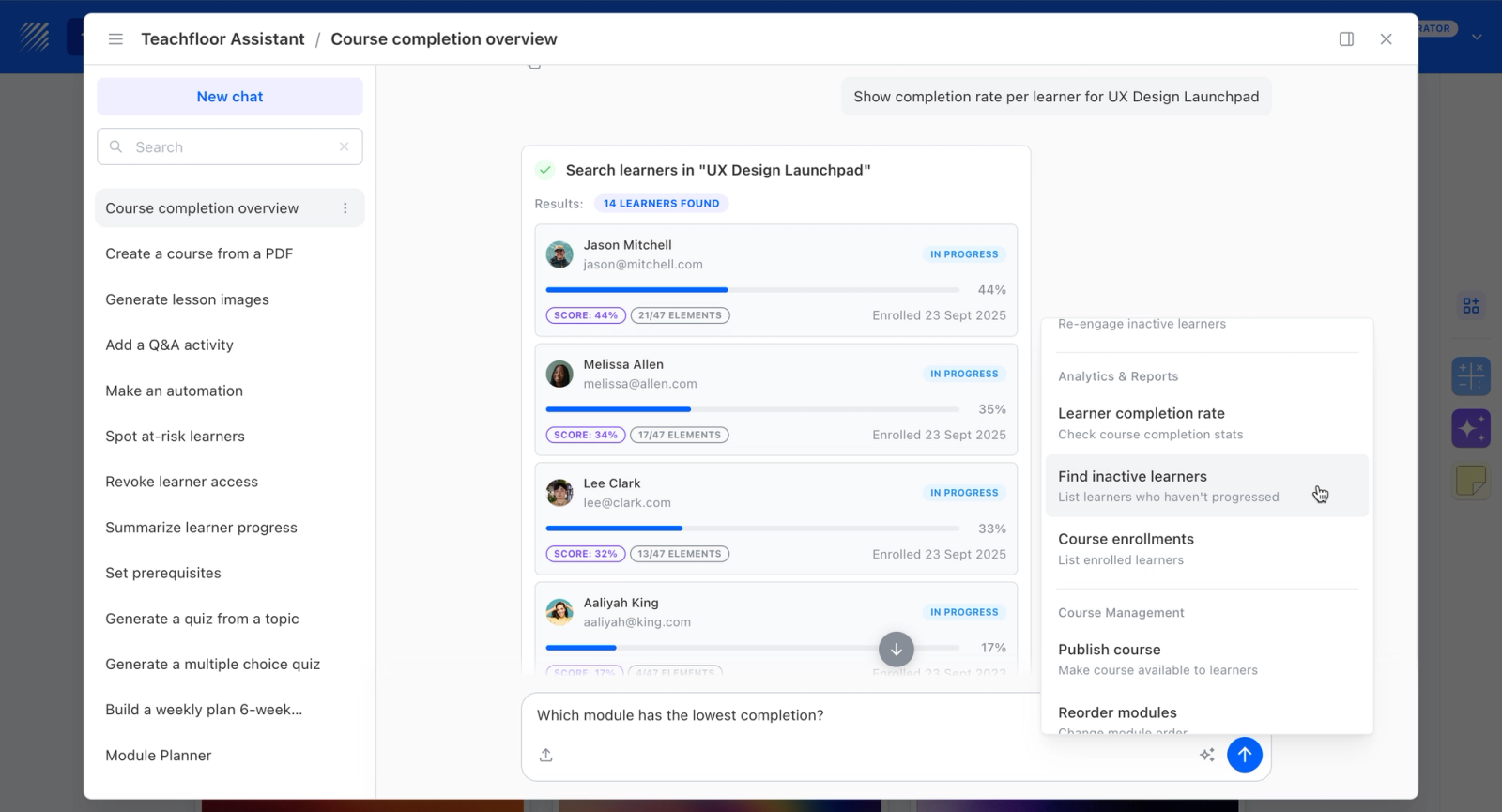
Teachfloor is a dedicated learning platform with no HCM dependency. Where Workday's learning module functions as a compliance-assignment layer inside a payroll-and-HR suite, Teachfloor operates on its own: teams build courses with AI-assisted authoring, deliver them self-paced, live, or in cohorts, and layer in discussion threads, group activities, and rubric-based peer review. The platform integrates with the rest of your stack through API and Zapier, so the learning function runs on its own roadmap while HR stays in Workday.
Core Capabilities
- No HCM dependency: the platform runs independently of Workday's suite, pricing, and release cycle, so L&D teams own their own roadmap
- AI-assisted authoring and flexible self-paced, live, or cohort delivery, going well beyond Workday Learning's assign-and-track approach to compliance
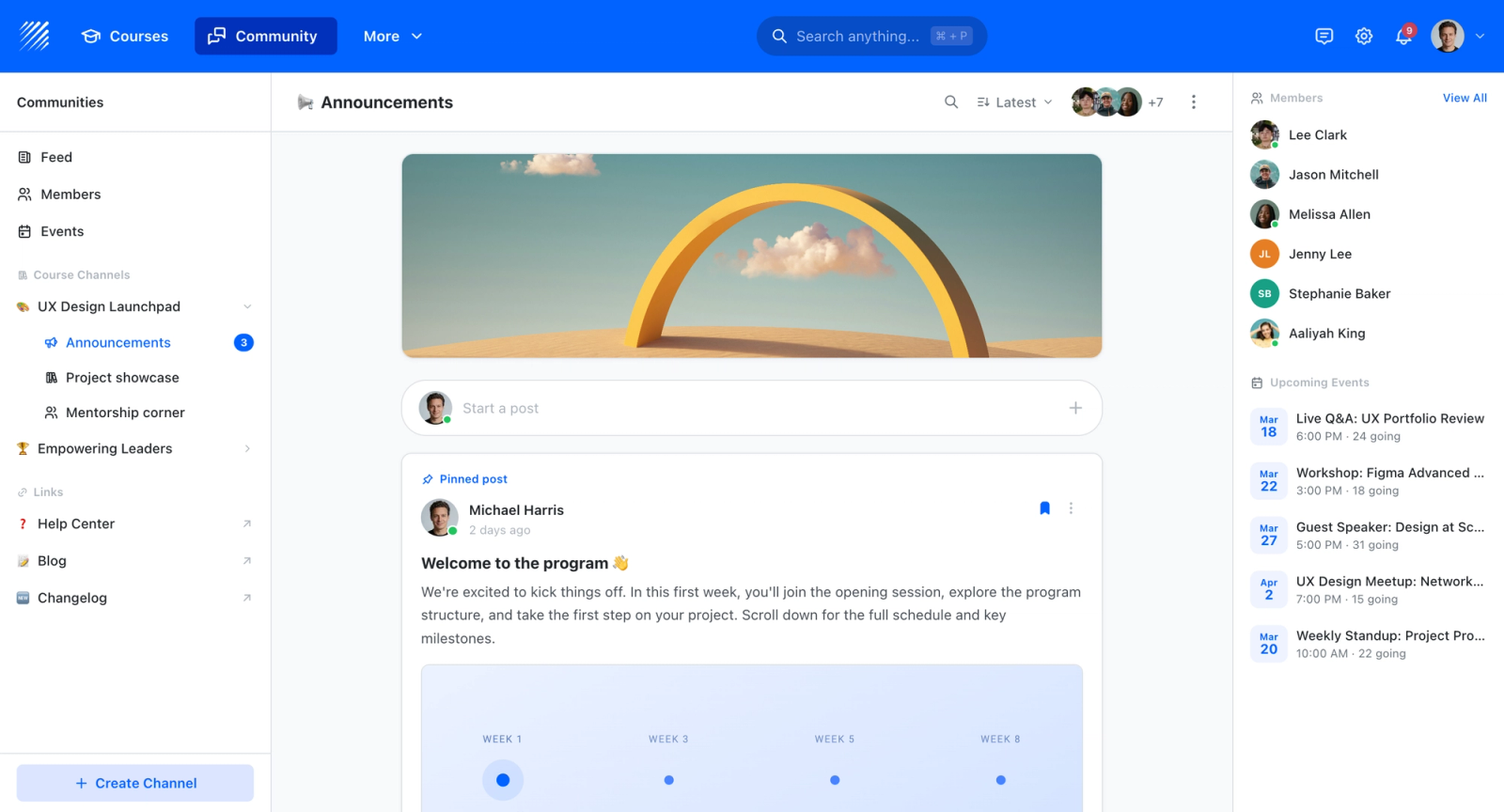
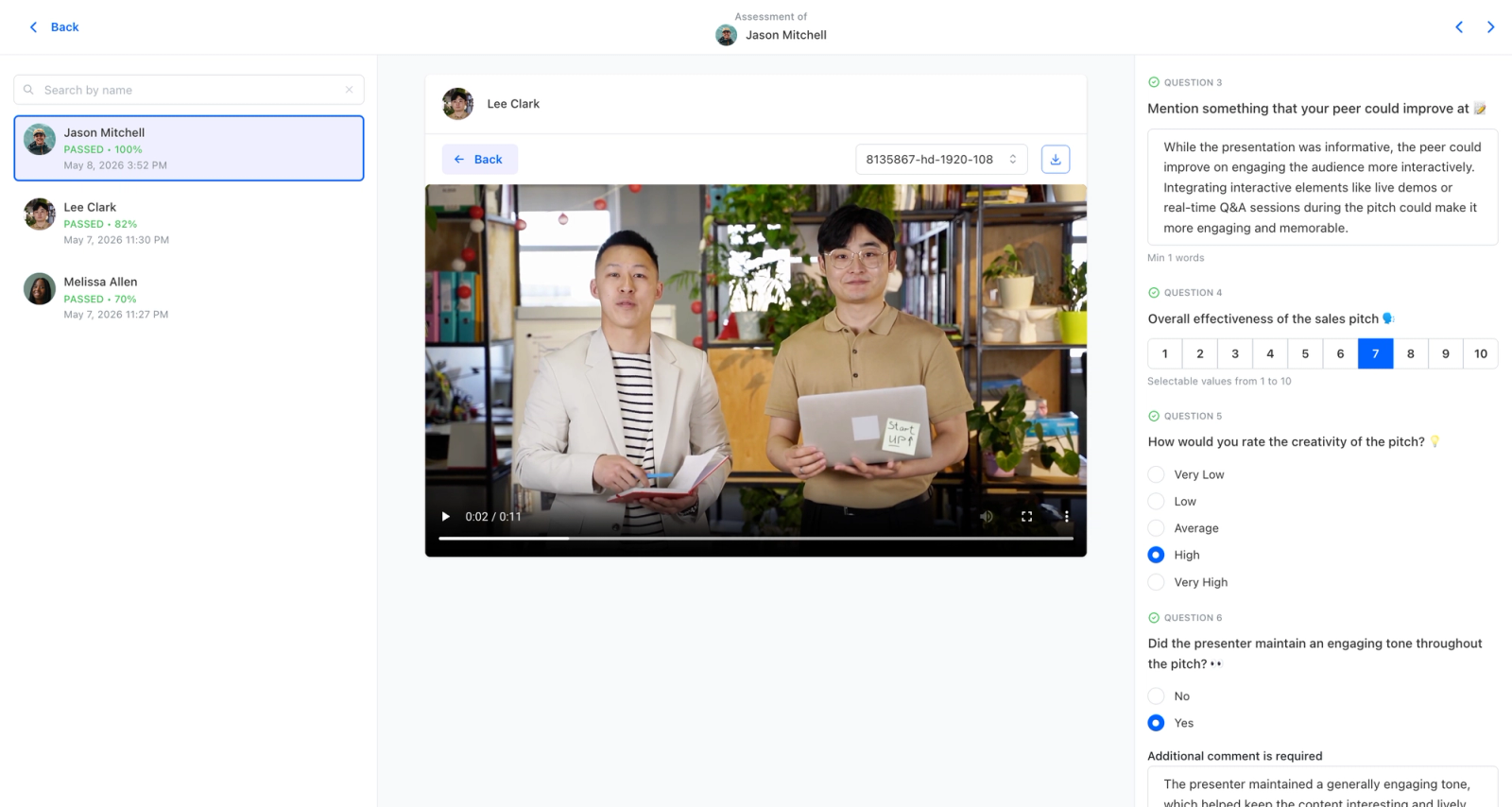
- Active learning with discussion threads, group activities, and weighted rubric-driven peer review that turns training into participation rather than passive completion
- Quizzes, certificates, multi-branch structure, SCORM support, and analytics to manage and report on programs independently of HR systems
- White-label on your own domain so learner-facing training carries your brand, not a generic HCM interface
Best For
Organizations running Workday HCM whose L&D teams want a dedicated learning platform with its own roadmap and engagement features, rather than a compliance module that only works inside the suite.
Pricing Overview
- Startup plan from $89 per month for up to 50 learners
- Full Features plan with custom pricing, white-label, SSO, and advanced integrations
- 14-day free trial; no permanent free plan
- Nonprofit discounts available
Limitations
- Does not sync natively with Workday HCM data the way the embedded module does, so headcount and role data need to flow in through integration rather than out of the box
- Focused on learning only; payroll, talent management, and performance stay in your existing HR system
- No free plan; the entry tier at $89/month covers up to 50 learners, which suits teams running structured programs rather than light-touch compliance assignments
Quick Comparison Insight
Workday Learning is a convenient add-on for organizations already in the Workday suite whose main need is assigning and tracking required training. Teachfloor is for teams that want learning to operate as its own function, with authoring, engagement, and analytics that don't depend on the HCM contract.
Cornerstone OnDemand
Overview
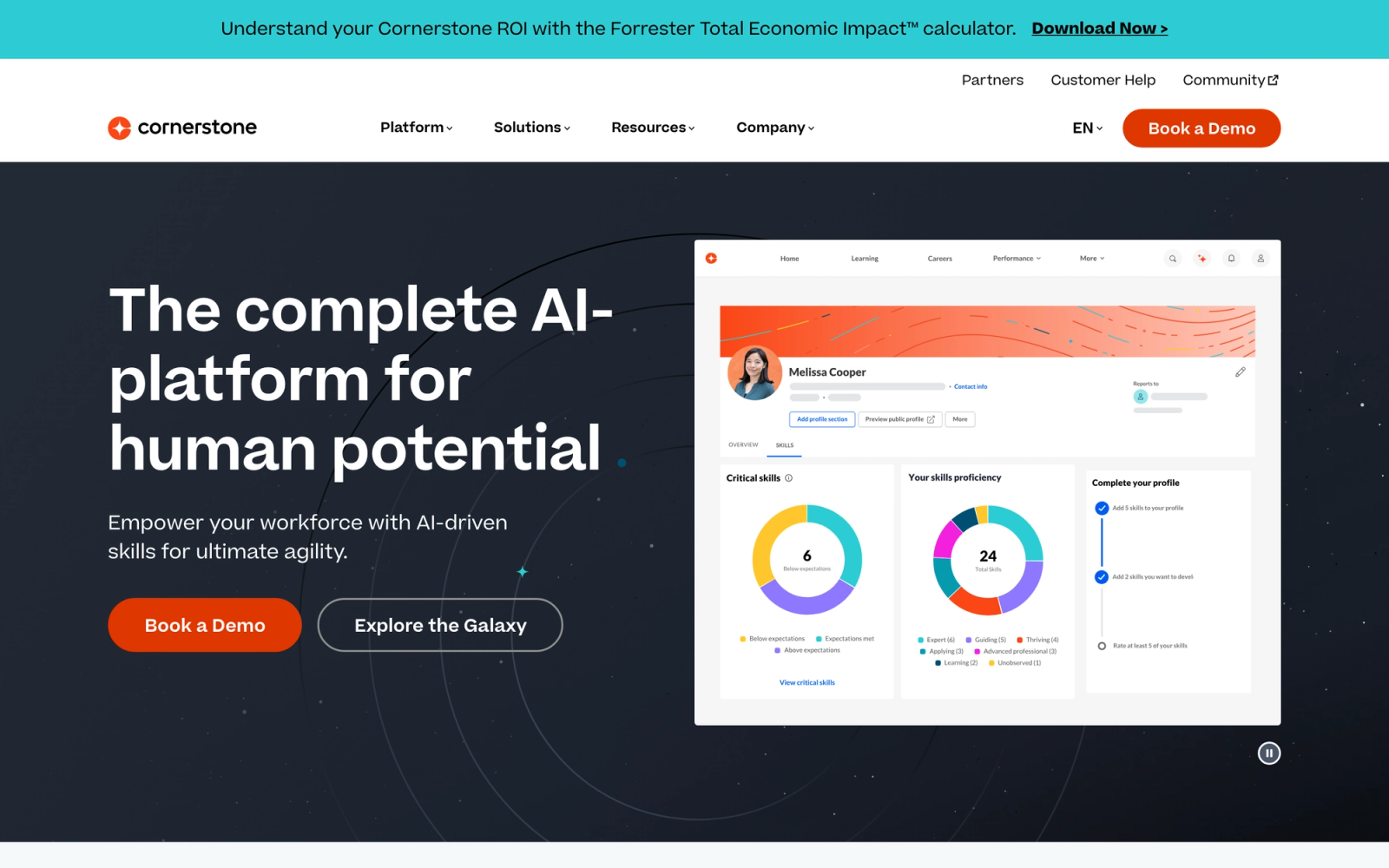
Cornerstone OnDemand is one of the most established enterprise talent management platforms in the market. Its learning module sits alongside talent acquisition, performance management, and succession planning, giving organizations a unified system for the full employee lifecycle. Where Workday Learning is a module inside an HCM suite, Cornerstone's learning capabilities are deep enough to function as a standalone LMS for large-scale deployments.
The platform handles complex learning operations that Workday Learning simply cannot match: multi-tenant configurations for global organizations, advanced compliance workflows for regulated industries, and content marketplace integrations with hundreds of third-party providers. For L&D teams that need enterprise-grade learning infrastructure rather than a basic training add-on, Cornerstone is one of the most common landing spots after outgrowing Workday Learning.
Core Capabilities
- Extended enterprise support with multi-tenant architecture for training partners, customers, and franchisees alongside employees
- Compliance management with automated recertification workflows, audit trails, and regulatory reporting for healthcare, finance, and manufacturing
- Content marketplace (Content Anytime) with curated collections from providers including Skillsoft, Coursera, LinkedIn Learning, and Harvard ManageMentor
- AI-driven skills engine that maps learning content to organizational skill taxonomies
- Advanced learning path configuration with prerequisite logic, conditional branching, and deadline-triggered assignments
- Deep reporting suite with over 100 pre-built reports, custom report builder, and scheduled distribution
- Mobile learning app with offline content access and push notifications
- SCORM, xAPI, AICC, and LTI content standard support
- Virtual classroom integrations with Zoom, Microsoft Teams, and WebEx
- Configurable approval workflows for manager sign-offs, training requests, and budget allocation
Standout Strength
Cornerstone fits organizations that need a learning platform that scales across tens of thousands of learners with complex compliance requirements and global multi-language support. The depth of its compliance engine, combined with the Content Anytime marketplace, makes it particularly strong for regulated industries where Workday Learning's basic assignment model is insufficient.
Best For
Large enterprises with 5,000 or more employees, particularly those in regulated industries (healthcare, financial services, manufacturing) that need deep compliance tracking, multi-tenant configurations, and a mature content library. Strong fit for global L&D teams managing training across multiple business units and geographies.
Pricing Overview
- Custom enterprise pricing based on user count and modules selected
- Typical contracts start in the six-figure annual range for large deployments
- Implementation fees are separate and can be significant
- Free demo available upon request
Limitations
- The platform's breadth creates complexity. Configuration and administration require dedicated staff or consulting support, and the admin interface has a steep learning curve.
- Implementation timelines are long, often 3 to 6 months or more for full deployment.
- The native content authoring is limited. Most organizations still use a separate authoring tool like Articulate or Captivate for course creation.
Quick Comparison Insight
Far deeper than Workday Learning across compliance, content marketplace, and multi-tenant learning. But the complexity and cost mean it is best suited for organizations that need enterprise-scale learning infrastructure, not teams looking for a simpler alternative.
Docebo
Overview
Docebo positions itself as an AI-powered learning platform, and the distinction matters. Rather than hosting and assigning courses, the platform uses machine learning to recommend content, automate administrative tasks, and personalize the learner experience. The result is a discovery-oriented environment rather than an admin-push model.
Docebo's learner interface is notably polished. The platform presents content through a discovery-oriented experience that resembles a content streaming service more than a traditional LMS. Learners can search, browse curated channels, receive AI-powered recommendations, and share content socially. For organizations where employee training adoption is a challenge because learners avoid the LMS, that UX shift can make a measurable difference.
Core Capabilities
- AI-powered content recommendations based on role, skill gaps, learning history, and peer activity
- Built-in content authoring tool for creating pages, assessments, and multimedia courses without external software
- Social learning features including content sharing, expert Q&A, user-generated content channels, and peer ratings
- Learning path automation with enrollment rules triggered by role changes, skill assessments, or manager requests
- Skills architecture with competency mapping, gap analysis, and development plan tracking
- Multi-audience support (employees, customers, partners) with branded portals and separate content catalogs
- Integration marketplace with 400+ connectors including Salesforce, Workday, Microsoft Teams, and Slack
- SCORM, xAPI, and AICC content standard support plus native video hosting
- Gamification with points, badges, leaderboards, and contest mechanics
- Configurable dashboards and custom reports with scheduled delivery and data export
Standout Strength
Docebo's AI layer is its real differentiator. The platform automates content tagging, suggests learning paths based on observed skill gaps, and surfaces relevant courses to learners without manual curation. For L&D teams that spent hours in Workday Learning manually assigning content to the right audiences, that automation is a significant time saver.
Best For
Mid-to-large companies with 1,000 or more employees that want to move beyond compliance-focused training toward a learning culture where employees actively discover and consume content. Particularly strong for organizations that also train external audiences (customers, partners, resellers) and need branded multi-audience portals.
Pricing Overview
- Custom pricing based on active users and modules selected
- Plans typically start in the mid-five-figure range annually for mid-market deployments
- Free 14-day trial available
- Implementation support included in most enterprise contracts
Limitations
- The breadth of configuration options means initial setup takes time. Organizations without a dedicated LMS admin may need consulting support during implementation.
- Reporting, while flexible, can feel fragmented. Building the exact report you need sometimes requires navigating multiple report types and data sources.
- Advanced features like the AI engine and skills module are often gated behind higher-tier plans, which increases cost.
Quick Comparison Insight
A major leap forward from Workday Learning in content discovery, personalization, and social learning. More complex to configure than lightweight alternatives like TalentLMS, but delivers a significantly richer learner experience for organizations ready to invest in it.
SAP SuccessFactors Learning
Overview
SAP SuccessFactors Learning occupies a similar space to Workday Learning: it is the learning module inside a broader HCM suite. The critical difference is depth. Where Workday treats learning as an auxiliary function, SAP SuccessFactors Learning has a longer history as a standalone LMS (it originated from Plateau Systems, which SuccessFactors acquired in 2011 before SAP acquired SuccessFactors in 2012) and retains more mature learning-specific capabilities.
For organizations already running SAP SuccessFactors for HR, the learning module offers tighter integration with employee profiles, organizational hierarchies, and talent management workflows. But even compared as learning platforms alone, SuccessFactors Learning handles complex compliance scenarios, instructor-led training logistics, and curriculum management with more sophistication than Workday Learning provides.
Core Capabilities
- Curriculum management with structured programs, prerequisite chains, and equivalency rules
- Compliance engine with automated recertification, expiration tracking, and regulatory audit reports
- Instructor-led training management with scheduling, resource booking, waitlists, and attendance tracking
- Content management supporting SCORM, AICC, and xAPI with version control
- Integration with SAP SuccessFactors Work Zone for social and collaborative learning activities (the older SAP Jam Collaboration is in maintenance mode and sunsets in January 2027)
- Multi-language support for global deployments across dozens of locales
- Learning history migration tools for organizations transitioning from legacy LMS platforms
- Manager and admin dashboards with drill-down reporting on team compliance and completion
- Mobile learning with responsive design and offline access capabilities
- Deep integration with SAP SuccessFactors Performance and Goals for linking learning to development plans
Standout Strength
SAP SuccessFactors Learning fits teams that need an LMS that integrates deeply with SAP's broader HCM and ERP environment while handling complex compliance and ILT logistics. The compliance and curriculum management capabilities are more mature than what Workday Learning offers, making it a natural fit for regulated enterprises already invested in SAP.
Best For
Large enterprises with 10,000 or more employees running SAP SuccessFactors or SAP S/4HANA, particularly in regulated industries (pharmaceuticals, energy, manufacturing) where compliance tracking, instructor-led training coordination, and audit-ready reporting are critical requirements.
Pricing Overview
- Custom enterprise pricing, typically bundled with broader SAP SuccessFactors HCM contracts
- Per-user pricing varies based on module bundle and total employee count
- Implementation is complex and usually requires SAP consulting partners
- Free demo available through SAP sales
Limitations
- The interface is functional but dated compared to modern LMS platforms. Learner experience feels transactional rather than engaging.
- Implementation complexity is significant. Organizations commonly report 6 to 12 month deployment timelines, especially for global rollouts.
- Like Workday Learning, the platform works best within its own environment. Organizations not running SAP HCM will find integration and administration more difficult.
Quick Comparison Insight
More mature than Workday Learning for compliance and instructor-led training management, but shares the same suite-dependency problem. Best considered by organizations already committed to SAP, not as a general-purpose standalone LMS.
Absorb LMS
Overview
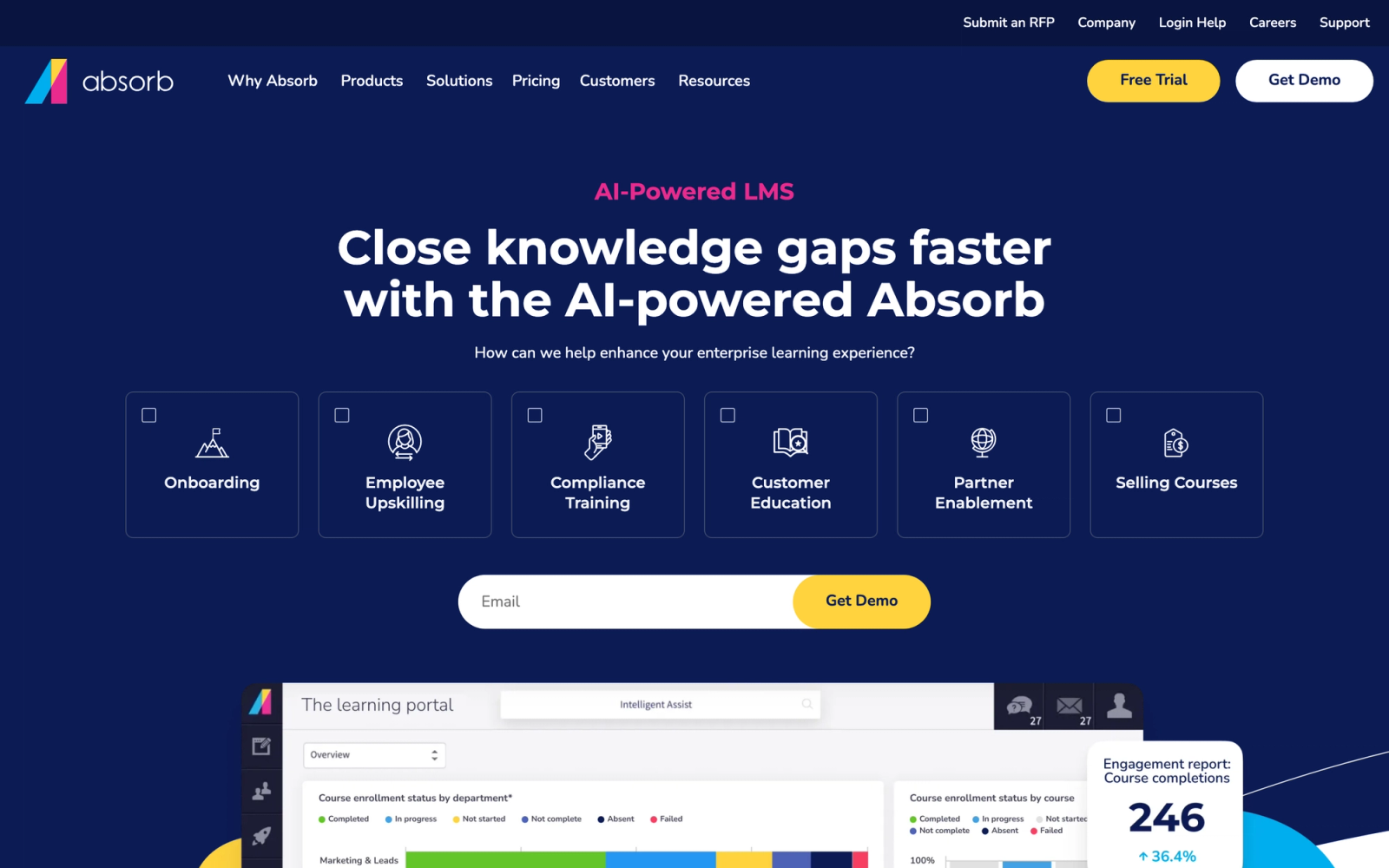
Absorb LMS is a cloud-based learning platform that competes on the balance between enterprise functionality and usability. Where platforms like Cornerstone and SAP SuccessFactors prioritize depth at the expense of UX, Absorb aims to deliver strong administrative capabilities without making the learner or admin experience feel heavy.
The Absorb interface is noticeably cleaner than what Workday Learning offers. The learner dashboard surfaces assigned and recommended courses clearly, and the admin side organizes content, reporting, and user management in a way that does not require weeks of training to navigate. For organizations moving away from Workday Learning because the experience felt like an afterthought, Absorb represents a significant upgrade in usability without sacrificing the features mid-to-large companies need.
Core Capabilities
- Intuitive learner portal with personalized dashboards, course catalogs, and transcript views
- Built-in course authoring for creating lessons with text, video, assessments, and documents
- Absorb Infuse, an API that embeds learning content directly into other applications and workflows
- Absorb Intelligence, an AI module for automated admin tasks, content recommendations, and predictive analytics
- Compliance management with automated re-enrollment, deadline tracking, and certificate generation
- E-commerce engine for selling courses with payment processing, discount codes, and bundled pricing
- SCORM, xAPI, and LTI content support with a built-in content library
- Custom reporting with visual dashboards, scheduled reports, and data export
- Mobile app with offline learning, push notifications, and responsive design
- Observation checklists for in-person skill verification and competency sign-offs
Standout Strength
Absorb wins on the combination of clean UX and fast time-to-value. The platform looks and feels modern from day one, without the 6-month implementation cycles that enterprise LMS platforms often require. The Absorb Infuse product adds a genuinely different capability: it lets companies embed learning content directly into CRM systems, help desks, or internal portals, so training reaches employees inside the tools they already use rather than requiring a separate login.
Best For
Mid-market companies with 500 to 10,000 employees that need a polished, modern LMS without the complexity of enterprise platforms. Also strong for organizations that sell training (continuing education providers, associations, software companies) thanks to its built-in e-commerce capabilities.
Pricing Overview
- Custom pricing based on user count
- Absorb does not publish list pricing; quotes are scoped to your user count and module mix
- Absorb Infuse and Absorb Intelligence are available as add-on modules
- Free demo and guided trial available
Limitations
- Advanced features like the AI module and Infuse are add-ons, which can raise the total cost above initial expectations.
- The built-in authoring tool handles basic content creation but does not replace dedicated tools for complex interactive or simulation-based courses.
- Reporting customization, while improved in recent releases, is still less flexible than what Cornerstone or Docebo offer for complex enterprise reporting needs.
Quick Comparison Insight
A cleaner, more modern experience than Workday Learning with stronger standalone capabilities. Less complex than Cornerstone or SAP SuccessFactors, but also less suited for organizations with deep compliance or multi-tenant requirements at massive scale.
360Learning
Overview
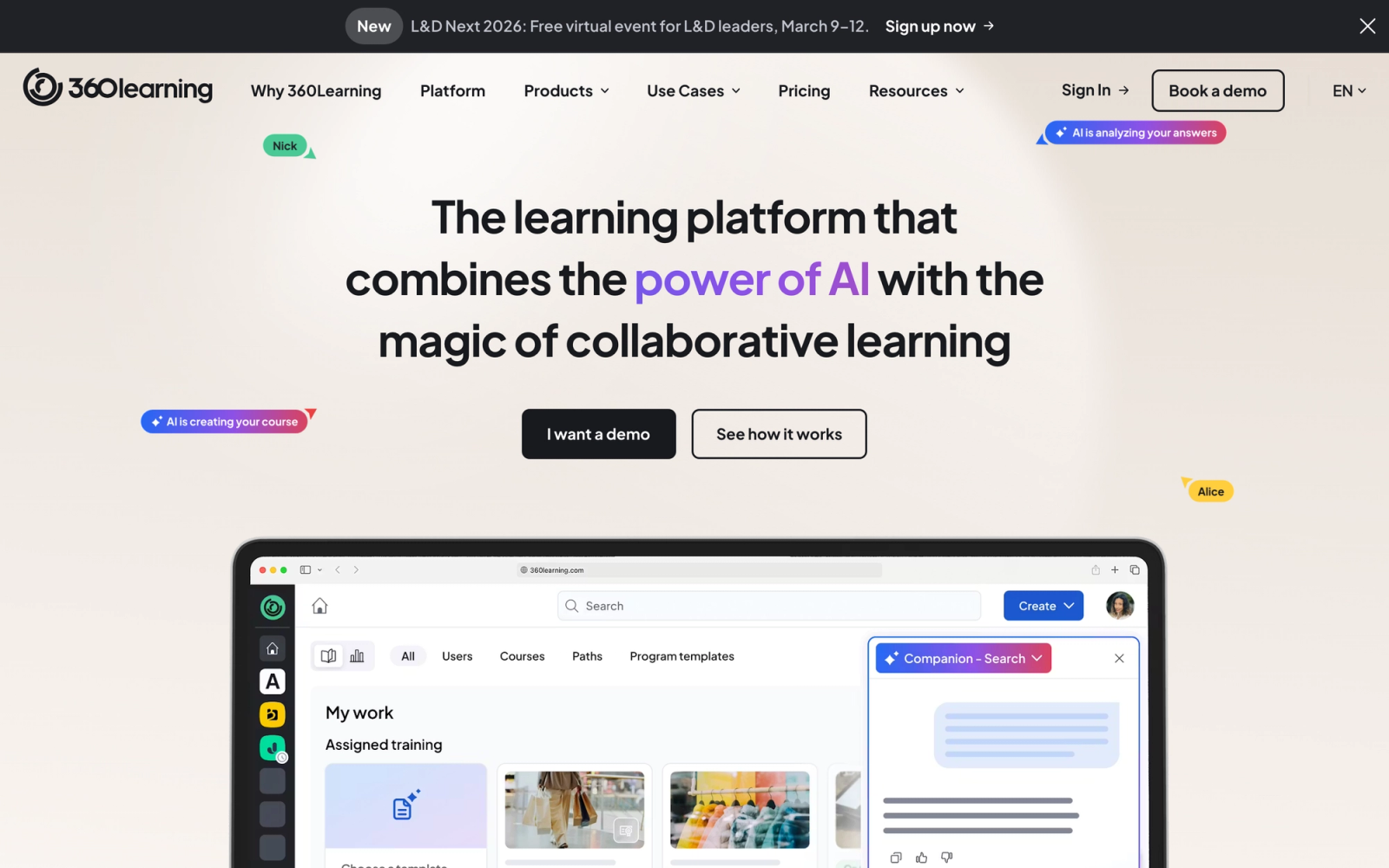
360Learning takes a fundamentally different approach to corporate training. Instead of a top-down model where L&D teams create all content and push it to learners, 360Learning is built around collaborative learning, where subject-matter experts across the organization author courses, and peers contribute through feedback, discussions, and reactions.
This is the opposite of how Workday Learning works. Workday assumes a centralized model where admins assign pre-built content. 360Learning assumes that the people closest to the work are the best positioned to teach it. The platform's authoring tool is designed for non-instructional-designers: any employee can create a course in minutes using templates, drag-and-drop content blocks, and built-in assessment tools. For teams that struggled with Workday Learning's lack of native authoring, 360Learning solves that problem by putting content creation directly in the hands of the people who know the subject matter.
Core Capabilities
- Collaborative authoring tool that lets subject-matter experts build courses without instructional design skills
- Reaction-based feedback system where learners rate content relevance, and low-rated courses get flagged for updates
- Discussion forums and Q&A threads embedded within each course for peer interaction
- Learning path builder with automated enrollment based on role, team, or manager assignment
- Built-in needs assessment tool for identifying training gaps through internal surveys
- SCORM and xAPI support for importing existing e-learning content
- Integration with Workday, BambooHR, Salesforce, and major HRIS platforms for user sync
- Compliance training modules with certification tracking and automated re-enrollment
- Mobile app with offline access and push notifications
- Analytics dashboard tracking course engagement, completion rates, learner satisfaction, and content freshness
Standout Strength
The collaborative authoring model is 360Learning's clear competitive advantage. It earns its place by decentralizing content creation, reducing the bottleneck where one L&D team is responsible for every training need. The relevance feedback loop, where learners rate content and outdated courses are automatically flagged, keeps the content library fresh in a way that static LMS platforms like Workday Learning cannot replicate.
Best For
Organizations with 200 to 5,000 employees where training content needs to be created and updated frequently by people outside the L&D team. Strong fit for fast-growing companies, tech companies with rapidly changing products, and any organization where keeping training materials current is a persistent challenge.
Pricing Overview
- Team plan starts at $8 per registered user per month
- Business plan with advanced features available at custom pricing
- Free 30-day trial available
- No minimum user count for the Team plan
Limitations
- The collaborative model works best when internal experts are willing to create content. Organizations without a culture of knowledge sharing may struggle with adoption.
- Reporting depth is adequate for most mid-market needs but does not match enterprise-grade platforms like Cornerstone for complex compliance or multi-entity reporting.
- The platform is less suited for organizations that primarily consume third-party content rather than creating their own.
Quick Comparison Insight
A completely different philosophy from Workday Learning. Where Workday centralizes and assigns, 360Learning decentralizes and collaborates. Better for content-heavy organizations that need fast course creation, less suited for organizations that primarily need compliance tracking and external content aggregation.
TalentLMS
Overview
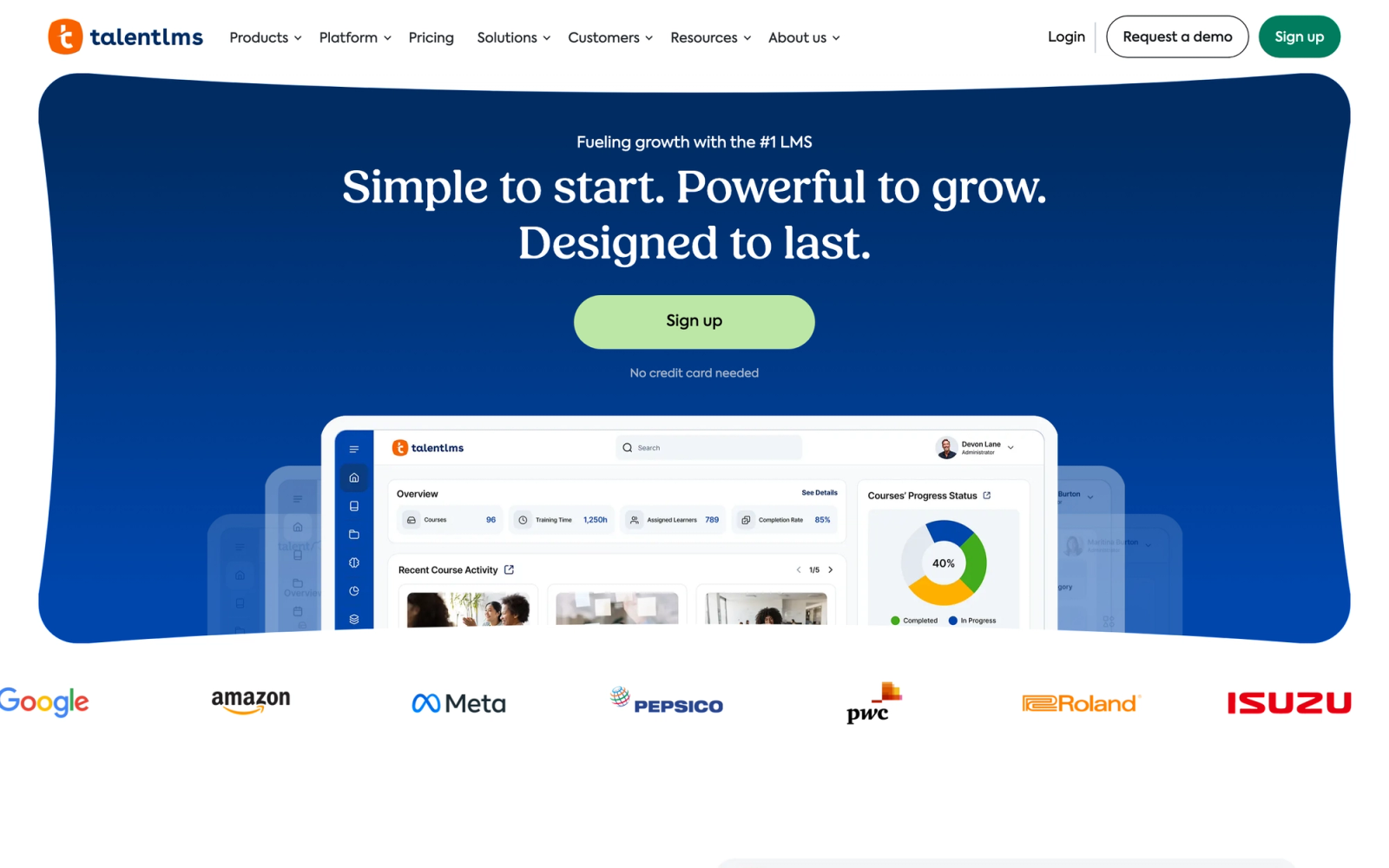
TalentLMS is a lightweight, cloud-based LMS built for speed and simplicity. Where enterprise platforms like Cornerstone or SAP SuccessFactors can take months to deploy, TalentLMS is designed to be operational within a day. It handles course creation, delivery, and tracking without the configuration overhead that makes larger platforms feel heavy.
Setting up a first course in TalentLMS takes about 15 minutes. The course builder is intuitive: drag in content files, add assessment questions, set completion criteria, and publish. There is no need for a separate authoring tool or SCORM packaging for basic courses. For teams leaving Workday Learning because the experience felt overly complex for what should be simple training tasks, TalentLMS delivers a refreshingly straightforward alternative at a fraction of the cost.
Core Capabilities
- Built-in course builder supporting video, presentations, documents, SCORM, and xAPI content
- Ready-made course library with compliance and professional development content
- Branching and conditional learning paths based on assessment results or role assignment
- Gamification with points, badges, leaderboards, and custom achievement levels
- Multi-branch architecture for managing separate training portals for different audiences or departments
- Certification management with expiration dates and automated re-enrollment
- Built-in video conferencing integration with Zoom and other virtual classroom tools
- E-commerce functionality for selling courses with payment gateway support
- Custom reports with visual charts and scheduled email delivery
- REST API and integrations with Zapier, BambooHR, Salesforce, and Slack
Standout Strength
TalentLMS wins on time-to-value and affordability. Teams pick it because they can launch a fully functional training program within days, not months, without needing a dedicated LMS administrator or consulting engagement. The free tier for up to 5 users makes it accessible for teams that want to test before committing.
Best For
Small-to-midsize businesses with 50 to 1,000 employees that need a functional LMS without enterprise complexity or pricing. Strong fit for startups scaling their first training programs, growing companies adding compliance training, and organizations that value fast deployment over feature depth.
Pricing Overview
- Free plan available for up to 5 users and 10 courses
- Starter plan begins at $69 per month for up to 40 users
- Basic plan at $149 per month for up to 100 users
- Plus and Premium tiers available for larger deployments
- Annual billing discounts available
Limitations
- Reporting is functional but basic. Organizations needing advanced analytics, custom dashboards, or skill-gap analysis will find it insufficient.
- The platform lacks deep skill tracking, competency frameworks, or performance management integration.
- As user counts grow beyond 1,000, the per-user pricing model becomes less competitive compared to flat-rate or enterprise-licensed platforms.
Quick Comparison Insight
Dramatically simpler and cheaper than Workday Learning, but with a corresponding trade-off in enterprise features. Best for organizations that need a functional LMS quickly and at low cost, not for those replacing Workday Learning because they needed more depth.
LearnUpon
Overview
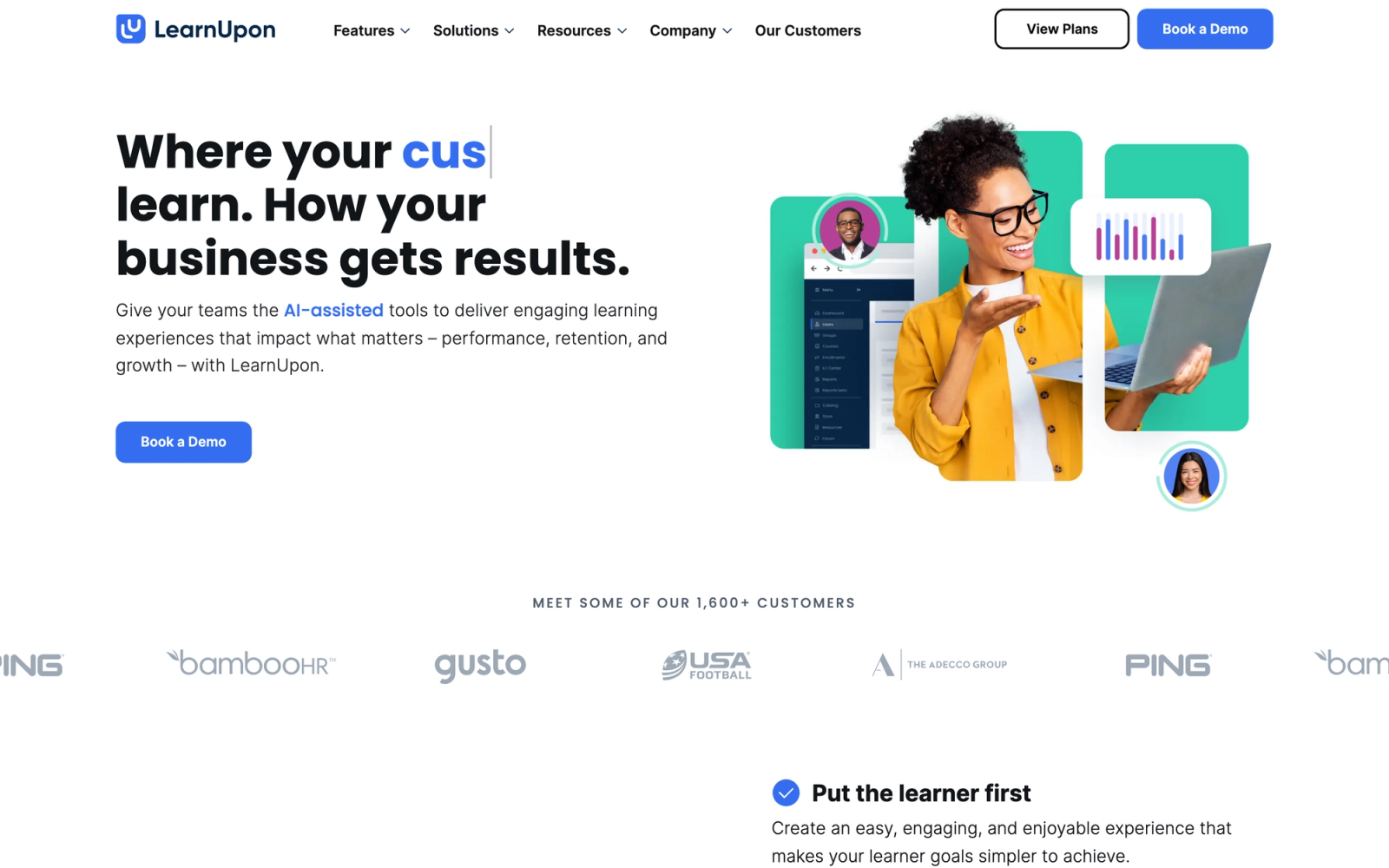
LearnUpon is a cloud LMS designed specifically for organizations that train multiple audiences: employees, customers, partners, and resellers. Its multi-portal architecture lets you create separate branded learning environments for each audience, each with its own content catalog, branding, and user management, all managed from a single admin backend.
This multi-audience capability is where LearnUpon directly addresses a Workday Learning limitation. Workday Learning is designed exclusively for internal employee training within the HCM suite. It has no concept of training external audiences. If your organization needs to onboard channel partners, certify customers on your product, or train a franchise network alongside employees, LearnUpon handles all of that from one platform.
Core Capabilities
- Multi-portal architecture with separate branded environments for different audiences, each with custom domains and styling
- Course builder with support for SCORM, xAPI, video, documents, and native assessment creation
- Automated enrollment rules based on user groups, roles, or custom attributes
- Instructor-led training management with session scheduling, attendance tracking, and virtual classroom integration
- Learning path configuration with prerequisite logic and sequential or flexible completion options
- Certification and compliance tracking with expiration dates and automated re-enrollment
- Salesforce, Workday, BambooHR, and Zapier integrations plus a REST API
- Gamification features including badges, points, and leaderboards
- White-label portals with custom branding for external audience training
- Real-time reporting with custom report builder, scheduled delivery, and data export
Standout Strength
LearnUpon's multi-portal architecture is its defining feature. It is built so you can manage employee onboarding, customer education, and partner certification in one system without data silos or duplicate content. Each portal operates independently from the learner's perspective but shares a single content library and admin interface on the backend.
Best For
Mid-market companies with 200 to 5,000 employees that also need to train external audiences. Particularly strong for SaaS companies running customer education programs, franchise organizations training distributed teams, and companies with channel partner certification requirements.
Pricing Overview
- Custom pricing based on user count and number of portals
- Plans start in the low five-figure range annually for mid-market deployments
- Free demo and guided trial available
- All plans include core features; pricing scales with user volume
Limitations
- The content authoring tool handles standard course creation but is not designed for complex interactive or simulation-based content.
- Reporting is solid for standard metrics but can feel limited for organizations needing highly customized cross-portal analytics.
- The platform is less competitive on price for organizations that only need internal employee training and do not benefit from the multi-portal architecture.
Quick Comparison Insight
Solves a problem Workday Learning does not even attempt: training external audiences alongside employees. If your organization only trains internal staff, other options may offer better value. But for multi-audience training, LearnUpon is one of the strongest mid-market choices.
Bridge LMS
Overview
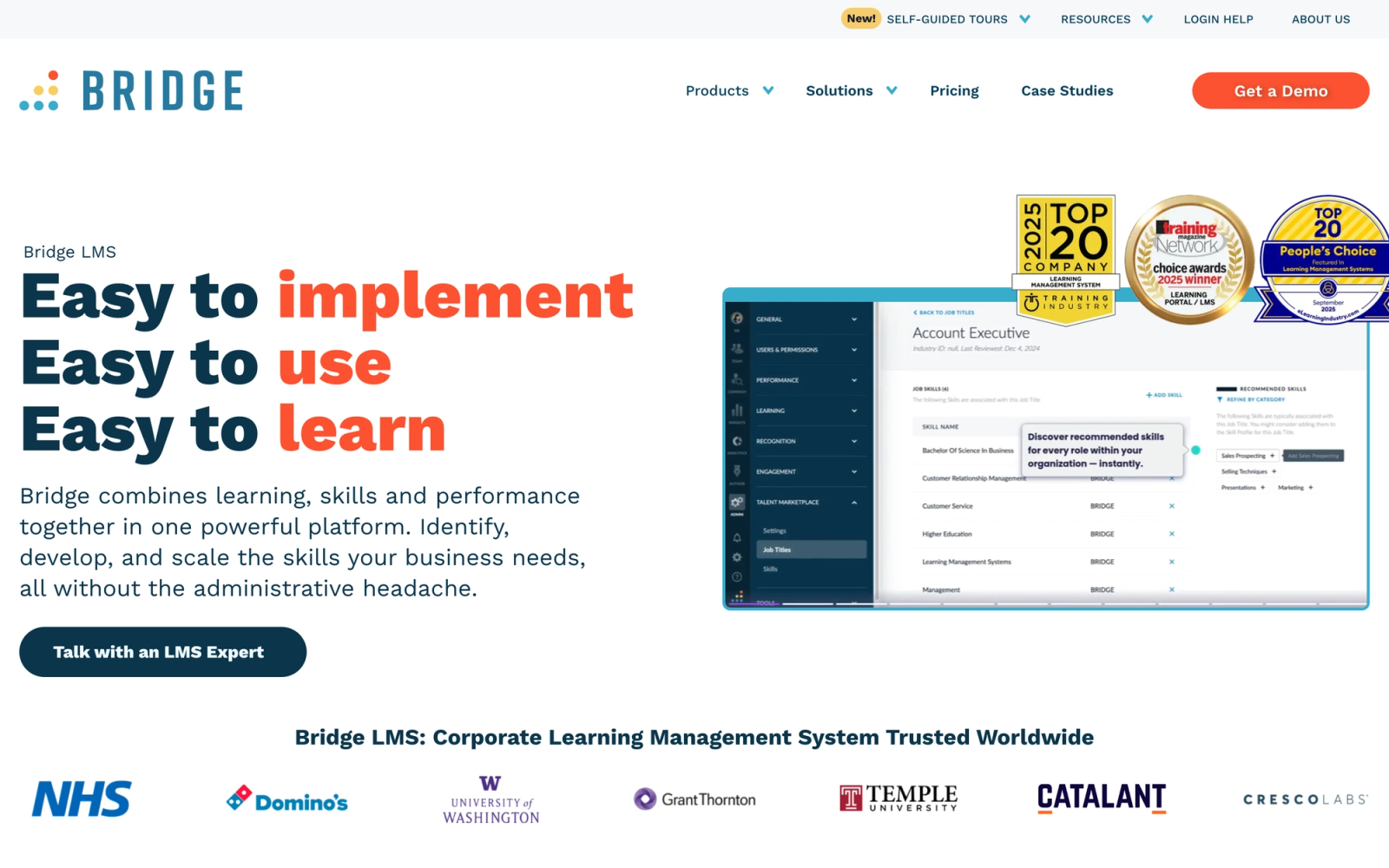
Bridge LMS, part of the Learning Technologies Group, is built around a specific philosophy: learning should be connected to performance conversations and career development. Where many LMS platforms focus primarily on content delivery and compliance, Bridge integrates learning with 1:1 meeting tools, performance reviews, and employee engagement surveys.
This manager-centric approach is a meaningful departure from Workday Learning. In Workday, learning is a transactional process: assign a course, track completion, move on. Bridge treats learning as part of an ongoing development relationship between managers and their direct reports. The platform includes tools for managers to recommend learning resources, discuss development goals in structured 1:1 templates, and track team skill growth over time. For organizations investing in leadership development, that connection between learning and performance changes how training gets used.
Core Capabilities
- Native course authoring with text, video, assessments, and interactive content blocks
- Learning path builder with sequential and flexible path options and automated enrollment
- 1:1 meeting tool with agenda templates, talking points, and action item tracking tied to development goals
- Performance management module with review cycles, goal setting, and continuous feedback
- Skills architecture with competency mapping, self-assessments, and manager validation
- Employee engagement pulse surveys integrated with learning and performance data
- SCORM and xAPI content support plus third-party content integrations
- Manager dashboard showing team learning progress, upcoming due dates, and skill gaps
- Video practice tool for recording skill demonstrations and receiving feedback
- Integrations with Workday, ADP, BambooHR, Microsoft Teams, and Slack
Standout Strength
Bridge connects learning to performance management and development conversations in a way few LMS platforms attempt. The 1:1 meeting tools, goal-tracking templates, and skill assessments are built into the same interface as the course library, so managers can recommend training, track progress, and discuss development in one place. For companies where manager-led development is a strategic priority, that integration changes how training gets used day-to-day.
Best For
Mid-market companies with 500 to 5,000 employees that want to integrate learning with performance management and career development. Strong fit for organizations with a manager-centric development culture, companies building structured employee development programs, and teams that value ongoing coaching over one-time training events.
Pricing Overview
- Pricing is custom, with annual agreements that typically start around $12,500
- Learning + Performance bundle available at higher per-user pricing
- Custom pricing for enterprise deployments
- Free trial available
Limitations
- The content authoring tool is functional but less polished than dedicated authoring platforms. Complex interactive courses still require external tools.
- The performance management module is useful but not as deep as dedicated performance platforms like Lattice or Culture Amp.
- Reporting has improved in recent releases but can still feel limited for organizations with complex multi-entity or compliance-heavy reporting needs.
Quick Comparison Insight
Bridges the gap between learning and performance management that Workday Learning leaves open. Less feature-rich as a pure LMS than Cornerstone or Docebo, but better at connecting training to development conversations and manager accountability.
Degreed
Overview
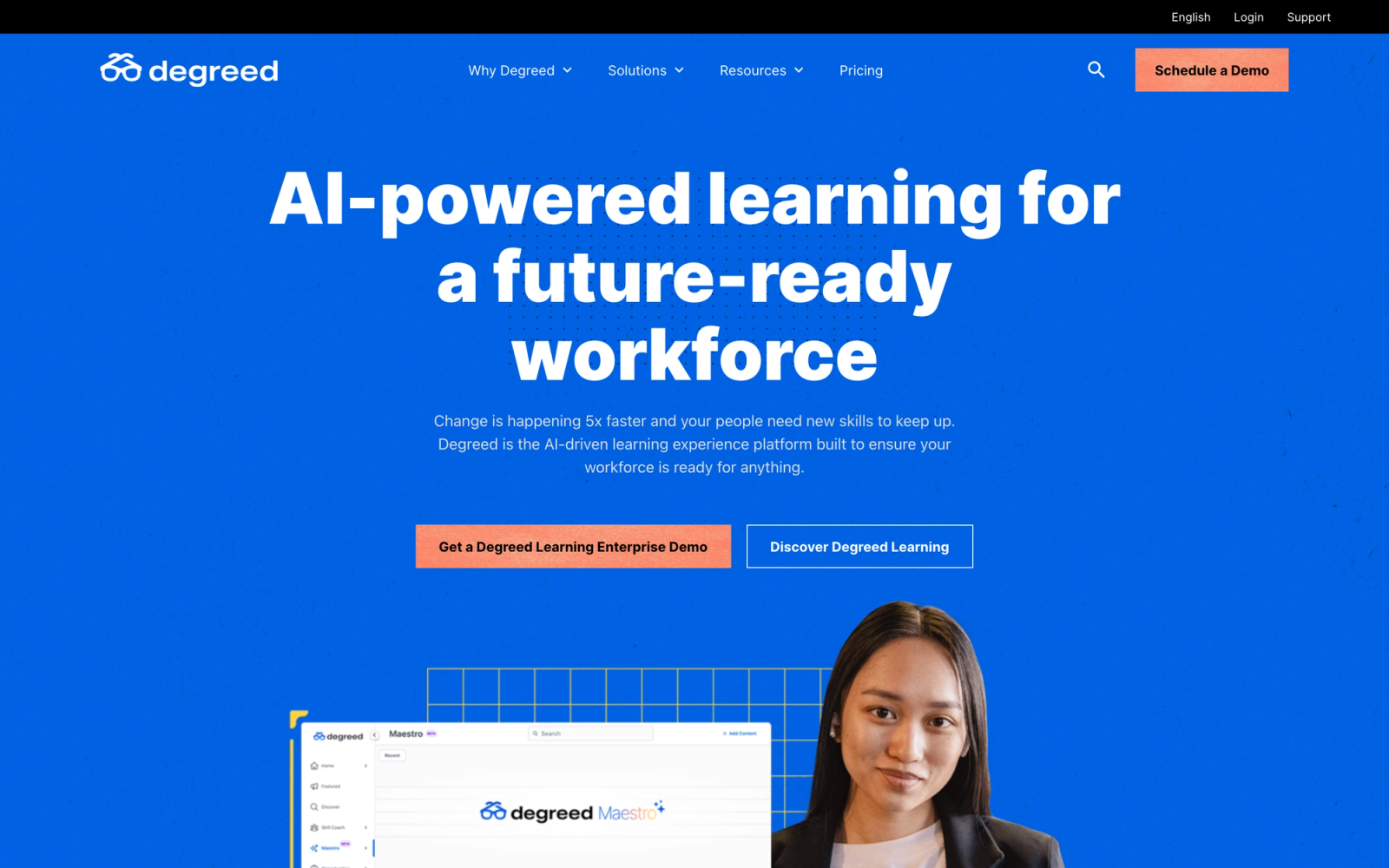
Degreed is not a traditional LMS, and that distinction is important. It is a learning experience platform (LXP) built around the concept that learning happens everywhere, not just inside a formal course. Degreed aggregates content from internal systems, external libraries, articles, podcasts, books, and on-the-job activities into a single interface organized around skills.
The platform's core premise is that organizations should measure and develop skills, not just log course completions. Degreed maps learning activity from any source, formal courses, articles, videos, on-the-job projects, to a shared skills framework and surfaces that data to both employees and managers. For companies moving toward skills-based workforce planning, that architecture sits above the traditional LMS layer rather than replacing it.
Core Capabilities
- Skills engine with organizational skill taxonomies, self-assessments, manager ratings, and skill-level benchmarks
- Content aggregation from LMS platforms, LinkedIn Learning, Coursera, Udemy, Pluralsight, and custom internal sources
- Pathways (curated learning journeys) combining courses, articles, videos, books, and experiential activities
- Skill-gap analysis with heat maps showing organizational strengths and development areas
- Learning activity tracking across formal courses, informal content, and on-the-job projects
- Plans feature for personalized development plans tied to career goals and skill targets
- Integration with HRIS systems (Workday, SAP, Oracle) for user sync and organizational data
- Manager dashboard with team skill visibility, development plan progress, and recommended learning
- Social features including content sharing, expert tagging, and peer recommendations
- Analytics suite with skill progression reports, content utilization data, and ROI measurement tools
Standout Strength
Degreed's competitive advantage is its skills intelligence layer. It shifts the question from whether employees completed assigned training to whether employees are developing the skills the organization actually needs, a distinction that shows up in how L&D teams report to leadership and how employees navigate their own development.
Best For
Large enterprises with 5,000 or more employees that are building a skills-first talent strategy. Particularly strong for organizations where the C-suite is investing in skills-based workforce planning, companies with diverse learning content sources that need aggregation, and L&D teams that need to demonstrate learning ROI beyond completion rates.
Pricing Overview
- Custom enterprise pricing based on user count and modules selected
- Typical contracts are in the six-figure annual range for large deployments
- Implementation support included in enterprise contracts
- Free demo available through sales
Limitations
- Degreed is not an LMS. It does not include native content authoring, SCORM hosting, or compliance tracking. Organizations still need a traditional LMS or authoring tool alongside it.
- The skills engine requires significant initial investment in building and maintaining skill taxonomies. Without that effort, the platform underdelivers.
- Pricing puts it out of reach for mid-market organizations. This is primarily a large-enterprise product.
Quick Comparison Insight
Solves a completely different problem than Workday Learning. Where Workday tracks course completions, Degreed tracks skill development across all learning sources. But it requires a traditional LMS alongside it, making it an addition to your learning stack rather than a replacement.
How to Choose the Right Alternative
The right replacement for Workday Learning depends more on what problem you are solving than on which platform has the most features. Here is how to think about the decision based on your specific situation.
If you need enterprise-scale compliance and content. Cornerstone OnDemand and SAP SuccessFactors Learning handle the complexity that regulated industries require. Cornerstone is the better choice if you want independence from your HCM vendor. SAP SuccessFactors makes sense if you are already deeply invested in the SAP suite.
If you want a modern, AI-driven learning experience. Docebo delivers the strongest combination of AI-powered personalization, social learning, and content discovery. It replaces Workday Learning's transactional model with something that feels more like a consumer content platform.
If you need a standalone LMS without enterprise complexity. Absorb LMS and LearnUpon both deliver strong mid-market capabilities without months-long implementation cycles. Absorb wins on learner UX and embeddable learning (via Infuse). LearnUpon wins when you need to train external audiences alongside employees.
If content creation speed is your bottleneck. 360Learning is the answer for organizations where subject-matter experts need to create and update training content quickly. It decentralizes authoring in a way that no other platform on this list matches.
If budget and simplicity are your priorities. TalentLMS offers the fastest path to a working LMS at the lowest cost. It will not match enterprise platforms on depth, but for organizations that need something functional quickly, it delivers.
If learning should connect to performance management. Bridge LMS connects training directly to 1:1 conversations, goal setting, and skill development in ways that traditional LMS platforms do not attempt.
If you are building a skills-first talent strategy. Degreed is not an LMS replacement; it is an LXP that sits alongside your LMS. Choose it when measuring and developing skills across all learning sources is the priority, not tracking course completions.
If you want a flexible, social alternative with no HCM dependency. Teachfloor runs self-paced, social, live, and cohort-based programs in one place. You can replace Workday Learning entirely or keep Workday HCM for core HR and sync user and completion data through the API.
FAQ
What is the best standalone alternative to Workday Learning?
It depends on what gap you are filling. For teams that want a dedicated platform rather than another HCM-embedded module, Teachfloor is the most flexible pick: it runs self-paced, social, live, and cohort-based programs in one place and adds AI course creation, community features, and rubric-based peer review without requiring an HCM contract. For large regulated enterprises that need deep compliance workflows and a curated content marketplace, Cornerstone OnDemand or SAP SuccessFactors Learning are the heavier but more capable options.
Does Teachfloor integrate with Workday HCM?
Yes. Teachfloor exposes an API and connects through Zapier, so you can sync users and completion records back into Workday HCM while keeping Workday for core HR and payroll. That lets you run the actual learning experience, authoring, community, live sessions, and peer review, on a dedicated platform without leaving your HR system of record.
Can I use Workday Learning without Workday HCM?
No. Workday Learning is a module within the Workday HCM suite and is not available as a standalone product. Organizations that do not use Workday for core HR need to look at independent learning platforms.
What is the biggest limitation of Workday Learning compared to dedicated LMS platforms?
Content authoring and learning experience depth. Workday Learning handles basic course assignment and completion tracking well, but it lacks native authoring tools, advanced learning paths, social learning features, and the content marketplace integrations that dedicated platforms provide. For organizations that need more than compliance tracking, these gaps become significant.
Can I integrate an external LMS with Workday HCM?
Yes. Most enterprise LMS platforms (Cornerstone, Docebo, Absorb, LearnUpon, Bridge) offer pre-built Workday integrations or API-based connectors. These typically sync user data, organizational hierarchies, and completion records between the LMS and Workday. This approach lets you keep Workday for HR while using a dedicated platform for learning.
How long does it take to migrate from Workday Learning to a new LMS?
Timelines vary significantly. Lightweight platforms like TalentLMS can be operational within days for basic setups. Mid-market platforms like Absorb or LearnUpon typically require 4 to 8 weeks for full deployment. Enterprise platforms like Cornerstone or SAP SuccessFactors often take 3 to 12 months, especially for global organizations with complex compliance requirements and large content libraries.
Is it worth paying for both Workday Learning and a separate LMS?
It depends on your needs. Some organizations keep Workday Learning for basic compliance assignments that are tightly tied to HR workflows and add a dedicated LMS for broader employee training needs. Others find maintaining two systems creates unnecessary complexity and choose to consolidate into a single external platform. The decision should be driven by whether Workday Learning adds enough value in your HR workflow to justify the additional licensing cost.


