

Why Look for a Bridge LMS Alternative?
Bridge LMS has earned a place in the employee development space by combining learning management with performance and engagement tools. Its focus on manager-employee alignment is a genuine differentiator. But as organizations scale or refine their L&D strategy, specific limitations push teams to evaluate Bridge LMS alternatives.
Limited content authoring capabilities. Bridge offers a basic built-in course builder, but it lacks the depth that L&D teams need for creating interactive, media-rich content natively. If your team relies on branching scenarios, simulations, or advanced assessment types, you will find yourself depending on third-party authoring tools and SCORM imports rather than building directly inside the platform.
Basic reporting compared to enterprise platforms. Bridge provides standard course completion and learner progress reports, but organizations that need multi-dimensional analytics, custom dashboards, or the ability to correlate training data with business outcomes often find the reporting insufficient. Teams that spend time exporting data to spreadsheets for board-level analysis have likely hit this ceiling.
No built-in compliance tracking workflows. For organizations in regulated industries, compliance training is not optional. Bridge does not include native compliance management features like automated recertification reminders, audit trails, or regulatory framework mapping. Teams managing compliance programs often need to build workarounds or layer additional tools on top.
Limited customization options. Bridge keeps its interface clean, but that simplicity comes at the cost of flexibility. White-labeling, custom learner portals, and advanced workflow configurations are more restricted compared to platforms that treat customization as a core feature.
Pricing pressure at scale. Bridge's per-user pricing model can become expensive as headcount grows, particularly for large enterprises. Organizations with 1,000+ learners sometimes find that the total cost of ownership does not compare favorably to platforms that offer volume-based or flat-rate pricing.
Content library requires separate purchase. Unlike some competitors that bundle a content library with the LMS subscription, Bridge requires a separate investment for off-the-shelf training content. This adds to the total cost and complicates budget planning for teams that need both a platform and ready-made courses.
These are not universal deal-breakers. But if your organization has outgrown Bridge's authoring and reporting capabilities, needs built-in compliance workflows, or is looking for a more competitive pricing structure at scale, the alternatives below address those gaps directly.
What to Look for in an Employee Development LMS
Switching learning platforms is a significant operational decision that affects every department. Before comparing individual tools, it helps to establish the criteria that should guide your evaluation.
Content authoring depth. Can your team build the courses they need without leaving the platform? Look for native support for video, quizzes, branching scenarios, and interactive elements. The less you depend on external authoring tools, the faster your content development cycle becomes.
Reporting and analytics. Standard completion tracking is a baseline, not a differentiator. Evaluate whether the platform supports custom report builders, real-time dashboards, skills gap analysis, and the ability to connect learning analytics to business outcomes. Your executives will ask for this data.
Compliance management. If your organization operates in a regulated industry, compliance is not a nice-to-have. Check for automated recertification workflows, audit-ready reporting, and built-in support for standards like OSHA, HIPAA, or industry-specific frameworks.
Integration stack. Your LMS does not exist in isolation. Evaluate native connections to your HRIS (Workday, BambooHR, SAP SuccessFactors), content providers, video conferencing tools, and single sign-on providers. A strong API matters if you need custom integrations with your existing tech stack.
Scalability and pricing model. A platform that works for 200 learners may not be economical at 5,000. Consider per-user pricing versus flat-rate models, and factor in implementation costs, content libraries, and add-on modules. The total cost of ownership over three years matters more than the monthly subscription price.
Learner experience. An LMS that employees actually use is more valuable than one packed with features nobody touches. Mobile access, intuitive navigation, personalized learning paths, and social learning features all affect adoption rates. A poor employee training experience creates resistance that no mandate can fully overcome.
Admin efficiency. How much manual work does the platform create for your L&D team? Automation for enrollment, notifications, reporting, and content assignment should reduce administrative burden, not increase it.
10 Best Bridge LMS Alternatives
The platforms below span a range of capabilities, from lightweight tools that deploy in a day to enterprise systems with deep compliance and analytics. Each one closes a different combination of the gaps outlined above, across a broad spectrum of team sizes, budgets, and training complexity.
| Tool | Content Authoring | Compliance | Reporting | Integrations | Best For |
|---|---|---|---|---|---|
| Teachfloor | Cohort-native | Basic | Engagement | Integrations | Teams running live, cohort-based programs |
| TalentLMS | Native | Basic | Standard | 200+ | SMBs deploying training quickly on a budget |
| Absorb LMS | Native + AI | Advanced | Advanced | Open API | Mid-to-large enterprises needing polished UX and deep reporting |
| Docebo | AI-powered | Advanced | Enterprise | 400+ | Large enterprises with complex, multi-audience training |
| LearnUpon | Native | Standard | Advanced | Deep HRIS | Mid-market companies centralizing training across teams |
| 360Learning | Collaborative | Basic | Standard | 40+ native | Organizations where SMEs create content |
| Cornerstone OnDemand | Enterprise | Advanced | Enterprise | Full suite | Large enterprises with talent and learning needs |
| Lessonly (Seismic Learning) | Practice-focused | Basic | Sales-focused | CRM-native | Sales and CS teams focused on rep readiness |
| iSpring Learn | PowerPoint-native | Standard | Standard | Basic | Teams with existing PowerPoint content |
| Tovuti LMS | 40+ interactions | Advanced | Advanced | Open API | Mid-market teams wanting interactive content |
Teachfloor

Overview
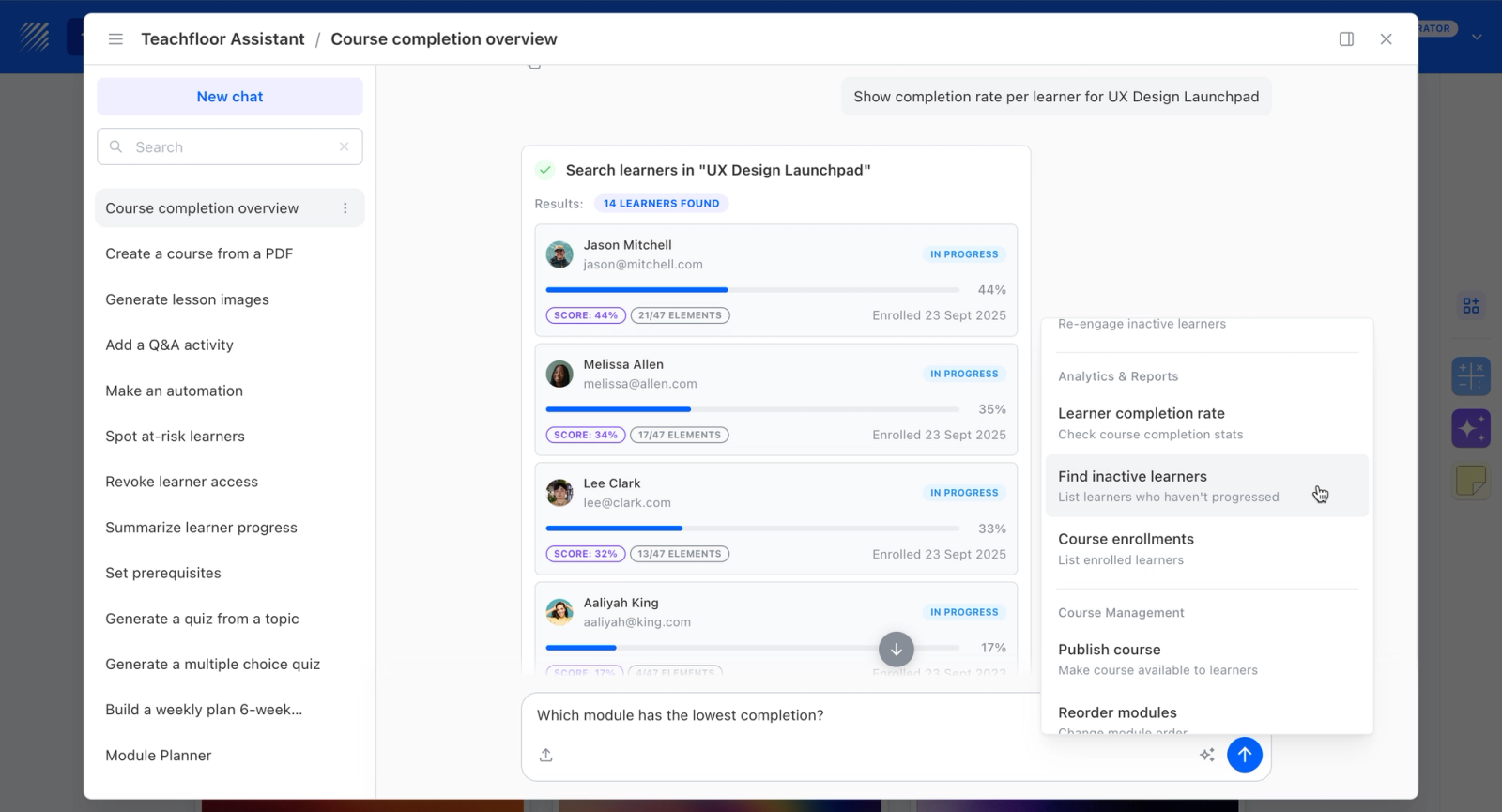
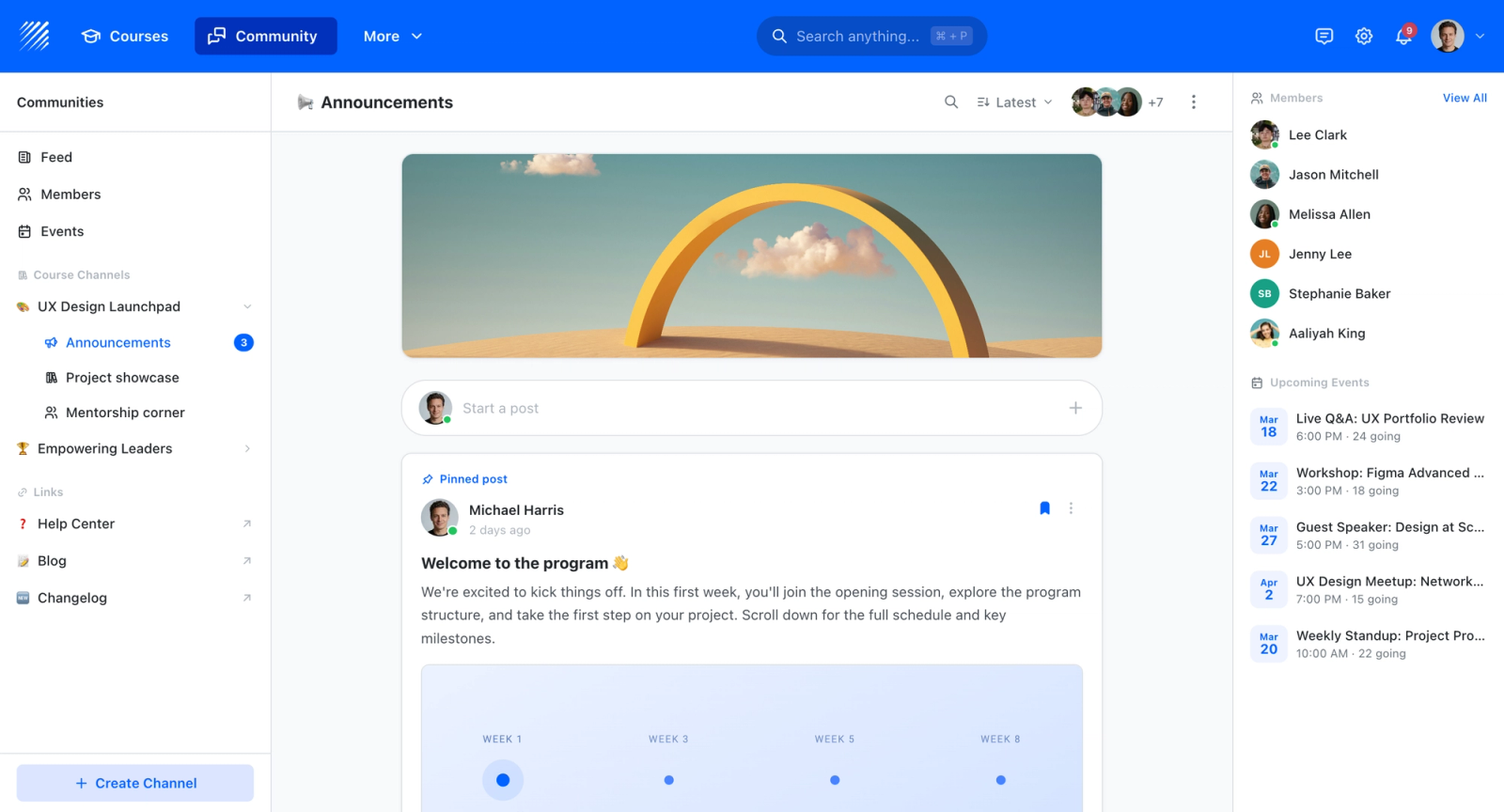
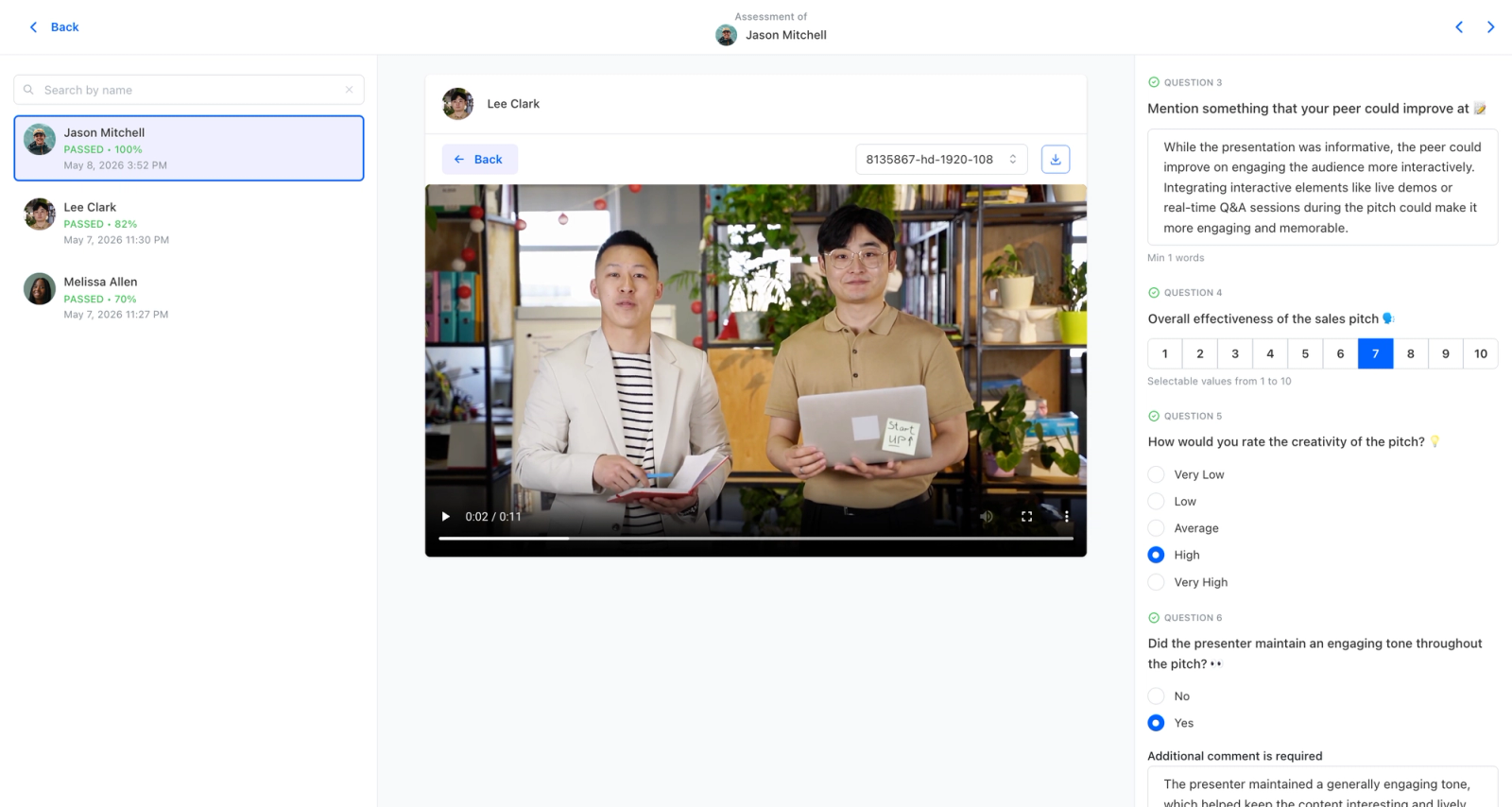
Teachfloor keeps employee development social and hands-on rather than purely transactional. Development tracks run as cohorts, peer review lets employees practice and critique real work against a rubric, and live sessions handle coaching or workshops, with discussion threads keeping momentum between them. That structure suits skill development better than a solo click-through course, since growth comes from feedback and practice, not just watching. It fits cohort, community, peer-learning, and both customer and employee training in one platform.
Core Capabilities
- AI course creation that turns documents, videos, and outlines into structured courses
- Flexible delivery: self-paced, social, live, or cohort-based, mixed within one program
- Community and discussion spaces that keep learners engaged between sessions
- Peer review and collaborative assignments for active, social learning
- Live sessions with Zoom and Google Meet for instructor-led training
- White-label branding on your own custom domain
- Certificates, payments, and enrollment management for paid or external programs
- Analytics on completion, participation, and engagement
Best For
People and L&D teams running employee development programs that want cohort structure, peer feedback, and live coaching rather than solo self-paced courses.
Pricing Overview
- Startup plan from $89 per month for up to 50 learners
- Full Features plan with custom pricing, white-label, SSO, and advanced integrations
- 14-day free trial; no permanent free plan
- Nonprofit discounts available
Limitations
- Not built to be a 10,000-seat self-paced content warehouse; that is a different category.
- The integration catalog is smaller than large enterprise suites.
Quick Comparison Insight
Absorb, Docebo, and Cornerstone are heavy systems centered on content and tracking. Teachfloor adds the peer-review, cohort, and live-session structure that makes development programs genuinely participatory while staying easy to run.
Absorb LMS
Overview
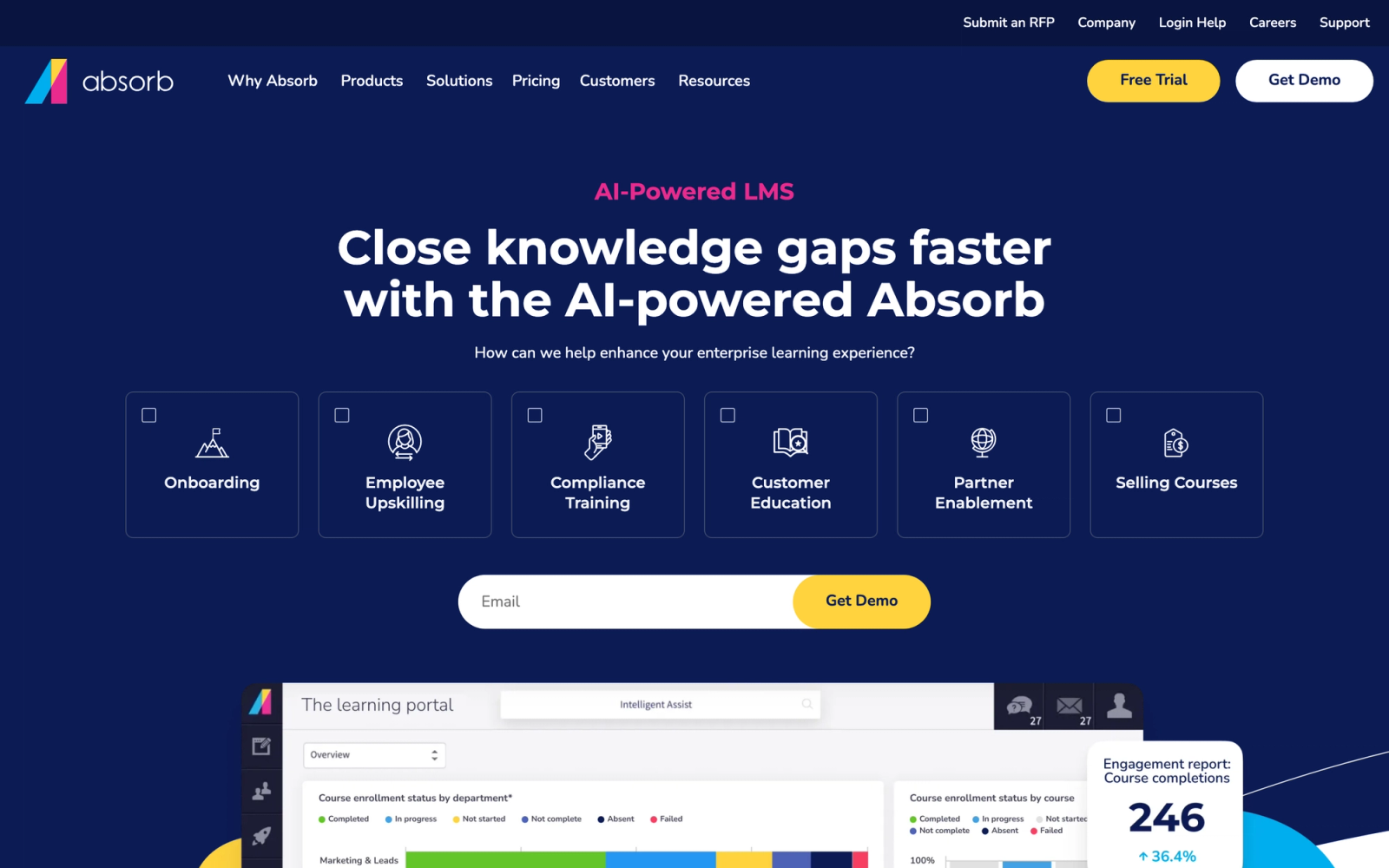
Absorb LMS is a Canadian-built learning platform that has steadily moved upmarket over the past several years, now competing directly with enterprise players like Docebo and Cornerstone. What separates Absorb from Bridge is the combination of a polished learner experience with significantly deeper reporting and compliance capabilities.
The interface quality stands out on first login. The learner dashboard is clean, responsive, and intuitive enough to reduce the need for user training. That investment extends to the admin side, where intelligent assist and AI-driven recommendations simplify content management for L&D teams.
Core Capabilities
- Absorb Create, a built-in AI-powered authoring tool for building courses directly inside the platform
- Advanced reporting engine with custom report builder, scheduled reports, and real-time dashboards
- Compliance management with automated recertification, audit trails, and regulatory tracking
- Absorb Infuse, an API that embeds learning experiences directly into other business applications
- AI-powered content recommendations based on learner behavior and role data
- E-commerce module for selling training externally with Shopify-level checkout customization
- Multi-tenant architecture supporting separate portals for different business units, partners, or clients
- Mobile app with offline learning support and push notifications
- Native integrations with Salesforce, Workday, BambooHR, ADP, and major SSO providers
- SCORM, xAPI, AICC, and cmi5 content standard support
Standout Strength
Absorb wins on the combination of learner experience and enterprise functionality. Many enterprise platforms sacrifice UX for depth, and many SMB tools sacrifice depth for simplicity. Absorb delivers both, which is why it scores high in user satisfaction surveys alongside platforms that cost far more. Absorb Infuse adds real value too, surfacing learning content inside CRMs, intranets, or any web application without requiring learners to visit the LMS.
Best For
Mid-to-large enterprises with 500 to 50,000+ employees that need strong compliance tracking, polished learner experiences, and the ability to extend training to external partners or customers. Particularly strong for multi-audience training environments where internal employees, channel partners, and customers all need different learning portals.
Pricing Overview
- Custom pricing based on user count and feature requirements
- Absorb Create (authoring tool) may be priced as an add-on depending on the package
- Free demo available; no public pricing page
Limitations
- Pricing is not transparent. Prospective buyers must go through a sales process to get a quote, which can slow down evaluation for smaller teams.
- Some advanced features like Absorb Infuse and the e-commerce module add to the total cost and may be unnecessary for organizations with straightforward internal training needs.
- Initial setup and configuration require more time than lighter platforms like TalentLMS, particularly for multi-tenant deployments.
Quick Comparison Insight
Significantly deeper reporting and compliance capabilities than Bridge, with a more polished learner experience. Higher price point, but replaces the need for separate compliance and content authoring tools.
Docebo
Overview
Docebo is an AI-powered learning platform that has positioned itself as one of the dominant enterprise LMS players globally. Where Bridge focuses on connecting learning with performance at a mid-market level, Docebo operates at a larger scale, serving organizations that need to train internal employees, partners, and customers through a single platform with extensive automation.
Docebo leans hard into AI. The platform handles content tagging, personalized learning recommendations, skills mapping, and even auto-enrollment based on learner behavior patterns. For L&D teams managing thousands of learners across multiple audiences, that automation removes a significant amount of manual administrative work.
Core Capabilities
- AI-powered content discovery and recommendation engine that surfaces relevant courses based on role, skills gaps, and peer behavior
- Docebo Shape, an AI tool that converts existing documents and videos into microlearning modules
- Advanced skills mapping with gap analysis tied directly to learning content
- Multi-audience support with separate portals for employees, partners, customers, and franchisees
- Docebo Flow, which embeds learning content directly into third-party applications
- Social learning features including content sharing, Q&A boards, and peer-generated content
- Enterprise reporting with configurable dashboards, scheduled reports, and data export to BI tools
- Built-in compliance engine with recertification automation and audit-ready logs
- Native integrations with Salesforce, Workday, SAP, Microsoft Teams, and 400+ other tools
- Full white-labeling and custom branding down to the domain level
Standout Strength
Organizations choose Docebo when they need to unify employee, partner, and customer training under one roof with AI doing the heavy lifting on content discovery and personalization. The combination of Docebo Shape for rapid content creation and Docebo Flow for embedding learning into workflows builds a learning stack that extends well beyond the traditional LMS model. For complex, multi-audience programs, that unified approach eliminates the need to run separate platforms.
Best For
Large enterprises with 1,000 to 100,000+ learners that manage training across internal teams, external partners, and customers. Particularly strong for technology companies, financial services, and healthcare organizations that need compliance automation, skills tracking, and multi-language support across geographies.
Pricing Overview
- Custom enterprise pricing based on user count and feature modules
- Docebo Shape and other AI features may be add-ons depending on the package tier
- Free demo available; annual contracts are standard
Limitations
- The platform's depth means a steeper learning curve for administrators. Initial configuration and setup typically require dedicated onboarding support from Docebo's team.
- Pricing is opaque and generally higher than mid-market alternatives. Organizations with fewer than 500 learners may find it difficult to justify the investment.
- Some users report that the admin interface, while powerful, can feel overwhelming due to the sheer number of configuration options.
Quick Comparison Insight
Far more powerful than Bridge for large-scale, multi-audience training with AI-driven automation. Overkill for small teams, but for enterprise deployments, it addresses nearly every limitation that drives organizations away from Bridge.
LearnUpon
Overview
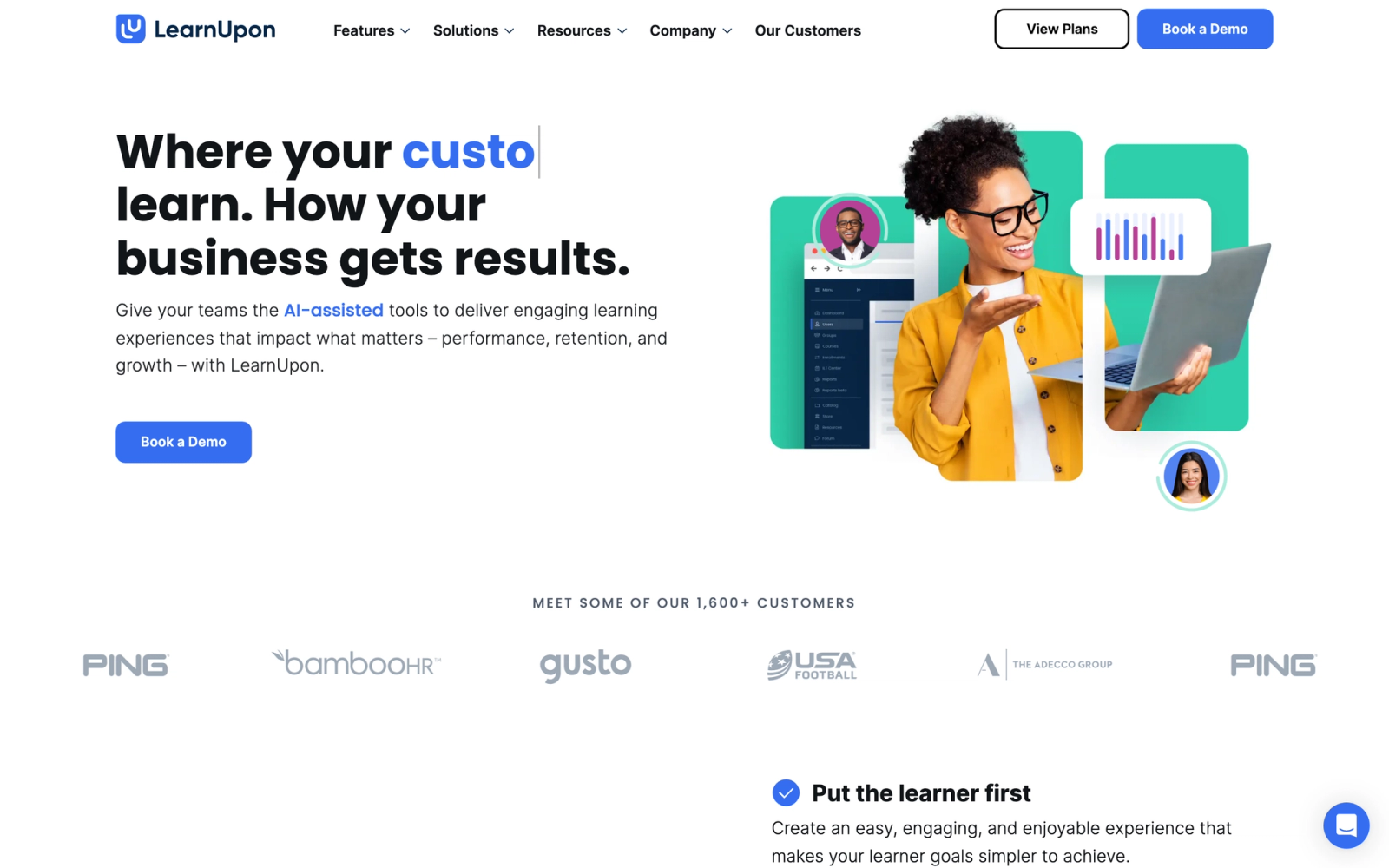
LearnUpon is a mid-market LMS that focuses on making it straightforward to centralize training across multiple audiences without the complexity of an enterprise platform. Headquartered in Dublin, it has built a strong reputation among companies that need to train employees, partners, and customers through separate branded portals managed from a single admin view.
Where Bridge ties learning to performance management, LearnUpon focuses purely on training delivery, and the operational efficiency shows. The admin interface is one of the clearest in this category. Enrollment automation, reporting, and content management all minimize clicks rather than maximize feature counts.
Core Capabilities
- Multi-portal architecture with separate branded environments for employees, partners, and customers
- Native course builder with support for SCORM, xAPI, video, documents, and assessments
- Automated enrollment rules based on user groups, roles, or integration triggers
- Exam engine with multiple question types, question pools, randomization, and pass/fail scoring
- Learning path builder for sequencing courses into structured programs
- Deep HRIS integrations with Workday, BambooHR, and SAP SuccessFactors for automated user provisioning
- Salesforce integration that connects training completion data directly to customer or partner records
- Customizable certificates with automated delivery upon course or path completion
- Webinar integrations with Zoom, Microsoft Teams, and GoToWebinar for virtual classroom delivery
- Gamification with badges, points, and leaderboards to drive learner engagement
Standout Strength
LearnUpon's real competitive edge is operational simplicity for multi-audience training. Setting up separate portals for different audiences takes minutes, not weeks. Each portal can have its own branding, content catalog, and enrollment rules, but everything is managed from one admin console. For companies that find enterprise platforms like Docebo or Cornerstone too complex for their needs, LearnUpon delivers 80% of the multi-audience capability with significantly less administrative overhead.
Best For
Mid-market companies with 200 to 5,000 employees that also need to train external partners or customers. Particularly strong for SaaS companies with customer education programs, franchise organizations, and businesses with channel partner training requirements.
Pricing Overview
- Custom pricing based on user count and number of portals
- All core features included in the base price without per-feature add-ons
- Free trial available
Limitations
- Content authoring is capable but not as deep as platforms with dedicated AI-powered authoring tools. Teams producing highly interactive or simulation-based content will still need external tools.
- Reporting is solid for operational metrics but lacks the advanced BI-level analytics that larger enterprises typically demand.
- The platform's mid-market positioning means it may not scale efficiently for organizations with 10,000+ learners across complex global deployments.
Quick Comparison Insight
More focused on training delivery efficiency than Bridge, with stronger multi-audience portal management. Lacks Bridge's performance management features, but replaces them with a cleaner operational experience for pure L&D use cases.
360Learning
Overview
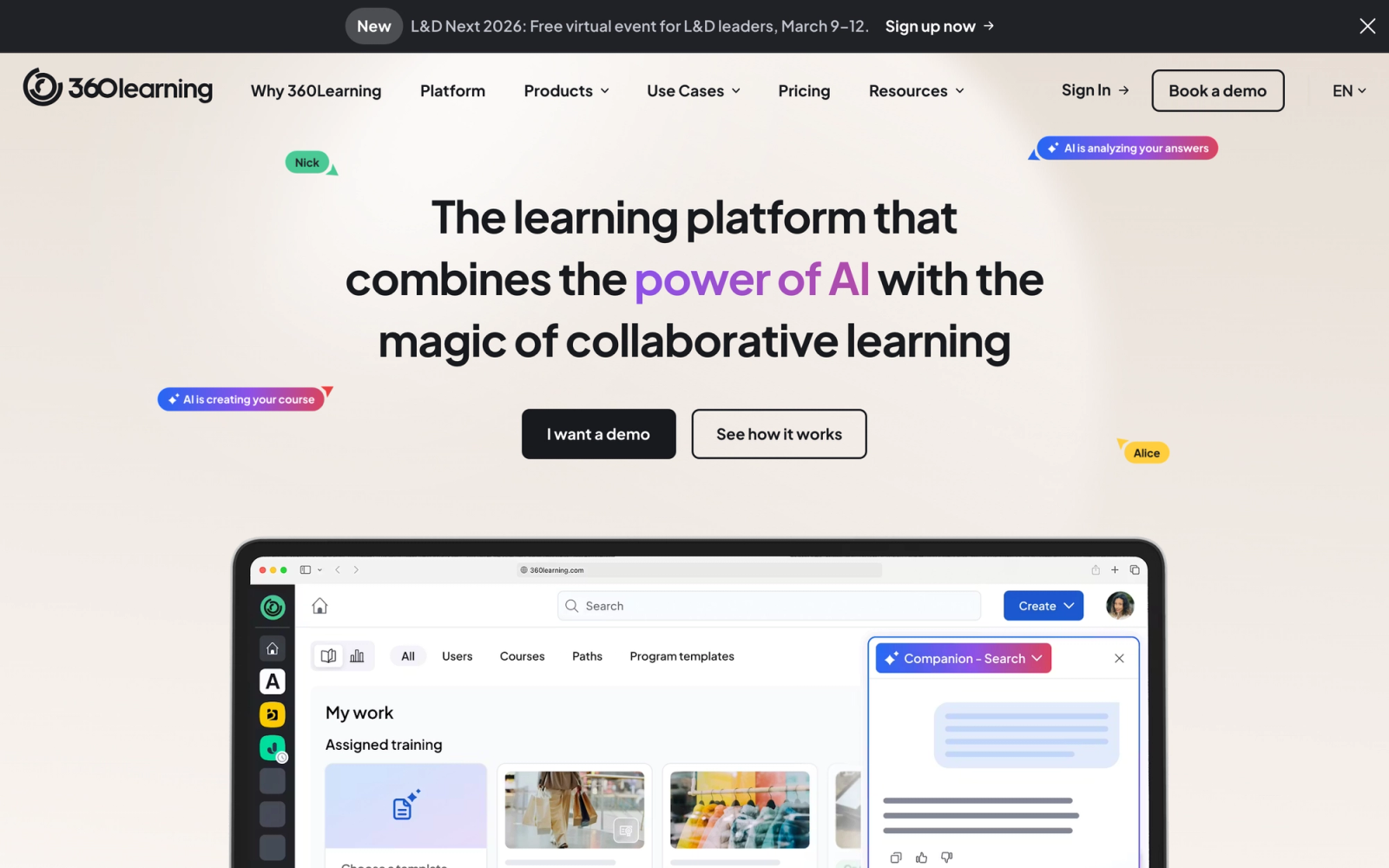
360Learning takes a fundamentally different approach to corporate training. Instead of positioning L&D teams as the sole content creators, it turns subject-matter experts across the organization into course authors. This collaborative learning model flips the traditional LMS paradigm, and it is genuinely distinct from anything Bridge offers.
Authoring speed is the standout. A subject-matter expert with no instructional design background can build a structured course with video, quizzes, and discussion prompts in under an hour. A reaction-based feedback system lets learners flag content as outdated, confusing, or irrelevant, creating a continuous improvement loop that keeps courses accurate without L&D oversight on every update.
Core Capabilities
- Collaborative authoring tool designed for subject-matter experts with no technical training
- Reaction-based feedback system that surfaces content quality issues automatically
- Built-in discussion forums and collaborative exercises within each course
- AI-powered course creation assistant that helps structure content from existing documents
- Learning needs identification through upvoting and request systems that let employees signal skill gaps
- SCORM import support for existing content libraries
- Automated enrollment and learning path management
- Integrations with Slack, Microsoft Teams, BambooHR, Salesforce, and other business tools
- Mobile-responsive learning experience with offline access
- Academy feature for creating branded external training portals
Standout Strength
Organizations choose 360Learning when their biggest bottleneck is content creation speed. In traditional LMS setups, L&D teams become a bottleneck because every course must pass through them. 360Learning decentralizes that process by giving SMEs the tools to author content directly, while L&D teams maintain quality oversight through the reaction and approval system. For companies where internal expertise changes fast, like technology, consulting, or fast-growing startups, this model keeps training content current in a way that centralized authoring cannot match.
Best For
Mid-market organizations with 200 to 5,000 employees that have deep internal expertise distributed across teams and need to scale content creation beyond the L&D department. Particularly strong for technology companies, professional services firms, and any organization where product or process knowledge lives in the heads of individual contributors rather than in formal documentation.
Pricing Overview
- Team plan starts at $8 per registered user per month
- Business plan with advanced features available at custom pricing
- Free 30-day trial available
Limitations
- The collaborative model works best when the organization has engaged subject-matter experts willing to create content. If SMEs are not bought in, the core value proposition weakens significantly.
- Compliance management features are basic compared to dedicated compliance-focused platforms like Absorb or Cornerstone.
- Reporting depth is adequate for tracking content engagement but does not match the advanced analytics capabilities of enterprise platforms.
Quick Comparison Insight
Solves the content creation bottleneck that Bridge's limited authoring tools create, but through a completely different model. Less suited for top-down compliance training, more suited for organizations that value peer learning and decentralized knowledge sharing.
Cornerstone OnDemand
Overview
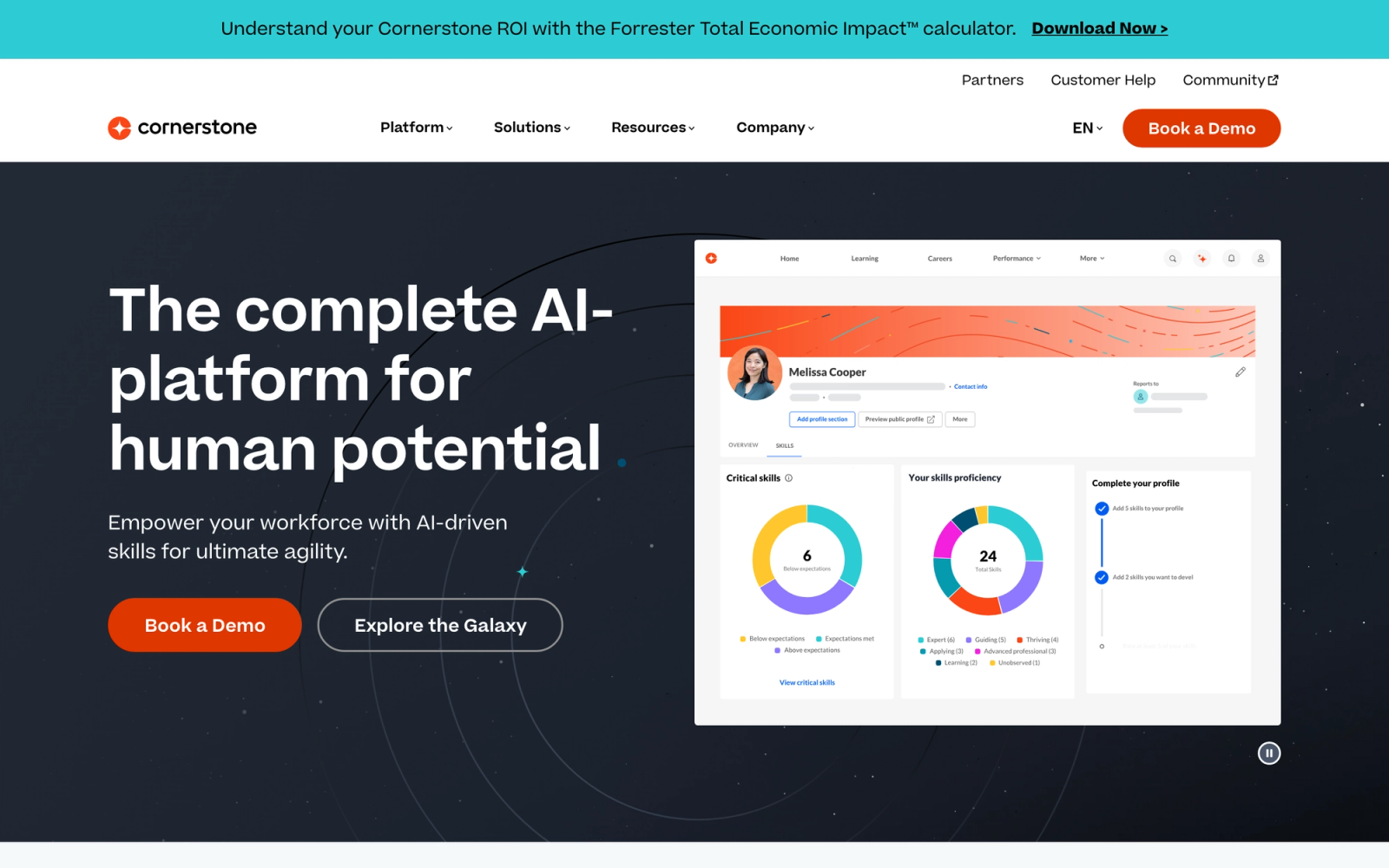
Cornerstone OnDemand is an enterprise talent management suite that includes learning management as one component of a much broader platform. Where Bridge combines learning with basic performance tools, Cornerstone integrates learning, performance, succession planning, recruiting, and workforce planning into a single stack.
This is the heaviest platform on this list, and that is by design. Cornerstone serves organizations where L&D is not a standalone function but is deeply connected to talent strategy, compliance mandates, and organizational development. The platform's depth is immediately apparent when navigating the admin console. Configuration options are extensive, and the learning curve reflects the breadth of capabilities.
Core Capabilities
- Enterprise learning management with support for instructor-led, virtual, self-paced, and blended training formats
- Content management system with Cornerstone Content, a curated library of third-party courses from providers like Coursera and LinkedIn Learning
- Advanced compliance engine with automated recertification, audit trails, version control, and regulatory reporting
- Skills intelligence powered by AI that maps skills to roles, identifies gaps, and recommends development paths
- Performance management with goal setting, reviews, continuous feedback, and calibration tools
- Succession planning and talent pipeline management
- Extended enterprise training for partners, customers, and franchisees through separate portals
- Deep integrations with SAP SuccessFactors, Workday, ADP, and other enterprise HR systems
- Configurable workflows, approval chains, and notification rules
- Global compliance support with multi-language, multi-currency, and multi-jurisdiction capabilities
Standout Strength
Cornerstone is chosen by organizations that need their LMS to be part of a unified talent management strategy, not a standalone training tool. The ability to connect learning completion directly to performance reviews, succession plans, and skills inventories means L&D decisions are informed by broader talent data. For organizations in heavily regulated industries, like healthcare, financial services, and manufacturing, the compliance engine is one of the most mature in the market.
Best For
Large enterprises with 5,000 to 100,000+ employees that need a fully integrated talent management suite. Particularly strong for regulated industries requiring audit-grade compliance tracking, global organizations managing training programs across multiple jurisdictions, and companies that want learning, performance, and succession data in one system.
Pricing Overview
- Custom enterprise pricing based on modules, user count, and deployment complexity
- Modular purchasing available, but the most value comes from the integrated suite
- Implementation fees are a significant part of the total investment
Limitations
- Implementation is complex and typically requires dedicated project management. Deployments of six months or longer are common for full-suite implementations.
- The admin experience has improved over the years but still feels dense compared to modern, lighter LMS platforms. New administrators need substantial training.
- Cost is significantly higher than mid-market alternatives, making it impractical for organizations with fewer than 1,000 employees.
Quick Comparison Insight
An entirely different scale than Bridge. Where Bridge offers learning plus basic performance features, Cornerstone delivers a complete talent management stack. The trade-off is complexity, cost, and implementation time.
Lessonly (Seismic Learning)
Overview
Lessonly, now operating under the Seismic Learning brand after its acquisition by Seismic, focuses specifically on training and enablement for customer-facing teams. Where Bridge serves broad employee development, Lessonly narrows its focus to sales reps, customer support agents, and other revenue-generating roles that need to practice and perform at speed.
The authoring experience in Lessonly is intentionally simple. A practice exercise with a video prompt, a written response field, and a manager review workflow takes about ten minutes to set up. That speed matters for enablement teams that need to push out new product training or competitive updates within days, not weeks. The focus on practice over content consumption is what sets this platform apart from traditional LMS tools.
Core Capabilities
- Lesson builder with drag-and-drop support for text, images, video, documents, and quizzes
- Practice exercises that let reps record video or written responses for manager review and coaching
- Learning paths for structuring onboarding sequences and role-based certification tracks
- Seismic integration that connects training content directly to sales enablement materials
- Native CRM integrations with Salesforce and HubSpot for tying training data to sales performance
- Automated assignment and due date management with reminder notifications
- Team and individual performance tracking with completion rates and practice scores
- Knowledge checks with multiple question formats and pass/fail criteria
- Webhook support and REST API for custom workflow automation
- Resource library for storing and organizing reference documents, playbooks, and battle cards
Standout Strength
Lessonly is chosen by sales and CS leaders because it treats training as a practice activity, not a content consumption event. The practice and coaching workflow, where a rep records a pitch or writes a response and a manager provides feedback, creates a feedback loop that passive video watching cannot replicate. When connected to Seismic's broader sales enablement platform, it creates a direct pipeline from training to performance that no general-purpose LMS can match.
Best For
Sales teams, customer success teams, and support organizations with 50 to 2,000 reps that need structured onboarding, ongoing skills practice, and manager coaching workflows. Particularly strong for SaaS companies, B2B sales organizations, and any team where rep readiness directly impacts revenue.
Pricing Overview
- Custom pricing based on team size and feature requirements
- Seismic Learning is often packaged with the broader Seismic enablement platform
- Free demo available
Limitations
- Narrow focus on customer-facing teams means it is not suitable as a general-purpose LMS for company-wide training, compliance, or technical skill development.
- Reporting is oriented toward sales and enablement metrics. Organizations needing enterprise-wide learning analytics will find it insufficient.
- The acquisition by Seismic has shifted the product's roadmap toward deeper enablement integration, which may not align with teams that want a standalone training tool.
Quick Comparison Insight
More specialized than Bridge, with a sharper focus on sales readiness and practice-based learning. Not a replacement for Bridge's broader employee development scope, but significantly better for revenue team enablement specifically.
iSpring Learn
Overview
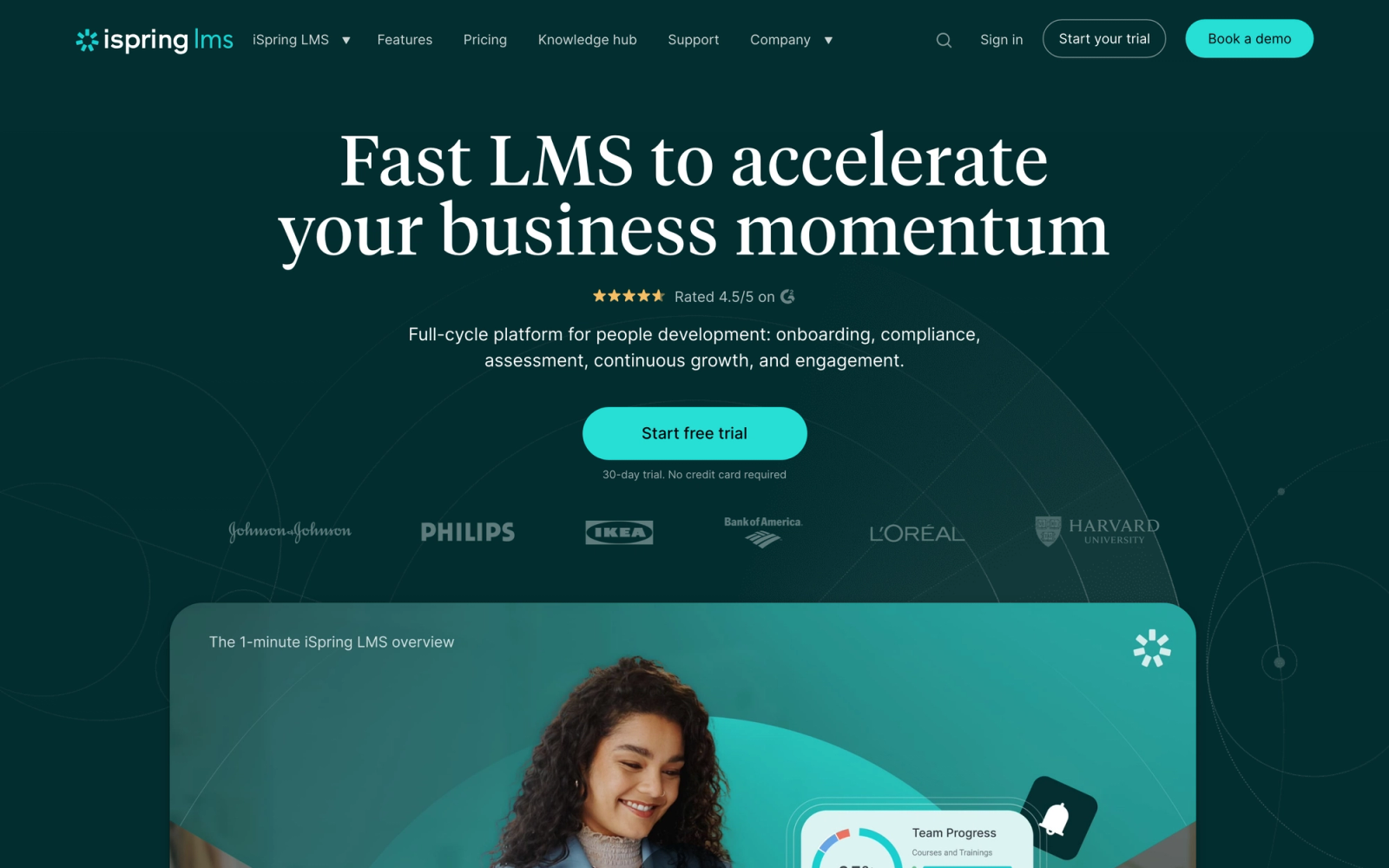
iSpring Learn pairs a cloud-based LMS with iSpring Suite, a PowerPoint-based authoring toolkit that has been a staple in the e-learning industry for years. This combination gives it a unique position: organizations with large libraries of existing PowerPoint content can convert those materials into interactive courses without rebuilding from scratch.
iSpring bridges the gap between familiar tools and modern e-learning standards. The authoring suite works directly inside PowerPoint, so subject-matter experts and trainers who already know PowerPoint can create quizzes, dialogue simulations, and video narrations without learning a new interface. For teams evaluating e-learning authoring tools, that low learning curve is a significant advantage.
Core Capabilities
- iSpring Suite authoring tool that converts PowerPoint into SCORM-compliant e-learning with interactions, quizzes, and simulations
- Dialogue simulation builder for creating branching conversation practice scenarios
- Built-in screen recording and video editing for creating software tutorials
- Assessment engine with 14 question types, randomization, and branching logic
- Learning path builder with deadlines, prerequisites, and mixed content types
- Automated user enrollment based on groups, departments, or organizational hierarchy
- Mobile app with offline content access for field workers and distributed teams
- Calendar and scheduling for instructor-led training sessions
- Completion certificates with customizable templates
- Integration with Zoom, Microsoft Teams, and major SSO providers
Standout Strength
iSpring is chosen by organizations where PowerPoint is already the primary content creation tool. Rather than asking L&D teams to learn a completely new authoring environment, iSpring meets them where they are. The authoring suite is one of the most capable PowerPoint-based tools on the market, and the tight integration with iSpring Learn means content goes from creation to deployment with minimal friction. For organizations with hundreds of existing PowerPoint decks, this approach saves months of content redevelopment.
Best For
Mid-market organizations with 100 to 5,000 employees that have existing PowerPoint-based training content and need a straightforward LMS with strong authoring capabilities. Particularly strong for manufacturing, retail, and healthcare organizations where field workers need mobile access and trainers are more comfortable with PowerPoint than with dedicated e-learning tools.
Pricing Overview
- iSpring Learn LMS starts at $3.70 per user per month (billed annually, for 100 users)
- iSpring Suite authoring tool is priced separately, starting at $770 per author per year
- Bundle pricing available for LMS plus authoring suite
- 30-day free trial for both products
Limitations
- The LMS platform itself is less feature-rich than competitors like Absorb or Docebo. Advanced compliance workflows, AI-driven recommendations, and multi-tenant management are either limited or absent.
- The authoring tool's PowerPoint dependency is a strength for some teams but a ceiling for others. Organizations that need HTML5-native responsive design or advanced interactive elements will find the PowerPoint paradigm limiting.
- Integration stack is narrower than enterprise-grade platforms, particularly for HRIS and CRM connections.
Quick Comparison Insight
Stronger content authoring than Bridge at a lower price point, especially for teams with existing PowerPoint content. Less capable as a standalone LMS for complex deployment scenarios, but the authoring value proposition is hard to beat for the price.
Tovuti LMS
Overview
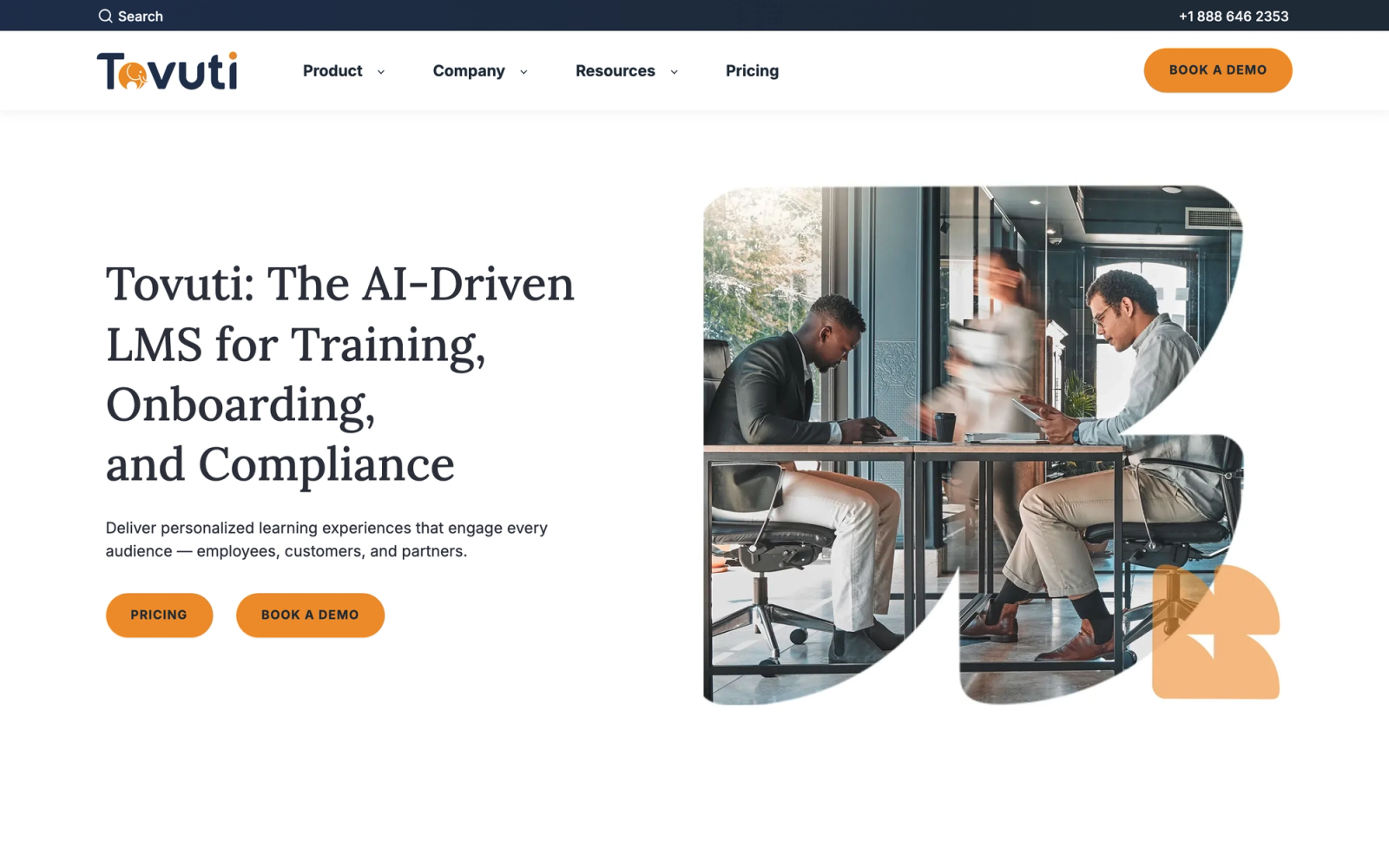
Tovuti is a newer entrant in the LMS space that has differentiated itself through an unusually rich built-in content authoring system. Where most LMS platforms offer basic course builders and expect you to import content from external tools, Tovuti includes over 40 interactive content types natively, from drag-and-drop exercises to branching scenarios to interactive videos.
This approach addresses one of Bridge's core limitations directly. Instead of requiring a separate SCORM authoring tool for anything beyond basic content, Tovuti lets L&D teams build interactive courses entirely within the platform. The variety of interaction types runs noticeably broader than most mid-market competitors offer, though the learning curve for using all 40+ effectively is not trivial.
Core Capabilities
- Over 40 built-in interactive content types including drag-and-drop, hotspots, branching, flashcards, and matching exercises
- Interactive video builder with in-video quizzes, branching, and engagement checkpoints
- Built-in virtual classroom and live event scheduling with attendance tracking
- Compliance management with automated recertification reminders and audit reporting
- Community features including discussion forums, leaderboards, and peer recognition
- E-commerce engine for selling courses with subscription management and payment processing
- Adaptive learning paths that adjust based on assessment performance
- Competency-based learning tracking with skills mapping and gap identification
- Open API and integrations with Salesforce, BambooHR, Zapier, and SSO providers
- White-labeling with custom domains, branding, and learner portal customization
Standout Strength
Tovuti's competitive advantage is the depth of its native authoring capabilities. For organizations that want to create interactive, engaging content without purchasing and maintaining a separate authoring tool, Tovuti eliminates that dependency entirely. The breadth of interaction types means L&D teams can create content that rivals what would typically require tools like Articulate or Adobe Captivate, all within the LMS itself. This reduces both cost and the friction of the content development workflow.
Best For
Mid-market organizations with 200 to 5,000 learners that prioritize interactive content creation and want to avoid the cost and complexity of separate authoring tools. Particularly strong for training companies, continuing education providers, and organizations investing in building a training program with rich, interactive content.
Pricing Overview
- Custom pricing based on user count and feature requirements
- All authoring features included in the base platform without per-feature add-ons
- Free demo and trial available
Limitations
- As a newer platform, Tovuti's integration stack is still maturing. Some enterprise HRIS and CRM connections may require API development rather than native connectors.
- The sheer number of content creation options can be overwhelming for smaller teams without dedicated instructional designers.
- Community and user base are smaller than established players, which means fewer third-party resources, templates, and peer support forums.
Quick Comparison Insight
Dramatically stronger content authoring than Bridge, with a built-in toolset that eliminates the need for external authoring software. Less mature in enterprise integrations and compliance depth, but a strong choice for organizations where content quality is the top priority.
TalentLMS
Overview
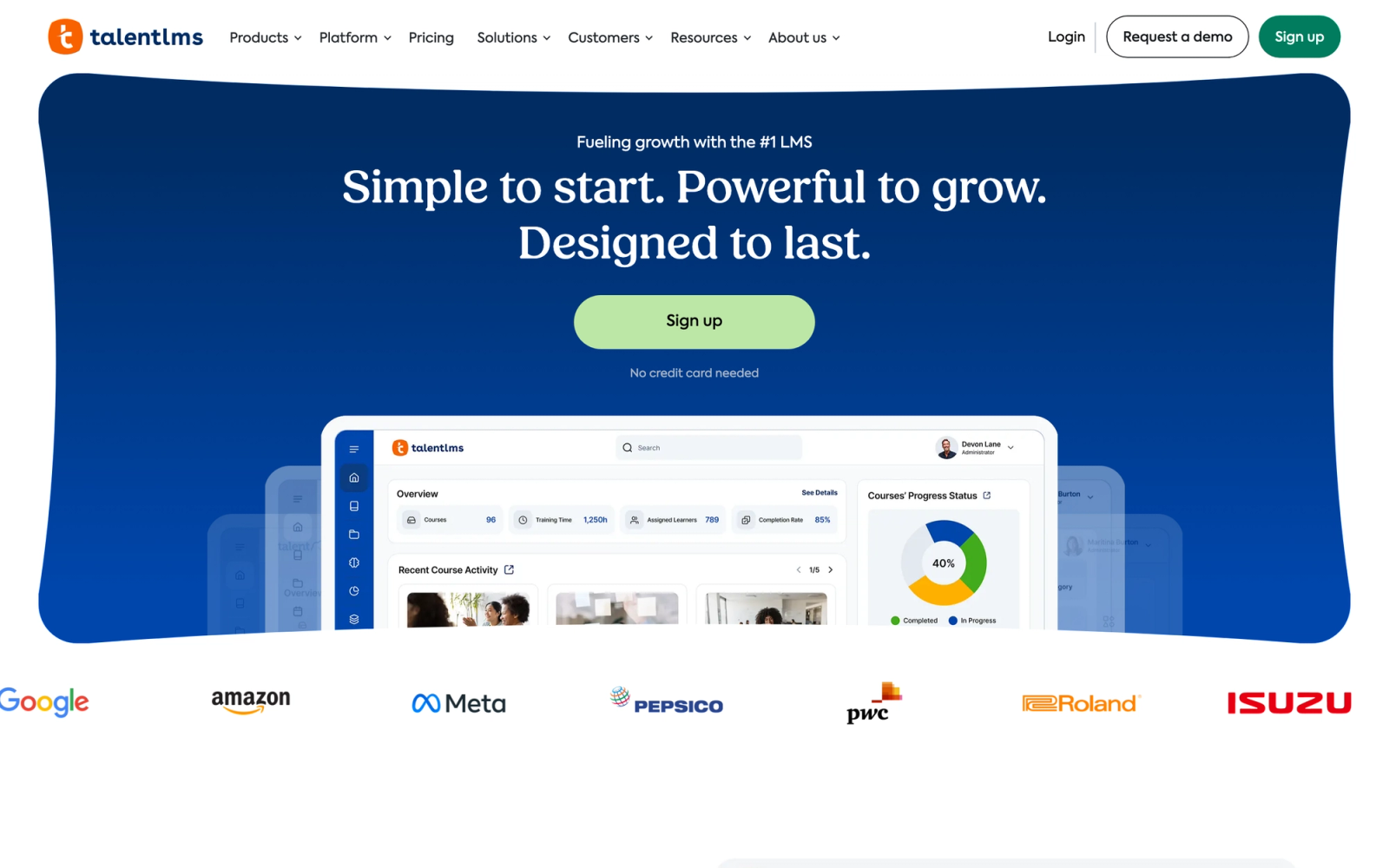
TalentLMS is a cloud-based learning management system built for speed of deployment. Developed by Epignosis, it positions itself as the LMS that gets teams training within the first day, and that claim holds up. The setup wizard guides you through your first course in under 15 minutes, noticeably faster than most platforms in this category.
Where Bridge focuses on the intersection of learning and performance management, TalentLMS focuses squarely on making course delivery simple. It trades depth for accessibility, and for many SMBs, that is exactly the right trade-off. The interface is clean, the learning curve is minimal, and the pricing is transparent.
Core Capabilities
- Native course builder with support for video, presentations, SCORM, xAPI, and cmi5 content packages
- Built-in assessment engine with multiple question types, randomization, and timed testing
- Gamification system with points, badges, leaderboards, and custom reward levels
- Branch management for creating separate training portals for different departments or clients
- Automated enrollment rules, prerequisite chains, and learning path sequencing
- Built-in videoconferencing integrations with Zoom, GoToMeeting, and BigBlueButton for blended learning
- E-commerce engine for selling courses externally with payment processing and coupon support
- Mobile app for iOS and Android with offline content access
- REST API and integrations with Zapier, Salesforce, Slack, and major SSO providers
- TalentLibrary add-on with pre-built soft skills and compliance courses
Standout Strength
Organizations choose TalentLMS because it removes friction from the deployment process. Where enterprise LMS platforms can take weeks or months to configure, TalentLMS can be operational within hours. For SMBs with limited IT resources and no dedicated LMS administrator, that speed-to-value is the deciding factor. The branch feature also makes it practical for companies managing training across multiple clients or departments from a single account.
Best For
Small-to-midsize businesses with 20 to 1,000 employees that need to deploy employee onboarding, compliance training, or skills development quickly. Particularly strong for organizations without a dedicated L&D team, training companies serving multiple clients, and teams that value simplicity over enterprise-grade depth.
Pricing Overview
- Free plan for up to 5 users and 10 courses
- Paid plans start at $89 per month (up to 40 users)
- Pricing scales by user count with tiered plans up to 1,000 users
- Custom enterprise pricing for 1,000+ users
- TalentLibrary content add-on is priced separately
Limitations
- Content authoring is functional but limited compared to platforms like Docebo or Absorb. Teams creating sophisticated interactive content will still need external authoring tools.
- Reporting covers the basics well but lacks the advanced analytics and custom dashboard capabilities that larger organizations typically require.
- The gamification features, while engaging, can feel lightweight compared to dedicated learning experience platforms.
Quick Comparison Insight
Faster to deploy and more affordable than Bridge, but lacks Bridge's performance management and employee engagement features. A better fit for teams that need pure LMS functionality without the talent management layer.
Quick Comparison Insight
Solves a fundamentally different problem than Bridge. Where Bridge manages individual learning paths and performance alignment, Teachfloor excels at structured group experiences. Consider it when your employee development strategy is shifting toward facilitated, cohort-based programs.
How to Choose the Right Bridge LMS Alternative
The right alternative depends on which of Bridge's limitations matter most to your organization and what your training model looks like going forward.
If your primary problem is content authoring, look at iSpring Learn for teams with PowerPoint-based content, Tovuti for teams wanting rich interactive authoring built into the LMS, or 360Learning for organizations that want subject-matter experts creating content directly.
If you need enterprise-grade compliance, Absorb LMS, Cornerstone OnDemand, and Docebo all offer automated recertification, audit trails, and regulatory tracking that Bridge lacks natively. The choice between them depends on your scale: Absorb for the mid-to-large market, Cornerstone and Docebo for full enterprise deployments.
If speed and simplicity matter most, TalentLMS gets you operational faster than any other platform on this list. It sacrifices depth for accessibility, but for SMBs without dedicated LMS administrators, that trade-off is often the right one.
If you train external audiences alongside employees, LearnUpon and Docebo both excel at multi-portal training where employees, partners, and customers each get a separate branded experience. LearnUpon is the simpler, faster option; Docebo is the more powerful, more complex one.
If your focus is sales and customer-facing enablement, Lessonly (Seismic Learning) is purpose-built for that use case with practice exercises and CRM integrations that general LMS platforms do not match.
If your training model is shifting toward live, group-based programs, Teachfloor is designed specifically for cohort-based learning where facilitation and peer interaction drive the outcomes.
The common mistake in LMS selection is choosing based on feature lists rather than workflow fit. A platform with 500 features that does not match how your team actually builds and delivers training will create more friction than a simpler tool that aligns with your operating model. Start with how you train, not what features you want.
FAQ
Is Bridge LMS being discontinued?
No. Bridge continues to operate as a product under Instructure (the company behind Canvas). It remains actively developed, but its focus on connecting learning with performance management means it may not be the best fit for organizations that need deeper standalone LMS capabilities.
Can I migrate my content from Bridge to another LMS?
Most Bridge content can be exported in SCORM format, which is supported by every platform on this list. Custom content built natively in Bridge's course builder may need to be recreated in the new platform. Plan for a content audit before migration to identify which courses are worth migrating and which should be retired or rebuilt.
What is the most affordable Bridge LMS alternative?
TalentLMS offers the most accessible entry point with a free plan for up to 5 users and paid plans starting at $89 per month. iSpring Learn is also competitively priced at $3.70 per user per month for the LMS alone. Both are significantly more transparent in pricing than Bridge.
Which Bridge alternative is best for compliance training?
Absorb LMS and Cornerstone OnDemand offer the most mature compliance management features, including automated recertification, audit trails, and regulatory reporting. Docebo is also strong in this area for large-scale deployments. The right choice depends on your organization's size and the complexity of your compliance requirements.
Do any of these alternatives include performance management like Bridge?
Cornerstone OnDemand is the only platform on this list that includes full performance management (goals, reviews, succession planning) alongside learning management. If you specifically need both learning and performance in one platform, Cornerstone is the most direct comparison, though at a significantly higher price point and implementation complexity.


