


Why Look for a Socrative Alternative?
Socrative carved out a solid place in classrooms as a quick, lightweight tool for running quizzes and exit tickets. It still works for that purpose, but several limitations push educators and trainers toward Socrative alternatives that better match how classrooms and training programs actually operate today.
Outdated interface. The design has not kept pace with newer tools that offer smoother visuals, drag-and-drop builders, and polished student-facing experiences. For students accustomed to modern app design, Socrative's interface creates unnecessary friction.
Limited question types. Socrative supports multiple choice, true/false, and short answer. That covers the basics, but it falls short when you need matching exercises, image-based questions, ordering tasks, fill-in-the-blank, or collaborative activities. Educators running varied formative assessment strategies quickly hit the ceiling.
Thin engagement mechanics. Socrative offers a "Space Race" game mode, but beyond that, gamification is minimal. Tools built around gamification in learning offer leaderboards, badges, music, avatars, and timed challenges that shift student energy in ways Socrative cannot match.
Basic reporting. The reports Socrative generates show who answered what and whether they got it right. That is useful, but it does not give you trend analysis, engagement over time, or the kind of granular learning analytics that help identify struggling students before they fall behind.
No interactive lesson delivery. Socrative handles assessment moments, but it does not support embedding quizzes within a structured lesson, attaching multimedia activities, or guiding students through sequenced content. For educators who want assessments woven into interactive learning experiences, Socrative requires pairing with other tools.
Limited integrations. Socrative does not offer deep connections with Google Classroom, Canvas, or other LMS platforms. Manually transferring quiz data into a gradebook adds time and introduces errors. Modern classroom tools treat LMS integrations as a baseline, not a premium feature.
These gaps do not make Socrative useless. For a quick, no-frills quiz during class, it still delivers. But if your engagement needs extend beyond basic question-and-answer, the alternatives below offer meaningfully different approaches.
What to Look for in a Classroom Engagement Tool
Choosing a Socrative alternative is not just about finding more question types. The tools in this space differ in philosophy, and those differences affect how students interact with content and how instructors gather data.
Question and activity variety. Multiple choice and true/false are table stakes. Look for tools that support open-ended responses, matching, drag-and-drop, image labeling, audio and video responses, collaborative boards, and drawing activities. The broader the activity types, the more ways you can check understanding.
Real-time feedback visibility. The core value of tools like Socrative is seeing responses as they come in. Evaluate how each alternative displays live data. Can you see individual responses? Filter by question? Spot patterns mid-session? The quality of the live feedback view directly affects your ability to adjust instruction on the fly.
Integration with existing workflows. If you use Google Classroom, Canvas, Schoology, or Microsoft Teams, check whether the tool integrates natively. Grade passback, assignment distribution, and single sign-on save meaningful time across a semester. An engagement tool that sits outside your LMS creates extra administrative steps.
Synchronous and asynchronous support. Some classroom moments need live, teacher-paced interaction. Others work better as self-paced homework or review activities. The best tools handle both modes without requiring workarounds. This flexibility supports blended learning models where students split time between classroom and independent work.
Pricing for education. Many tools offer free tiers or education-specific pricing, but the limits vary widely. Check participant caps, question limits per session, and feature restrictions on free plans. A tool that appears free but caps you at 25 students per session is not actually free for a class of 35.
Data and reporting depth. After the session, what can you do with the results? Look for per-student performance tracking, question-level analysis, exportable reports, and historical trend views. Teachers who use engagement tools for online assessment need reporting that connects individual sessions to broader learning progress.
Ease of content creation. Setup time varies dramatically across these tools, some let you launch a quiz in under five minutes; others require building a full lesson plan first. If the creation overhead is too high, adoption drops. Prioritize tools where a quick check-for-understanding requires minimal configuration.
10 Best Socrative Alternatives
The tools below range from gamified quiz platforms to full interactive lesson environments to collaborative learning systems. Each review reflects hands-on testing with a focus on what genuinely separates the tool from Socrative, not a restatement of marketing claims.
Tool Live Quizzes Polls Lesson Builder LMS Integration Best For Kahoot! ✓ ✓ ✗ Teams, Zoom, LTI Gamified knowledge checks that energize classrooms Nearpod ✓ ✓ ✓ Google Classroom, Canvas Structured interactive lessons with embedded assessments Pear Deck ✓ ✓ ✓ Google Slides, PowerPoint Making existing slide presentations interactive Mentimeter ✓ ✓ ✗ Zoom, Teams, PowerPoint Real-time polls and word clouds for presentations Quizizz ✓ ✗ ✗ Google Classroom, Canvas, LTI Self-paced gamified quizzes and homework assignments Poll Everywhere ✓ ✓ ✗ PowerPoint, Keynote, Teams Live polling for large classrooms and corporate events Formative ✓ ✓ ✓ Google Classroom, Canvas Real-time response tracking with live student monitoring Wooclap ✓ ✓ ✗ PowerPoint, Teams, LMS AI-powered question generation for higher education ClassFlow ✓ ✓ ✓ Promethean displays, LMS Interactive lessons on connected classroom displays Teachfloor ✓ ✗ ✓ Zoom, custom integrations Cohort-based collaborative learning with peer engagement
Teachfloor

Overview
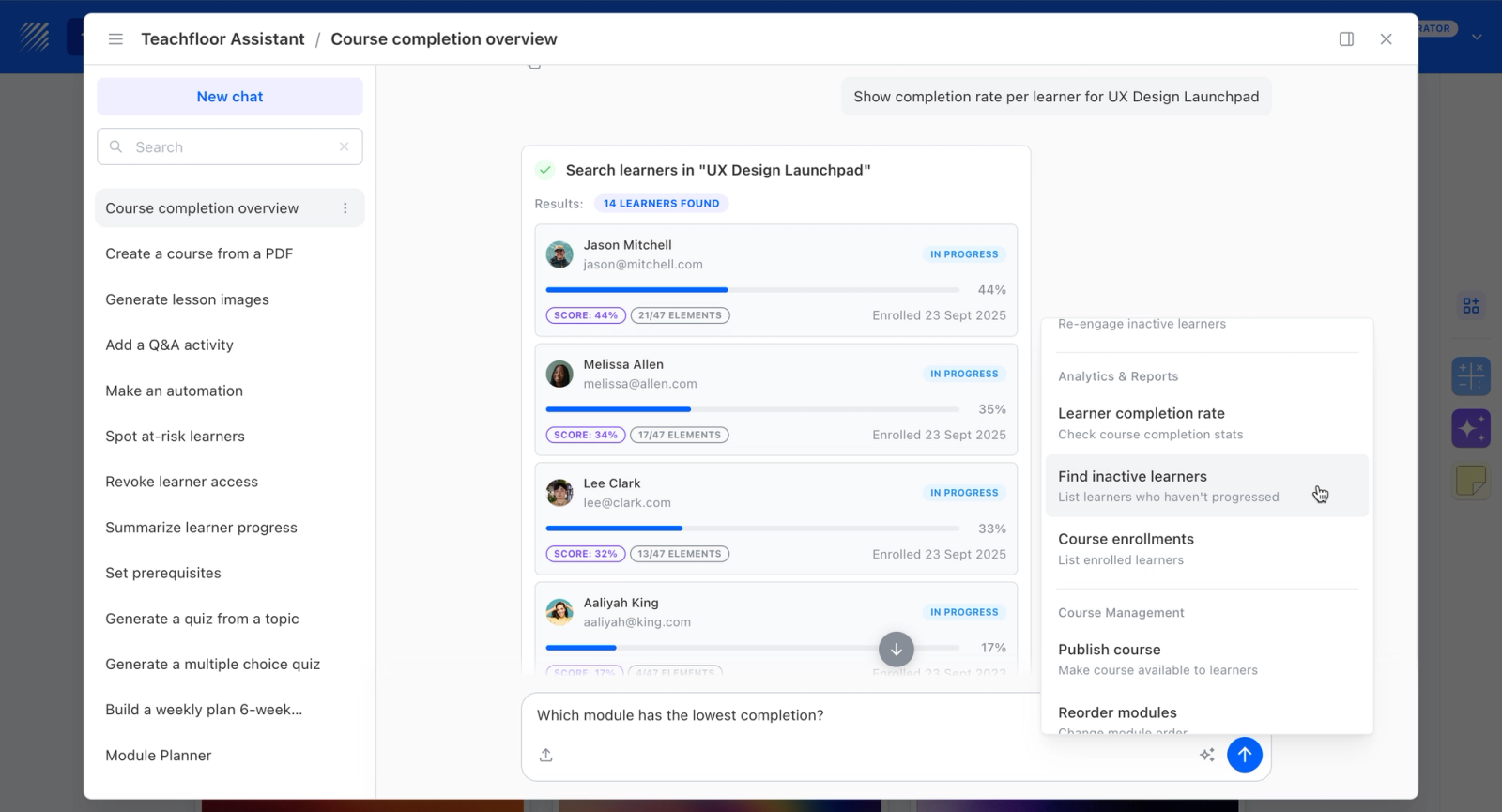
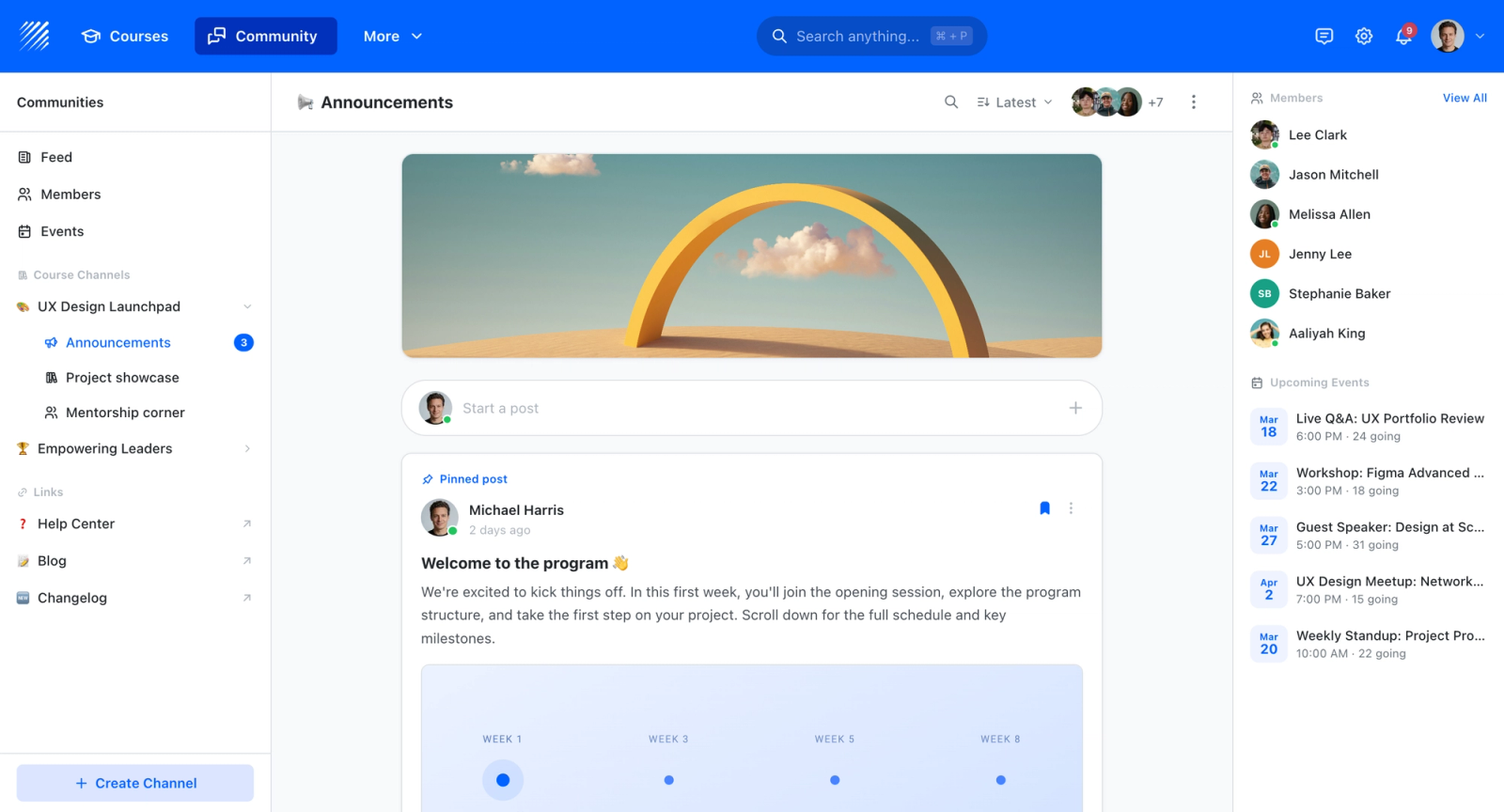
Teachfloor handles quizzes and assessments inside structured courses, which is a different model from Socrative's live in-class questioning. It is suited to graded assessment within self-paced or cohort programs, with results tracked toward completion and certificates. It does not run real-time in-session polling the way Kahoot or Mentimeter do. The relevant use case is course-based assessment rather than live classroom engagement.
Core Capabilities
- Quizzes and assessments embedded in courses and lessons
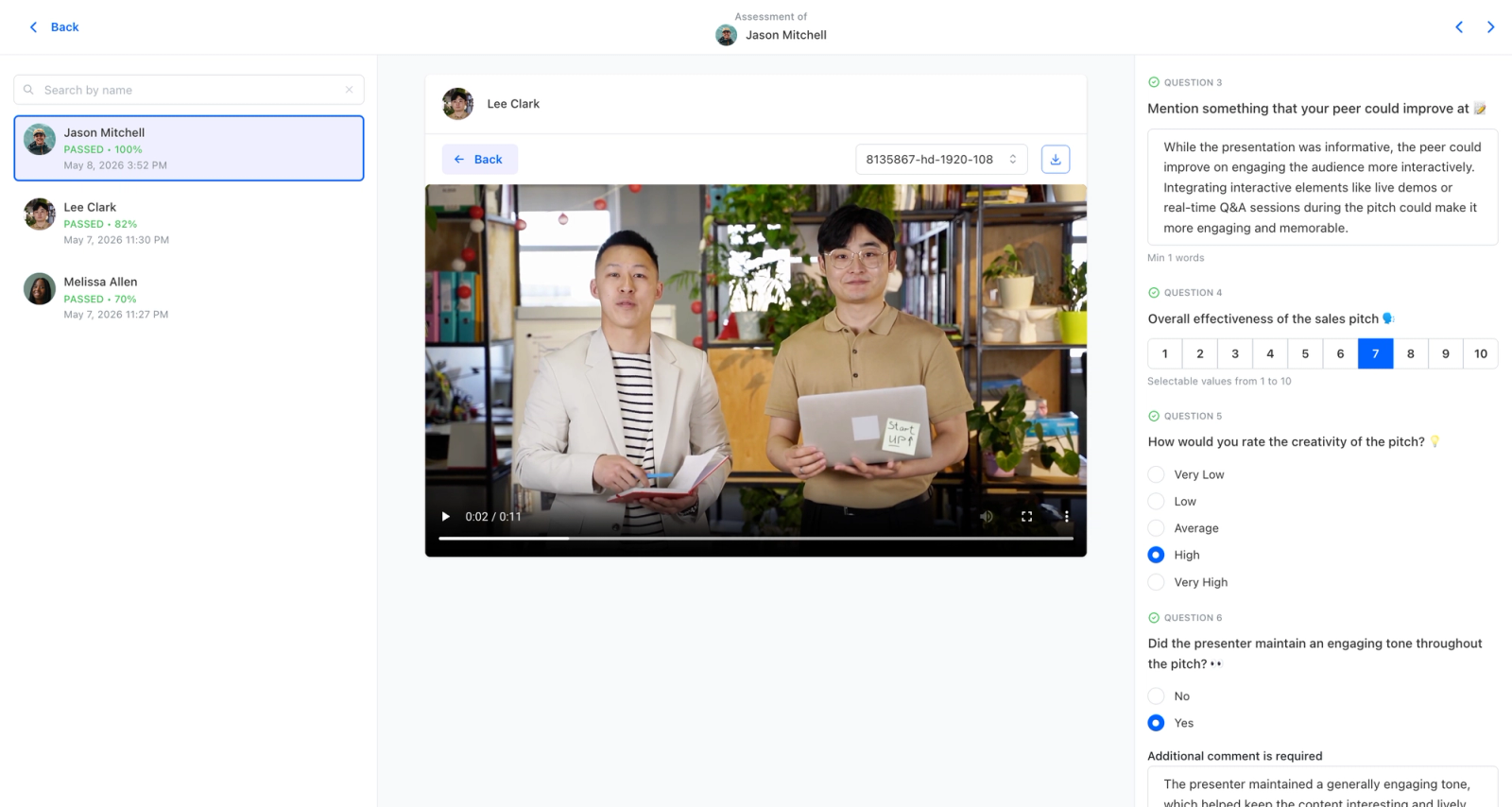
- Rubric-based peer review for assignments that need human evaluation
- Self-paced and cohort delivery with progress tracking
- Certificates issued on completion
- AI-assisted authoring for quizzes and content
- Analytics on scores and completion
Best For
Educators and teams that want assessment built into ongoing courses and programs, where quiz results feed into grades and completion rather than into a live in-room activity.
Pricing Overview
- Startup plan from $89 per month for up to 50 learners
- Full Features plan with custom pricing, white-label, SSO, and advanced integrations
- 14-day free trial; no permanent free plan
- Nonprofit discounts available
Limitations
- Teachfloor does not do live, in-session polling or real-time response races like Socrative, Kahoot, or Mentimeter
- It is a course platform, so it is heavier than a quick-launch classroom polling tool for a single lesson
- No permanent free plan, where many classroom engagement tools offer free tiers for individual teachers
Quick Comparison Insight
Kahoot, Mentimeter, Quizizz, Poll Everywhere, and Wooclap focus on live, in-session engagement, while Nearpod and Pear Deck blend lessons with interaction; Teachfloor differs by placing assessment inside full courses rather than running real-time classroom polling.
Kahoot!
Overview
Kahoot! is the tool people think of when they hear "classroom gamification." It turns quizzes into competitive, timed games where students answer on their devices while a shared screen displays questions, music, a countdown timer, and a live leaderboard. The energy shift in a classroom running Kahoot! is immediate and unmistakable.
The clearest difference from Socrative is atmosphere. Socrative functions as a digital worksheet. Kahoot! functions as an event, with students focused on the shared screen and reacting audibly to each question. For knowledge reinforcement and review sessions, the competitive format pushes students to recall information more actively than a standard quiz format, and that behavioral shift is real, not just cosmetic.
Core Capabilities
- Timed quiz questions with multiple choice, true/false, type-answer, puzzle, and slider formats
- Live leaderboard updated after each question, driving competitive engagement
- Team mode for small-group collaboration where teams discuss before answering
- Assign mode for self-paced quizzes students complete as homework outside class
- Question bank with millions of community-created quizzes searchable by topic and grade level
- AI quiz generator that creates question sets from text, documents, or slide uploads
- Microsoft Teams and Zoom integrations for running live games inside video calls
- Performance reports with per-student and per-question breakdowns exportable to spreadsheet
- LTI integration for embedding Kahoot! within Canvas, Blackboard, and other LMS platforms
- Custom branding, themes, and music options on premium plans
Standout Strength
Kahoot! turns passive quiz-taking into active competition. The timed format, music, leaderboard, and visual celebration screens create a dopamine loop that keeps students engaged question after question. For student engagement during review sessions, test prep, and knowledge checks, that energy is hard to replicate with any other tool.
Best For
K-12 educators running review sessions, corporate trainers delivering knowledge reinforcement during onboarding, and anyone who needs a quick burst of high-energy engagement. Works especially well for groups of 10 to 200 where the leaderboard creates visible competition.
Pricing Overview
- Free plan for up to 50 participants with basic quiz types
- Kahoot! EDU plans from $3 per teacher per month (billed annually) for schools
- Business plans from $26 per host per month with branding and advanced reporting
- District and enterprise pricing available with volume discounts
Limitations
- Question depth is limited. Kahoot! excels at recall-level questions but struggles with higher-order thinking activities, open-ended analysis, or multi-step problems.
- The gamification can distract from learning. Some students focus on speed rather than comprehension, and the competitive pressure creates anxiety for others.
- Free plan caps at 50 participants and restricts question types. For a full classroom, you need a paid plan.
Quick Comparison Insight
Far more engaging than Socrative for quiz-based review, but narrower in question type variety. Kahoot! replaces Socrative when engagement energy matters more than assessment depth.
Nearpod
Overview
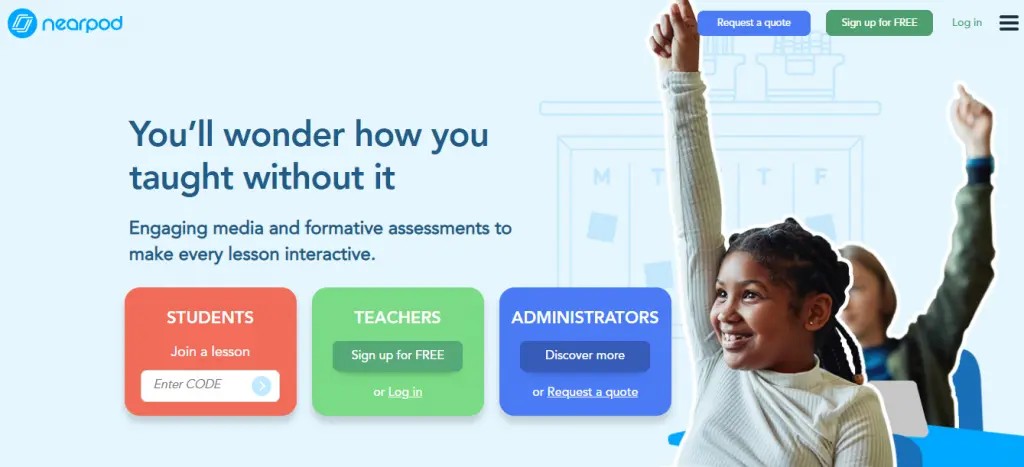
Nearpod takes a fundamentally different approach from Socrative. Instead of standalone quizzes, it embeds assessments inside structured interactive lessons. You build a sequence of slides, videos, simulations, and activities that students move through together or at their own pace. Quizzes are checkpoints within that flow, not isolated events.
The contrast with Socrative is structural, not just cosmetic. Socrative asks you to create a quiz. Nearpod asks you to create an experience: a sequenced flow of video, polls, 3D models, quiz checkpoints, and collaborative boards. The assessment moments feel like natural extensions of the content rather than interruptions, a meaningful difference for instructional design quality.
Core Capabilities
- Lesson builder with sequenced slides, embedded videos, audio, web content, and interactive activities
- 20+ activity types including polls, quizzes, matching pairs, draw-it, collaborate boards, and fill-in-the-blank
- Virtual reality field trips with 360-degree immersive environments across dozens of locations
- 3D object exploration for subjects like anatomy, chemistry, and geography
- Teacher-paced and student-paced delivery modes for live or asynchronous use
- Google Classroom and Canvas integrations with assignment distribution and grade sync
- Real-time student progress tracking showing completion status per activity
- Post-session reports with individual student performance across all activities in the lesson
- Pre-built lesson library with thousands of standards-aligned lessons by subject and grade
- Gamified quiz mode (Time to Climb) with competitive timed challenges
Standout Strength
Nearpod enforces pedagogical structure. Assessments do not float independently; they sit within a designed learning sequence where context, content, and interaction build toward understanding. For educators who care about active learning design, that integration between content delivery and assessment is something Socrative does not attempt.
Best For
K-12 educators creating interactive lessons, corporate trainers delivering structured onboarding or compliance training, and instructional designers who want assessments embedded within content sequences rather than added as an afterthought.
Pricing Overview
- Free plan with limited storage and access to basic interactive features
- School and district licensing at custom pricing based on student and teacher counts
- Nearpod for Business available at enterprise pricing for corporate training teams
- Individual educator premium plans available at reduced monthly rates
Limitations
- No quick-launch quiz mode. Every assessment requires building a lesson first, which adds setup time for simple knowledge checks.
- The interface shows its K-12 origins. Corporate trainers sometimes find the tone and visual style better suited for younger audiences.
- VR and 3D features require specific device capabilities that not all classrooms have.
Quick Comparison Insight
Dramatically more structured than Socrative. Nearpod replaces Socrative when you need assessments woven into full interactive lessons rather than standalone quizzes.
Pear Deck

Overview
Pear Deck makes existing presentations interactive without requiring educators to build content from scratch in a new platform. It works as an add-on for Google Slides and Microsoft PowerPoint, letting you insert interactive questions, polls, and activities directly into slides you have already created. Students join with a code and respond on their devices in real time.
The workflow is worth noting. Many educators have years of presentation material they do not want to rebuild. Pear Deck lets them add interactivity to existing slides, inserting polls, drawing prompts, or open-response questions between existing content in Google Slides or PowerPoint. That is a simpler migration path than any tool requiring a full content rebuild.
Core Capabilities
- Google Slides and Microsoft PowerPoint add-on integration for direct embedding in existing decks
- Interactive slide types including multiple choice, text response, number response, drawing, and draggable
- Teacher dashboard showing student responses in real time as the lesson progresses
- Student-paced mode for asynchronous completion of interactive presentations
- Flashcard Factory vocabulary building activity where students create and review flashcards collaboratively
- Immersive Reader integration for accessibility, supporting text-to-speech and translation
- Google Classroom integration for distributing sessions and tracking participation
- Session takeaway feature that sends students a personalized summary of their responses after class
- Premium templates library with pre-built interactive slide templates by subject
- Anonymous response mode for sensitive topics where students may hesitate to share openly
Standout Strength
Pear Deck wins on adoption simplicity. Because it lives inside tools educators already use daily (Google Slides, PowerPoint), the barrier to entry is lower than any standalone platform. There is no new interface to learn, no content to migrate, and no separate login for students. That integration into existing workflows is why Pear Deck sees high sustained usage.
Best For
Educators who rely on Google Slides or PowerPoint for daily instruction and want to add interactivity without switching platforms. Particularly strong for teachers with large existing slide libraries who want formative checks embedded into presentations they have already built.
Pricing Overview
- Free tier with basic interactive slides and limited features
- Premium plans available through school and district licensing (pricing varies by institution size)
- Individual teacher premium plan available at a monthly rate
- Part of the GoGuardian suite, which may include bundled pricing for schools already using GoGuardian products
Limitations
- Entirely dependent on Google Slides or PowerPoint. If you do not use either, Pear Deck has no standalone mode.
- Question types are narrower than dedicated quiz platforms. No matching, ordering, or game-based formats.
- Advanced analytics require the premium plan. The free tier provides limited post-session data.
Quick Comparison Insight
Lower setup friction than Socrative because it works inside existing presentations. Trades Socrative's standalone quiz flexibility for smooth integration with Google Slides and PowerPoint.
Mentimeter
Overview
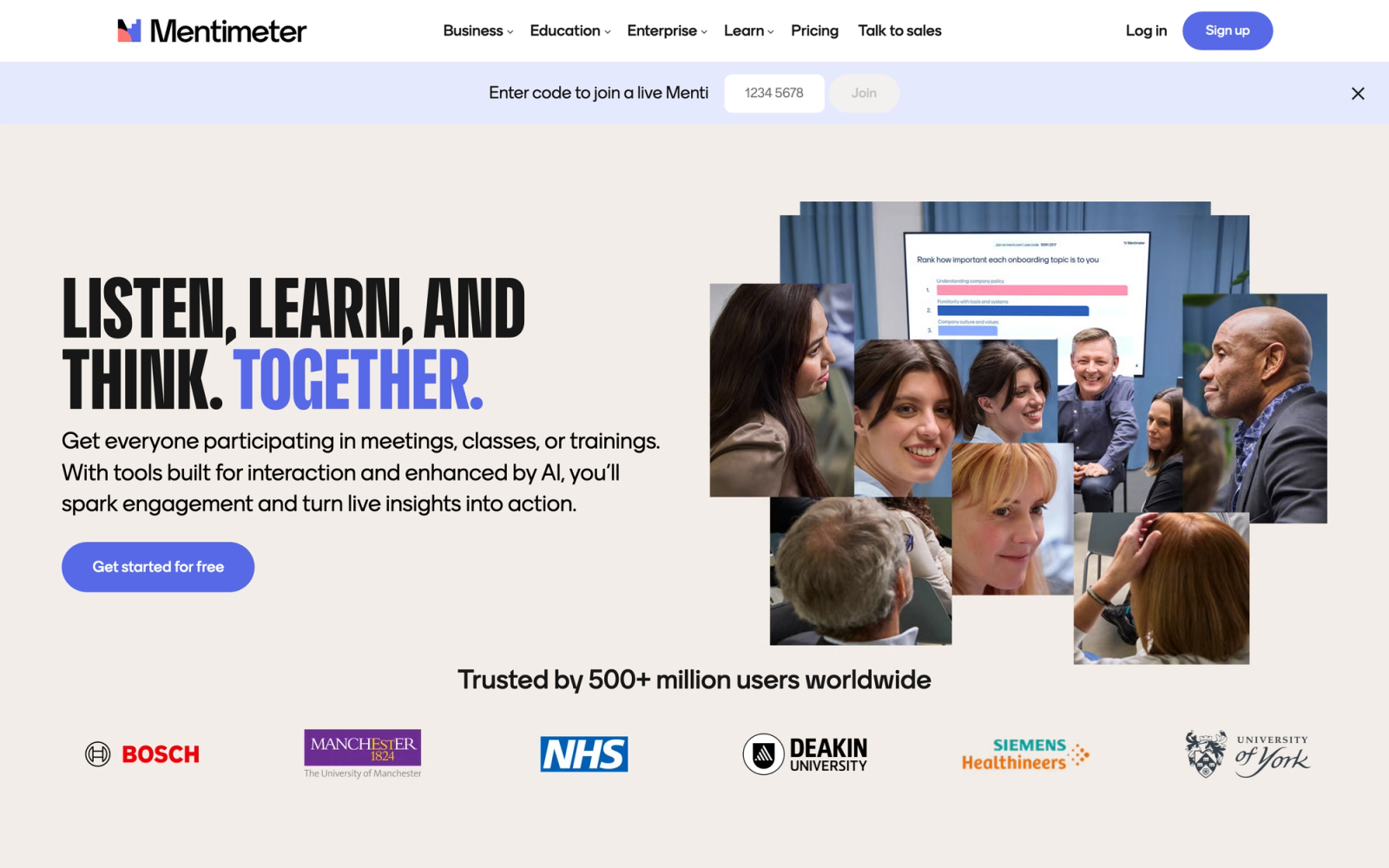
Mentimeter focuses on making audience responses visually compelling in real time. It is a presentation-layer tool built for polls, word clouds, Q&A sessions, and quizzes that display smoothly animated results on a shared screen. The visual polish is noticeably above what Socrative offers.
The most noticeable difference from Socrative is the visual quality of live results. When participants submit responses, bar charts animate, word clouds grow automatically, and quiz leaderboards update with smooth transitions. For educators presenting to large groups or trainers running sessions where visual impact matters, that polish produces a more professional atmosphere than Socrative's utilitarian data displays.
Core Capabilities
- Real-time polls with multiple choice, open-ended, scales, ranking, and 100-point allocation types
- Word clouds generated live from participant text submissions with visual sizing based on frequency
- Interactive Q&A with audience upvoting and moderation controls
- Quiz competitions with timed questions and animated leaderboards
- PowerPoint, Google Slides, and Keynote integrations via dedicated add-ins
- Zoom and Microsoft Teams integrations for embedded polling during video sessions
- Custom branding with logo, color schemes, and background themes on paid plans
- Audience pace mode allowing participants to progress through slides independently
- Post-presentation analytics dashboard with CSV and PDF export of response data
- Content collaboration features for teams building presentation decks together
Standout Strength
Mentimeter makes live data look good on screen. The animated visualizations, clean typography, and smooth transitions turn audience responses into visual moments that hold attention on a shared display. For conference presenters, university lecturers, and corporate facilitators presenting to large groups, that visual layer adds impact that a plain data table cannot match.
Best For
University lecturers running interactive lectures, corporate presenters at town halls and kickoffs, and conference speakers who want polished, visual audience interaction. Strongest when the audience is watching a shared screen and the quality of the live visualization matters.
Pricing Overview
- Free plan with up to 50 participants and limited question types per presentation
- Basic plan at $11.99 per presenter per month (billed annually)
- Pro plan at $24.99 per month with full customization and advanced analytics
- Enterprise and education pricing available for teams and institutions
Limitations
- Free plan restricts you to 2 question slides per presentation and 50 participants, which is too tight for most classroom use.
- No lesson-building capabilities. Mentimeter handles interaction moments, not structured learning sequences.
- The tool optimizes for presenter-led sessions. Self-paced or homework use cases are not well supported.
Quick Comparison Insight
More visually polished than Socrative for live audience interaction, but less focused on classroom assessment workflows. Mentimeter is the better choice when presentation quality matters; Socrative is simpler for quick classroom quizzes.
Quizizz
Overview
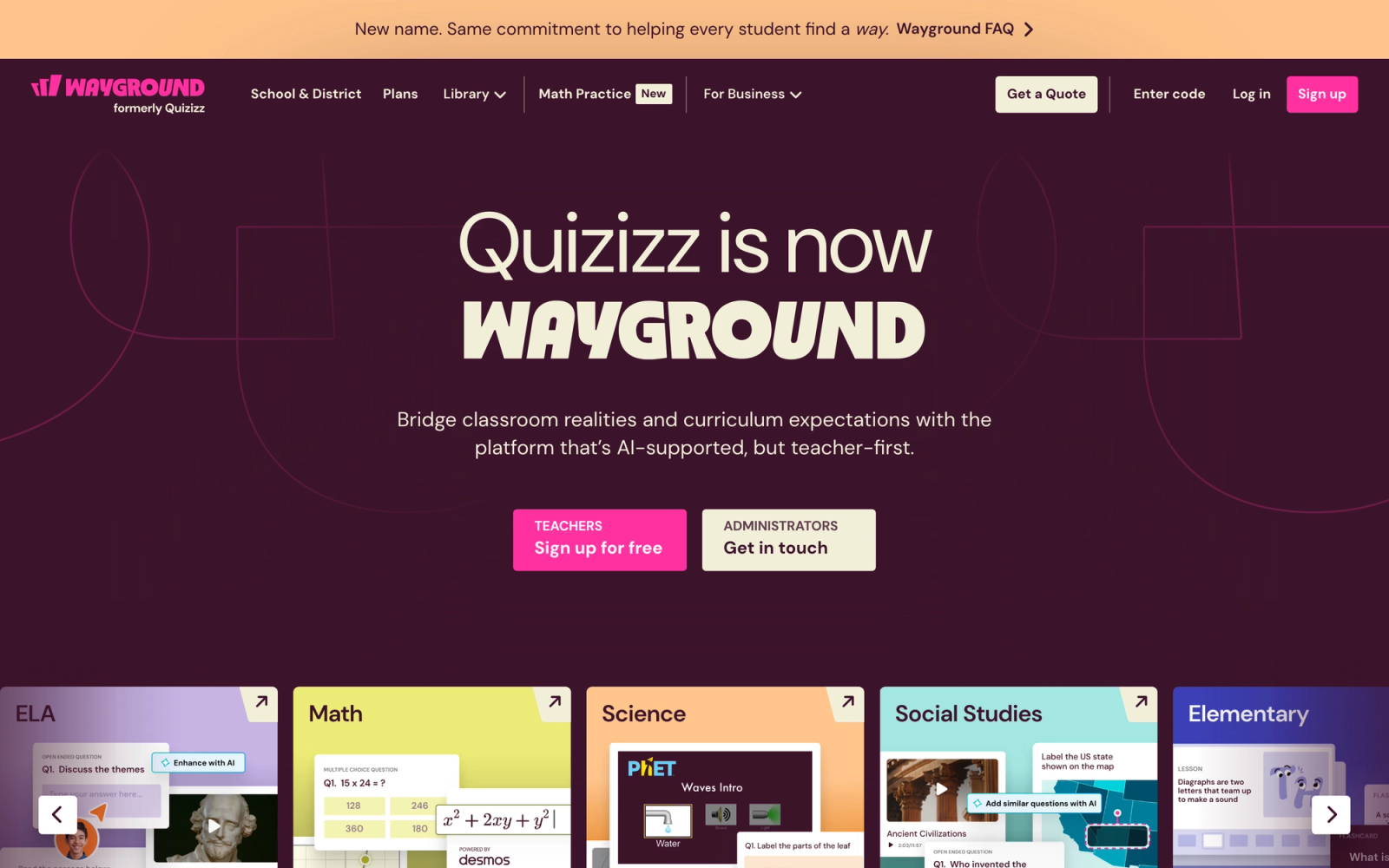
Quizizz is the closest functional alternative to Socrative. It handles the same core job: running quizzes in classrooms with real-time results. The difference is that Quizizz wraps the experience in gamification and adds a self-paced homework mode that Socrative lacks.
In direct comparison, Quizizz reads like Socrative rebuilt for the current era. The quiz creation flow is smoother, the student experience includes memes, avatars, and power-ups, and the self-paced mode lets students complete quizzes as homework with the same gamified feel. That combination of live and asynchronous use is something Socrative does not offer cleanly.
Core Capabilities
- Live quiz mode with real-time leaderboard, music, and gamification elements
- Self-paced homework mode where students complete quizzes on their own schedule with a deadline
- Question types including multiple choice, fill-in-the-blank, open-ended, poll, draw, and reorder
- Meme and avatar rewards that appear between questions to maintain student engagement
- Millions of community-created quizzes searchable by subject, grade, and standard alignment
- Google Classroom and Canvas integrations for distributing quizzes and syncing grades
- AI quiz generation from text, URLs, documents, and uploaded files
- Detailed performance reports with per-student and per-question analytics
- LTI integration for embedding within major LMS platforms
- Lessons feature combining slides, videos, and quiz checkpoints in a single flow
Standout Strength
Quizizz bridges live quizzes and self-paced homework within a single tool. The same quiz that runs as a competitive live game during class can be assigned as self-paced homework with a due date. That dual-mode flexibility means educators do not need separate tools for in-class and out-of-class practice, a real operational advantage for blended learning programs.
Best For
K-12 educators who want a direct Socrative upgrade with gamification and homework capabilities. Also effective for corporate trainers running self-paced knowledge checks where participants complete quizzes independently.
Pricing Overview
- Free plan for individual teachers with basic features and limited reports
- Super plan for individual educators at $4 per month (billed annually) with advanced reports and question types
- School and district plans with admin dashboards, shared quiz libraries, and priority support
- Corporate plans available for business and training use cases
Limitations
- Gamification cannot be fully disabled. For formal assessments where students should focus without memes and avatars, the tone can feel inappropriate.
- Reporting on the free plan is basic. Detailed analytics require a paid subscription.
- The lessons feature is newer and less developed than dedicated lesson-building tools like Nearpod.
Quick Comparison Insight
The most direct Socrative replacement on this list. Quizizz does everything Socrative does but with gamification, homework mode, and more question types. For educators who want an upgrade without a fundamentally different workflow, start here.
Poll Everywhere
Overview
Poll Everywhere approaches classroom engagement from the presentation side rather than the quiz side. It embeds live polls, word clouds, clickable images, and Q&A directly into PowerPoint, Keynote, or Google Slides presentations. The audience responds via browser, SMS, or app, and results animate on the shared slide in real time.
Poll Everywhere is designed with scale in mind. With 200+ participants, responses stream in without lag and the display updates cleanly on the projected slide. Socrative's interface starts to feel cramped at that volume, Poll Everywhere does not.
Core Capabilities
- Native add-ins for PowerPoint, Keynote, and Google Slides with response displays embedded directly in slides
- Response types including multiple choice, word cloud, open-ended, clickable image, ranking, and Q&A
- SMS, web, and app-based response collection for audiences without reliable internet
- Competition and quiz mode with timed questions and scored leaderboards
- Team-based response options for small group activities within larger sessions
- Moderation tools for screening open-ended responses before displaying publicly
- LMS integration with Canvas, Blackboard, and Moodle for grade passback
- Custom branding and visual themes for consistent institutional styling
- Detailed response reports with visual analytics and export to CSV, Excel, and PDF
- SSO and admin controls for institutional deployment across departments
Standout Strength
Poll Everywhere integrates into the presentation tools educators already use more tightly than most alternatives. Responses do not appear in a separate dashboard; they animate directly on the projected slide inside PowerPoint or Keynote. That visual integration means the engagement layer disappears into the presentation rather than interrupting it.
Best For
University lecturers and corporate trainers who present via PowerPoint or Keynote and want embedded audience interaction without switching between applications. Also strong for large-audience events where SMS-based response collection eliminates the need for app downloads.
Pricing Overview
- Free plan for up to 25 participants per activity
- Presenter plan at $120 per year for individual presenters with larger audiences
- Department and institutional plans with volume pricing and admin controls
- Higher education pricing available at reduced per-user rates
Limitations
- The 25-participant cap on the free plan makes it unusable for most classrooms without upgrading.
- Quiz and gamification features are less developed than dedicated quiz tools like Kahoot! or Quizizz.
- Pricing per presenter can add up for departments with many instructors. Cost scales with headcount, not usage.
Quick Comparison Insight
Better than Socrative for presentation-integrated polling, but weaker for standalone quiz creation. Poll Everywhere is the right choice when engagement needs to live inside slides, not in a separate tool.
Formative (GoFormative)
Overview
Formative focuses on real-time assessment with a distinctive feature: instructors can watch student responses appear live, character by character, as students type. That live-tracking capability goes beyond what any other tool on this list offers for monitoring student understanding in the moment.
The live response view changes how instructors can interact during class. Instead of waiting for everyone to submit and then reviewing aggregated results, instructors can see who is struggling mid-response. A student who starts typing an answer, pauses, deletes it, and starts over reveals uncertainty that a completed quiz result would never surface. Socrative shows final answers. Formative shows the work in progress.
Core Capabilities
- Live response tracking that displays student input in real time as they type or draw
- Question types including multiple choice, short answer, numeric, essay, categorize, matching, and sequencing
- "Show Your Work" drawing tool where students annotate, sketch, or solve problems visually on screen
- Upload-based responses allowing students to submit photos, files, or audio recordings
- Standards tagging that links questions to specific learning standards for alignment tracking
- Auto-grading for objective question types with manual grading tools for open-ended responses
- Google Classroom and Canvas integration for assignment distribution and grade sync
- Real-time class-wide data dashboard showing response patterns across all students
- Item library for saving and reusing individual questions across multiple assessments
- Instant feedback delivery to students with teacher annotations on submitted responses
Standout Strength
The live response tracking is genuinely unique. Watching students work through problems in real time gives instructors visibility into student thinking that no other tool provides. For formative assessment in the truest sense of the term, where the goal is to understand student understanding while it is forming, Formative delivers capabilities that Socrative and every other tool on this list lack.
Best For
Educators who prioritize real-time insight into student thinking over gamification or visual polish. Particularly effective in math, science, and writing instruction where seeing the process, not just the final answer, reveals misconceptions and learning gaps.
Pricing Overview
- Free plan with core features, limited to basic question types and smaller student groups
- Silver and Gold plans with expanded features, starting from individual teacher pricing
- School and district plans with admin dashboards, data aggregation, and priority support
- Custom pricing for large-scale district and state implementations
Limitations
- The interface is functional but not visually exciting. Students accustomed to Kahoot! or Quizizz gamification will find Formative comparatively plain.
- No gamification elements. There are no leaderboards, timers with music, or competitive features.
- The live tracking feature works best with smaller groups. Monitoring 30+ live responses simultaneously becomes overwhelming for a single instructor.
Quick Comparison Insight
Deeper assessment insight than Socrative, but without any of the engagement flair. Formative replaces Socrative when the priority is understanding how students think, not making quizzes feel like games.
Wooclap
Overview
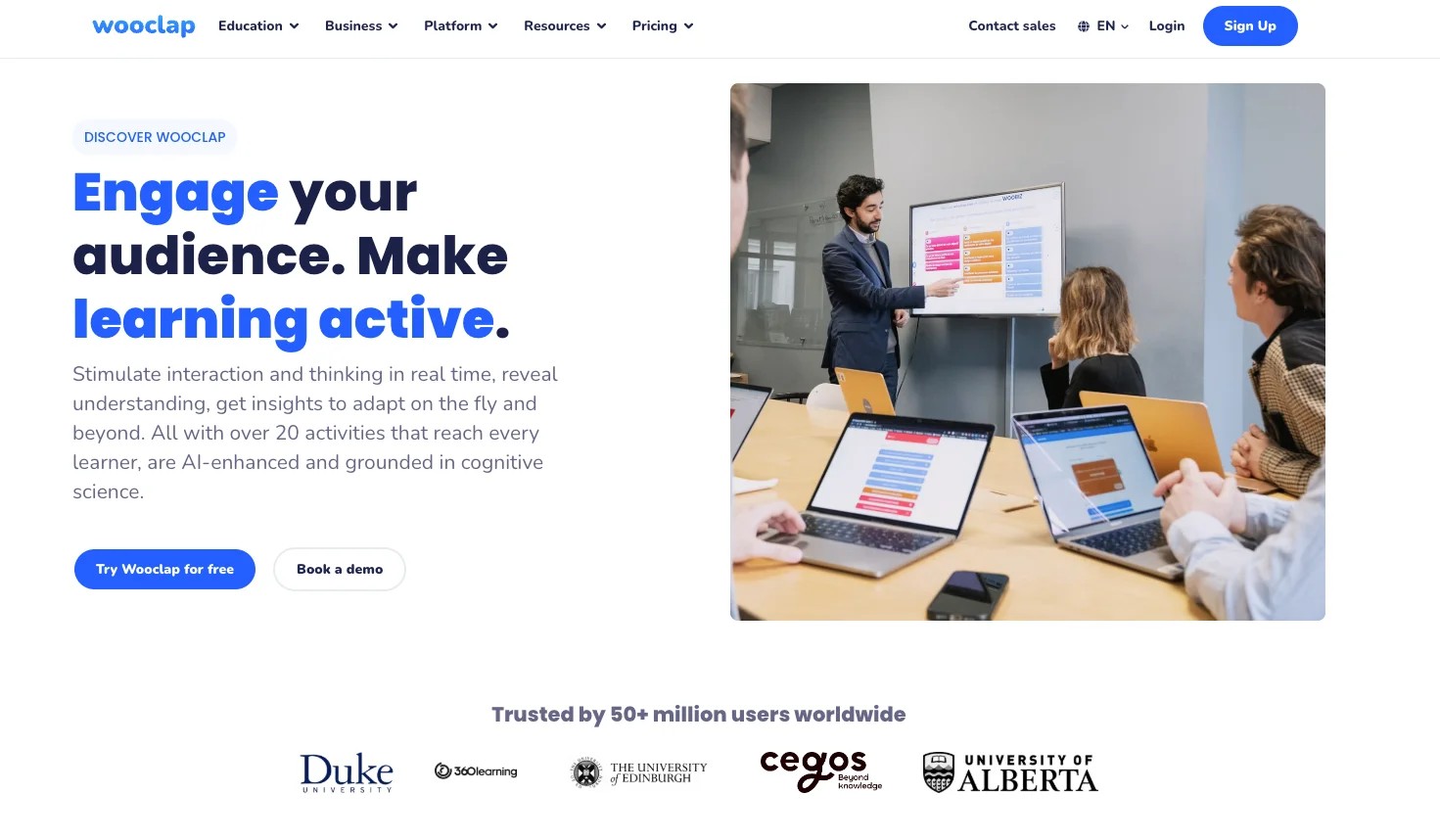
Wooclap positions itself at the intersection of audience engagement and pedagogy, with a particular focus on higher education. It offers a broad set of interactive question types (broader than most competitors), and its AI question generator can create quiz questions from uploaded slides, PDFs, or pasted text.
The AI question generation is Wooclap's most distinctive feature. Upload a set of lecture slides and the tool generates a draft question set mapped to the key concepts. The questions need human review and editing, but the starting point cuts preparation time substantially. Socrative has no equivalent, every question must be built manually.
Core Capabilities
- 18+ question types including MCQ, word cloud, open question, matching, sorting, fill-in-the-blank, rating, and numerical
- AI question generator that creates quiz questions from uploaded PDFs, slides, and text content
- "Find on Image" question type where students click on the correct area of an image to answer
- Real-time audience response with live result displays for projected presentation use
- PowerPoint, Google Slides, and Keynote integration via add-ins and browser-based tools
- LMS integration with Moodle, Canvas, and Blackboard via LTI for grade passback
- Audience pace mode for self-paced completion outside live sessions
- Participation tracking and post-event analytics with exportable reports
- SMS-based response option for audiences without reliable internet or devices
- Institutional dashboard for universities managing Wooclap across departments
Standout Strength
The AI question generation gives Wooclap a clear preparation-time advantage. Uploading existing teaching materials and receiving a ready-to-edit question set cuts manual question writing to a review task. For instructors with heavy course loads, that reduction compounds across a semester.
Best For
Higher education lecturers who need varied question types and want AI assistance in creating assessment content from existing lecture materials. Also effective for corporate trainers who need to quickly generate knowledge checks from existing training documents.
Pricing Overview
- Free plan for educators with up to 1,000 participants and limited question types per event
- Pro plan with full features starting at educator-friendly pricing per month
- Institutional licensing with volume pricing for universities and large organizations
- Enterprise plans with admin controls, SSO, and custom onboarding
Limitations
- The interface leans academic and can feel less intuitive than consumer-focused tools like Kahoot! or Quizizz.
- AI-generated questions still need human review. They occasionally miss nuance or generate ambiguous answer options.
- North American market presence is smaller than European. Some integrations and support resources are more developed for European institutions.
Quick Comparison Insight
More question variety and AI-assisted content creation than Socrative. Wooclap is strongest for higher education and corporate training contexts where quiz tools need to support diverse question formats beyond basic multiple choice.
ClassFlow
Overview
ClassFlow is built for connected classrooms where students have devices and the instructor uses an interactive display or projector. Created by Promethean (the interactive whiteboard company), ClassFlow integrates lesson delivery, student activities, and assessment into a single platform designed around the physical classroom setup.
ClassFlow assumes a physical classroom environment where the teacher controls the flow from a front-of-room display and students respond on individual devices. That hardware-software connection is the platform's defining characteristic, something tools like Socrative, which operate entirely in the browser with no consideration for classroom hardware, do not address.
Core Capabilities
- Lesson builder with slide creation, multimedia embedding, and interactive activity insertion
- Student device integration where learners respond, annotate, and submit work from tablets or laptops
- Activity types including polls, quizzes, creative responses, and collaborative text and drawing boards
- "Send and Receive" feature for pushing content to student devices and collecting responses
- Integration with Promethean ActivPanel displays for front-of-room interactive instruction
- Instant assessment with live result tracking and class-level performance snapshots
- Lesson marketplace with community-shared lesson resources across subjects and grade levels
- Student portfolio feature for saving and reviewing work samples over time
- Cloud-based lesson storage accessible from any device with a browser
- Multi-device support for BYOD (bring your own device) classrooms alongside interactive displays
Standout Strength
ClassFlow bridges physical classroom hardware and digital engagement in a way that software-only tools cannot. The integration with Promethean displays means the interactive lesson, student responses, and class discussion all flow through a single connected system. For schools invested in interactive display technology, that hardware-software cohesion reduces the friction of managing multiple disconnected tools.
Best For
Schools and districts with Promethean interactive displays that want a unified lesson and assessment platform. Also useful for K-12 educators who want a classroom-focused tool that ties the front-of-room display to individual student devices.
Pricing Overview
- Free tier available with basic lesson and activity features
- Premium features available through Promethean hardware bundles and school licensing
- District-wide licensing available with Promethean partnership agreements
- Pricing scales based on school size and Promethean hardware deployment
Limitations
- Strongest when paired with Promethean hardware. Without interactive displays, ClassFlow loses its primary differentiator and becomes a less polished competitor to Nearpod or Pear Deck.
- The platform's update cadence has slowed compared to more aggressively developed tools. Feature development lags behind Nearpod and Quizizz.
- Community lesson marketplace content is thinner than Nearpod or Kahoot! community libraries.
Quick Comparison Insight
Better than Socrative for hardware-connected classroom environments, but less versatile as a standalone software tool. ClassFlow makes sense primarily for Promethean-equipped schools.
How to Choose the Right Alternative
The ten tools above overlap in surface features but diverge in what they prioritize. Choosing the right Socrative alternative depends on understanding which engagement problem matters most for your context.
If you want a direct Socrative upgrade with more features, Quizizz is the starting point. It covers the same quiz-and-response workflow but adds gamification, homework mode, and a wider range of question types. The transition from Socrative is the smoothest.
If gamification and energy are the priority, Kahoot! creates a classroom atmosphere that no other tool matches. The competitive format works best for review sessions and knowledge reinforcement where recall speed matters.
If you need assessments embedded in interactive lessons, Nearpod or Pear Deck are the strongest options. Nearpod for building full interactive lessons from scratch. Pear Deck for adding interactivity to existing Google Slides or PowerPoint presentations.
If you present to large audiences and need visual polish, Mentimeter and Poll Everywhere are designed for projected, presenter-led sessions. Mentimeter wins on visual quality. Poll Everywhere wins on slide integration depth.
If real-time student monitoring matters most, Formative's live response tracking gives you visibility into student thinking as it happens. No other tool shows you what students are typing in real time.
If you need AI help creating questions from existing materials, Wooclap's AI question generator saves significant preparation time for instructors working from existing lecture slides and documents.
If your classroom uses interactive displays, ClassFlow integrates with Promethean hardware to connect the front-of-room display with individual student devices in a unified system.
If you need persistent engagement across a multi-week program, Teachfloor addresses the between-session gap that all quiz and polling tools, Socrative included, leave open.
The right tool depends on the problem. Define the problem first, then match the tool to it.
FAQ
What is the best free alternative to Socrative?
Quizizz offers the most generous free plan for educators who want a direct Socrative replacement. It includes live quizzes, homework mode, gamification, and basic reporting without a participant cap for teacher-hosted games. Kahoot! also offers a free tier, though it caps at 50 participants. Wooclap provides a strong free plan for educators with up to 1,000 participants per event. Check the specific limits on question types, reporting, and session frequency before committing.
Can I use these tools for both live classes and homework?
Yes, but the depth of asynchronous support varies. Quizizz has the strongest homework mode, allowing students to complete gamified quizzes at their own pace with a set deadline. Nearpod supports student-paced lessons. Kahoot! offers an assign mode for self-paced quizzes. Mentimeter and Poll Everywhere are primarily designed for live, synchronous use and do not offer meaningful homework workflows.
Which Socrative alternative has the best reporting and analytics?
Formative provides the deepest real-time assessment visibility with its live response tracking. For post-session analytics, Quizizz and Nearpod both offer detailed per-student and per-question reports with Google Classroom and Canvas grade sync. Poll Everywhere provides strong analytics for presentation-based sessions. If you need longitudinal trend analysis across an entire course or program, look at tools with full learning analytics dashboards rather than session-level reporting.
Do any of these tools integrate with Google Classroom and Canvas?
Quizizz, Nearpod, Pear Deck, Formative, and Poll Everywhere all integrate with Google Classroom. For Canvas, Quizizz, Nearpod, Formative, Poll Everywhere, and Wooclap offer LTI integrations that support grade passback and single sign-on. Kahoot! supports LTI connections with Canvas and Blackboard. Check whether the integration supports automatic grade sync or only assignment distribution, as that distinction significantly affects workflow efficiency.


