


What Tech Companies Need from an LMS
Tech companies operate under conditions that most learning management system platforms were not designed for. Engineering teams ship weekly. Product roadmaps shift quarterly. New hires need to reach productivity inside a codebase, not just complete a compliance checklist. The gap between what a traditional LMS delivers and what a fast-moving tech organization actually needs is often wider than buyers expect.
Speed of knowledge change. In a financial services firm, compliance training content might update once a year. In a tech company, the internal toolchain, deployment processes, and architectural decisions can shift monthly. An LMS that treats content as static documents creates an immediate maintenance burden for engineering managers who already have full calendars.
Developer expectations around tooling. Engineers and technical staff expect integrations with the tools they already use: Slack, GitHub, Jira, SSO providers, and CI/CD pipelines. A platform that requires switching to a separate portal with its own login and navigation creates friction that reduces adoption. If the LMS does not fit into existing workflows, people simply will not use it.
Multi-audience training needs. Most tech companies train more than just employees. Customer success teams need product training. Partners need certification programs. Sales teams need enablement content. A platform that handles only one of these audiences forces you into buying multiple tools, or worse, building workarounds.
Technical content formats. Code snippets, sandbox environments, API documentation walkthroughs, and screen recordings are standard learning materials in tech organizations. An LMS built primarily for slide decks and PDF uploads will struggle to support these formats without heavy customization.
Data and analytics rigor. Tech leaders expect dashboards, not just completion certificates. They want to see skill gaps across teams, correlate training completion with performance metrics, and export data through APIs for their own internal reporting tools. Surface-level analytics are not enough.
What to Look for in an LMS for Tech Companies
Before evaluating individual platforms, it helps to define the criteria that matter most for technical organizations. Not every feature matters equally, and the right LMS depends on what you are actually trying to solve.
Integration depth. Check for native connections to your identity provider (Okta, Azure AD), communication tools (Slack, Teams), and developer platforms (GitHub, Jira). An open API matters if your engineering team needs to build custom LMS integrations or push learning data into internal dashboards.
Content format flexibility. Can the platform handle SCORM packages, xAPI, video, interactive code exercises, and live sessions? Tech training often mixes asynchronous self-paced modules with hands-on labs and instructor-led workshops. The LMS should support that range without workarounds.
Multi-audience architecture. If you need to train employees, customers, and partners from a single platform, look for multi-portal or multi-tenant capabilities. Running separate LMS instances for each audience creates data silos and admin overhead.
Scalability and performance. A platform that works for 200 users may buckle at 5,000. Consider your growth trajectory. Ask vendors about infrastructure, uptime SLAs, and how they handle concurrent users during large training events.
Admin experience. How quickly can a non-technical L&D manager create and publish a course? How quickly can a developer author technical content? The admin interface matters because it determines how much of the team's time gets consumed by platform management rather than content creation.
Reporting and skill tracking. Can you track individual skill development over time? Can you identify gaps across departments? Can you export raw data via API? For tech companies that treat employee training as a strategic investment, reporting depth is non-negotiable.
Total cost of ownership. Licensing fees are only the starting point. Factor in implementation, content migration, integration development, and ongoing admin time. A lower per-user price can cost more overall if the platform requires significant custom work to fit your stack.
10 Best LMS for Tech Companies
The platforms below cover a range of approaches, from AI-powered enterprise systems to focused developer skill libraries. Each one addresses a different combination of the needs outlined above. They are organized to represent distinct use cases so you can identify which two or three are worth evaluating for your specific situation.
| Tool | Delivery model | Multi-audience | Starting price | Free trial | Best for |
|---|---|---|---|---|---|
| Teachfloor | Self-paced, social, live, cohort | Yes (white-label academies) | $89/mo | 14 days | Onboarding, product training, and engineering upskilling with community |
| Docebo | Self-paced and blended | Yes | Custom (~$25k/yr) | Demo only | Enterprise tech companies wanting AI-driven learning at scale |
| 360Learning | Collaborative and blended | Yes | $8/user/mo | 30 days | Tech teams upskilling from internal experts |
| Absorb LMS | Self-paced and blended | Yes | Custom | Demo only | Mid-to-large tech companies wanting a modern UI |
| WorkRamp | Self-paced and blended | Yes | Custom | Demo only | Training employees, customers, and partners in one place |
| LearnUpon | Self-paced and blended | Yes | Custom | Trial available | SaaS companies focused on customer and partner education |
| TalentLMS | Self-paced and blended | Branches (basic) | $119/mo | Free plan | Startups and scaling teams needing fast deployment |
| Lessonly (Seismic) | Self-paced and practice | No | Custom | Demo only | Sales and customer success enablement |
| Udemy Business | Self-paced library | No | $30/user/mo | Trial available | On-demand access to a large tech skills library |
| Pluralsight Skills | Self-paced library | No | $29/mo (individual) | 10 days | Deep technical skill measurement for engineers |
Teachfloor

Overview
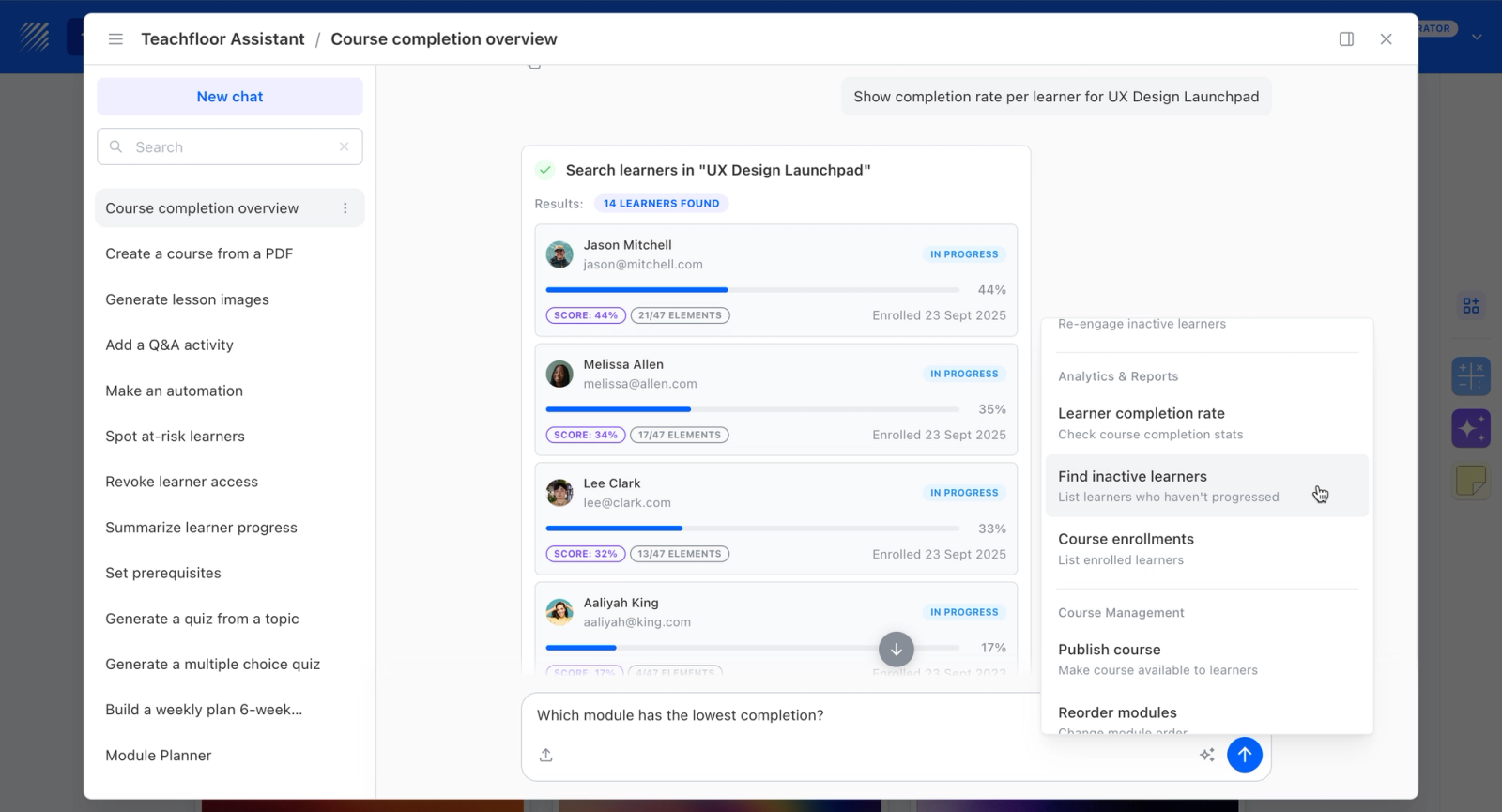
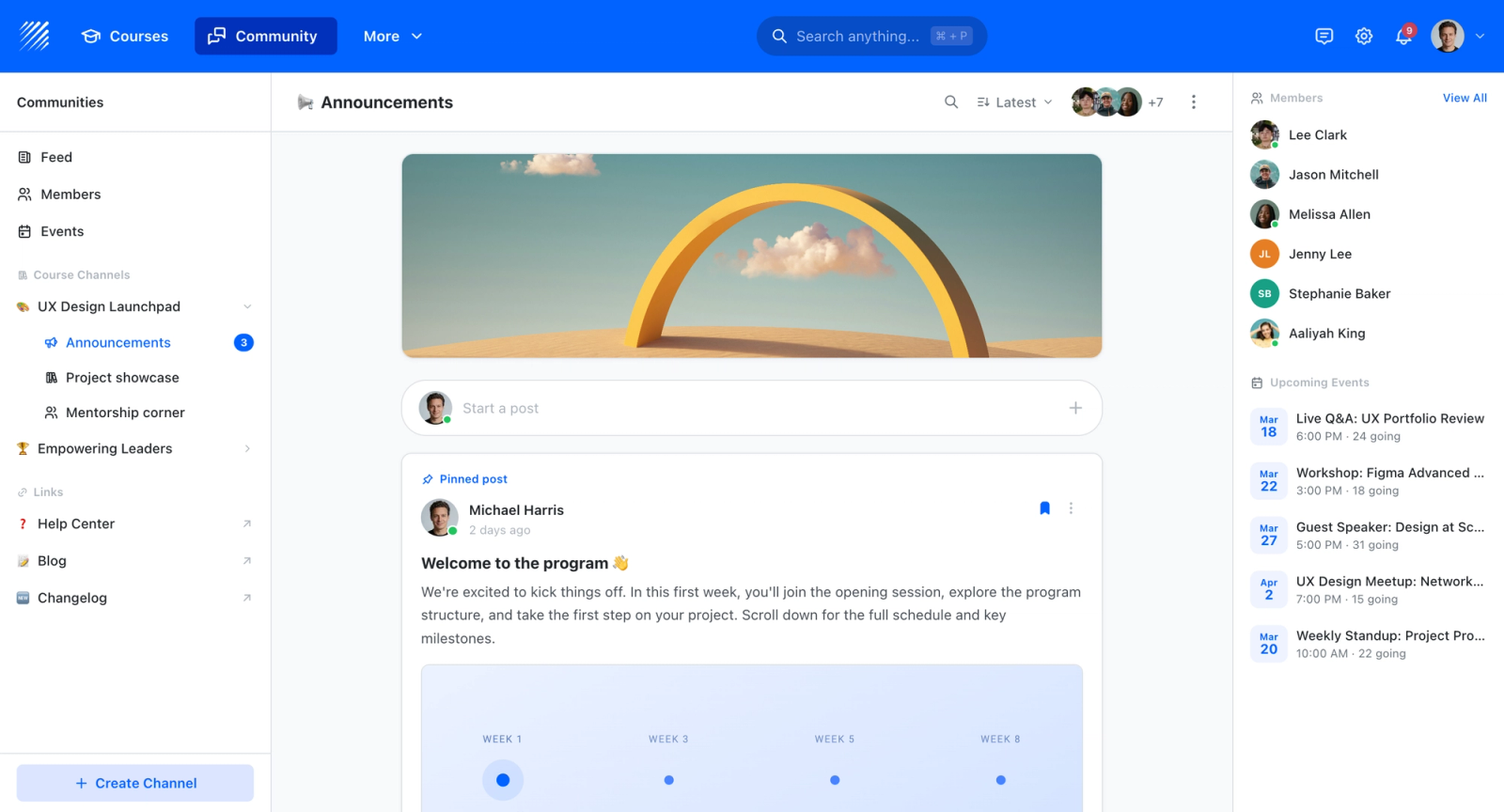
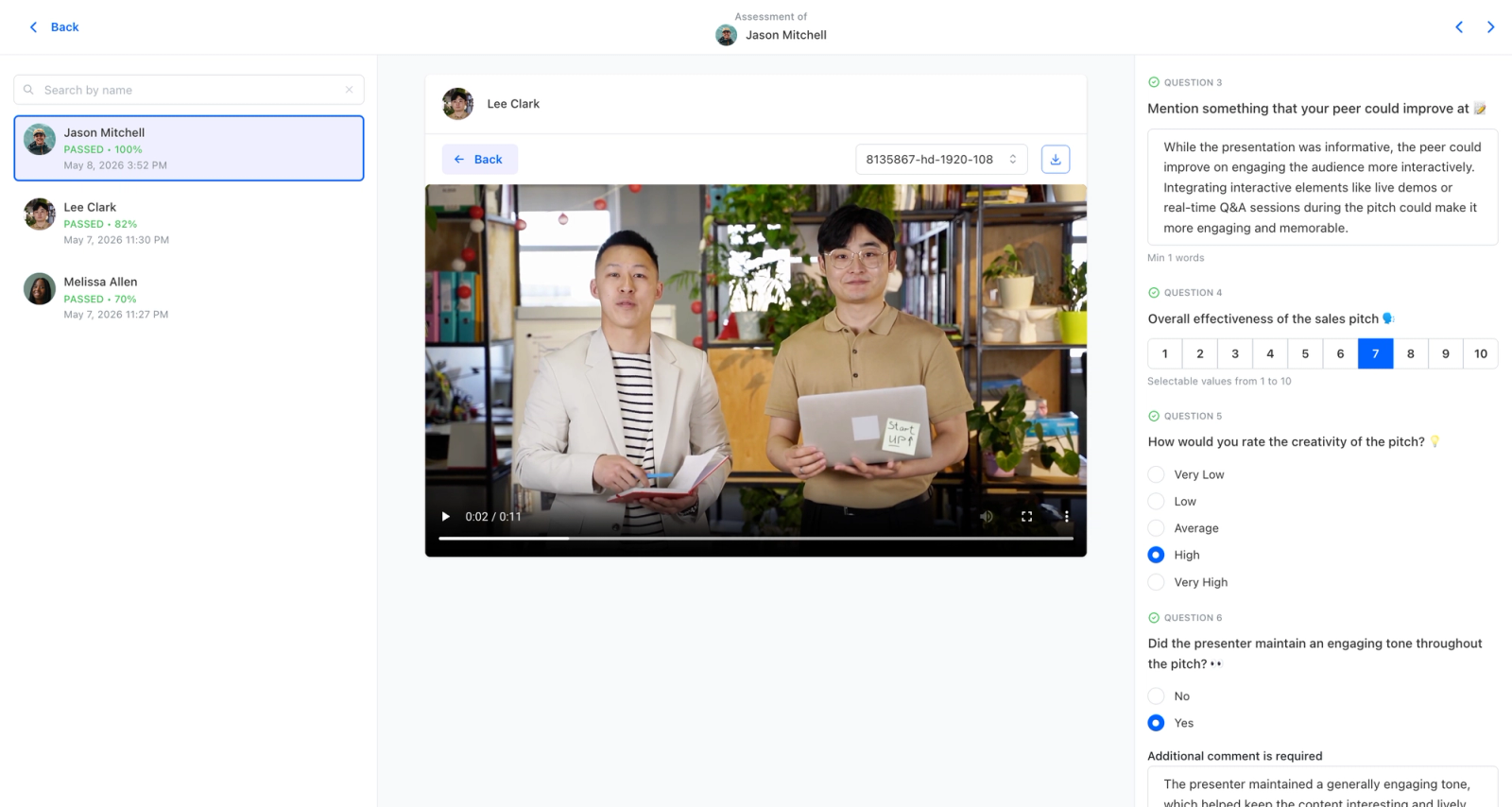
Teachfloor is a flexible learning platform that fits tech companies because it treats knowledge transfer as something that happens between people, not just from a course to a learner. Senior engineers and product managers carry most of the institutional knowledge that new hires need, and the hard part is extracting it from Slack threads and pull request comments into something structured enough to learn from. Teachfloor's AI-assisted authoring handles that extraction: give it a recording, a doc, or a set of notes and it drafts a structured lesson that the subject-matter expert can review and publish. Delivery is equally flexible, self-paced for a backend engineer ramping on the codebase, live for an architecture deep-dive, or a fixed cohort for onboarding classes that run on a two-week cycle. The key differentiating feature is active social learning: discussion threads tied to individual lessons and rubric-driven peer review that carries grade weight, so learners critique each other's work rather than passively consuming video.
Core Capabilities
- AI-assisted authoring that helps internal subject-matter experts turn existing docs, recordings, and notes into structured courses without dedicated instructional designers, useful when the people who know the system have no time to build training
- Flexible delivery across self-paced onboarding tracks, live sessions for architecture or product walkthroughs, and scheduled cohorts for batched new-hire classes, all from one platform
- Discussion and rubric-driven peer review weighted into grades, so engineers learn by critiquing each other's work the same way they review code, plus quizzes, certificates, and analytics to track time-to-productivity
Best For
Tech companies that want to capture internal engineering, product, and partner knowledge into structured training and prefer active, peer-driven learning over a passive content library. Strong fit for product education and partner enablement where discussion and feedback matter more than course volume.
Pricing Overview
- Startup plan from $89 per month for up to 50 learners
- Full Features plan with custom pricing, white-label, SSO, and advanced integrations
- 14-day free trial; no permanent free plan
- Nonprofit discounts available
Limitations
- No native sandbox environments, code execution, or built-in integrations with developer tools like GitHub, Jira, or Slack, so it does not replace hands-on technical labs
- Not a content marketplace, so teams wanting ready-made courses on broad technical skills will still need a Udemy Business or Pluralsight alongside it
- No free plan, and pricing is learner-based, which can get expensive for very large engineering orgs
Quick Comparison Insight
Best for tech companies that need to build and deliver their own product, partner, and onboarding training with strong discussion and peer review, rather than buy access to an off-the-shelf technical course catalog.
Docebo
Overview
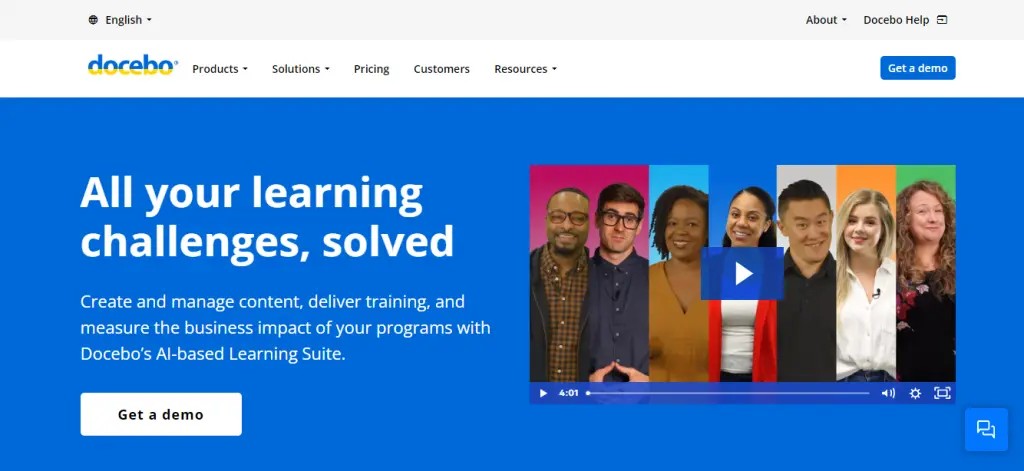
Docebo is an enterprise learning platform that uses AI to personalize content recommendations, automate administrative tasks, and surface skill gaps across an organization. It positions itself as an end-to-end learning suite, covering internal training, customer education, partner enablement, and compliance from a single instance.
Much of the platform is driven by its AI engine, called Docebo AI (formerly Docebo Shape). It can auto-tag content, suggest learning paths based on role and behavior, and generate short-form content from longer materials. For tech companies managing thousands of courses across multiple audiences, that automation reduces the admin overhead that bogs down smaller platforms.
Core Capabilities
- AI-powered content recommendations and personalized learning paths based on user role, behavior, and skill gaps
- Docebo Shape for automated content tagging, curation, and micro-content generation from existing materials
- Multi-audience support through configurable learning portals for employees, customers, partners, and resellers
- Native SCORM, xAPI, and AICC compliance for importing third-party and legacy training content
- Social learning features including user-generated content channels, Q&A boards, and expert tagging
- Advanced reporting with customizable dashboards, scheduled reports, and data export via API
- Marketplace module for selling courses externally with built-in e-commerce functionality
- Over 400 integrations including Salesforce, Slack, MS Teams, HRIS platforms, and SSO providers
- Gamification engine with points, badges, leaderboards, and contest modules
- Mobile app with offline content access for field teams and distributed workforces
Standout Strength
Docebo's AI engine reduces the manual work of content management at scale. When you are managing training across engineering, sales, customer success, and partner teams, the ability to auto-tag, auto-recommend, and auto-organize content saves L&D teams hours every week. The set of 400+ integrations also means it fits into complex tech stacks without requiring custom middleware.
Best For
Enterprise tech companies with 1,000+ employees that need one platform covering internal training, customer education, and partner enablement. The AI curation and auto-tagging features earn their cost at scale, the more content you manage, the more time they save.
Pricing Overview
- Custom enterprise pricing (no public price tiers)
- Pricing model: Annual contract based on number of active users
- Free trial available for qualified organizations
Limitations
- The learning curve for administrators is steep. Configuring the platform fully takes weeks, not days, and often requires dedicated implementation support.
- Pricing is opaque and tends to be higher than mid-market alternatives. Smaller tech companies may find it difficult to justify the investment.
- The UI, while improving, can feel dense in certain admin areas, particularly around reporting configuration and workflow automation setup.
Quick Comparison Insight
More AI-driven and enterprise-ready than most platforms on this list, but the complexity and cost mean it is best suited for organizations that have outgrown simpler tools.
360Learning
Overview
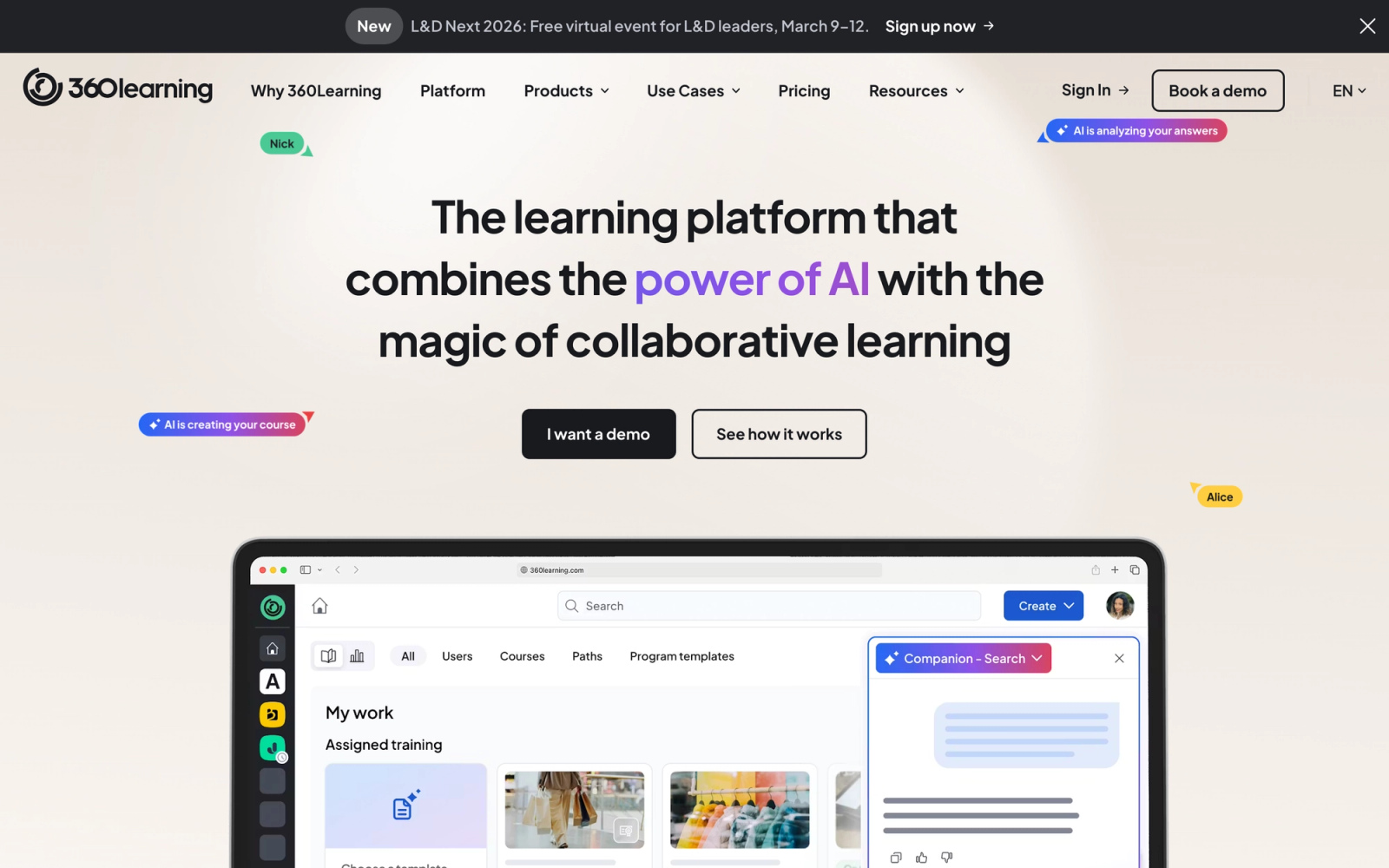
360Learning takes a fundamentally different approach to corporate training. Instead of relying on a centralized L&D team to create all content, it is built around the idea that subject matter experts within the organization should be the primary authors. The platform calls this "collaborative learning," and the entire UX is designed to make it easy for anyone to create, review, and iterate on courses.
What makes 360Learning a good fit for engineering organizations is the authoring workflow itself. Creating a course follows the same loop as a code review: someone drafts the content, peers comment on it inline, the author revises, and the final version gets published. This matches how engineering teams already validate each other's work, which lowers the barrier for senior developers who would otherwise never take time to write formal training.
Core Capabilities
- Collaborative authoring tool that lets subject matter experts create courses without instructional design backgrounds
- Peer review workflows for course content with inline commenting and approval chains
- Reaction and feedback system that surfaces content quality issues in real time through learner signals
- Built-in discussion forums attached to each course for asynchronous peer learning and Q&A
- SCORM and xAPI support for importing existing training content from other platforms
- Automated skill mapping tied to learning paths and competency frameworks
- Native integrations with Slack, MS Teams, Salesforce, BambooHR, and major HRIS systems
- Real-time analytics showing engagement rates, content relevance scores, and knowledge gap identification
- Mobile-responsive design with offline access for distributed teams
- Academy feature for external training (customer education, partner certification)
Standout Strength
360Learning's authoring tools are deliberately low-friction. A senior developer can open the editor, build a training module on a new deployment process, collect inline feedback from teammates, and publish the same day, without touching an instructional designer. That publishing speed is the point: when deployment processes and internal tooling change monthly, the teams who build those systems need to be able to update training just as fast as they update their runbooks.
Best For
Tech companies with 200 to 5,000 employees where institutional knowledge is distributed across individual contributors and those contributors are willing to author training. Works best in engineering-heavy organizations that already have a culture of written documentation and peer review, the platform accelerates what already happens informally.
Pricing Overview
- Starting price: $8 per user per month (Team plan)
- Business plan available with additional features at custom pricing
- Free 30-day trial available
Limitations
- The platform relies heavily on internal experts being willing to author content. If your team does not have a culture of knowledge sharing, adoption can stall.
- Reporting, while improved, still lacks some of the depth that enterprise-grade platforms like Docebo offer for cross-organizational analytics.
- The external training (Academy) feature is newer and less mature than the core internal learning product.
Quick Comparison Insight
More collaborative and faster for content creation than Docebo, but less powerful for AI-driven personalization and large-scale enterprise reporting.
Absorb LMS
Overview
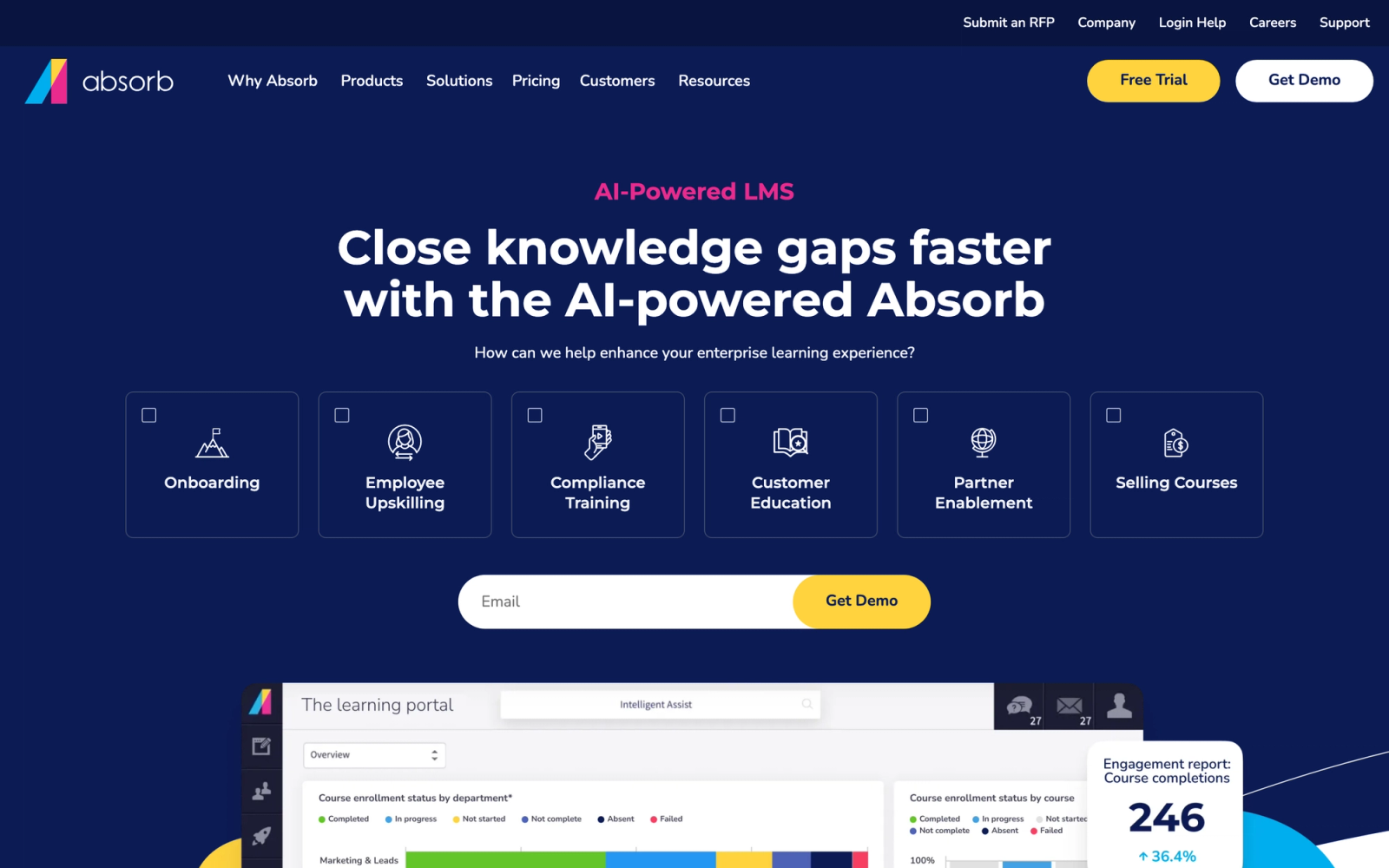
Absorb LMS occupies the space between mid-market simplicity and enterprise capability. The platform is known for a clean, modern interface that both admins and learners find intuitive, which is not something you can say about every enterprise LMS. Under the surface, it offers intelligent content recommendations, strong reporting, and enough flexibility to handle complex multi-department training programs.
The admin dashboard stands out. Course creation is straightforward, and the learner experience feels closer to a consumer app than a traditional corporate training portal. For tech companies where adoption is a constant battle, that UX advantage matters. Engineers and product managers are more likely to engage with a platform that does not feel like it was designed in 2008.
Core Capabilities
- Absorb Intelligence for AI-driven content recommendations and smart course suggestions based on learner behavior
- Modern, responsive learner interface that supports custom branding and white-labeling
- SCORM, xAPI, and CMI5 compliance for standards-based content import
- Absorb Engage for in-platform messaging, leaderboards, and social interaction features
- eCommerce module for selling courses externally with payment gateway integration
- Observation checklists for manager-verified competency assessments and hands-on skill validation
- Configurable reporting engine with scheduled reports, custom dashboards, and API-based data export
- Multi-department and multi-portal architecture for segmented training audiences
- Native integrations with Salesforce, ADP, BambooHR, Zoom, and major SSO providers
- Absorb Create built-in authoring tool for rapid course development without third-party tools
Standout Strength
Absorb provides the feature depth of an enterprise platform, multi-department structures, standards compliance, configurable reporting, eCommerce, without the implementation weight that makes those platforms costly to stand up. The Absorb Intelligence engine surfaces personalized recommendations based on learner behavior, but the configuration required is minimal compared to heavier AI-driven systems. The result is that L&D teams spend less time managing the platform and more time on content.
Best For
Mid-to-large tech companies with 500 to 10,000 employees that need a polished, scalable LMS and want to avoid long implementation timelines. Strong fit for organizations that compete for technical talent and recognize that a poor learner experience directly suppresses training completion.
Pricing Overview
- Custom pricing based on number of active users
- Pricing model: Annual subscription with tiered feature sets
- Free trial and guided demo available
Limitations
- While the UI is clean, some advanced admin features (like complex automated enrollment rules) require configuration time that is not immediately intuitive.
- The built-in authoring tool, Absorb Create, is useful for basic content but does not match the depth of dedicated authoring platforms for interactive technical content.
- Pricing is not publicly listed, which makes budget planning harder during the evaluation phase.
Quick Comparison Insight
A stronger learner experience than Docebo with less configuration overhead, but less depth in AI automation and fewer integrations out of the box.
WorkRamp
Overview
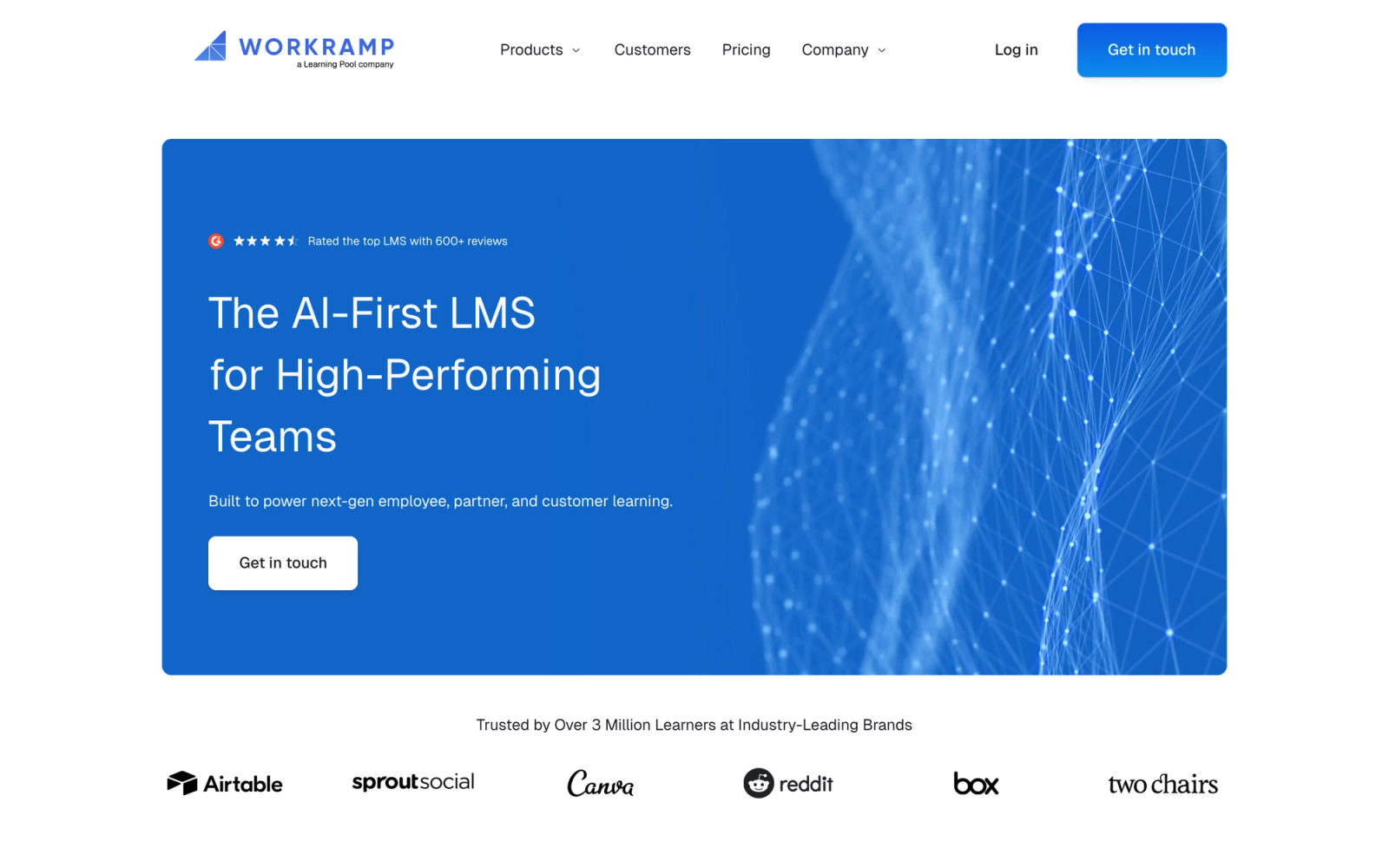
WorkRamp positions itself as the "Learning Cloud," and the premise is straightforward: a single platform that handles employee learning, customer education, and partner training without requiring separate products or instances. For tech companies that need to train multiple audiences, this unified approach eliminates the need to manage and pay for distinct systems.
What sets WorkRamp apart from other multi-audience platforms is its focus on structured learning journeys. Rather than offering a content library and hoping learners navigate it effectively, WorkRamp lets admins build guided paths with milestones, assessments, and certification checkpoints. The path builder is particularly well-designed for onboarding use cases, where new hires need to progress through a defined sequence rather than browse freely.
Core Capabilities
- Unified platform architecture covering employee, customer, and partner training from a single admin console
- Guided learning paths with milestones, quizzes, assignments, and certification upon completion
- Built-in content authoring with support for video, documents, interactive assessments, and embedded media
- Customer education portal with branded academies, self-service access, and progress tracking
- Partner training with certification programs, co-branded portals, and partner-level reporting
- Native CRM integration with Salesforce and HubSpot for linking training data to customer health scores
- SCORM support for importing existing e-learning content from other platforms
- Analytics dashboard with completion tracking, engagement metrics, and exportable reports
- SSO integration with Okta, Azure AD, and Google Workspace
- Slack integration for nudges, notifications, and training reminders inside existing communication workflows
Standout Strength
WorkRamp solves the multi-audience problem cleanly. Instead of buying one LMS for internal training and another for customer education, WorkRamp handles both from a single interface. The Salesforce integration is particularly valuable for SaaS companies that want to tie customer training completion to renewal and expansion metrics.
Best For
SaaS and tech companies with 200 to 5,000 employees that train customers and partners alongside employees. Especially relevant for product-led growth companies where customer education directly impacts retention and expansion revenue.
Pricing Overview
- Custom pricing based on use case and number of users
- Separate modules for Employee Learning Cloud and Customer Learning Cloud
- Free demo available; no public free trial
Limitations
- The platform is strongest for structured, path-based learning. Teams that want a more flexible, browse-and-discover content experience may find the structure rigid.
- Reporting has improved but still lacks some of the granular, cross-audience analytics that larger enterprises expect.
- Content authoring is adequate for standard formats but does not support interactive coding environments or sandbox-style technical labs natively.
Quick Comparison Insight
Better multi-audience coverage than 360Learning, but less collaborative authoring capability. Stronger CRM integration than Absorb, but more opaque on pricing.
LearnUpon
Overview
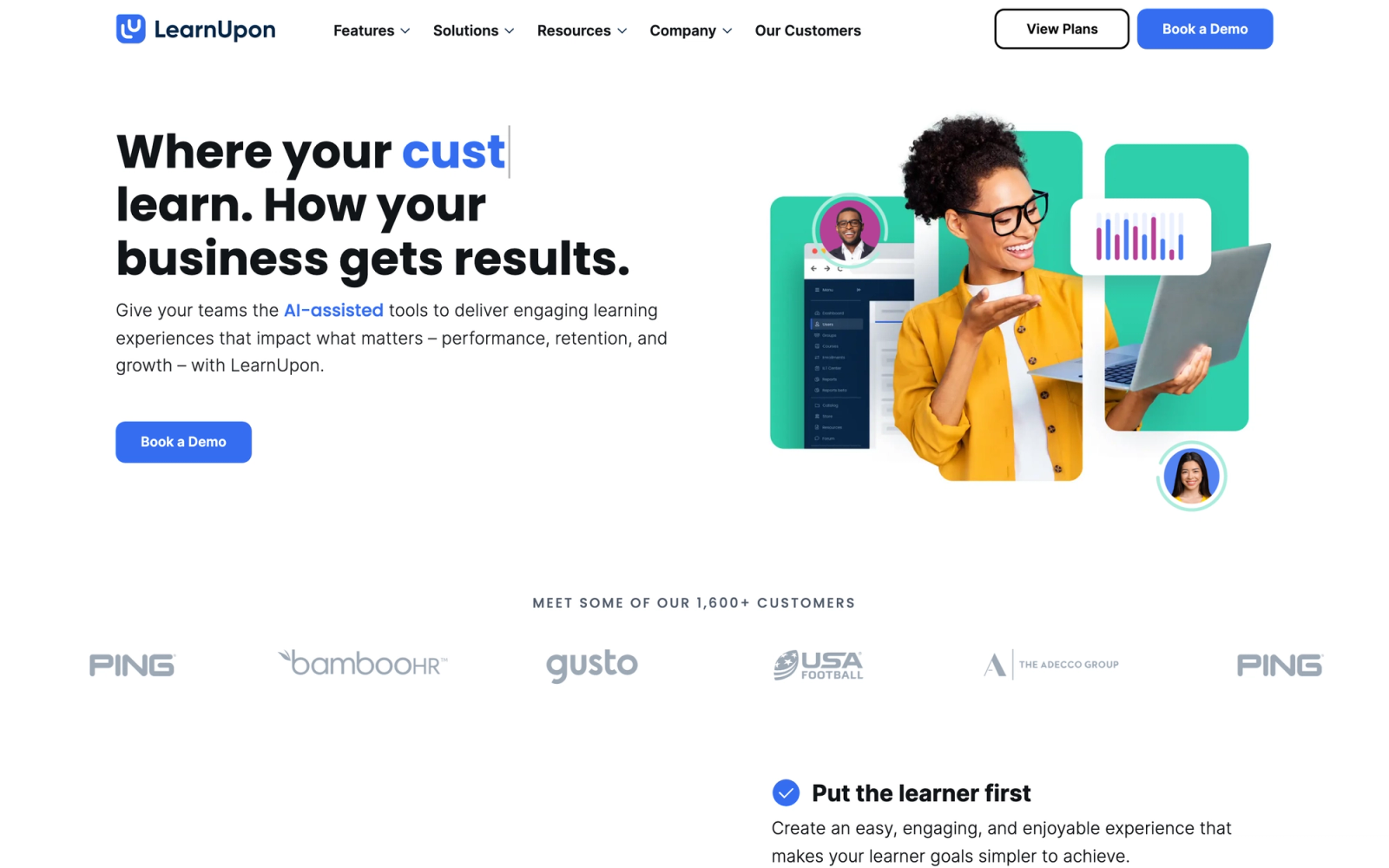
LearnUpon is built around a multi-portal architecture: one backend that powers multiple distinct, separately branded learning environments. Each portal carries its own branding, content library, user base, and admin permissions, with no overlap between them. For tech companies that need to keep customer training, partner certification, and internal onboarding structurally separate, not just filtered by user group, this architecture is cleaner than what most competitors offer.
The platform positions itself primarily around customer and partner education, though it handles internal employee training equally well. The portal setup process is notably clean. Creating a new branded portal for a partner segment takes minutes, not days, which matters when you are scaling a partner network.
Core Capabilities
- Multi-portal architecture allowing unlimited branded learning environments from a single admin console
- SCORM, xAPI, and CMI5 support for importing standards-compliant content
- Built-in course authoring with assessments, surveys, and multimedia support
- Automated enrollment rules based on user attributes, group membership, or integration triggers
- Webinar and live session integration with Zoom, MS Teams, and GoTo
- Certification and recertification management with automated expiry notifications
- White-labeling at the portal level with custom domains, branding, and CSS overrides
- Salesforce, Zapier, and REST API integrations for connecting training data to business systems
- Gamification with badges, points, and leaderboards per portal
- Detailed reporting per portal and across portals with scheduled email delivery and export options
Standout Strength
LearnUpon's multi-portal model solves the "many audiences, one platform" challenge without compromise. Each portal operates as a fully independent learning environment, so your customer academy looks and feels completely different from your internal training portal, even though they share the same admin backend. That structural separation is cleaner than what most competitors offer through simple user group segmentation.
Best For
SaaS companies with 100 to 5,000 employees where customer and partner training are primary use cases. The right fit for B2B tech companies with reseller or partner networks that need each external audience to see a fully independent, branded training environment, not a segmented view of a shared portal.
Pricing Overview
- Custom pricing based on number of users and portals
- Essential, Premium, and Enterprise tiers available
- Free trial available
Limitations
- The built-in authoring tool covers standard use cases but falls short for creating interactive technical content like code exercises or simulations.
- Reporting is solid within individual portals, but pulling unified analytics across all portals for organization-wide visibility requires more manual export and reconciliation than most buyers expect.
- The platform's design is functional rather than visually striking. The learner experience is clean but not as polished as Absorb or WorkRamp.
Quick Comparison Insight
Stronger multi-portal architecture than WorkRamp, but less focused on guided learning journeys. More affordable at scale than Docebo for companies where customer education is the primary use case.
TalentLMS
Overview
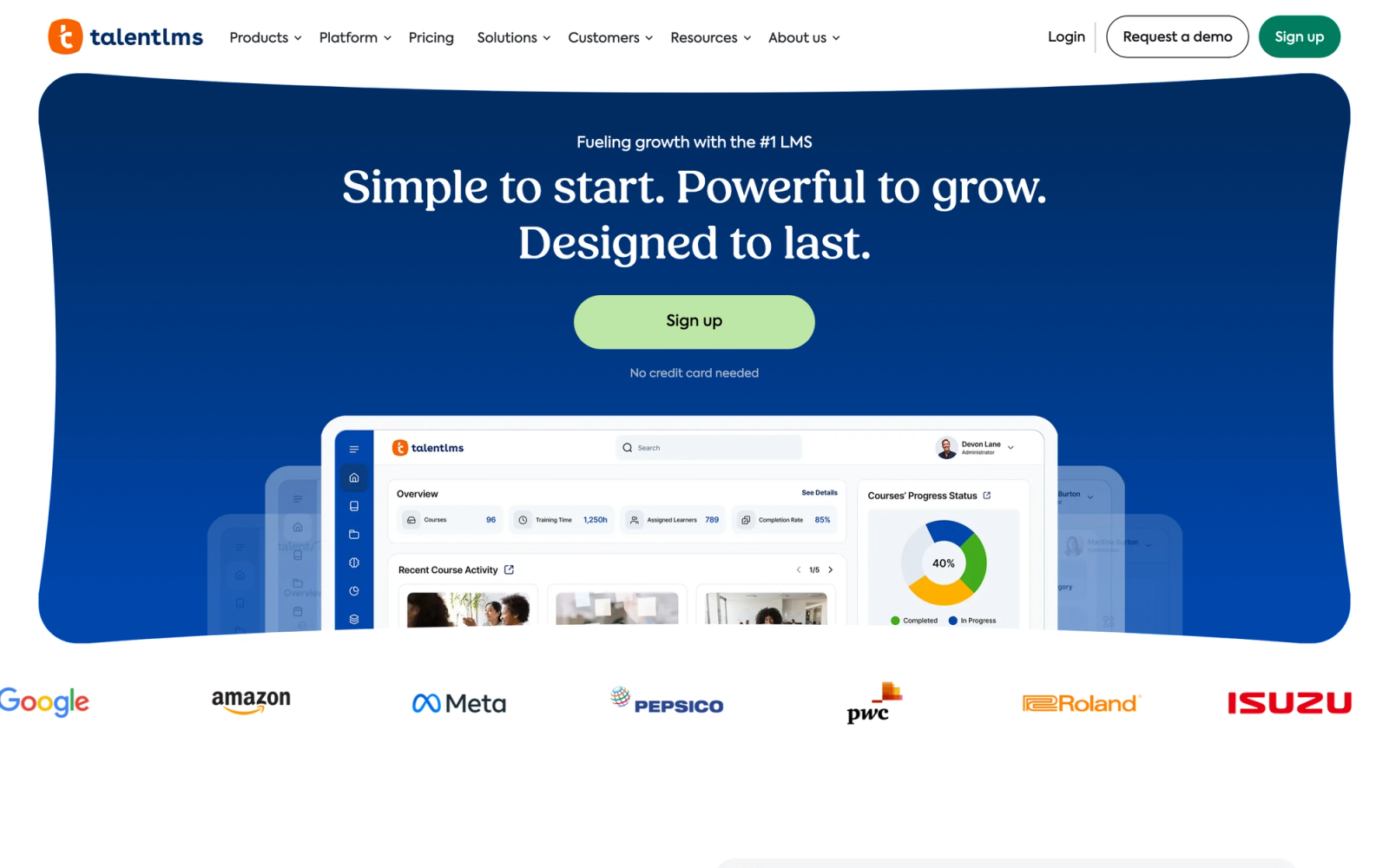
TalentLMS is built for speed. It is one of the fastest LMS platforms to set up and start using, which makes it a natural fit for startups and scaling tech companies that need training infrastructure without a six-month implementation project. The platform is developed by Epignosis and positions itself as an affordable, developer-friendly option with a clean API and straightforward admin experience.
TalentLMS does not try to be everything. The feature set covers the core requirements, SCORM support, course building, certification, reporting, and integrations, without the feature bloat that makes enterprise platforms intimidating. For a tech company with 50 to 500 people that needs to get a training program running in a week, TalentLMS removes the obstacles that slow down adoption.
Core Capabilities
- Rapid course creation with drag-and-drop builder supporting video, presentations, documents, and embedded content
- SCORM, xAPI, and cmi5 compliance for importing existing e-learning packages
- Built-in assessment engine with multiple question types, grading, and certification upon completion
- Branches feature for creating separate training portals with distinct branding (similar to multi-tenant)
- REST API for custom integrations, automated user management, and data synchronization
- Native integrations with Zapier, Slack, Salesforce, GoToMeeting, Zoom, and major SSO providers
- Gamification with points, badges, leaderboards, and custom reward structures
- Automated notifications, enrollment rules, and learning path sequencing
- E-commerce engine for selling courses with Stripe and PayPal integration
- Mobile-responsive interface with a dedicated iOS and Android app
Standout Strength
TalentLMS delivers the shortest time-to-value of any platform on this list. You can go from account creation to launching a live course in a single afternoon. The clean API and webhook support also make it easy for development teams to integrate training data into internal dashboards and automation workflows without waiting on vendor support.
Best For
Startups and mid-size tech companies with 50 to 1,000 employees that need a reliable LMS running quickly at a predictable cost. Ideal for engineering teams that want API-level control over the platform without enterprise complexity or enterprise pricing.
Pricing Overview
- Free plan available for up to 5 users and 10 courses
- Core plan from $119 per month (billed annually) for up to 100 users
- Grow plan from $229 per month (billed annually) for up to 500 users
- Pro plan from $399 per month (billed annually), plus a custom Enterprise tier for 1,000+ users
- Annual billing saves around 20% versus monthly
Limitations
- Reporting is adequate but not deep. Tech companies that need advanced analytics, skill gap mapping, or cross-team benchmarking will find TalentLMS limiting.
- The multi-portal (Branches) feature exists but is less flexible than LearnUpon's dedicated portal architecture. Branding and content separation options are more basic.
- Content authoring is functional for standard formats but does not support interactive coding labs, sandboxes, or advanced technical content types natively.
Quick Comparison Insight
Faster to deploy and more affordable than Absorb or Docebo, but with correspondingly less depth in AI features, analytics, and multi-audience architecture.
Lessonly (Seismic Learning)
Overview
Lessonly, now rebranded as Seismic Learning after its acquisition by Seismic, was built specifically for sales and customer success enablement. While most LMS platforms try to serve all departments equally, Lessonly focuses on the teams that directly interact with customers. The platform combines training content delivery with practice exercises, coaching workflows, and performance tracking in a way that maps directly to revenue outcomes.
For tech companies, this specialization matters if your primary training challenge is getting sales engineers, solutions consultants, and customer success managers up to speed on new product features, competitive positioning, and technical demos. The practice and coaching features stand out. Learners record practice pitches or demo walkthroughs, managers review them, and feedback loops close faster than with traditional LMS assessment models.
Core Capabilities
- Lesson builder with a simple, distraction-free authoring interface designed for rapid content creation
- Practice exercises where learners record video or written responses for manager review and coaching
- Coaching workflows with scoring rubrics, inline feedback, and performance benchmarking
- Learning paths with sequenced content, quizzes, and completion tracking
- Integration with Seismic's broader sales enablement suite for content management and analytics
- Native Salesforce, Slack, and Zendesk integrations for embedding training into daily workflows
- Real-time dashboards showing completion rates, practice scores, and team-level performance trends
- Automated assignment and due date workflows based on role, team, or custom triggers
- Knowledge checks and quizzes for measuring comprehension after training modules
- API access for custom reporting and data integration into internal business intelligence tools
Standout Strength
Lessonly directly connects training to customer-facing performance. The practice-and-coach model is not an add-on; it is the core of the product. For SaaS sales teams and customer success organizations, this means training feels less like coursework and more like rehearsal, which drives better knowledge retention and faster ramp times.
Best For
Tech companies with dedicated sales engineering, pre-sales, or customer success teams that need structured enablement tied to measurable performance outcomes. Best for SaaS organizations with 100 to 2,000 customer-facing employees where ramp time and deal readiness are critical business metrics.
Pricing Overview
- Custom pricing based on number of users and modules
- Typically sold as part of the broader Seismic platform, though standalone options may be available
- Free demo available
Limitations
- The platform is purposefully narrow. It is not a general-purpose LMS, so engineering teams, product teams, or compliance training use cases are not well served.
- After the Seismic acquisition, the product roadmap has shifted toward deeper integration with the Seismic content suite, which may limit standalone development.
- SCORM support is limited compared to traditional LMS platforms, which can be an issue if you have legacy training content to import.
Quick Comparison Insight
More focused on sales and CS enablement than any other platform on this list, but too narrow for organizations that need a single LMS across all departments.
Udemy Business
Overview
Udemy Business takes the opposite approach from most platforms on this list. Instead of providing tools to build your own courses, it gives your team access to a curated marketplace of external-instructor courses (about 13,000 on the Team plan and 30,000+ on Enterprise). The catalog is particularly deep in technology and development skills: Python, cloud architecture, DevOps, data science, cybersecurity, and software engineering are all well-represented.
For tech companies, the value proposition is straightforward. Rather than spending months building internal training content on React, Kubernetes, or AWS, you license access to courses that already exist, are regularly updated, and have been reviewed by millions of learners. Content quality varies across topics, but the top-rated courses in technical domains are excellent and production quality is high.
Core Capabilities
- Access to roughly 13,000 curated courses on the Team plan, expanding to 30,000+ on Enterprise, with deep coverage in technology, data science, cloud, and development
- Learning paths that bundle related courses into structured skill tracks for specific roles or technologies
- Custom content hosting alongside marketplace courses for blending internal and external materials
- Udemy Business Pro tier with hands-on coding exercises, practice tests, and lab environments
- Analytics dashboard showing enrollment, completion, skill trends, and per-team usage patterns
- SSO integration with Okta, Azure AD, Google Workspace, and SAML providers
- Slack and MS Teams integrations for sharing course recommendations within existing workflows
- SCORM export for selected content to use in external LMS platforms
- API access for user management, reporting, and integration with HRIS systems
- Mobile app with offline access for learning on the go
Standout Strength
Udemy Business eliminates the cold-start problem for technical training. Instead of building courses from scratch, you get immediate access to a library that already covers most technical skills your team needs. The breadth and depth of developer-focused content is difficult to replicate internally, and the continuous updates by external instructors mean content stays current without L&D team effort.
Best For
Tech companies with 100 to 10,000 employees that want to provide self-directed technical skill development without building a large internal content library. Ideal for organizations where engineering teams need continuous upskilling in fast-moving technology domains.
Pricing Overview
- Team plan starting at $30 per user per month (billed annually) for teams of 5-20
- Enterprise plan with custom pricing for organizations above 20 users
- Udemy Business Pro tier at higher pricing includes labs and hands-on exercises
- Free trial available for team plan
Limitations
- You do not control the content. Course quality varies, and instructors may update or change courses without notice. Critical internal knowledge still needs to be built separately.
- The platform is primarily for self-paced consumption. It does not support live instructor-led training, cohort-based programs, or blended learning workflows natively.
- Reporting shows consumption metrics but lacks the skill-gap analysis and competency mapping that purpose-built LMS platforms provide.
Quick Comparison Insight
Broader content library than any other platform here, but less control over content quality and no live training capabilities. Complements rather than replaces a structured LMS.
Pluralsight Skills
Overview
Pluralsight Skills is a technology-focused learning platform designed specifically for software developers, IT professionals, and engineering teams. Unlike general-purpose LMS platforms, Pluralsight's entire content library and assessment framework is built around technical skill measurement and development. The platform includes skill assessments (Skill IQ) that benchmark individual competency levels, role-based learning paths authored by industry experts, and hands-on labs for practicing in real environments.
What makes Pluralsight distinct from Udemy Business is its focus on structured skill measurement. Rather than offering an open marketplace where learners browse, Pluralsight maps content to defined technology skill areas and measures where each learner stands. The Skill IQ assessments are useful for identifying specific gaps. Instead of guessing what an engineer needs to learn, you get a data-driven starting point that saves time for both the learner and their manager.
Core Capabilities
- Skill IQ assessments that benchmark individual competency across hundreds of technology skills
- Role IQ for measuring readiness against defined technology roles (DevOps engineer, data scientist, cloud architect)
- Expert-authored courses covering software development, cloud computing, cybersecurity, data, and IT operations
- Hands-on labs and projects in sandboxed environments for applied technical practice
- Learning paths structured by role, technology, and skill level for guided development
- Advanced analytics with team-level skill heat maps, trend tracking, and learning outcomes measurement
- Channel feature for creating curated playlists of courses tailored to team or project needs
- SSO integration with Okta, Azure AD, and SAML-based identity providers
- API access for pulling skill and usage data into internal reporting tools
- Pluralsight Flow (separate product) for connecting learning data with engineering productivity metrics
Standout Strength
Pluralsight provides a measurement-first approach to technical skill development. The combination of Skill IQ assessments and structured learning paths means managers can identify precise skill gaps, assign targeted learning, and track improvement over time with quantifiable data. For engineering leaders who need to justify training investments with measurable outcomes, this data rigor is the primary draw.
Best For
Technology companies with dedicated engineering, DevOps, data, or IT security teams that need structured technical skill development tied to measurable competency growth. Best for organizations with 100 to 10,000 technical employees where skill gap analysis drives training investment decisions.
Pricing Overview
- Standard plan at about $29 per month ($299 per year) for individuals
- Premium plan at about $45 per month ($499 per year) adding hands-on labs and certification prep
- Enterprise plan with custom pricing for large deployments
- Team and enterprise plans are priced per seat and quote-based; a 10-day free trial is available
Limitations
- Pluralsight is not a general LMS. It does not support custom course authoring, live instructor-led training, or non-technical training content. You cannot use it for onboarding, compliance, or soft skills.
- Content is authored by Pluralsight's network of experts, which means you cannot upload your own proprietary technical training or internal knowledge base content.
- The platform serves individual learners well but does not support collaborative or cohort-based learning formats for team-based training programs.
Quick Comparison Insight
Deeper technical skill measurement than Udemy Business, but narrower in scope. More structured than a content marketplace, less flexible than a general-purpose LMS.
How to Choose the Right LMS for Your Tech Company
The right choice depends less on which platform has the most features and more on which problem you are actually trying to solve. Here is how to narrow the list based on your specific situation.
If your primary challenge is scaling internal training across a large organization, Docebo or Absorb LMS will serve you best. Both handle complex multi-department structures, and Docebo's AI automation becomes increasingly valuable as content volume grows. Absorb offers a similar scale with a more intuitive admin experience.
If you want to decentralize content creation and tap into internal expertise, 360Learning is the clear choice. Its collaborative authoring model works particularly well in engineering organizations where knowledge changes fast and lives with individual contributors.
If you train customers and partners alongside employees, WorkRamp and LearnUpon are designed for exactly this. WorkRamp offers a more unified experience with stronger CRM integration. LearnUpon's multi-portal architecture gives you more structural separation between audiences, which matters for partner networks with distinct branding requirements.
If you need to move fast with a limited budget, TalentLMS provides the shortest path from sign-up to live training. The free tier and transparent pricing make it easy to evaluate, and the API gives technical teams the control they need.
If your priority is sales and customer success enablement, Lessonly (Seismic Learning) is purpose-built for that use case. The practice-and-coach model directly ties training to customer-facing performance in a way that general LMS platforms do not.
If you want to provide broad technical skill development, Udemy Business and Pluralsight Skills complement each other. Udemy Business offers breadth across all technology domains. Pluralsight provides depth with skill assessments and structured learning paths. Many tech companies use one of these alongside a separate LMS for internal and custom content.
If you run structured, cohort-based technical programs, Teachfloor handles the operational complexity of live, instructor-led training that self-paced platforms are not designed for.
The most practical approach is to identify your top two or three use cases, match them to the categories above, and run focused evaluations with those shortlisted platforms. Trying to find one platform that does everything perfectly for a tech company typically leads to compromise on the things that matter most.
FAQ
What makes an LMS suitable for a tech company versus a general business?
Tech companies need platforms that support technical content formats (code exercises, sandbox environments, API documentation), integrate with developer tools (GitHub, Slack, Jira, SSO), and provide analytics granular enough for data-driven engineering leaders. General business LMS platforms often focus on compliance training and HR workflows that do not match the speed and technical depth of software organizations.
Can I use multiple LMS platforms together?
Yes, and many tech companies do. A common pattern is using a content marketplace (Udemy Business or Pluralsight) for broad technical skill development alongside a structured LMS (Docebo, Absorb, or WorkRamp) for custom internal training, onboarding, and customer education. The key is ensuring the platforms integrate well enough to avoid data silos.
How much should a tech company expect to spend on an LMS?
Costs vary widely. TalentLMS starts with a free tier and paid plans from $119 per month (billed annually). Mid-market platforms like LearnUpon and Absorb typically run $5 to $15 per user per month at scale. Enterprise platforms like Docebo often start above $20,000 per year for meaningful deployments. The total cost of ownership should also include implementation time, content migration, and integration development.
Is SCORM still relevant for tech companies?
SCORM remains relevant for importing legacy training content and ensuring interoperability between platforms. However, many tech companies are moving toward xAPI for more granular tracking, or bypassing standards entirely with custom integrations and native content. If you have existing SCORM content, ensure your chosen LMS supports it. If you are building from scratch, SCORM compatibility is less critical.
How do I measure the ROI of an LMS for a tech company?
The most meaningful metrics for tech companies are time-to-productivity for new hires, skill gap closure rates across engineering teams, customer training completion correlated with retention and expansion, and reduction in support tickets after customer education programs launch. Avoid measuring only completion rates, as they indicate activity but not impact on learning outcomes.
Which LMS is best for engineering onboarding and upskilling?
For fast onboarding plus engineering upskilling that relies on live practice and peer feedback, a flexible platform like Teachfloor works well because it mixes self-paced modules, cohorts, and community in one program. If you mainly need a ready-made technical course library, Pluralsight Skills or Udemy Business cover broad developer topics, and many tech teams pair a library with a structured LMS for internal content. See our guide to the [most affordable LMS options](/blog/affordable-lms) if budget is the deciding factor.
Can one LMS handle both customer education and internal engineering training?
Yes. Multi-audience platforms such as WorkRamp, LearnUpon, and Teachfloor let you run internal training and external, white-label customer or partner academies from one backend. Teachfloor adds community, peer review, and live cohorts on your own domain, which suits product training and onboarding where interaction drives completion.


![12 Best Learning Management System Examples [2025]](/_next/image?url=https%3A%2F%2Fcdn.sanity.io%2Fimages%2Fl9t3o6uq%2Fproduction%2F36b92be52c0679b8a0cda6cb2ac63c44fe271d15-900x601.heif%3Frect%3D0%2C48%2C900%2C506%26w%3D800%26h%3D450%26fit%3Dcrop&w=3840&q=75)