


Why Look for a FeedbackFruits Alternative?
FeedbackFruits built a strong reputation in higher education by packaging peer review, group assessment, and interactive document annotation into a suite of LTI tools that sit inside existing LMS platforms. For universities running Canvas, Blackboard, or Moodle, the integration is tight. But several real-world friction points push institutions and educators to evaluate other options, and the 2025-2026 wave of institutions migrating off the suite has made that search more common.
Pricing opacity and institutional cost. FeedbackFruits operates on institutional licensing, and the cost structure is not publicly available. For smaller departments, individual faculty, or training organizations outside traditional higher ed, this creates a barrier. You cannot test the product without a sales conversation, and budget approval cycles in education are already slow enough. If your main concern is budget, our guide to LMS pricing breaks down how these models compare.
Suite complexity vs. single-need use cases. FeedbackFruits offers multiple tools: Peer Review, Group Member Evaluation, Interactive Document, Interactive Video, Assignment Review, and more. If you only need peer feedback on writing assignments, you are paying for a suite where most modules go unused. That overhead feels unnecessary when more focused tools exist.
LTI dependency. The platform is designed to operate inside an LMS via LTI integration. If your learning environment does not revolve around a traditional LMS, or if you run standalone cohort programs, bootcamps, or professional development outside institutional infrastructure, FeedbackFruits does not fit naturally.
Limited visibility outside higher ed. FeedbackFruits is built for universities. Corporate trainers, bootcamp operators, and continuing education providers often find the feature set misaligned with how they structure peer learning in non-academic contexts.
Customization constraints. The rubric and workflow configurations within FeedbackFruits are functional but rigid in certain areas. Educators who want more granular control over how reviewers are matched, how calibration is handled, or how feedback quality is scored sometimes find the options limiting. For a deeper look at rubric design, see our guide to building a feedback rubric.
If your peer review needs extend beyond what FeedbackFruits covers, or if price, flexibility, or deployment context is a factor, these alternatives offer different approaches to the same core problem.
What to Look for in a Peer Assessment Platform
Before switching tools, clarify what actually matters for your instructional design and assessment workflow.
Peer review workflow design. The platform should support structured peer feedback with rubrics, anonymous or attributed reviews, and multiple review rounds. The quality of the review process depends on how well the tool guides students through giving specific, actionable feedback rather than surface-level comments.
Calibration and feedback quality controls. The best online assessment platforms include mechanisms to ensure review quality. This can mean calibration exercises where students practice reviewing before grading peers, reliability scoring that flags inconsistent reviewers, or AI-assisted feedback analysis.
LMS integration or standalone delivery. If your institution runs on Canvas, Blackboard, Moodle, or Brightspace, the tool needs to work inside that environment, with LTI compliance, grade passback, and roster syncing. If you run programs outside an institutional LMS, a standalone platform that hosts the whole course may fit better than a plug-in.
Group assessment capabilities. Peer review is not just about individual assignments. Many courses require group project evaluation where team members assess each other's contributions. The platform should handle both individual submission review and group member evaluation.
Analytics and instructor oversight. Faculty need visibility into who reviewed whom, how scores distribute, whether feedback is substantive, and where disagreements cluster. Strong learning analytics turn peer assessment from a black box into a transparent learning activity.
Student experience and adoption friction. If students find the interface confusing or the review process tedious, participation quality drops. The tool should be intuitive enough that students focus on the feedback itself, not on figuring out the platform.
Scalability across course sizes. A seminar of 15 students and a lecture of 300 students have fundamentally different peer review logistics. The platform must handle reviewer assignment, deadline management, and feedback distribution at scale without manual intervention.
10 Best FeedbackFruits Alternatives
These platforms cover the range of peer review, collaborative assessment, and interactive learning, from full learning environments to dedicated peer feedback engines, native LMS tools, and annotation platforms. The comparison table below summarizes how each option handles peer review, group assessment, AI, pricing, and free access.
| Tool | Peer review | Group assessment | AI features | Starting price | Free trial / free tier | Best for |
|---|---|---|---|---|---|---|
| Teachfloor | Yes | Yes | Yes | $89/mo | 14-day | Engaging, interactive courses with community + AI |
| Kritik | Yes | Yes | Yes | Free for professors | Students pay per term | AI-calibrated peer assessment with reliability scoring |
| Peerceptiv | Yes | Yes | Yes | Per-student / custom | Demo only | Statistically validated peer review in writing courses |
| Turnitin Feedback Studio | Yes | No | Yes | Institutional / custom | Demo only | Plagiarism detection plus peer review in one workflow |
| Moodle Workshop | Yes | No | No | Free (open source) | Free | Native peer assessment inside Moodle |
| Canvas Peer Review | Yes | No | No | Included with Canvas | Free with Canvas | Built-in peer review for Canvas institutions |
| Perusall | No | Yes | Yes | $0-$30/student (Course Choice) | Free with institutional license | Social annotation and collaborative reading |
| Hypothesis | No | Yes | No | Free (individual) | Free browser extension | Open-source collaborative web annotation |
| Crowdmark | No | Yes | No | Free tier / custom | Free tier | Collaborative grading at scale |
| Gradescope | No | No | Yes | Free tier / custom | Free tier | AI-assisted grading with rubric consistency |
Teachfloor

Overview
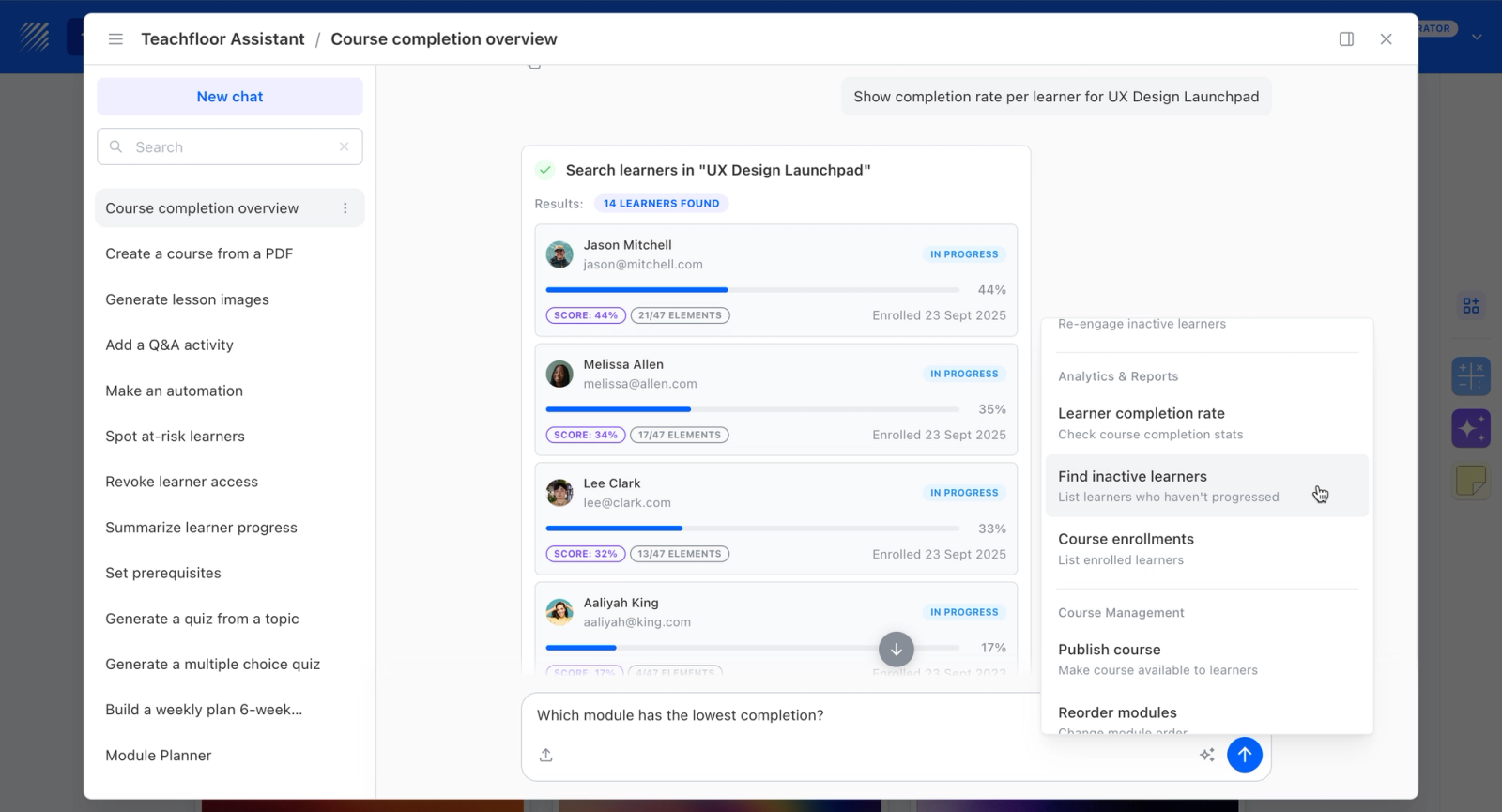
Teachfloor replaces FeedbackFruits' bolt-on LTI modules with peer review that is native to the platform rather than wired into a separate LMS. Its review engine, rubrics, discussions, and grading all live in one system, so there is no integration layer to maintain or break when an institution migrates. Reviews run against shared rubrics, can be anonymous or named, and weight into final grades the same way FeedbackFruits' peer-review activity does. For teams leaving the suite, Teachfloor offers the same peer-learning depth without the dependency on Canvas, Blackboard, or Moodle underneath it.
Core Capabilities
- Platform-native peer review with no LTI plug-in to configure or maintain against LMS updates
- Shared rubrics and weighted scoring that match FeedbackFruits' structured review activity
- Anonymous or named review options set per assignment
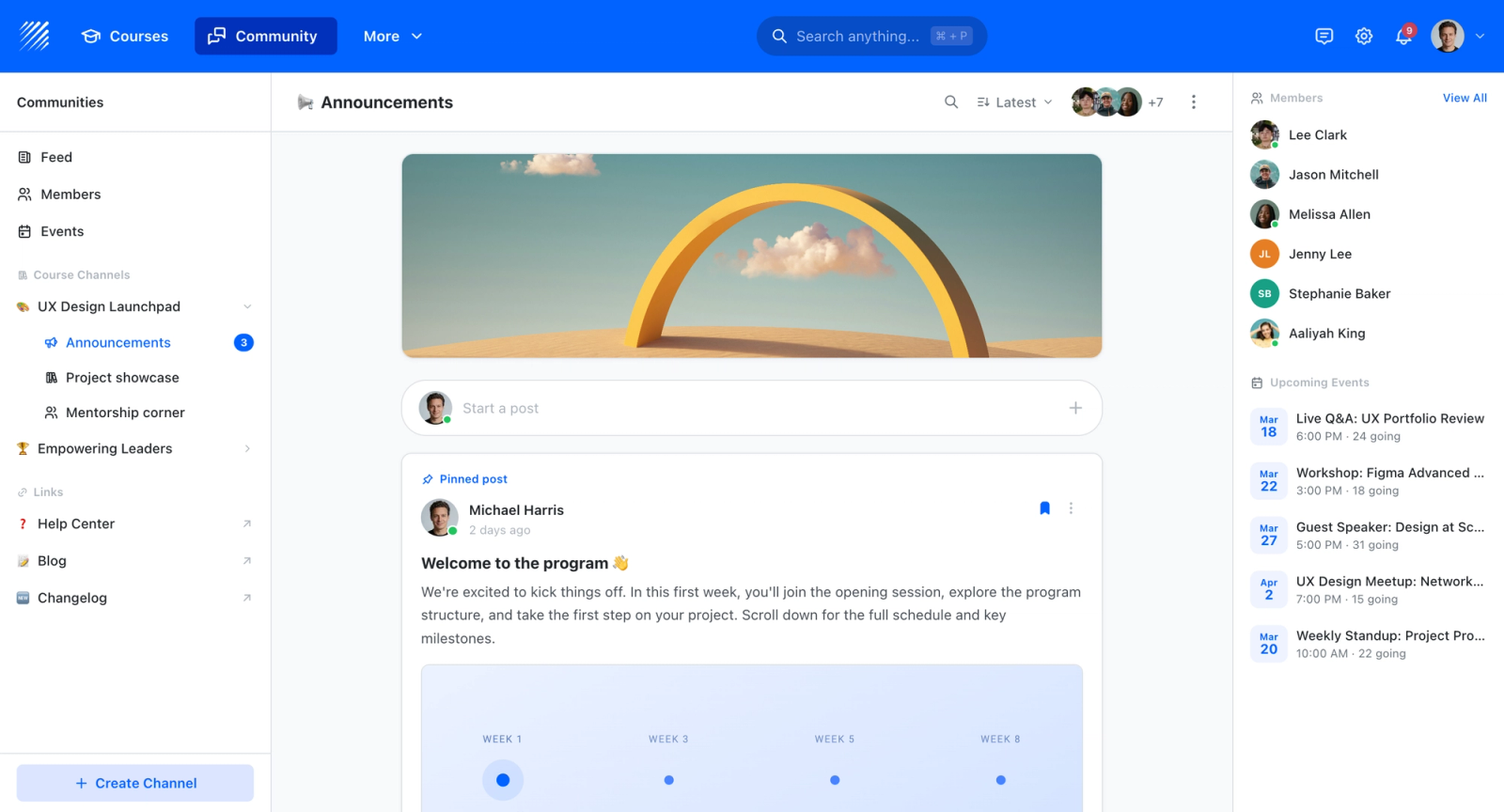
- Built-in community and discussion replacing the need for a separate annotation or group-evaluation module
- White-label on your own domain with multi-branch workspaces for departments or programs
- Completion analytics and certificates handled in the same system as the review itself
Best For
Institutions and educators migrating off the FeedbackFruits suite who want peer review built into one platform instead of stitched into their LMS through LTI integrations.

Pricing Overview
- Startup plan from $89 per month for up to 50 learners
- Full Features plan with custom pricing, white-label, SSO, and advanced integrations
- 14-day free trial; no permanent free plan
- Nonprofit discounts available
Limitations
- Runs as a standalone platform rather than an LTI plug-in inside Canvas, Blackboard, or Moodle; learners and instructors work outside the institutional LMS for these activities
- No permanent free option, unlike open alternatives such as Moodle Workshop; pricing starts at $89/mo
- Fewer discrete activity types than FeedbackFruits' modular suite, since it consolidates rather than fragments
Quick Comparison Insight
Where FeedbackFruits, Moodle Workshop, and Canvas Peer Review run peer review inside the LMS, Teachfloor moves it into a self-contained branded platform, so it fits teams that want to own the whole experience rather than integrate one more module into an existing system.
Kritik

Overview
Kritik is a peer assessment platform built around a calibration model: before students review peers, they complete practice evaluations on instructor-scored reference submissions. That step trains students to apply rubrics consistently and generates a Kritik Score, a per-reviewer reliability index, that adjusts how much weight each student's evaluations carry in the final grade.
This structure addresses the most common objection to peer grading: that students are not equipped to evaluate each other's work. Kritik does not assume review competence, it builds it through practice, measures it over time, and adjusts grade weights accordingly. For faculty who need to justify peer-assigned scores to students or departments, that audit trail matters.
Core Capabilities
- Calibration exercises with instructor-scored reference submissions for reviewer training
- AI-generated Kritik Score measuring individual reviewer reliability over time
- Weighted peer evaluations where reliable reviewers' scores carry more influence
- Multi-stage assessment: create, evaluate, and reflect phases for each assignment
- Rubric builder with customizable criteria and scoring levels
- Anonymous review with optional reveal after completion
- LMS integration via LTI with Canvas, Blackboard, Moodle, and D2L Brightspace
- Instructor dashboard with real-time analytics on score distributions and feedback quality
Standout Strength
The reliability scoring is what separates Kritik from most peer review tools. Reviewer weights are not uniform, students who demonstrate accurate, consistent reviewing carry more influence over final grades than those who do not. When a student challenges a peer-assigned grade, the system can show exactly how scores were weighted and why, which gives instructors a documented process to point to.
Best For
Higher education faculty who want peer assessment at scale but need a system that addresses reliability concerns. Strong for STEM courses where answer precision matters, business courses with case analyses, and any discipline where calibrated judgment is essential. Works well for courses with 30 to 1,000+ students.
Pricing Overview
- Free for professors, including account setup, instructional design, and support
- Students pay a per-term access fee, billed term by term
- Institutional licensing available for department or campus-wide deployment
Limitations
- Calibration setup requires instructor time to create and score reference submissions, which can feel heavy for faculty new to the platform.
- The platform is focused on peer assessment. It does not offer social annotation, interactive documents, or discussion tools like FeedbackFruits does.
- Smaller classes (under 15 students) may not generate enough review data for the calibration algorithm to produce meaningful reliability scores.
Quick Comparison Insight
More rigorous than FeedbackFruits on review reliability and calibration. Narrower in scope, focusing purely on peer assessment rather than a broader interactive learning suite. The closest match if your single biggest FeedbackFruits use case is graded peer review.
Peerceptiv

Overview
Peerceptiv is a calibrated peer review platform developed from research at the University of Pittsburgh. It is rooted in decades of empirical work on how peer review can produce assessment results that correlate strongly with expert instructor grading, when the process includes proper calibration and statistical controls.
What distinguishes Peerceptiv is how explicitly it treats reviewer accuracy as a measurable variable. Students first review instructor-scored anchor papers and receive feedback on their accuracy before assessing peers. The system then calculates a reliability coefficient for each reviewer and scales that reviewer's contribution to final scores accordingly. For writing-intensive courses where grade consistency across sections matters, the documented statistical controls give instructors a stronger basis for defending peer-assigned scores.
Core Capabilities
- Calibrated peer review with anchor papers scored by the instructor
- Statistical reliability scoring for each student reviewer
- Weighted final scores adjusted by reviewer reliability coefficients
- Back-evaluation where students rate the helpfulness of reviews they received
- Multi-draft workflows supporting revision cycles with repeated peer review
- Rubric builder with criterion-specific feedback prompts
- LMS integration via LTI with major platforms
- Writing analytics showing improvement across drafts
Standout Strength
The research-backed calibration model is Peerceptiv's core differentiator. Published studies indicate that calibrated peer review scores can correlate with instructor scores at levels comparable to inter-rater reliability between trained graders. This makes it one of the few platforms where peer-assigned grades carry genuine statistical validity.
Best For
Writing-intensive courses in higher education, particularly composition, rhetoric, and professional writing programs. Strong for any discipline where multi-draft revision and iterative feedback cycles are central. Especially valuable for faculty who need to justify peer-assigned grades to skeptical departments or accreditation reviewers.
Pricing Overview
- Institutional licensing with custom pricing
- Per-student pricing available for individual faculty or departments
- Demo available on request
Limitations
- The calibration process adds setup complexity. Faculty must create and pre-score anchor papers, which requires upfront time.
- The platform is optimized for text-based submissions. Review of multimedia, code, or design work is less supported.
- The interface reflects the platform's research origins and can feel less polished than commercially designed alternatives.
Quick Comparison Insight
More statistically rigorous than FeedbackFruits' Peer Review tool, with stronger calibration and reliability scoring. Narrower in scope: no interactive documents, video annotation, or group assessment modules.
Turnitin Feedback Studio
Overview
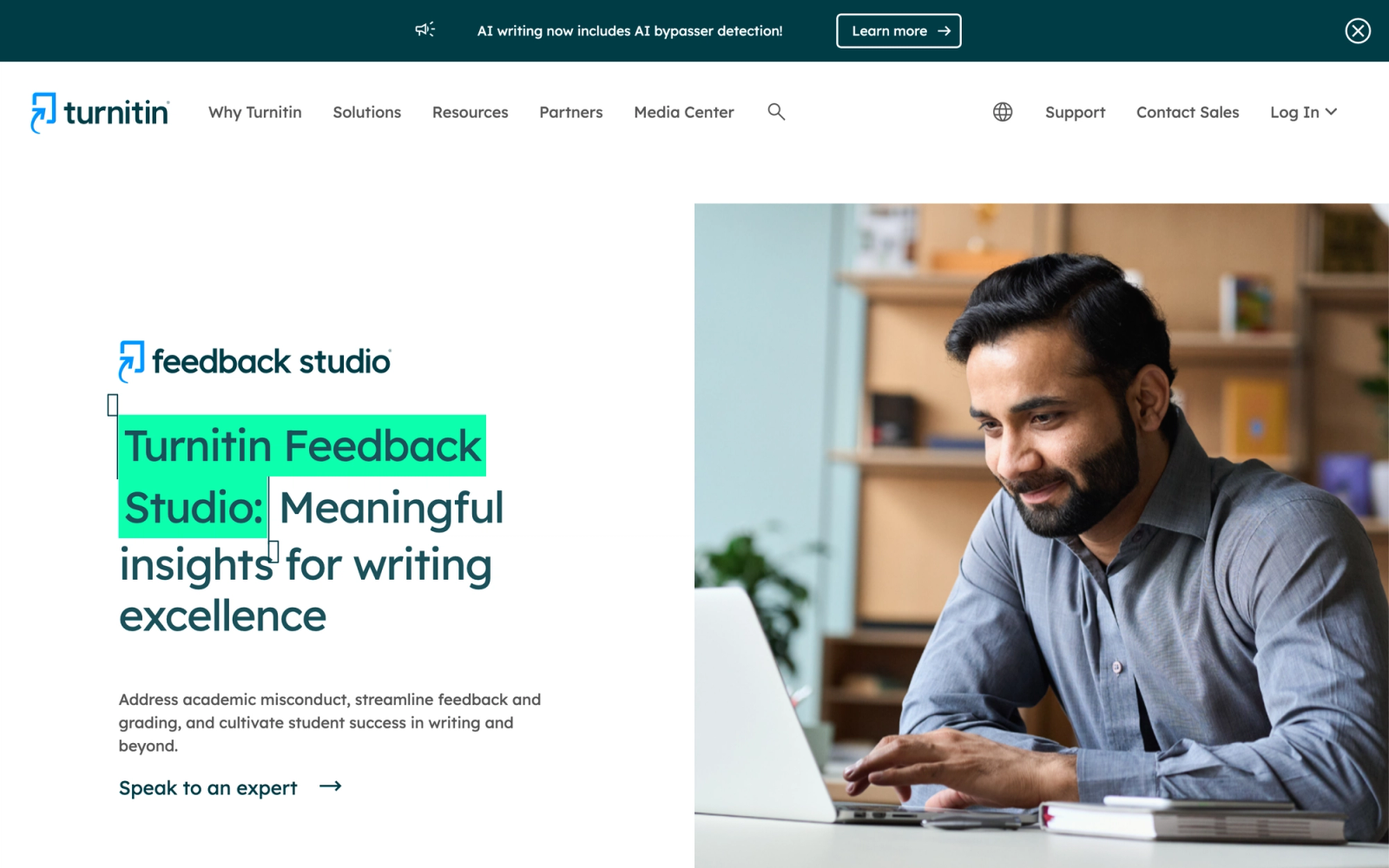
Turnitin Feedback Studio combines plagiarism detection, which Turnitin pioneered, with peer review and instructor grading tools in a single platform. For institutions already paying for Turnitin's originality checking, Feedback Studio adds peer assessment to the same platform, which avoids procuring a separate tool and keeps the submission workflow in one place.
The peer review component within Feedback Studio is not as deep as dedicated platforms, but the combination with academic integrity checking creates a distinct value proposition. Students submit their work, it gets checked for originality, and then peers review it using instructor-defined rubrics. Instructors layer their own feedback on top using QuickMarks, voice comments, and inline annotations. The entire cycle happens in one place.
Core Capabilities
- Originality checking against a large academic database of student papers, journals, and web content
- PeerMark peer review tool with configurable rubrics and anonymous review
- QuickMarks library for reusable inline feedback comments
- Voice and text comment options for instructor feedback
- Rubric and grading form builder with criterion-level scoring
- Grade passback to all major LMS platforms via LTI
- Similarity report with detailed source matching and exclusion controls
- Institutional analytics on submission patterns and integrity trends
Standout Strength
The integration of plagiarism detection and peer review in one workflow is Turnitin's unique advantage. Students cannot submit plagiarized work for peer review without the originality check flagging it first. This creates a natural quality gate that standalone peer review tools cannot replicate.
Best For
Institutions already using Turnitin for originality checking that want to add peer review without adopting another platform. Particularly valuable in large courses where academic integrity concerns are high and peer feedback is part of the writing process.
Pricing Overview
- Institutional licensing only, with pricing based on student enrollment
- PeerMark is included in the Turnitin Feedback Studio license
- No free tier or individual instructor plans
Limitations
- PeerMark's peer review functionality is less sophisticated than dedicated platforms like Kritik or Peerceptiv. Calibration, feedback quality scoring, and multi-round reviews are limited.
- Pricing is institutional only, with no individual instructor or per-seat option for smaller organizations or single-course deployments.
- The platform is heavily focused on written submissions. Peer review of presentations, multimedia projects, or code is not well supported.
Quick Comparison Insight
Stronger than FeedbackFruits for academic integrity integration but weaker as a standalone peer assessment tool. Best when plagiarism detection and peer review need to coexist in the same workflow.
Moodle Workshop
Overview
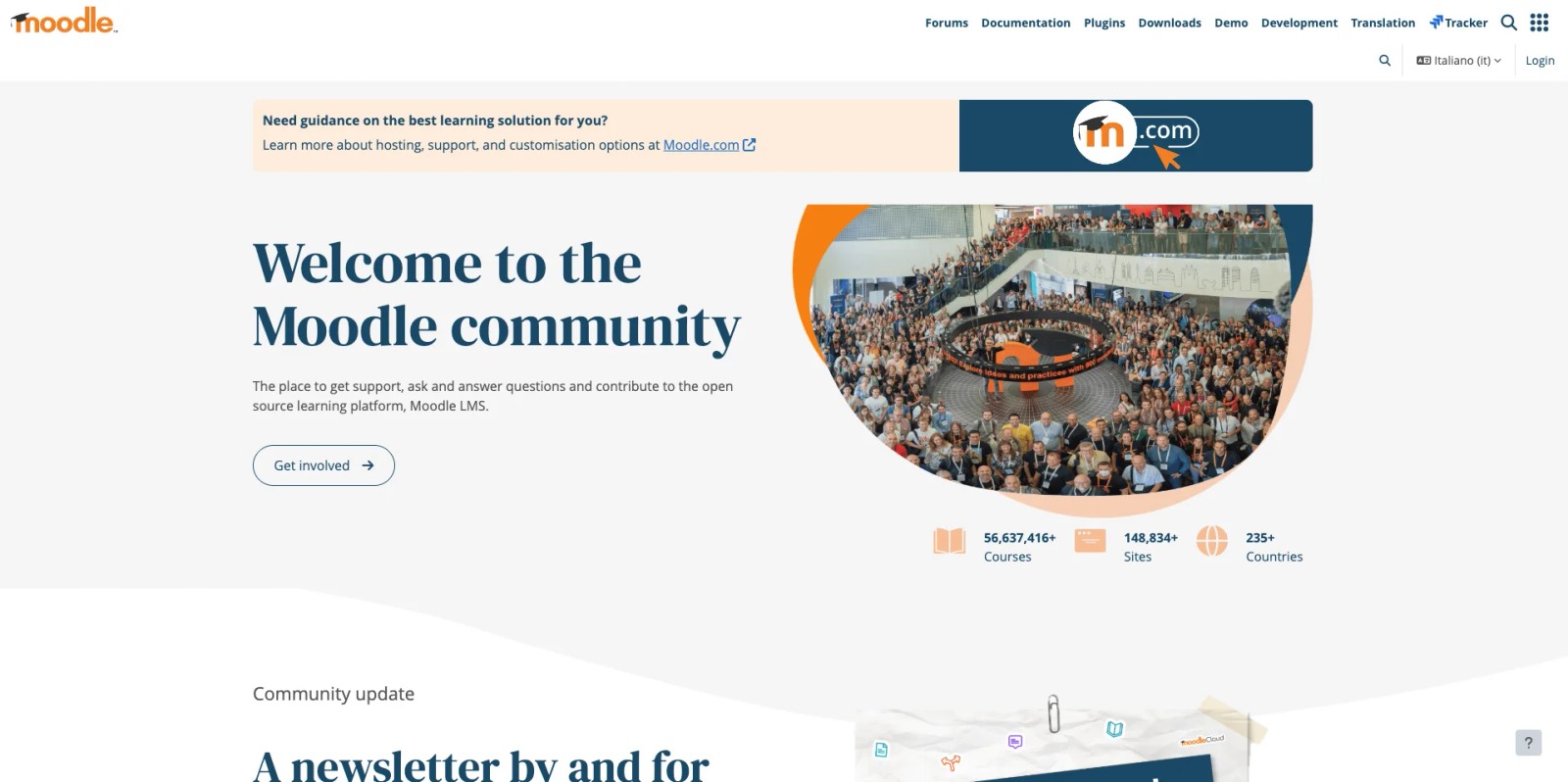
If your institution already runs Moodle, the built-in Workshop activity is the most cost-effective FeedbackFruits alternative available, because it is free and open source. Workshop is Moodle's native peer assessment module, designed to collect student submissions and route them to peers for structured, rubric-based review.
Workshop supports a multi-phase workflow: setup, submission, assessment, and grading evaluation. Students submit work, then assess a set of peers using the criteria the instructor defines. Moodle calculates two grades, one for the submission and one for the quality of the assessment a student provides, which builds review accountability directly into the activity.
Core Capabilities
- Native peer assessment module included in every Moodle installation at no extra cost
- Multi-phase workflow: setup, submission, assessment, and grading evaluation
- Separate grades for submission quality and assessment quality
- Configurable grading strategies, including rubric, comments, and number of error criteria
- Anonymous peer allocation, either random or manual
- Example submissions for students to practice before assessing peers
- Full integration with the Moodle gradebook and course structure
- Self-hosted control over data, with no third-party licensing
Standout Strength
Workshop costs nothing beyond the Moodle environment you already run, and it lives natively in the gradebook. For departments under budget pressure, replacing a paid FeedbackFruits license with a configured Workshop activity removes a recurring cost entirely while keeping peer review inside the LMS students already use.
Best For
Moodle institutions that want peer assessment without adding a paid LTI tool, and instructors comfortable configuring activities themselves. Strong for budget-constrained departments and for courses where peer review is occasional rather than the central workflow. See our roundup of affordable LMS options if cost is the deciding factor.
Pricing Overview
- Free and open source as part of any Moodle deployment
- Costs are limited to your existing Moodle hosting and administration
- Optional paid support available through Moodle Certified Partners
Limitations
- Configuration is more manual than commercial tools, and the multi-phase setup has a learning curve for instructors.
- No AI calibration or automated reviewer-reliability scoring.
- Only available to institutions running Moodle; it is not a standalone product.
Quick Comparison Insight
The free, native answer to FeedbackFruits for Moodle institutions. Less polished and without AI assistance, but it removes licensing cost entirely and keeps peer review inside the LMS.
Canvas Peer Review

Overview
For Canvas institutions, the LMS includes native peer review on assignments and discussions, so faculty can run basic peer feedback without adding a third-party tool. Instructors enable peer review on an assignment, then either assign reviewers manually or let Canvas distribute submissions automatically.
Reviewers leave comments and, when an assignment uses a rubric, score their peers against it. Because the feature is part of Canvas itself, grades and submissions stay in the same place as the rest of the course, with no separate login or LTI configuration. It does not match the depth of dedicated tools, but for many courses the native option covers the core need.
Core Capabilities
- Native peer review on assignments and graded discussions, included with Canvas
- Automatic or manual assignment of reviewers per submission
- Anonymous peer review option to reduce bias
- Rubric-based scoring when a rubric is attached to the assignment
- Inline comments and annotation on submitted files via SpeedGrader and DocViewer
- Reviews and grades stay inside the Canvas gradebook
- Configurable due dates for the review phase
Standout Strength
It is already there. Canvas institutions can launch peer review on an existing assignment in a few clicks, with no procurement, no new vendor, and no extra cost. For instructors testing whether peer review fits a course, the native tool is the fastest, lowest-risk starting point.
Best For
Canvas institutions and instructors who need straightforward peer feedback without buying an add-on. Best for courses where peer review is a supporting activity rather than a heavily graded, calibration-dependent component.
Pricing Overview
- Included at no extra cost with a Canvas license
- No separate purchase, per-student fee, or LTI setup required
- Canvas itself is licensed at the institutional level
Limitations
- No calibration, reviewer-reliability scoring, or AI feedback analysis.
- Reviewer allocation and reporting are basic compared with dedicated peer assessment platforms.
- Available only to institutions already on Canvas.
Quick Comparison Insight
The simplest, no-cost option for Canvas schools that mainly use FeedbackFruits for basic peer review. Add a dedicated tool only when you need calibration, reliability scoring, or richer analytics.
Perusall
Overview
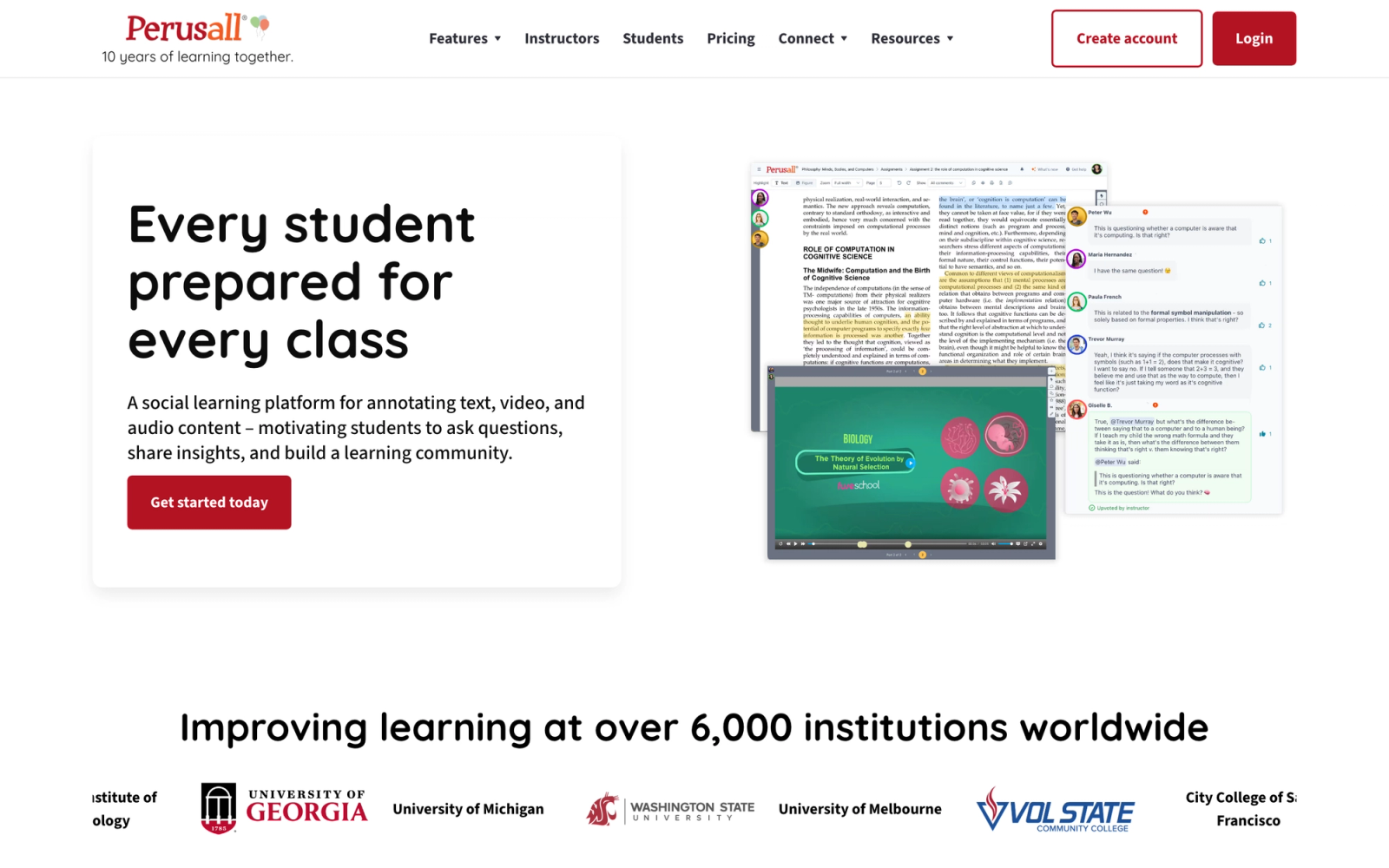
Perusall is a social annotation platform that turns reading assignments into collaborative, graded discussions. Instead of assigning a chapter and hoping students read it, Perusall has students highlight passages, ask questions, and respond to each other's annotations directly on the document. An AI-driven scoring algorithm evaluates annotation quality and assigns participation grades automatically.
This connects to the FeedbackFruits conversation because FeedbackFruits offers its own Interactive Document and Interactive Video tools. Perusall does the same thing as a dedicated platform with deeper annotation features, a larger publisher content library, and automatic student engagement scoring that reduces instructor workload.
Core Capabilities
- Social annotation on PDFs, web pages, EPUB files, and publisher textbooks
- Automatic engagement scoring using AI that evaluates annotation quality, not just quantity
- Threaded discussions anchored to specific passages, images, or timestamps
- Publisher catalog with hundreds of textbooks available directly within the platform
- Confusion reports that identify which passages generated the most student questions
- Pre-class analytics showing which students completed readings and where they struggled
- LMS integration via LTI with Canvas, Blackboard, Moodle, Brightspace, and others
- Video annotation for collaborative viewing of recorded lectures and media
Standout Strength
Perusall's automatic scoring is the reason faculty adopt it. Grading reading participation manually in a class of 200 is not feasible. Perusall's AI evaluates whether annotations are substantive (asking genuine questions, connecting ideas, responding to peers) versus superficial. This makes graded reading assignments scalable without adding instructor workload.
Best For
Higher education faculty who assign substantial reading and want to ensure students engage with texts before class. Strong for humanities, social sciences, and any discipline where close reading and textual discussion drive learning. Particularly effective in active learning and flipped-classroom models.
Pricing Overview
- Free for students when their institution holds a Perusall license
- Under the Course Choice model, instructors at unlicensed institutions can set a per-student access fee between $0 and $30, with $15 suggested
- Publisher textbooks available at reduced prices directly through Perusall
Limitations
- Perusall is an annotation and reading-engagement platform, not a peer review tool. It does not support peer grading of assignments, rubric-based evaluation, or submission review workflows.
- The automatic scoring can feel opaque to students who do not understand the criteria.
- Annotation-heavy interfaces can overwhelm students who prefer cleaner reading experiences.
Quick Comparison Insight
Directly competes with FeedbackFruits' Interactive Document tool, with deeper annotation features and automatic scoring. Does not replace FeedbackFruits' peer review or group assessment capabilities.
Hypothesis
Overview
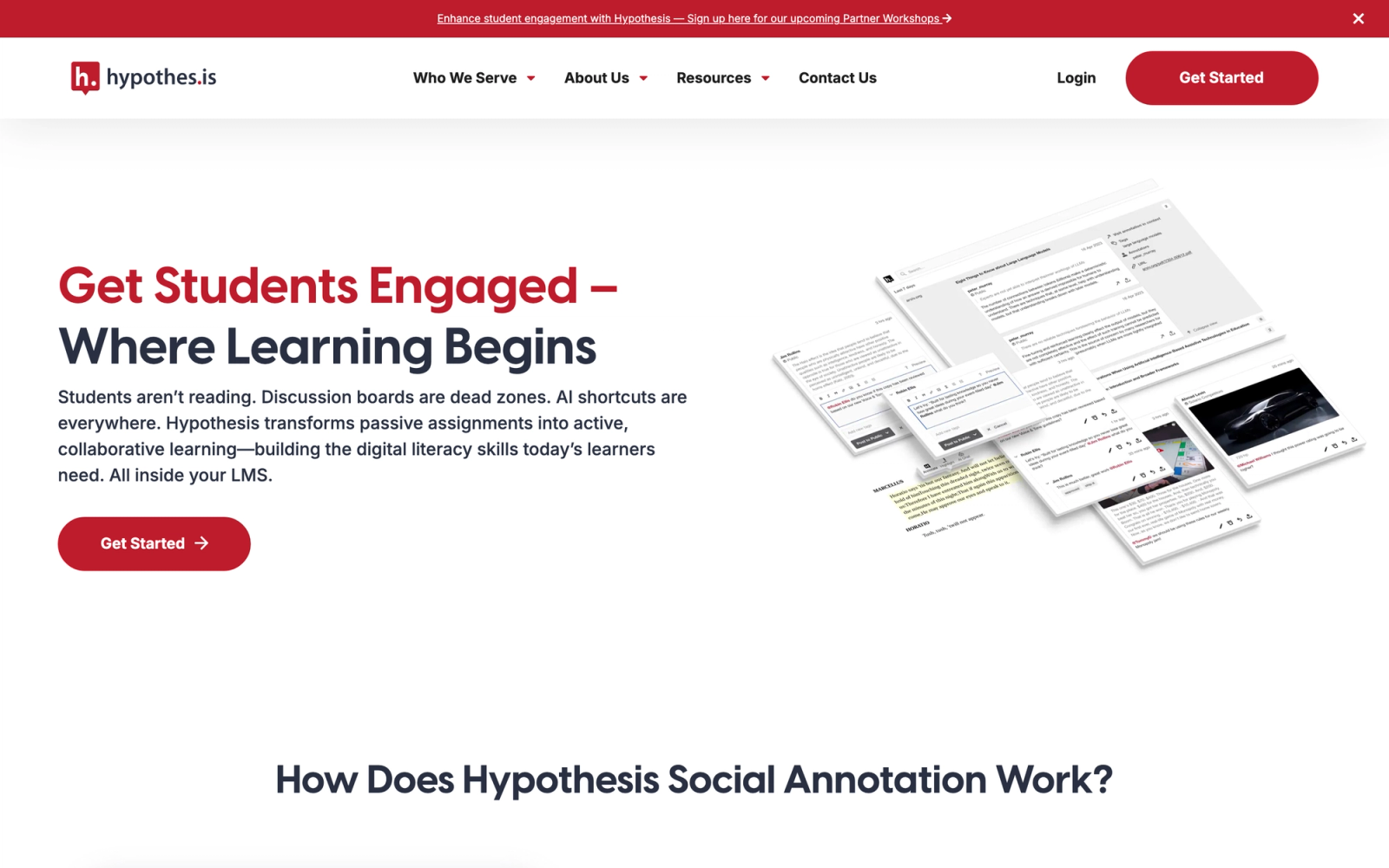
Hypothesis is an open-source web annotation tool that lets students and educators annotate any web page, PDF, or digital text collaboratively. Where Perusall is a commercial platform with AI scoring and publisher integrations, Hypothesis offers the annotation layer itself as a flexible, standards-based tool that institutions can deploy in their LMS or use as a standalone browser extension.
The open-source approach matters here. Hypothesis is free for individual use, and its LMS integration via LTI is available through institutional agreements. For institutions that value open educational practices and want annotation without locking into a proprietary platform, Hypothesis provides the infrastructure for interactive learning discussions anchored to source material.
Core Capabilities
- Web annotation on any publicly accessible web page via browser extension
- PDF annotation within LMS assignments or standalone
- Public, private, and group annotation layers for different collaboration contexts
- LMS integration via LTI for Canvas, Blackboard, Moodle, Brightspace, and Sakai
- Threaded replies on annotations for discussion within the text
- Tagging system for organizing annotations by topic or assignment
- Open API and standards-based architecture aligned with the W3C Web Annotation standard
- Instructor grading view with student annotation summaries
Standout Strength
Hypothesis annotates the open web, not just uploaded documents. Students can annotate news articles, research papers, government reports, or any online resource as part of a collaborative reading assignment. That flexibility expands the range of source material beyond what proprietary platforms support.
Best For
Institutions and educators committed to open educational resources and open-source tools. Strong for courses that use diverse web-based sources rather than a single textbook, and for research-oriented courses where students analyze primary sources collaboratively.
Pricing Overview
- Free for individual use via browser extension
- LMS integration available through institutional agreements with Hypothesis
- Non-profit pricing model designed for educational accessibility
Limitations
- No automatic engagement scoring. Instructors must review annotations manually or build their own criteria, which limits scalability in large courses.
- The annotation interface is functional but less polished than Perusall's dedicated reading environment.
- No built-in peer review, rubric-based assessment, or group evaluation features.
Quick Comparison Insight
A lighter, open-source alternative to FeedbackFruits' Interactive Document for annotation use cases. Lacks FeedbackFruits' assessment and peer review capabilities, but offers flexibility and cost advantages proprietary tools cannot match.
Crowdmark

Overview
Crowdmark addresses instructor-side grading, not peer review. It digitizes physical submissions, handwritten exams, problem sets, paper-based assignments, and distributes grading across a teaching team, so multiple graders can evaluate different questions on the same exam in parallel and the platform aggregates scores automatically.
It enters the FeedbackFruits alternatives conversation because the problem it solves, consistent, coordinated evaluation across a large class, is adjacent to what assessment tools address, even though the evaluators here are instructors and TAs rather than students. The inter-rater reliability analytics give department chairs a way to verify that grading standards hold across sections.
Core Capabilities
- Exam digitization: students photograph or upload handwritten work, organized by question
- Distributed grading: assign different questions to different graders for parallel evaluation
- Rubric-based grading with reusable comment libraries
- Automatic score aggregation and grade calculation
- Inter-rater reliability analytics showing grading consistency across evaluators
- Student feedback delivery with annotated submissions and detailed score breakdowns
- LMS integration via LTI with Canvas, Blackboard, and D2L Brightspace
- Team-based grading dashboard showing progress and workload distribution
Standout Strength
Crowdmark makes large-scale grading efficient and consistent. Splitting an exam by question and assigning each question to a specialist grader means a 500-student midterm does not require every TA to grade every paper. The inter-rater analytics give department chairs confidence that grading standards are uniform.
Best For
Large university courses and departments with high exam volumes, especially in STEM fields where handwritten problem solving is standard. Ideal for courses with multiple graders who need coordinated grading workflows. Less relevant for courses focused on writing, peer review, or group work.
Pricing Overview
- Free tier available for individual instructors with limited features
- Institutional licensing with custom pricing based on department or university-wide usage
- Per-assessment pricing available for smaller deployments
Limitations
- Crowdmark does not offer peer review workflows. Students are not evaluating each other; instructors and TAs are. If peer assessment is your primary need, this is the wrong tool.
- The platform is optimized for exam-style assessments and problem sets, less so for portfolios, presentations, or multimedia.
- Pricing can escalate for high-volume departments scanning thousands of physical exams per term.
Quick Comparison Insight
Addresses instructor grading logistics, not student-to-student feedback. Relevant when the constraint is TA coordination and grading consistency across large sections, not peer assessment quality.
Gradescope (Turnitin)
Overview
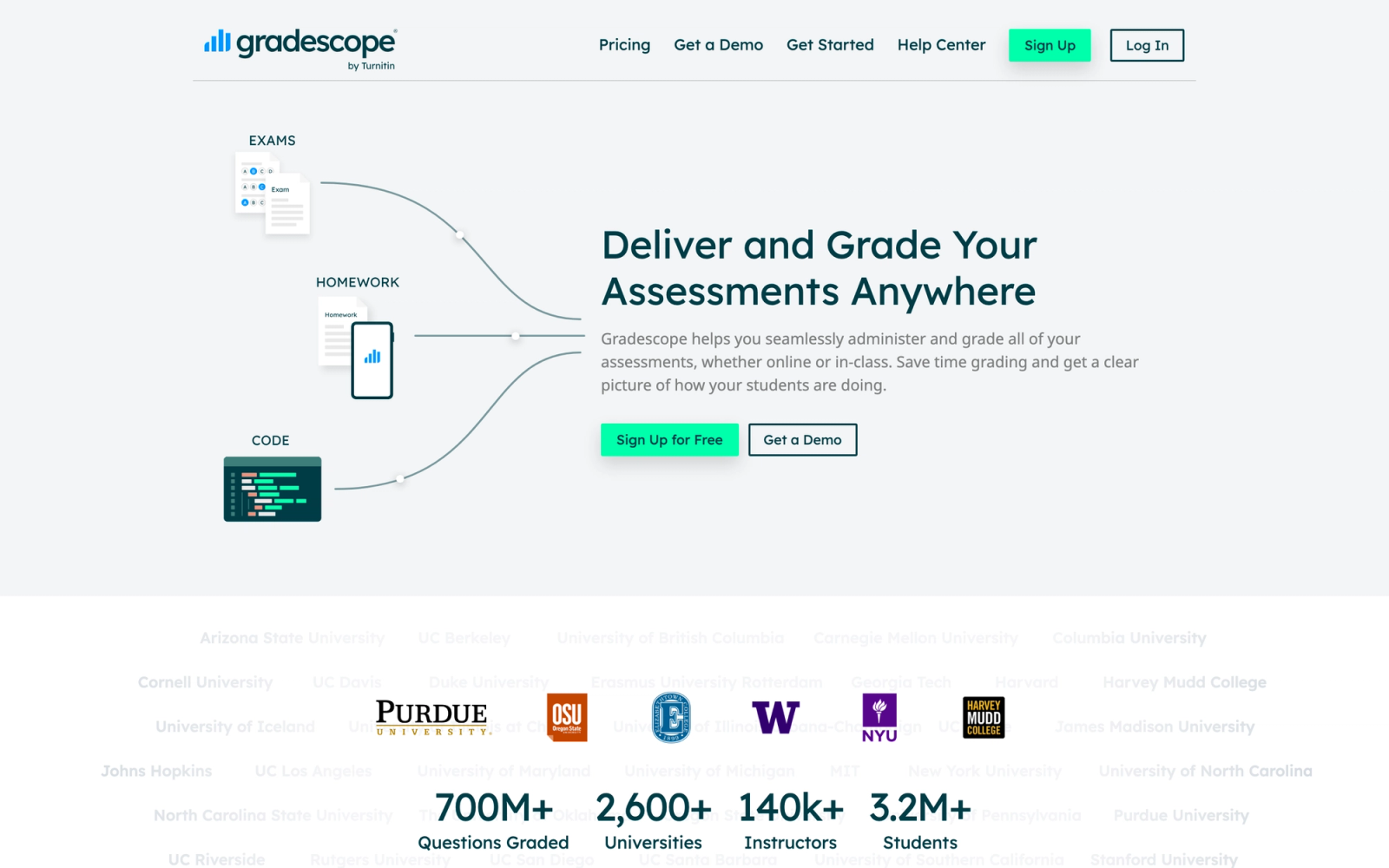
Gradescope, now part of the Turnitin family, uses AI to assist with grading paper-based and digital assignments. Its signature feature is AI-assisted answer grouping: after an instructor grades one instance of a particular answer type, Gradescope identifies similar responses and applies the same rubric entry automatically. This reduces grading time substantially for large courses.
Gradescope fits the FeedbackFruits alternatives conversation because it rethinks how feedback gets delivered at scale. While it does not include peer review workflows, its approach to rubric consistency and detailed feedback on student work addresses the same underlying goal: giving students substantive, criterion-referenced feedback.
Core Capabilities
- AI-assisted answer grouping that clusters similar student responses for batch grading
- Support for handwritten, programmatic (code), and digital submission types
- Flexible rubric builder that evolves as graders encounter new answer patterns
- Automatic grading for multiple-choice, fill-in-the-blank, and code autograding
- Regrade request system where students can dispute scores on specific questions
- LMS integration with Canvas, Blackboard, Brightspace, and Sakai
- Detailed item analysis and grade distribution reporting
- Multi-grader support with workload distribution and consistency tracking
Standout Strength
AI-assisted grouping is Gradescope's core differentiator. In a 300-student course, the same calculus problem typically yields a small number of distinct solution approaches. Gradescope clusters similar responses automatically, so the instructor grades one representative example per cluster and the rubric propagates to matching submissions. The time saved depends on course size and answer variety, but for large STEM exams the reduction in manual grading passes is significant.
Best For
STEM faculty and departments grading large volumes of problem sets, exams, and coding assignments. Particularly valuable in math, physics, engineering, and computer science where answer patterns are identifiable. Also strong for any course using blended learning models with frequent assessment checkpoints.
Pricing Overview
- Free tier available for individual instructors with basic features
- Institutional licensing bundled with Turnitin or available separately
- Custom pricing based on enrollment and feature set
Limitations
- No peer review capabilities. Gradescope is an instructor grading tool, not a peer assessment platform.
- AI grouping works best for structured answers (math, code, short answer) and is less effective for essay-length writing.
- The platform requires consistent formatting of submissions to maximize AI accuracy.
Quick Comparison Insight
Targets instructor grading speed, not peer feedback. Fits when the constraint is rubric consistency across a large exam, not student-to-student evaluation.
How to Choose the Right Alternative
The best FeedbackFruits alternative depends on which part of the suite you are actually trying to replace. Start by identifying which modules you use and which sit idle, then match the gap to the right tool.
If you primarily use peer review on assignments, Kritik and Peerceptiv are the strongest dedicated replacements. Kritik adds calibration-based reliability scoring that addresses grade-fairness concerns; Peerceptiv is the choice when you need statistically defensible peer-assigned grades in writing-intensive courses. If you want peer review inside a fuller, more social program rather than a plug-in, Teachfloor covers it alongside community, group work, and live sessions.
If you need peer review at no extra cost inside your existing LMS, use the native option. Moodle Workshop and Canvas Peer Review both deliver structured, rubric-based peer feedback without a new vendor or license. They lack AI calibration, but for many courses the native tool is enough.
If academic integrity is inseparable from your assessment workflow, Turnitin Feedback Studio keeps plagiarism detection and peer review in the same pipeline. You lose some peer assessment depth, but the originality-to-feedback workflow stays in one place.
If your bottleneck is grading speed rather than peer feedback, Gradescope or Crowdmark solve instructor-side grading. Gradescope's AI grouping is a major time-saver for STEM exam grading; Crowdmark handles distributed grading across teaching teams. Neither replaces peer review, but they address pain points FeedbackFruits does not touch.
If you use FeedbackFruits mainly for interactive documents and collaborative reading, Perusall and Hypothesis are direct alternatives. Perusall offers AI-powered engagement scoring and a publisher catalog; Hypothesis provides open-source flexibility for annotating any web resource.
The right alternative is rarely the tool with the most features. It is the one that does the specific thing you need better than the tool you have.
FAQ
Why are institutions moving off FeedbackFruits?
Reasons vary, but the common ones are opaque institutional pricing, suite complexity when only one or two modules are used, and a dependency on LTI deployment inside a traditional LMS. Teams that run standalone programs, or that only need focused peer review or annotation, often find a more targeted tool fits better and costs less.
Can I use FeedbackFruits alternatives with my existing LMS?
Most tools here support LTI integration with Canvas, Blackboard, Moodle, and Brightspace. Kritik, Peerceptiv, Turnitin Feedback Studio, Gradescope, Perusall, Hypothesis, and Crowdmark all offer LTI-based deployment. Moodle Workshop and Canvas Peer Review are native to those LMS platforms. Teachfloor runs as a standalone platform rather than an LTI plug-in, which suits organizations running independent programs.
What is the best free FeedbackFruits alternative?
For institutions on Moodle or Canvas, the native peer review tools (Moodle Workshop and Canvas Peer Review) are genuinely free. Gradescope and Crowdmark offer free tiers for individual instructors, Hypothesis is free for individual use, and Perusall is free for students when the institution holds a license. Kritik is free for professors, though students pay a per-term fee. Teachfloor offers a 14-day free trial rather than a permanent free plan.
How do I ensure peer review grades are fair and reliable?
Look for calibration features. Kritik and Peerceptiv both use calibration exercises where students practice reviewing before grading peers, then generate reliability scores and weight final grades accordingly. This statistical approach produces peer-assigned grades that correlate with expert instructor evaluations at defensible levels.
Can peer assessment tools work for group projects, not just individual assignments?
Yes, but capability varies. Kritik and Teachfloor both support group work and member evaluation where teammates assess each other's contributions. FeedbackFruits' Group Member Evaluation is one of its strengths, so if group assessment is your primary need, verify the alternative handles it specifically. Crowdmark supports team-based grading from the instructor side but not peer-to-peer group evaluation.
How do social annotation tools compare to FeedbackFruits' Interactive Document?
Perusall and Hypothesis both provide collaborative annotation that overlaps with FeedbackFruits' Interactive Document. Perusall adds AI-driven automatic scoring and a publisher textbook catalog, making it more feature-complete for graded reading. Hypothesis offers open-source flexibility and web-wide annotation but requires manual grading. Neither includes peer review or group assessment features.
What if I need both peer review and plagiarism detection?
Turnitin Feedback Studio is the only platform here that combines both in a single workflow. Alternatively, pair a dedicated peer review tool (Kritik or Peerceptiv) with a separate originality checker. Most LMS platforms support running multiple LTI tools, so students can submit through Turnitin for originality checking and then have the same submission routed to a peer review tool.


