We’re excited to introduce the Instruction Review with Rubric on Teachfloor, enabling instructors to give structured feedback through a customizable rubric. This feature simplifies the review process with a pre-made sequence for submissions, assessments, and reflections, and allows multiple instructors to review each learner's work for a more comprehensive evaluation.
Introducing the Form Activity on Teachfloor: create custom forms for pre-assessments, project submissions, and feedback collection. Enhance engagement with versatile field options like open questions and multiple-choice selections.
We're excited to introduce manual scoring in the Instructor Review with Chat on Teachfloor. Instructors can now assign scores from 0% to 100% using a scoring bar, streamlining grading while providing real-time feedback to learners.
Discover the Teachfloor.js SDK, a powerful tool for integrating your custom web pages with Teachfloor. Enhance user experiences with personalized content, dynamic updates, and real-time interactions. Explore the benefits and start building engaging integrations today!
Easily manage your Teachfloor courses with new bulk action features: invite multiple learners to courses and revoke access in just a few clicks. These updates streamline course management, complementing existing bulk actions for assigning students to assistants and team invitations via CSV.
Enhance collaboration and teamwork with Teachfloor's new Group Submission feature. Create and manage groups effortlessly, assign group projects, and facilitate seamless collaboration among students. Empower your classroom with effective group-based learning today.
Enhance collaboration in your courses with Teachfloor's new Group Formation Activity. Easily create and manage student groups, enable group chats, and streamline group work submissions for a more interactive learning experience
Create and manage multiple independent learning environments within a single platform. Tailor training to different departments, locations, or projects while maintaining central control. Enhance organization, flexibility, and security with Teachfloor's Multi-Branches.
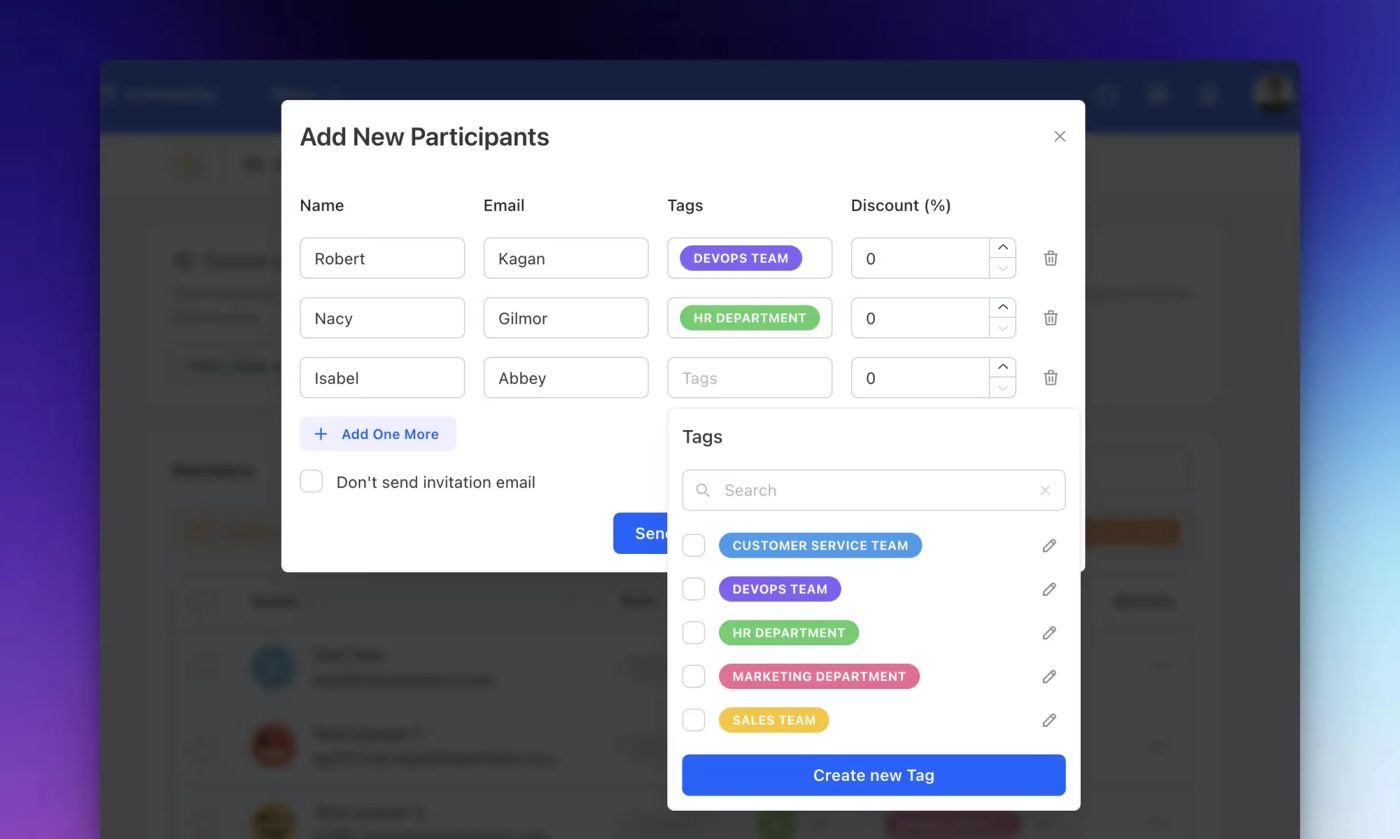
Enhance user management and organization with Teachfloor's new Tag Users During Invitation feature. Effortlessly categorize users with tags upon invitation, enabling efficient filtering, reporting, and targeted learning experiences.
Collect valuable user data, personalize learning, and streamline course management. Create custom fields for signup and enrollment with various field types: text, options, numbers, dates, and more.