
Member Profiles: Customizable Profiles for Your Learning Community
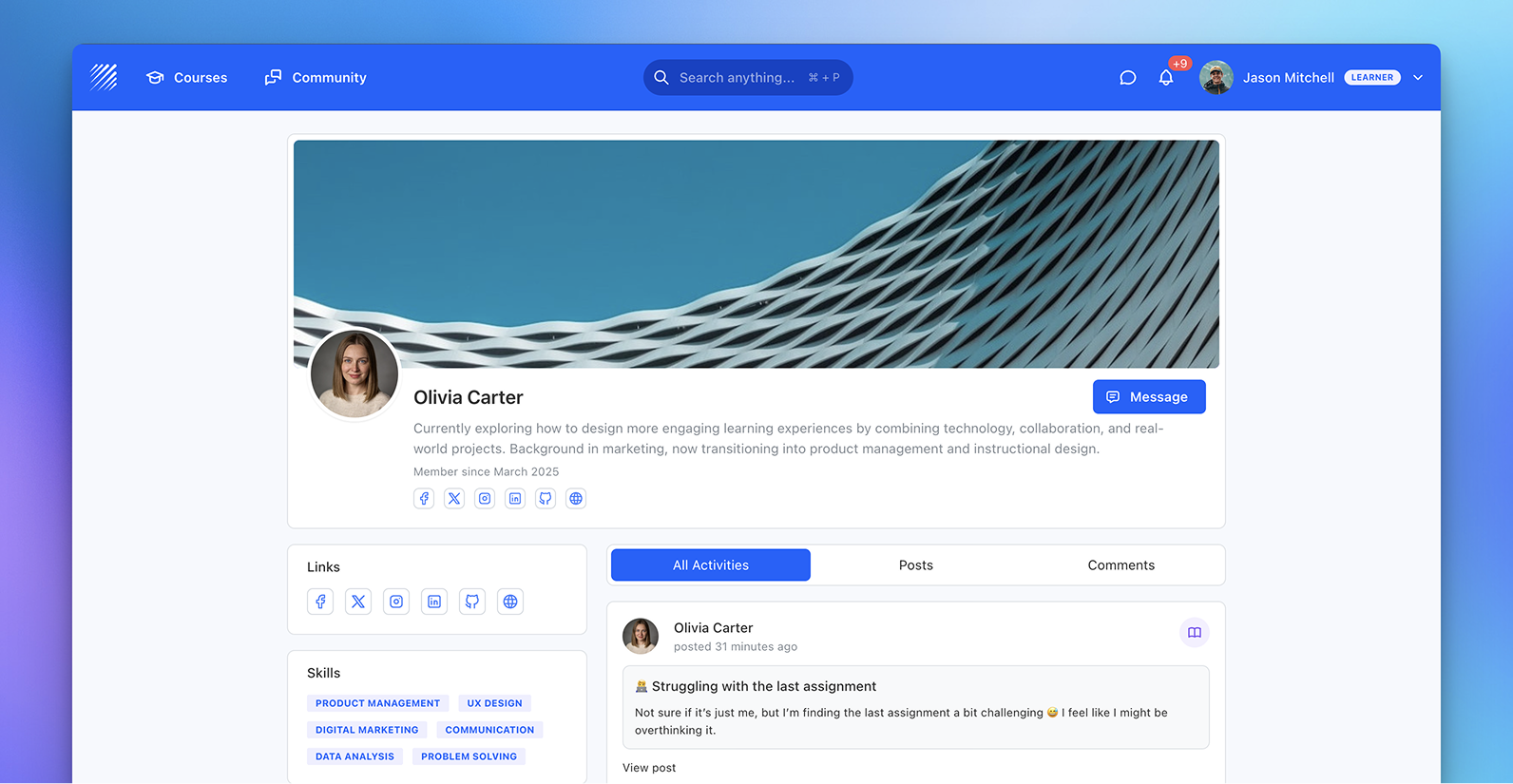
We’re introducing Member Profiles, a new way to represent learners and instructors inside Teachfloor. Profiles are no longer static user pages. They become structured, customizable spaces where members can present their identity, share information, and interact within your learning community.
This update brings more flexibility for organizations and a more social, engaging experience for learners.
A Flexible Profile Structure
Member Profiles are fully customizable by admins.
From the organization settings, you can design how profiles are structured by adding cards across different areas:
- Sidebar
- Main section
- Header
Each card can be positioned, enabled, or removed depending on your needs.
Collect the Right Information
Profiles are powered by flexible fields that let you collect exactly the information you need.
Admins can define custom fields such as:
- Bio and personal descriptions
- Skills and expertise
- External links (portfolio, LinkedIn, etc.)
- Structured inputs like options, dates, or categories
This transforms profiles into dynamic member records aligned with your organization.
Rich, Personalized Member Profiles
Members can personalize their profile by adding:
- Profile image and cover (with Unsplash support)
- Bio and background
- Skills and areas of expertise
- Social and external links
Profiles become a clear representation of each learner or instructor inside the platform.
Built for Interaction
Member Profiles are deeply connected to the community layer.
From a profile, you can:
- View posts and comments
- Understand member activity
- Engage with others across the platform
Each profile also includes a direct messaging option, making it easy to start conversations and support collaboration.
Why It Matters
Learning environments are not just about content they are about people.
Member Profiles bring structure and visibility to your community:
- Make learners more discoverable
- Encourage interaction and collaboration
- Provide context for instructors and peers
- Standardize how member data is collected
This helps organizations move from simple course delivery to building real learning communities.
Available Now
Member Profiles are now available in Teachfloor.
You can configure them from:
Settings → Profile Layout
Start building profiles that reflect how your organization works — and how your learners connect.


