
Introducing Lesson Comments: Discussion on Every Lesson
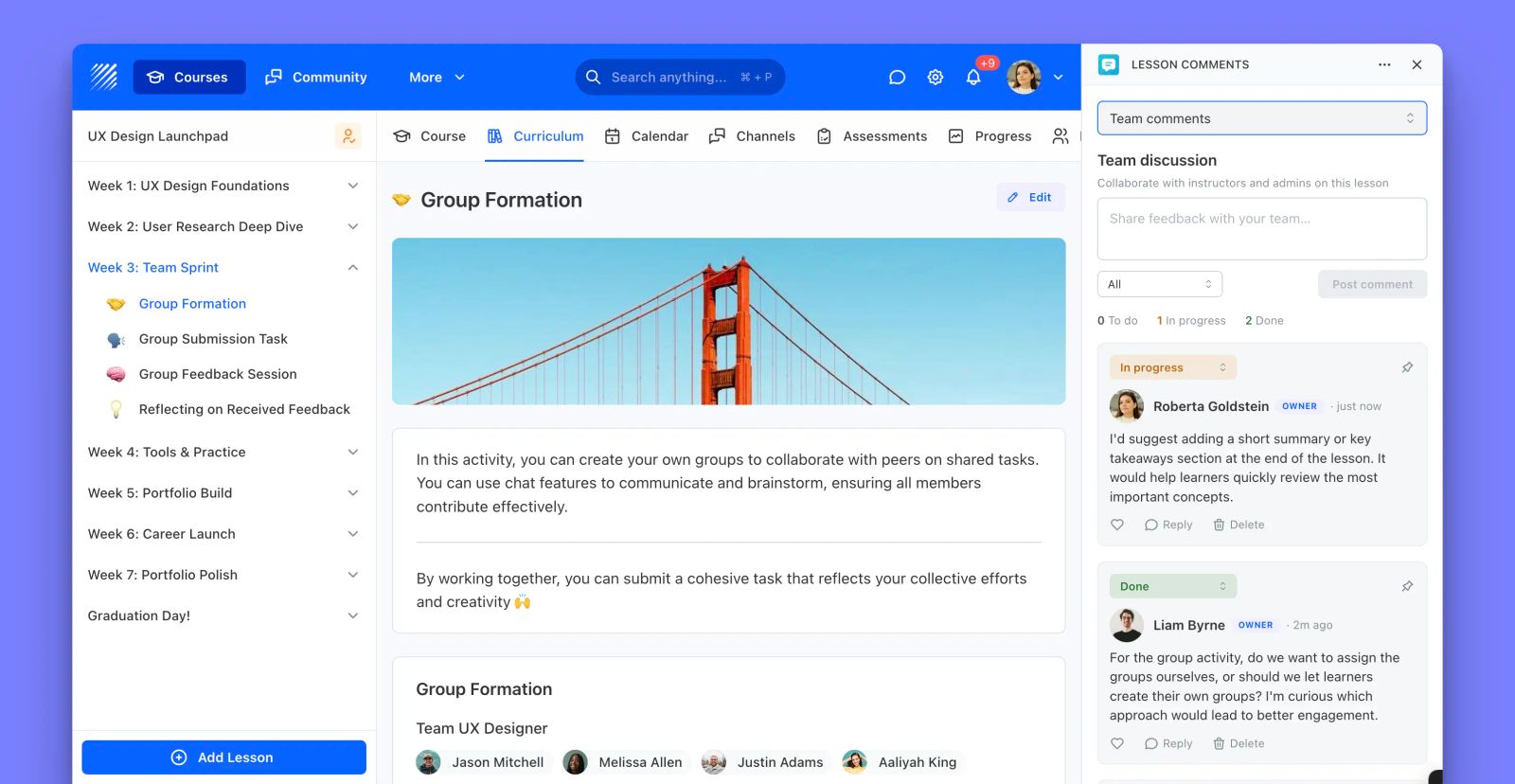
We're excited to introduce Lesson Comments, a new app that adds a discussion thread to every lesson. Learners can comment, reply, and like, turning passive content into collaborative social learning, while staff get a private channel to coordinate behind the scenes.
Learning sticks better when people talk about it. Lesson Comments brings the conversation directly to the lesson, where questions and answers are most useful.
What is Lesson Comments?
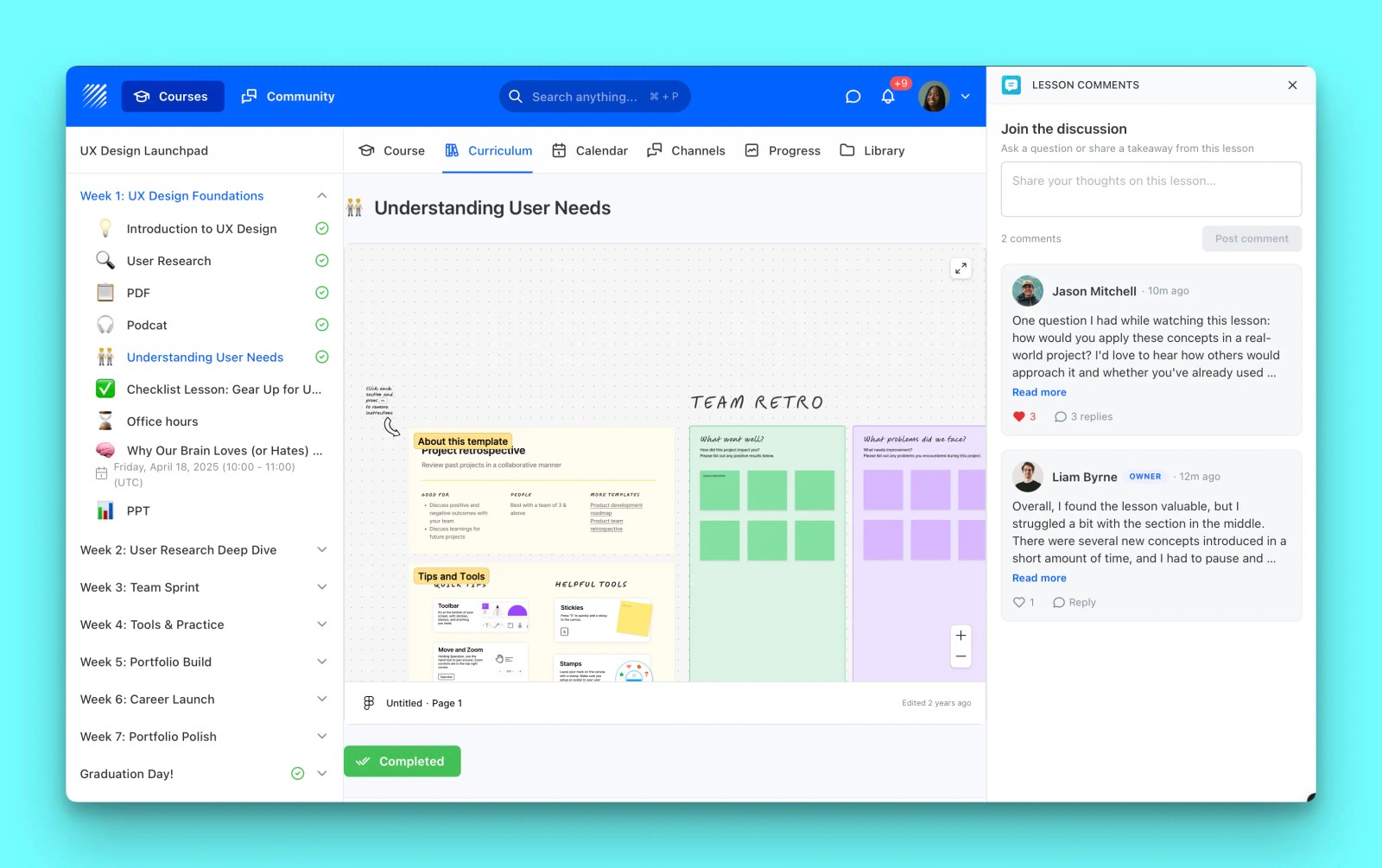
Lesson Comments attaches a threaded discussion to any lesson. Learners ask questions and help each other in a public space, and your team gets a separate, staff-only space tied to the same lesson.
Threaded discussions
Learners post comments on any lesson, reply to each other, and like the most helpful answers. Author names, avatars, and role badges keep every conversation clear and credible.
Community and Team channels
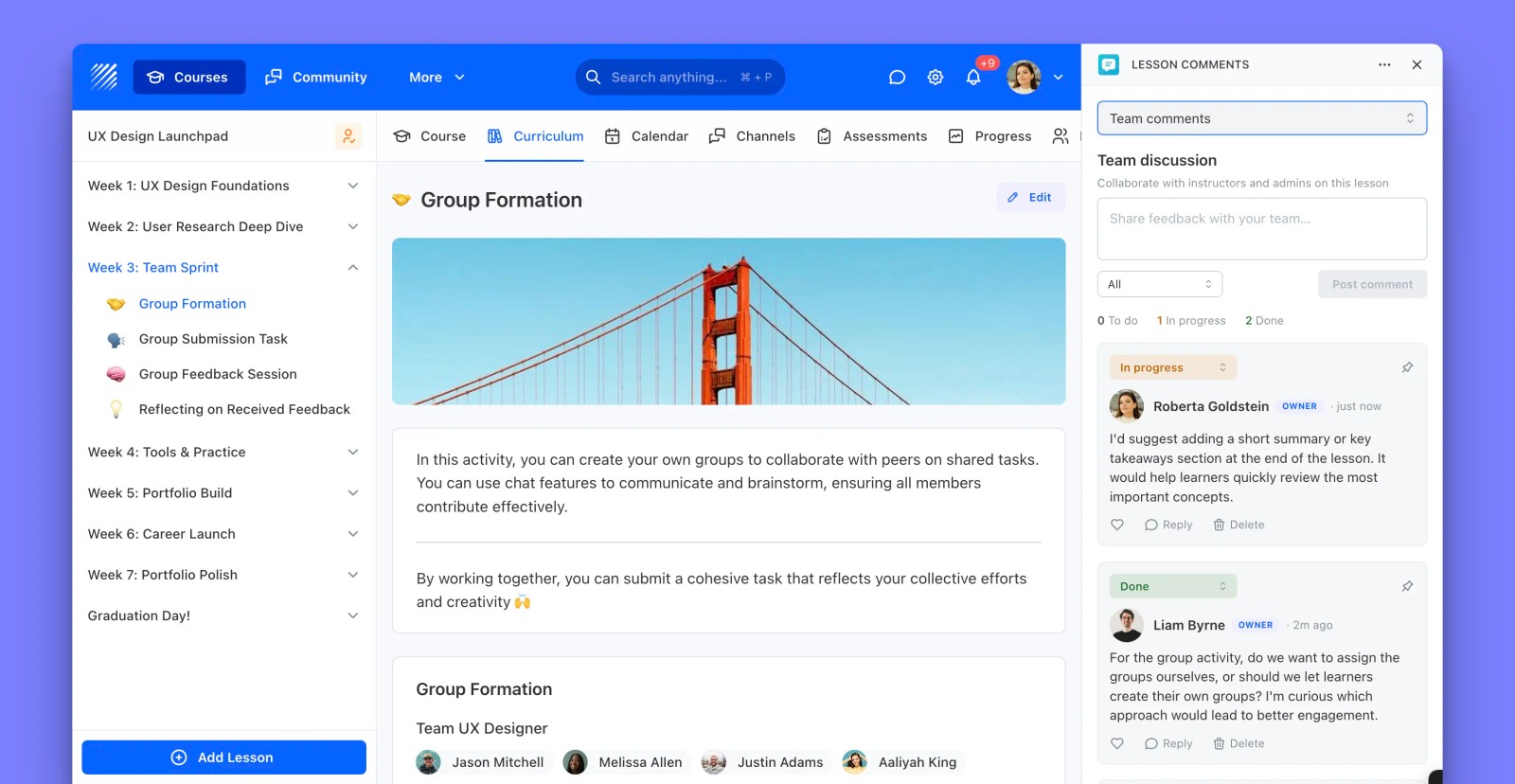
A public Community channel keeps learners talking, while a staff-only Team channel lets instructors and admins discuss the same lesson privately, without cluttering the learner view.
Built-in task board
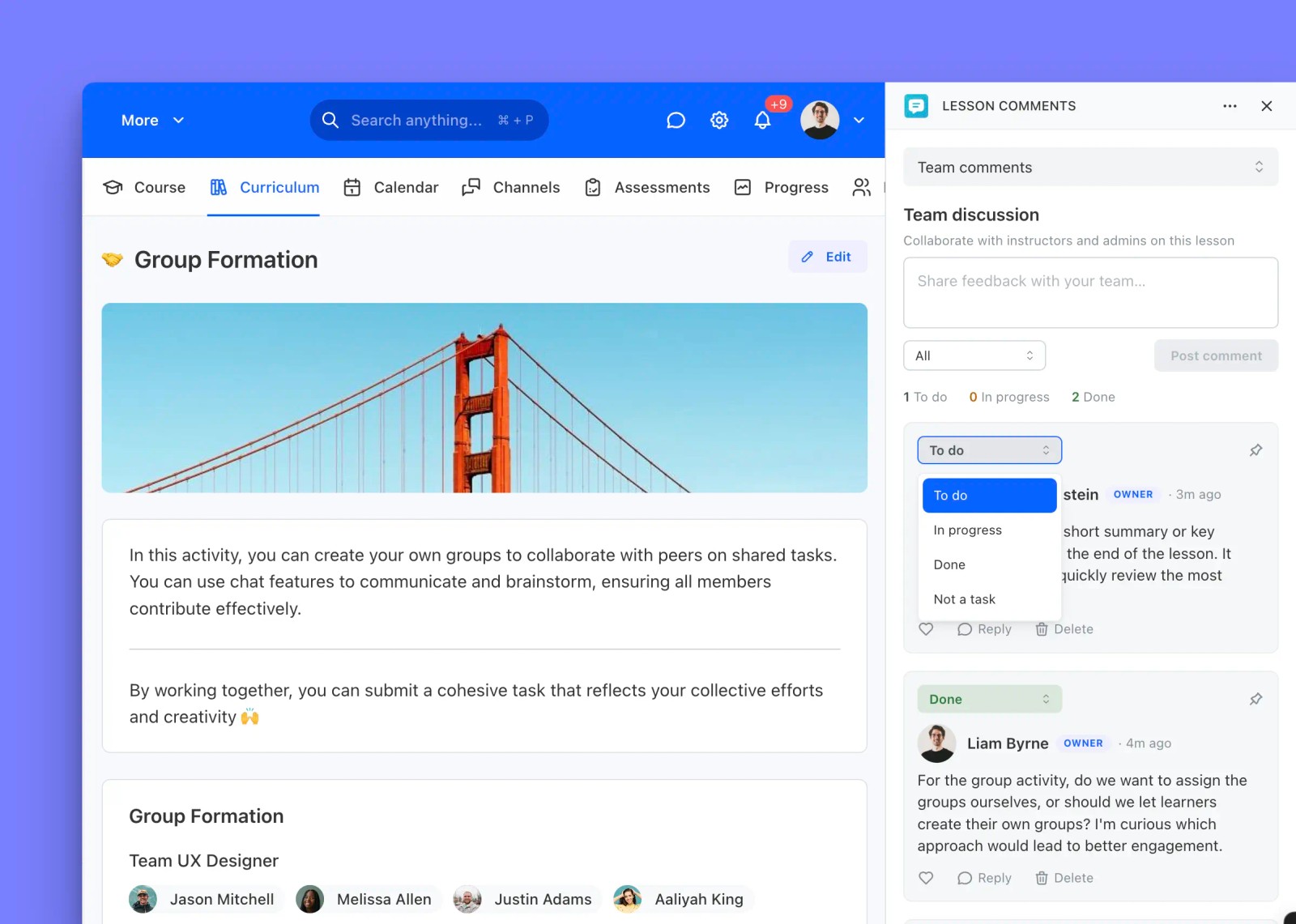
In the Team channel, turn any comment into a task with a To do, In progress, or Done status, and pin the important ones to the top. It is a lightweight way to act on feedback as it comes in.
Why it matters
Lesson Comments is perfect for cohorts, peer learning, and any course where discussion deepens understanding. It keeps learners engaged between live sessions and gives your team a clear place to coordinate.
Get Lesson Comments, available now in the Teachfloor App Marketplace.


