Community Custom Channels
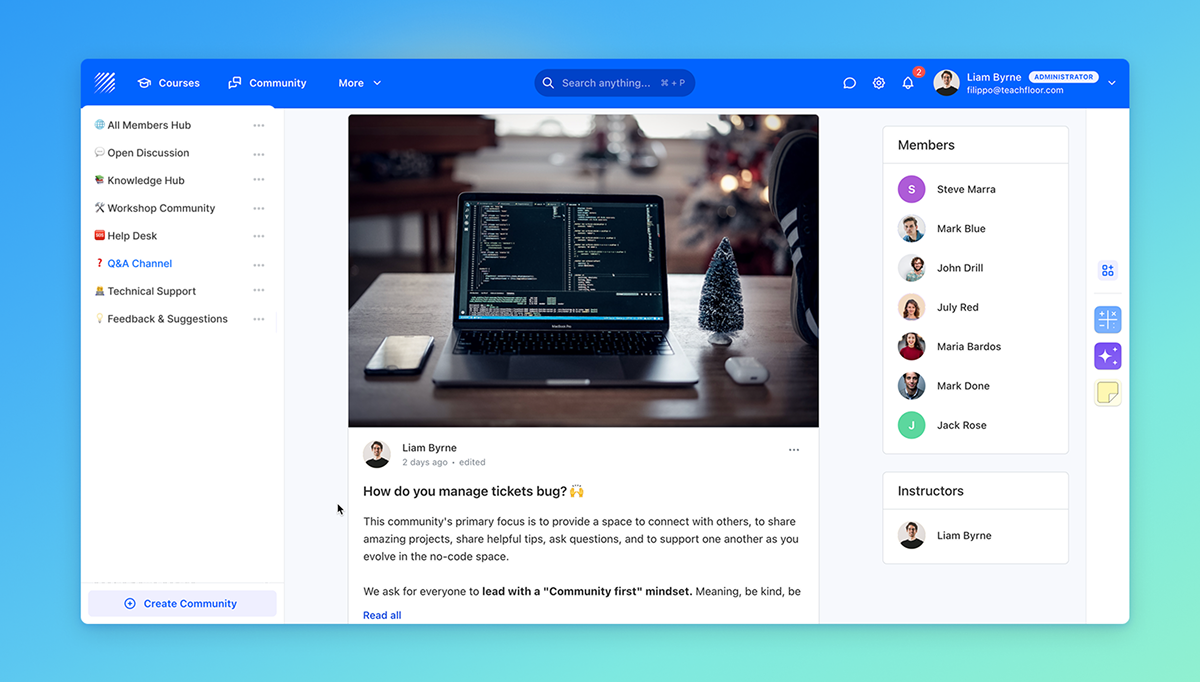
We’ve introduced Community Custom Channels, giving you more flexibility in how you create and manage discussions inside Teachfloor.
Previously, community channels were automatically generated when creating a course. Now, you can also create standalone channels that are completely independent from any course.
What’s New
You can now create custom community spaces where members from different courses and programs can interact in one shared environment.
When creating a custom channel, you can invite members in multiple ways:
- Select specific users directly from your organization member list
- Invite participants based on their role (Learners, Instructors, Assistants, etc.)
- Invite participants based on Teams, so anyone assigned to that team joins the channel instantly
This makes it easy to bring together participants across departments, cohorts, or learning tracks.
Why It Matters
Community Custom Channels allow you to build cross-program discussions, company-wide communities, or topic-based spaces without being tied to a single course.
It’s a more flexible way to foster collaboration, networking, and knowledge sharing across your entire organization.
Community Custom Channels are now available in Teachfloor.
Start creating shared spaces that connect learners and instructors beyond individual courses.


