


Why Use an AI Quiz Generator?
Building quizzes by hand is one of the most time-consuming parts of course design. You write a question, draft four plausible answer choices, check for ambiguity, repeat that process fifty times, and still end up with a question bank that only covers a fraction of your material. An AI quiz generator compresses that cycle from hours to minutes.
The practical value is straightforward. You feed the tool your source material, whether that is a PDF, a slide deck, a video transcript, or a URL, and the AI produces questions aligned to that content. Multiple-choice, true/false, fill-in-the-blank, short answer. Most tools let you set the difficulty level, the number of questions, and the cognitive depth you are targeting, from basic recall to application and analysis.
For educators running formative assessment during a live session, this means you can generate a knowledge check in real time without pre-building every quiz. For trainers designing online assessment at scale, it means producing question banks large enough to reduce cheating through randomization, without spending weeks writing original items.
AI quiz generators also help reduce the blind spots that come from a single author writing all the questions. When you write your own assessments, you tend to test what you think is important. An AI scans the full body of content and surfaces questions across the entire scope, catching details you might have skipped. That broader coverage improves the quality of your interactive learning experience.
The tools on this list range from standalone question generators to full platforms with AI built into their quiz authoring workflow. Some are purpose-built for speed. Others are part of larger platforms where AI quiz generation is one feature among many. Each one is assessed below on what it actually does, where it falls short, and who it is built for.
What to Look for in an AI Quiz Tool
Not every AI quiz generator works the same way, and not every one fits your workflow. Before diving into the tools, here are the criteria that actually matter when evaluating them.
Source input flexibility. The best tools accept multiple input formats: text, URLs, PDFs, DOCX files, video transcripts, and even pasted notes. If a tool only takes raw text, you will spend time reformatting your source material before you even start generating questions.
Question type variety. Multiple-choice is table stakes. Look for support across true/false, fill-in-the-blank, matching, short answer, and open-ended questions. If you are building assessments that target higher-order thinking, you need tools that can generate scenario-based or application-level items, not just recall questions.
Editing and refinement controls. AI-generated questions are a first draft, not a finished product. The tool should make it easy to edit wording, swap distractors, adjust difficulty, and reorganize questions without starting from scratch. A tool that generates but does not let you refine is only half useful.
Export and integration options. If you use an LMS, check whether the tool exports in formats your system accepts. SCORM, QTI, and CSV are the most common. The SCORM standard governs how quizzes track completion and scores inside a learning management system, so native integrations with platforms like Google Classroom, Canvas, or Moodle save additional steps. If you are working with SCORM authoring tools, export compatibility is non-negotiable.
Assessment analytics. Generating questions is step one. Understanding how learners perform on those questions is step two. Some tools include built-in learning analytics that show item difficulty, discrimination indices, and completion patterns. Others generate questions only, leaving the analytics to whatever platform you deliver the quiz through.
Pricing structure. Some tools charge per quiz, others per user, others by feature tier. If you are generating dozens of quizzes per month, a per-quiz pricing model will add up. Look for plans that match your volume and use case.
Collaboration and sharing. If multiple instructors or trainers need to contribute to a shared question bank, the tool should support team access, shared libraries, and version control. Solo-creator tools work fine for individual educators but break down in team environments.
The Best AI Quiz Generators Compared
The tools below cover a range of use cases, from quick one-off quiz generation to full assessment platforms with AI baked into the workflow. They are organized to show what each tool does best and where it falls short.
| Tool | AI Generation | Question Types | Starting price | Free trial | LMS Export | Best For |
|---|---|---|---|---|---|---|
| Teachfloor | Yes | Yes | $89/mo | 14-day | Yes | Engaging, interactive courses with community + AI |
| Quizgecko | Yes | MCQ, T/F, short answer, fill-in | ~$9.99/mo | Free tier | PDF, CSV | Fast quiz generation from any source material |
| Quillionz | Yes | MCQ, T/F, open-ended, FAQ | ~$14.99/mo | Free tier | No native export | Generating questions from text content |
| ClassPoint AI | Yes | MCQ, T/F, fill-in, short answer | $8/mo | Free tier | No native export | Teachers building quizzes inside PowerPoint |
| Questgen | Yes | MCQ, T/F, fill-in, higher-order | $15/mo | Free tier | PDF, Word | Bloom's-aligned assessment items |
| Wayground (Quizizz) | Yes | MCQ, T/F, open-ended, polls | $6/mo | Free tier | SCORM | K-12 teachers and corporate trainers |
| Kahoot! | Yes | MCQ, T/F, polls, puzzles | $25/mo | Free tier | Reporting export | Live gamified quizzes for groups |
| ProProfs Quiz Maker | Yes | MCQ, matching, essay, hotspot | $20/mo | Free tier | SCORM, xAPI | Teams needing shared quiz libraries |
| iSpring QuizMaker | Partial | MCQ, matching, drag-and-drop, hotspot | $370/yr | 14 days | SCORM, xAPI | Corporate L&D with SCORM requirements |
| Typeform | Partial | MCQ, open-ended, rating, logic jumps | $29/mo | Free tier | No native export | Branded quizzes with conversational UX |
Teachfloor

Overview
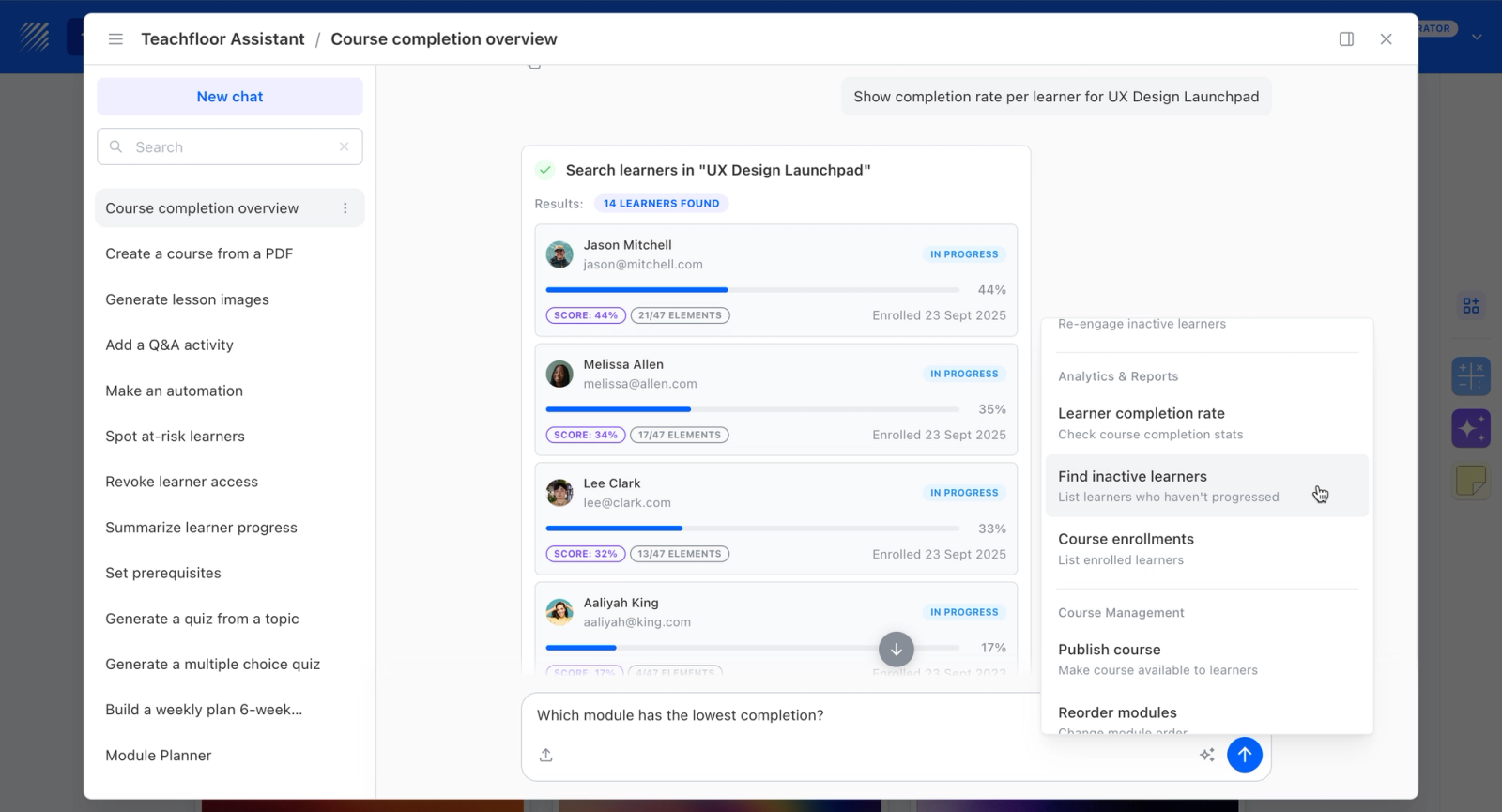
Teachfloor's AI-assisted authoring generates quiz questions from your source material, but unlike standalone generators the questions land directly inside a course you can deliver and grade. You upload content, the AI drafts questions, and those quizzes plug into assessments, completion tracking, and certificates without exporting to a separate platform. Where dedicated tools like Quizgecko stop at producing a question set, Teachfloor connects generation to delivery, grading, and learner analytics. It fits educators and trainers who want AI-generated quizzes to live where their learners already are.
Core Capabilities
- AI quiz generation from uploaded documents and course material
- Generated quizzes built straight into graded assessments, no export step
- Completion analytics tying quiz performance to overall course progress
- Certificates issued on assessment completion
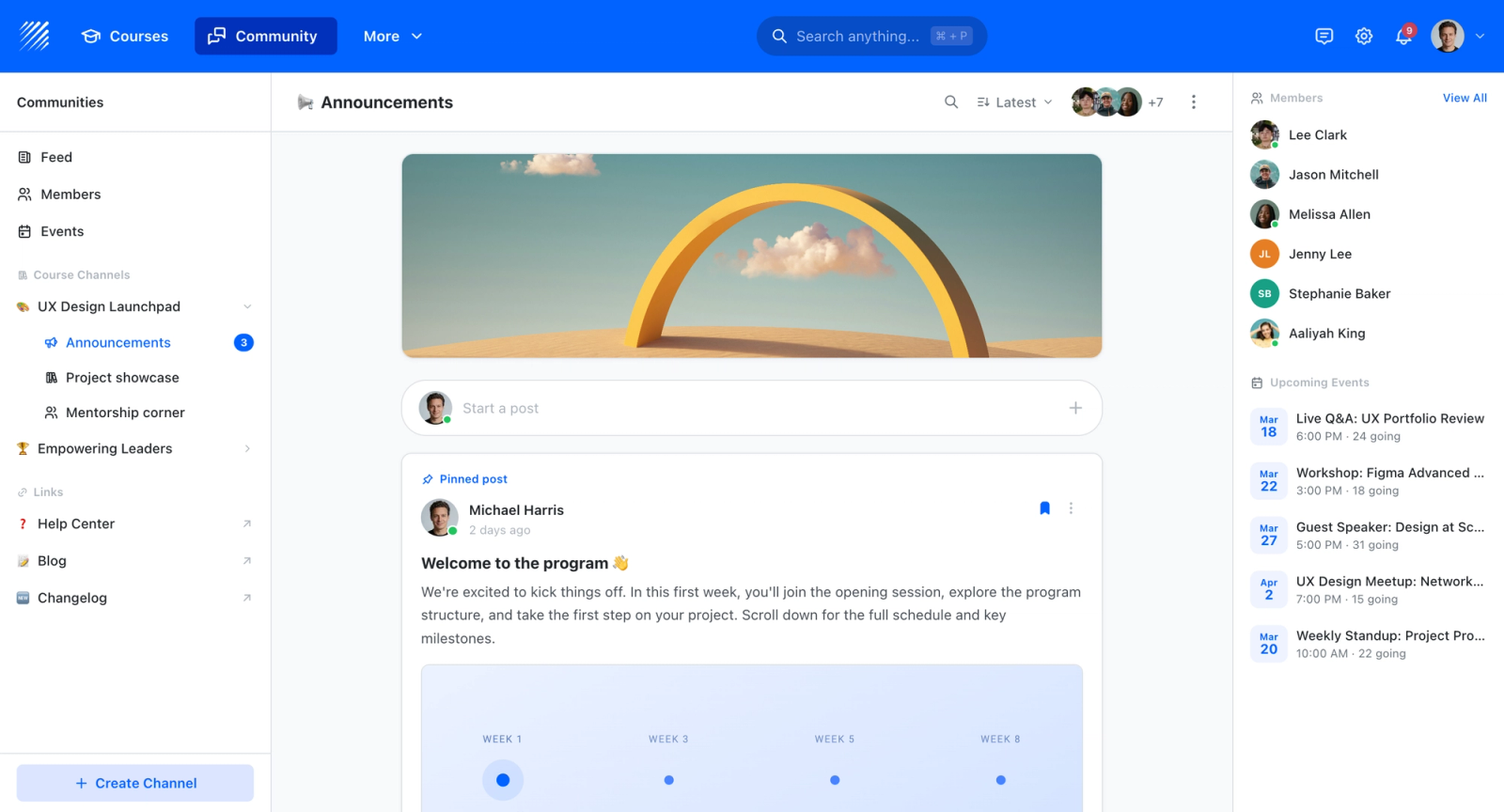
- Self-paced, live, or cohort delivery for the quizzes you generate
- White-label on your own domain so quizzes carry your brand
Best For
Educators and trainers who want AI-generated quizzes to sit inside the courses they deliver, with grading and analytics attached, rather than producing question sets in a separate tool.

Pricing Overview
- Startup plan from $89 per month for up to 50 learners
- Full Features plan with custom pricing, white-label, SSO, and advanced integrations
- 14-day free trial; no permanent free plan
- Nonprofit discounts available
Limitations
- Not a free or pay-per-quiz standalone generator; it is a course platform starting at $89/mo
- Less specialized than dedicated generators for outputs like Bloom's-taxonomy tagging or bulk export to other systems
- Best value only if you are delivering courses on the platform, not just generating questions to use elsewhere
Quick Comparison Insight
Teachfloor is not a standalone question generator. It is a course platform where AI-generated quizzes connect to graded assessments, completion tracking, and certificates. Teams that want generation and delivery in one environment will find more here than in any dedicated generator; teams that only need a portable question set should look at Quizgecko or Questgen.
Quizgecko
Overview
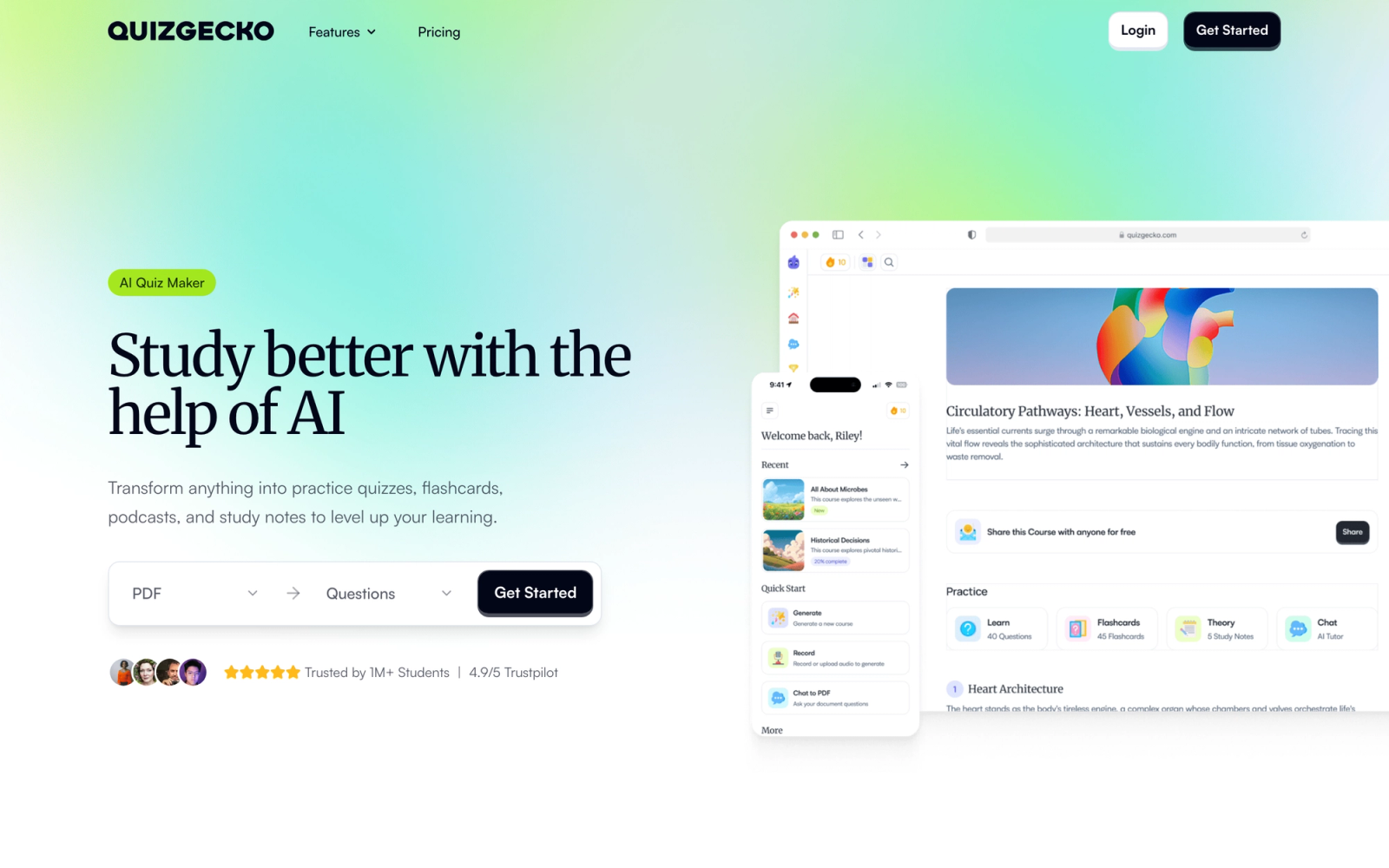
Quizgecko is a dedicated AI quiz generator built for speed. The core workflow is simple: paste text, upload a document, or enter a URL, and the AI generates a set of quiz questions from that content. No course builder, no LMS layer, just fast question generation from source material.
The input flexibility is the strongest selling point. Quizgecko accepts plain text, PDFs, Word documents, web URLs, and even YouTube video links. That covers the majority of source formats educators and trainers actually work with. The AI generates multiple-choice, true/false, short answer, and fill-in-the-blank questions, and you can control the number of questions and difficulty level before generating.
The generated questions are editable in-platform, which matters more than it sounds. Most AI output needs refinement, and Quizgecko lets you adjust wording, swap answer choices, and delete weak items without leaving the interface. You can also organize questions into shared quiz libraries and embed quizzes on external sites.
Core Capabilities
- AI quiz generation from text, PDFs, Word documents, URLs, and YouTube links
- Multiple question types: multiple-choice, true/false, short answer, fill-in-the-blank
- Adjustable difficulty settings and question count per generation
- Flashcard generation from the same source material
- Quiz sharing via link and website embedding
- Export options including PDF and CSV
- Quiz analytics showing completion rates and score distributions
- Team workspace for shared quiz libraries
- API access for integrating quiz generation into custom workflows
Standout Strength
Quizgecko's speed from upload to finished quiz is among the fastest on this list. The multi-format input support means you rarely need to preprocess content before generating questions. For teams that need high quiz volume from existing materials, it is the most efficient single-step option.
Best For
Individual educators, course creators, and content teams that need to generate quizzes quickly from existing materials. Strong for building practice tests, knowledge checks, and revision tools. Less suited for organizations that need a full assessment platform with advanced proctoring, branching logic, or deep LMS integration.
Pricing Overview
- Free tier available with limited quiz generations per month
- Pro plan starts at about $9.99 per month with higher generation limits and advanced features (as of June 2026)
- Enterprise pricing available for teams with API access and custom branding
Limitations
- The platform is a quiz generator, not a full assessment or course platform. There is no course structure, no learner management, and no certification workflow.
- Export options are basic. There is no native SCORM or QTI export, which limits use with formal LMS platforms.
- The AI output quality depends heavily on the clarity and structure of the source material. Poorly organized inputs produce vague or low-quality questions.
Quick Comparison Insight
Faster and more flexible on input formats than Quillionz or Questgen, but lacks the assessment delivery and analytics depth of full platforms like Wayground or ProProfs.
Quillionz

Overview
Quillionz is an AI question generator designed specifically for educators who want to create assessments from text-based content. The tool takes a block of text, identifies key concepts, and generates a variety of question types including multiple-choice, true/false, open-ended, and FAQ-style questions.
What sets Quillionz apart from more general-purpose quiz generators is its focus on pedagogical structure. The AI attempts to map questions to different cognitive levels, producing both recall-level items and questions that require deeper understanding. In practice the tool delivers a reasonable mix of factual and comprehension questions from a single passage, though higher-order application items tend to need manual editing before they are ready to use.
The interface is intentionally simple. You paste your text, the AI highlights key sentences it identifies as important, and you can accept or reject those selections before the tool generates questions. That review step gives you more control over what gets tested compared to tools that generate questions blindly from the full input.
Core Capabilities
- AI question generation from pasted text with key sentence identification
- Multiple question types: multiple-choice, true/false, open-ended, FAQ-style
- Key concept extraction and highlighting before question generation
- Editable output with the ability to refine questions post-generation
- Worksheet and assessment template generation
- Bulk generation for creating larger question banks
- Collaboration features for educator teams
Standout Strength
The key concept extraction step is a genuine differentiator. Instead of blindly generating questions from the entire text, Quillionz shows you which sentences it considers important and lets you adjust before generating. This produces more focused, relevant questions than tools that skip that review layer.
Best For
Educators and instructional design professionals who work primarily with text-based content and want a more guided AI experience. Particularly useful for teachers building reading comprehension assessments, study guides, and practice worksheets. Less suited for trainers who need to generate quizzes from multimedia content, slide decks, or URLs.
Pricing Overview
- Free tier available with limited generations
- Premium plans start at about $14.99 per month for higher generation limits (as of June 2026)
- Institutional pricing available for schools and districts
Limitations
- Input is limited to text only. There is no support for PDFs, URLs, video transcripts, or file uploads, which adds a copy-paste step for most source materials.
- No LMS export formats. You cannot export directly to SCORM, QTI, or other standards.
- The AI performs better on well-structured expository text than on technical, procedural, or conversational content.
Quick Comparison Insight
More deliberate and educator-focused than Quizgecko, but significantly less flexible on input formats and export options. Quillionz gives you more control over the generation process at the cost of speed and versatility.
ClassPoint AI
Overview
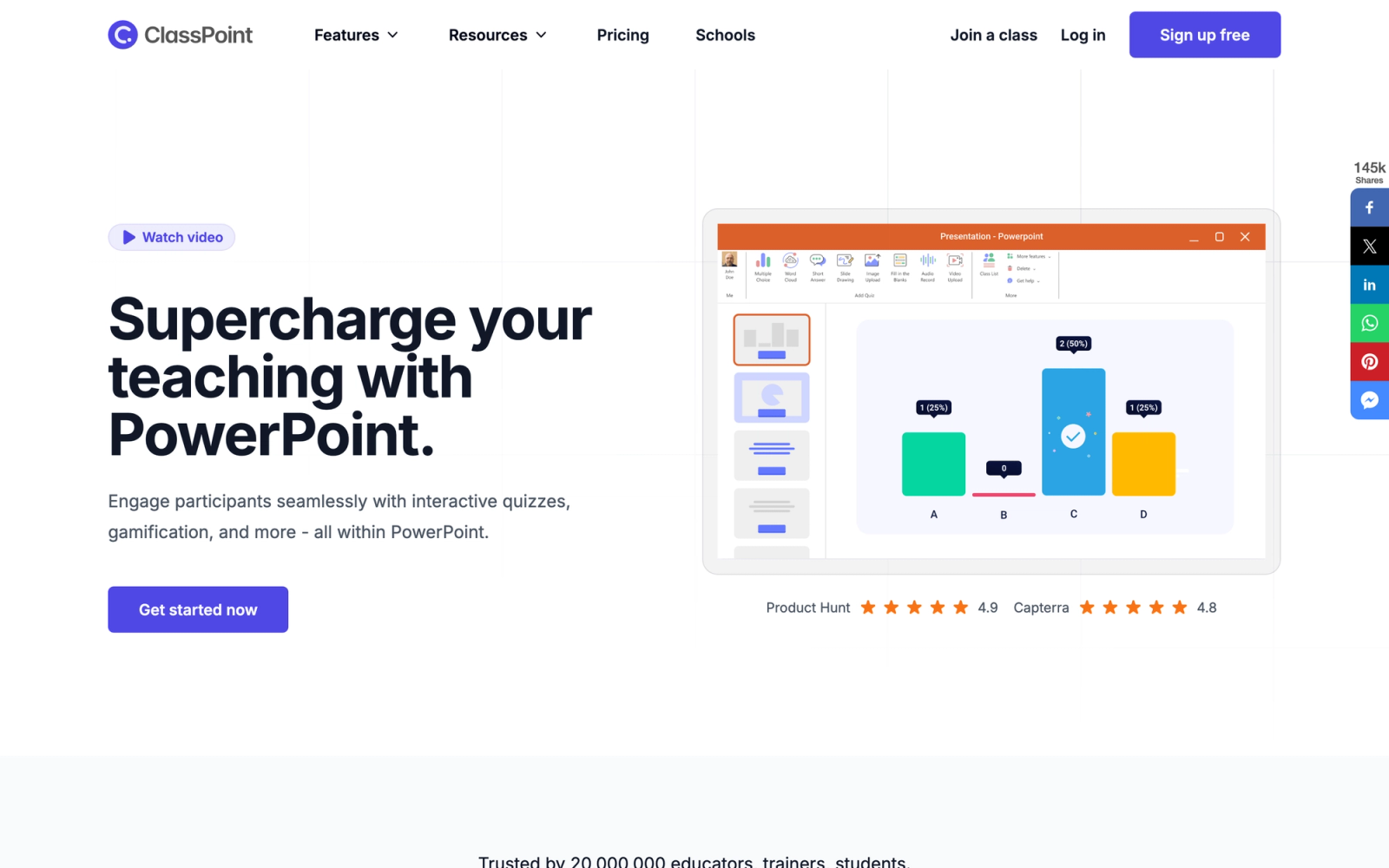
ClassPoint AI is a PowerPoint add-in that generates quiz questions directly from your slide content. If your teaching or training workflow is built around slide presentations, this tool eliminates the step of switching to a separate platform to create assessments.
The integration is the product. Once installed, ClassPoint adds a toolbar to PowerPoint that lets you select a slide, click a button, and generate quiz questions based on the text and content on that slide. You choose the question type, the difficulty level, and the language, and the AI produces questions you can run as a live interactive quiz during your presentation. Participants answer on their devices, and results appear in real time on the slide deck.
This is particularly useful for trainers and teachers who already spend hours building slide decks and do not want to rebuild that content in a separate quiz tool. The AI reads what is on your slide and creates relevant questions without you needing to export, paste, or reformat anything.
Core Capabilities
- AI quiz generation directly from PowerPoint slide content
- Multiple question types: multiple-choice, true/false, fill-in-the-blank, short answer
- Adjustable Bloom's taxonomy levels for controlling question difficulty
- Live interactive quiz mode where participants answer on their devices
- Real-time response display and leaderboard within PowerPoint
- Gamification features including stars, badges, and leaderboards
- Saved question bank for reuse across presentations
- Support for multiple languages in quiz generation
Standout Strength
The defining advantage is that the workflow never leaves PowerPoint. There is no exporting content to another platform, no copying text into a web app, and no switching between tools while you build your session. For anyone whose primary authoring environment is PowerPoint, ClassPoint eliminates every step between slide deck and quiz.
Best For
Teachers, corporate trainers, and conference presenters who deliver content through PowerPoint and want to embed quizzes directly in their slide workflow. Ideal for live sessions where you want real-time audience interaction. Not suitable for asynchronous assessments, standalone quiz delivery, or workflows that do not involve PowerPoint.
Pricing Overview
- Free tier available with basic AI generation (limited to a set number of slides per session)
- Pro plan at $8 per month (billed annually) with unlimited AI generation and advanced features
- School and institution plans available with volume licensing
Limitations
- Entirely dependent on PowerPoint. If you do not use PowerPoint as your primary content tool, ClassPoint offers no value.
- No standalone web-based quiz delivery. Quizzes exist within the PowerPoint environment, which limits asynchronous or on-demand assessment use.
- Export options are limited. You cannot export generated questions to SCORM, QTI, or other LMS-compatible formats.
Quick Comparison Insight
The best AI quiz tool for PowerPoint users, but the narrowest in scope on this list. If PowerPoint is your world, ClassPoint fits perfectly. If it is not, look at Quizgecko or Wayground for more flexible delivery.
Questgen
Overview
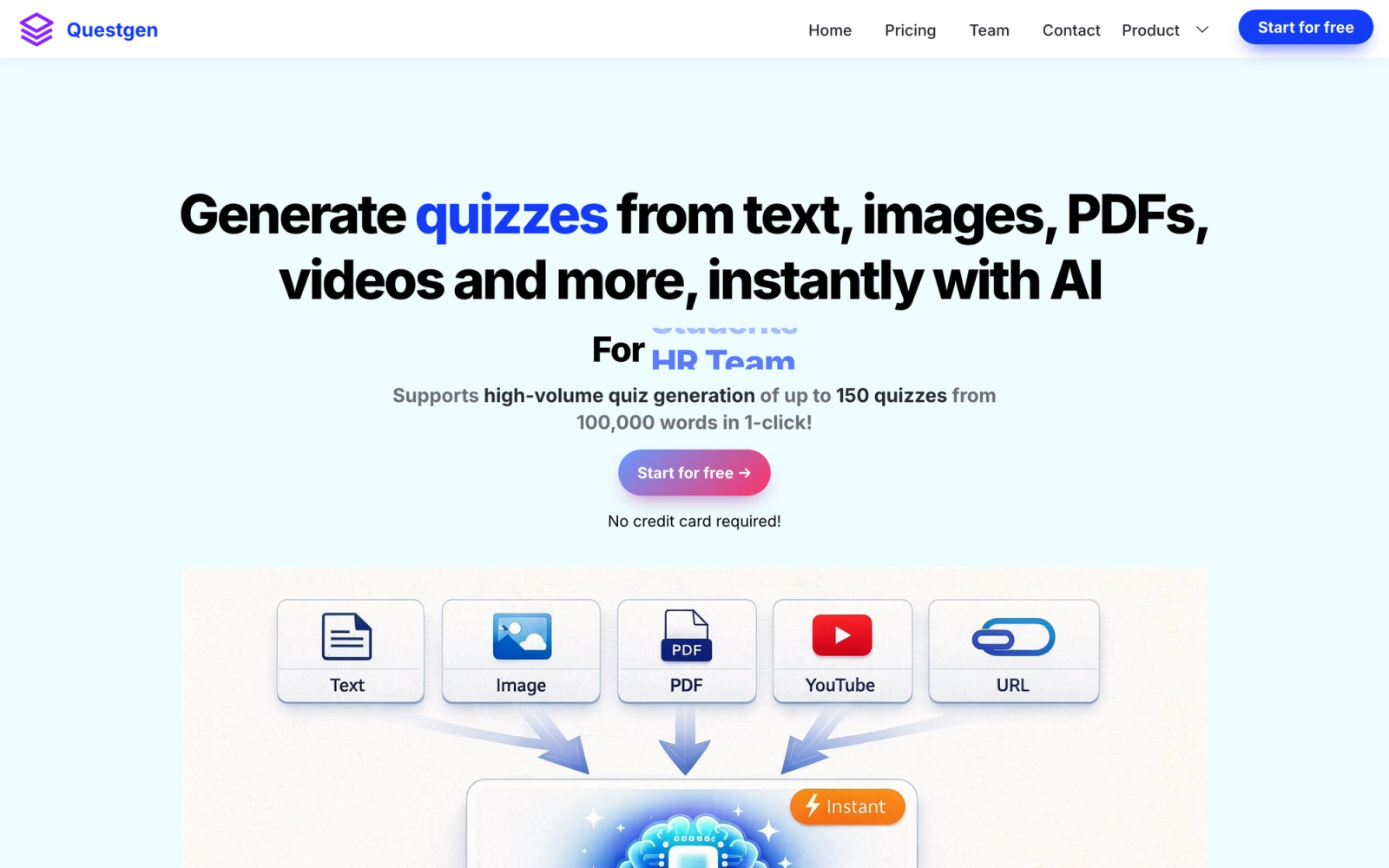
Questgen is an AI-powered assessment generator that focuses on producing pedagogically sound questions aligned to Bloom's taxonomy. While most AI quiz generators produce questions and let you sort out the cognitive level yourself, Questgen explicitly maps its output to knowledge, comprehension, application, and analysis levels.
The tool accepts text input and generates multiple-choice questions, true/false items, fill-in-the-blank, and higher-order questions. The Bloom's alignment is noticeable: the tool produces a visible difference between recall-level questions (definitions, facts) and application-level items (scenarios, apply-this-concept prompts). That distinction matters for anyone designing assessments that need to measure understanding, not just memorization.
Questgen also supports bulk generation, which is useful for building large question banks for randomized assessments. The output can be exported for use in external platforms, and the tool is positioned toward instructional design professionals who need pedagogical rigor in their assessments.
Core Capabilities
- AI question generation with explicit Bloom's taxonomy alignment
- Multiple question types: MCQ, true/false, fill-in-the-blank, higher-order items
- Bulk generation mode for creating large question banks
- Difficulty level selection mapped to cognitive depth
- Editable output with in-platform refinement tools
- Export to PDF and Word formats
- Worksheet and assessment template output
- Support for multiple subject areas and content types
Standout Strength
The Bloom's taxonomy integration is the clearest differentiator. If you need to demonstrate that your assessments measure higher-order thinking, not just factual recall, Questgen gives you that structure out of the box. This makes it particularly relevant for accreditation-driven programs and employee training where assessment alignment to learning objectives is a formal requirement.
Best For
Instructional designers, curriculum developers, and training managers who need assessment items aligned to specific cognitive levels. Particularly useful for organizations with accreditation requirements or structured competency frameworks. Less suited for quick, informal quiz creation or gamified engagement use cases.
Pricing Overview
- Free tier with limited generations per month
- Pro plans start at $15 per month for higher volume and advanced features
- Team and enterprise pricing available
Limitations
- Input is text-only. No support for PDFs, URLs, or multimedia uploads.
- The platform is a generation tool, not a delivery platform. You need to export questions to another system for learner-facing delivery.
- Higher-order question quality is better than most tools but still requires manual review and refinement. The AI produces a solid first draft, not a final product.
Quick Comparison Insight
More pedagogically structured than Quizgecko or Quillionz, but less versatile in input formats and delivery options. Questgen is the right choice when assessment alignment matters more than generation speed.
Wayground (formerly Quizizz)
Overview
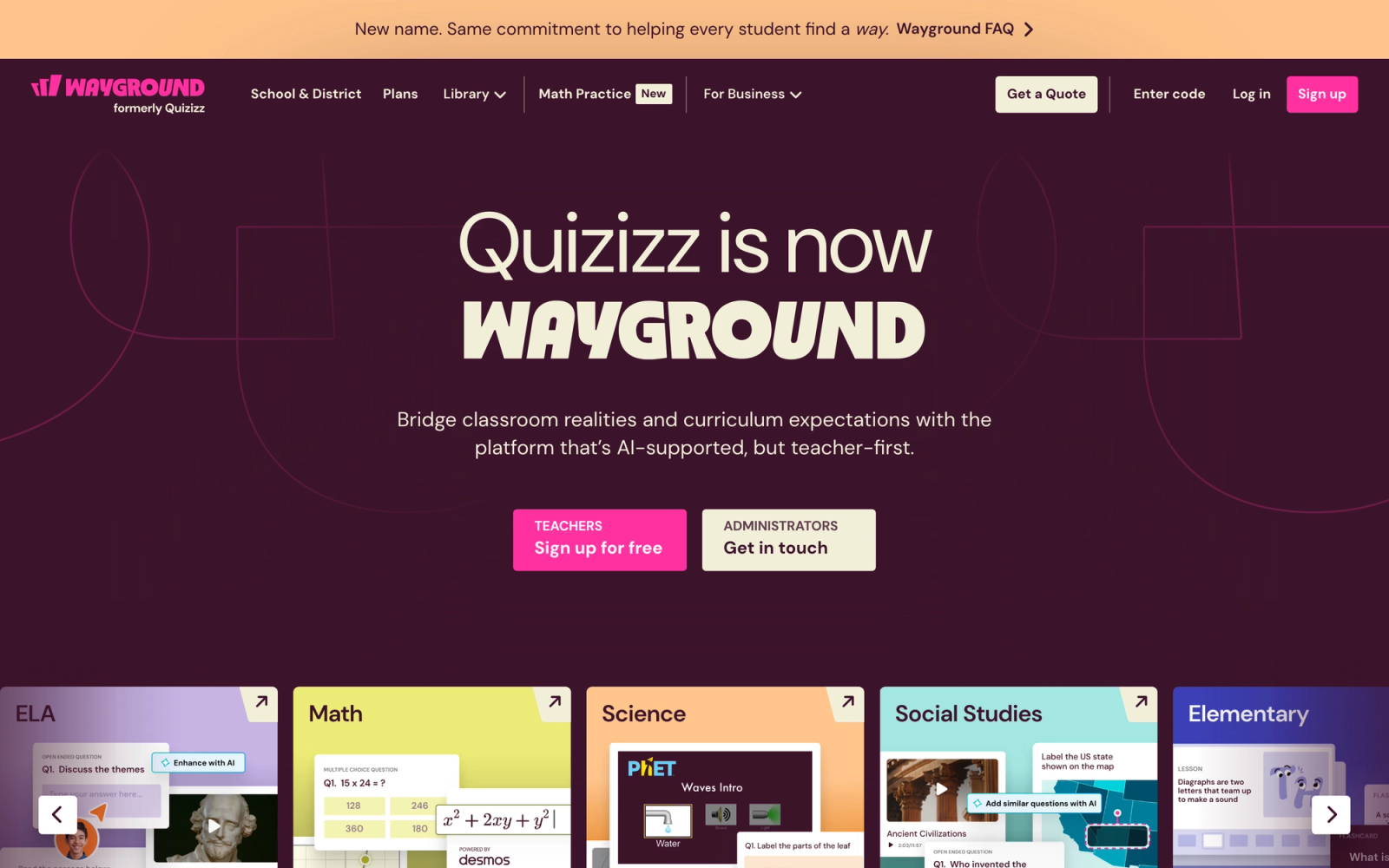
Wayground, the platform formerly known as Wayground, is a well-established quiz and assessment platform used by millions of teachers and trainers, and its AI features are built directly into the platform rather than offered as a standalone tool. The AI assists with question generation, quiz creation from topics or content, and adaptive practice recommendations.
What makes Wayground different from standalone generators is that the AI output lands in a full delivery environment. Once you generate questions, you can immediately assign them as live quizzes, homework, or self-paced practice. Learners access them through the Wayground platform with gamification elements like power-ups, leaderboards, and timed challenges that drive student engagement.
The AI generation within Wayground is fast and reasonably accurate for factual content. You can generate a quiz from a topic description, a pasted text block, or by uploading a document. The platform then creates questions that you review, edit, and publish, all without leaving the Wayground environment.
Core Capabilities
- AI quiz generation from topics, text, or uploaded documents
- Full quiz delivery platform with live, homework, and self-paced modes
- Multiple question types: MCQ, true/false, open-ended, polls, audio response
- Gamification features: leaderboards, power-ups, themes, and memes
- Adaptive practice mode that adjusts difficulty based on learner performance
- Integration with Google Classroom, Canvas, Schoology, and Microsoft Teams
- Detailed reports with per-question and per-student analytics
- Shared quiz library with millions of community-created quizzes
- SCORM export for embedding in external LMS platforms
Standout Strength
The key advantage is that generation and delivery share one environment. You do not produce a question set and then import it somewhere else. Wayground covers the full arc from creation to delivery to per-student analytics, which removes the handoff step that standalone generators require.
Best For
K-12 teachers, corporate trainers, and L&D teams that want a complete quiz platform with AI-assisted creation. Particularly strong for audiences that respond to gamified experiences and competitive quiz formats. Also works well for organizations that need LMS integrations with Google Classroom or Canvas. Less suited for formal high-stakes assessments where gamification is inappropriate.
Pricing Overview
- Free tier available for individual teachers with basic features
- Individual plan starts at $6 per month (billed annually)
- School and district plans with per-teacher pricing
- Corporate plans with custom pricing for team deployments
Limitations
- The gamified aesthetic, while effective for engagement, can feel too casual for professional or corporate assessment contexts.
- AI generation quality varies by topic. Well-documented subjects produce better questions than niche or technical content.
- Advanced assessment features like branching, conditional logic, and detailed rubrics are not available.
Quick Comparison Insight
A more complete platform than Quizgecko or Questgen, with the trade-off being that you are working within the Wayground platform rather than generating portable questions. Stronger for delivery and engagement, weaker for formal assessment design.
Kahoot! AI
Overview
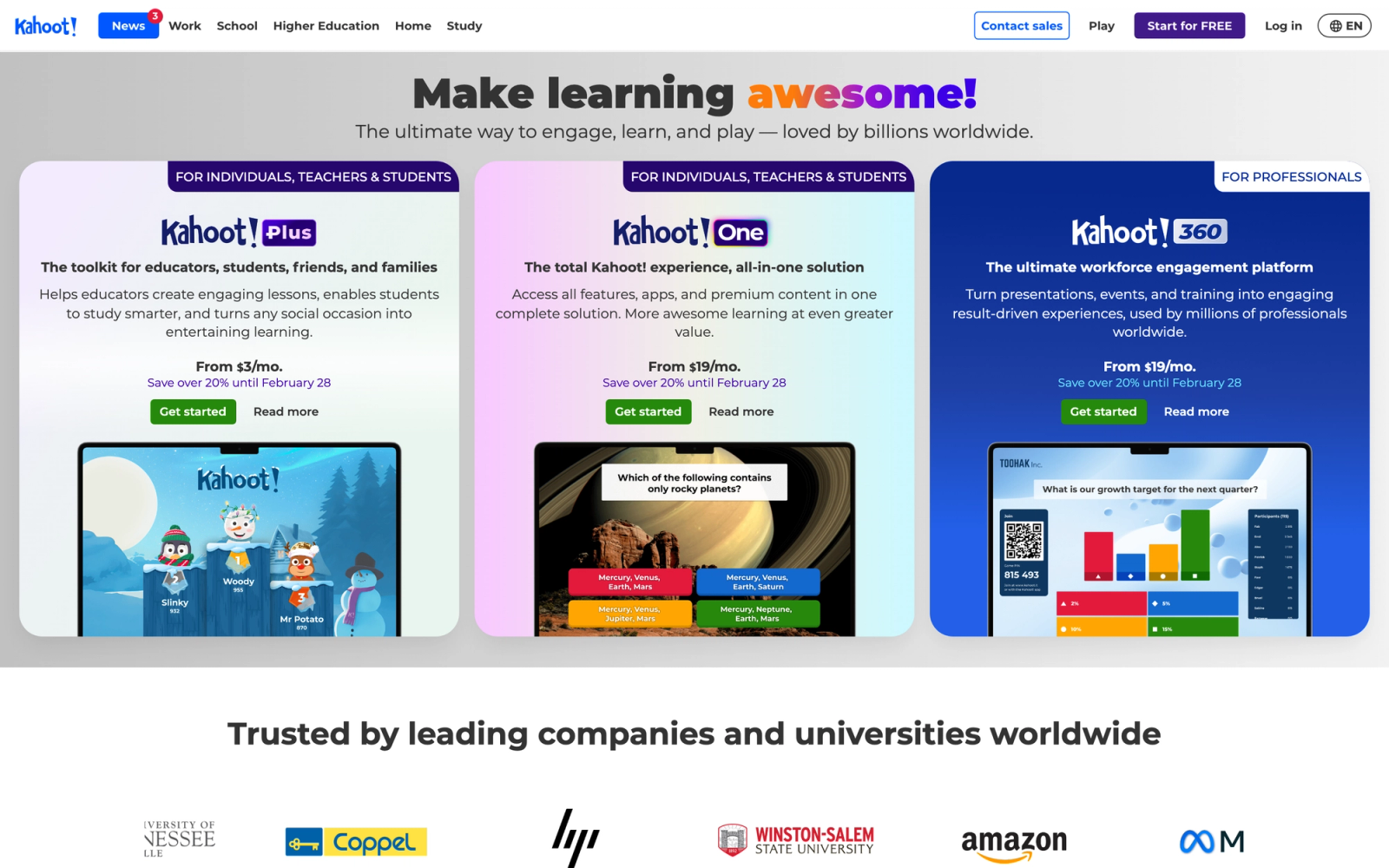
Kahoot! is one of the most recognized quiz platforms globally, and its AI features build on that foundation. Kahoot! AI helps you generate quizzes from topics, text, or uploaded content, and delivers them through the platform's signature live game format with music, countdown timers, and competitive leaderboards.
The AI integration works within the Kahoot! creator tool. You enter a topic or paste content, select the number of questions and difficulty, and the AI generates a quiz that is ready to play. The output is a standard Kahoot! game, which means it comes with all the platform's engagement mechanics: real-time competition, podium finishes, and the familiar four-color answer blocks.
On well-known subjects, the output is solid and requires minimal editing. On niche topics, the questions are more generic and sometimes inaccurate, which is consistent with most AI generators that rely on general knowledge models rather than your specific source material.
Core Capabilities
- AI quiz generation from topics, text, and uploaded content
- Live game mode with real-time competition, timers, and leaderboards
- Question types: MCQ, true/false, polls, puzzles, and word cloud
- Self-paced challenge mode for asynchronous quiz delivery
- Integration with Microsoft Teams, Slack, and major LMS platforms
- Massive public library of community-created kahoots
- Reporting dashboard with per-question and per-player performance data
- Branding and customization options on business plans
- API access for enterprise integrations
Standout Strength
Kahoot!'s live game format is built for participation. The competitive, time-pressured structure pulls attention in a way that a standard quiz page does not. When the goal is making a knowledge check feel like a shared event rather than a form to fill out, Kahoot! is the most purpose-built option on this list.
Best For
Teachers, trainers, and facilitators running live sessions where engagement and energy matter more than assessment depth. Excellent for icebreakers, knowledge checks, and review sessions. Also used heavily in employee training for onboarding and compliance refreshers. Less appropriate for formal summative assessments or scenarios requiring detailed written responses.
Pricing Overview
- Free tier available for basic features with limited participants
- 360 Standard plan for individuals at $29 per month, with a Presenter tier on annual billing (as of June 2026)
- 360 business plans for teams require annual billing, with custom pricing by team size
- Enterprise pricing available with SSO, API, and custom integrations
Limitations
- The live game format is the platform's strength but also its constraint. It is not designed for thoughtful, untimed assessment.
- AI generation from specific source material (your own content) is less refined than topic-based generation. The AI performs better when generating from general knowledge.
- Question depth is limited by the format. You cannot include long stems, complex scenarios, or multi-part questions.
Quick Comparison Insight
More engaging as a live experience than Wayground, but less flexible as an assessment tool. Kahoot! excels at energy and participation; Wayground offers more depth in question types, analytics, and delivery modes.
ProProfs Quiz Maker
Overview
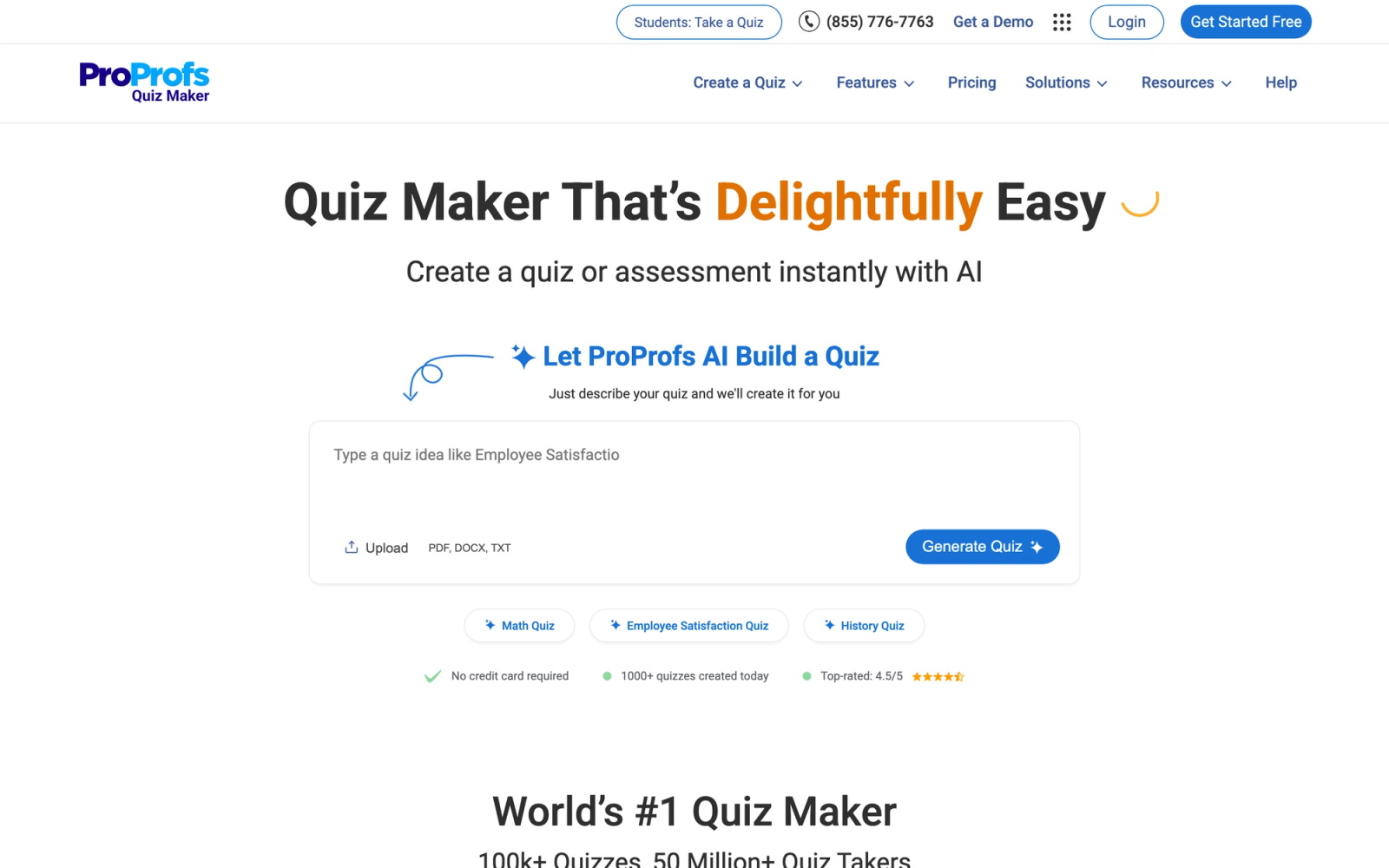
ProProfs Quiz Maker is a full-featured quiz creation platform that has added AI assistance to its existing feature set. Unlike standalone AI generators, ProProfs provides a full assessment environment with scoring, certification, reporting, and quiz sharing, with AI as one feature among many.
The AI helps generate questions from topics or pasted content, but the platform's real strength is the breadth of its assessment features. You get over 15 question types, graded and personality quiz modes, branching logic, timer controls, randomization, and detailed per-question analytics. ProProfs also includes a library of 100,000+ pre-built quiz templates and questions, which can supplement or replace AI generation entirely.
ProProfs is most useful for teams that need a shared quiz infrastructure. The platform supports multiple creators, question bank management, and centralized reporting, which matters for organizations building assessments across departments or subject areas.
Core Capabilities
- AI-assisted question generation from topics and content
- 15+ question types: MCQ, matching, essay, fill-in-the-blank, dropdown, hotspot, and more
- Graded quizzes and personality/scored quiz modes
- Branching logic and conditional question flows
- Timer controls, randomization, and anti-cheating settings
- Certificate generation upon quiz completion
- Embeddable quizzes for websites and blogs
- SCORM and xAPI export for LMS integration
- Detailed analytics with per-question difficulty, discrimination, and completion metrics
- Multi-creator team workspace with shared question banks
Standout Strength
ProProfs offers the widest variety of question types and assessment configurations on this list. If your assessment needs go beyond simple MCQ and true/false, and you need matching, drag-and-drop, essay, hotspot, or branching quizzes, ProProfs covers those formats out of the box. The combination of AI generation with that question type depth is hard to find elsewhere.
Best For
Training teams, HR departments, and educational organizations that need a full-featured quiz platform with team collaboration, diverse question types, and formal assessment capabilities. Strong for compliance testing, certification programs, and employee training assessments. Less suited for quick, informal quiz generation or gamified engagement scenarios.
Pricing Overview
- Free tier available with limited features and branding
- Business plan starts at $20 per month (billed annually)
- Enterprise plans with advanced security, SSO, and API access at custom pricing
Limitations
- The AI generation is a supplementary feature, not the core product. AI-generated questions tend to be more basic than what you get from dedicated AI tools like Quizgecko or Questgen.
- The interface feels dated compared to newer platforms. Functional, but not as polished as Typeform or Wayground.
- Some advanced features are locked behind higher-tier plans, which can make the per-user cost significant for larger teams.
Quick Comparison Insight
More capable as an assessment platform than any standalone AI generator, but the AI itself is less sophisticated than Quizgecko or Questgen. ProProfs is the better choice when you need a complete quiz infrastructure, not just a question generator.
iSpring QuizMaker
Overview
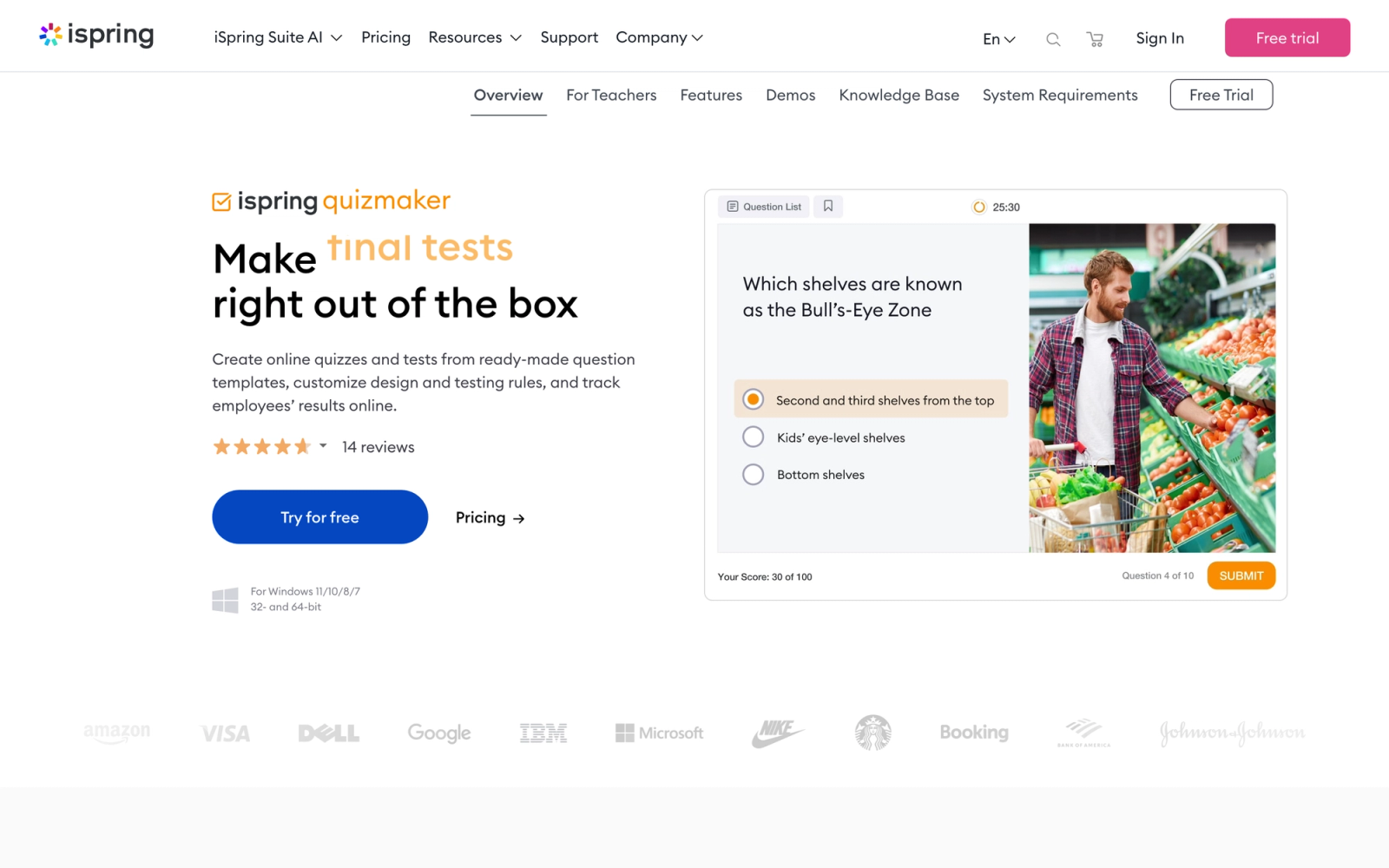
iSpring QuizMaker is a desktop quiz authoring tool designed for corporate L&D teams that need SCORM-compliant assessments for their LMS. It is part of the iSpring Suite, a broader eLearning authoring toolkit, and focuses on producing polished, interactive quizzes that integrate with any SCORM-compliant learning management system.
The AI capabilities in iSpring QuizMaker are more limited than dedicated AI generators. The tool offers AI-assisted text generation for crafting question stems and feedback, but it does not generate full quizzes from source material in the way Quizgecko or Questgen do. Where iSpring earns its place on this list is in the depth and quality of its quiz authoring features, particularly for SCORM authoring workflows.
iSpring supports 14 graded question types and 11 survey question types, including drag-and-drop, hotspot, matching, sequence, and likert scale. Each question type is fully customizable with multimedia, feedback branching, scoring rules, and attempt limits. The output is a SCORM package ready to upload to your LMS.
Core Capabilities
- 14 graded question types: MCQ, true/false, matching, sequence, drag-and-drop, hotspot, fill-in-the-blank, and more
- 11 survey question types for feedback and evaluation
- AI-assisted text generation for question stems and feedback text
- SCORM 1.2, SCORM 2004, and xAPI export
- Branching scenarios with conditional paths based on quiz responses
- Multimedia support: images, audio, video embedded in questions
- Detailed scoring rules with weighted questions and pass/fail thresholds
- Randomization and question pooling from banks
- Attempt limits, time restrictions, and anti-cheating controls
- Desktop application (Windows) with PowerPoint integration
Standout Strength
iSpring QuizMaker produces the most professional, LMS-ready quiz packages of any tool on this list. If your quizzes need to live inside a SCORM-compliant LMS, track completion and scores via xAPI, and look visually polished, iSpring is the authoring standard. The range of interactive question types, especially drag-and-drop and hotspot, goes well beyond what web-based generators offer.
Best For
Corporate L&D teams, training companies, and instructional designers who build SCORM-compliant assessments for deployment in enterprise LMS platforms. Ideal for compliance training, certification exams, and any context where quiz output needs to integrate with formal learning management infrastructure. Not designed for casual quiz creation, live engagement, or contexts where SCORM is irrelevant.
Pricing Overview
- iSpring QuizMaker standalone starts at $370 per year
- iSpring Suite (includes QuizMaker plus full eLearning authoring) starts at about $970 per author per year (as of June 2026)
- Volume and enterprise licensing available
Limitations
- AI features are minimal compared to dedicated AI quiz generators. iSpring assists with text, but does not generate full quizzes from source material.
- Windows-only desktop application. No web-based editor, no Mac support.
- The pricing is significantly higher than web-based tools, positioning it for organizations with dedicated L&D budgets rather than individual educators.
Quick Comparison Insight
The professional standard for SCORM quiz authoring, but not an AI quiz generator in the way Quizgecko or Questgen are. Choose iSpring when output quality and LMS compatibility matter most, and look elsewhere for AI-powered bulk generation.
Typeform
Overview
Typeform is a form and survey builder that many organizations use for quiz creation because of its distinctive conversational interface. Unlike traditional quiz tools that display all questions on a page or in a grid, Typeform presents one question at a time with smooth transitions, creating an experience that feels more like a conversation than an exam.
The AI capabilities in Typeform are focused on form and quiz creation assistance. You can describe what kind of quiz you want, and the AI generates a draft with questions, answer options, and logic flows. It is not a content-to-quiz generator like Quizgecko. Instead, the AI acts more like a co-author that helps you build the quiz structure and populate it with relevant questions based on your description.
Typeform is most compelling for use cases where the quiz experience itself is part of the brand. Lead generation quizzes, customer assessments, onboarding evaluations, and any scenario where the visual design and user experience matter as much as the questions themselves.
Core Capabilities
- AI-assisted quiz building from topic descriptions and prompts
- Conversational one-question-at-a-time interface
- Conditional logic and branching for personalized quiz paths
- Multiple question types: MCQ, open-ended, rating, opinion scale, image choice
- Custom branding with fonts, colors, images, and video backgrounds
- Scoring and outcomes with calculated fields and result screens
- Integration with 120+ tools including Google Sheets, HubSpot, Slack, Zapier, and Salesforce
- Embeddable quizzes for websites with popup, slider, and full-page formats
- Response analytics and completion funnel tracking
Standout Strength
No other tool on this list invests as much in user experience design. The conversational one-at-a-time layout, smooth transitions, and full branding controls combine to make Typeform quizzes feel closer to a product than a form. If your quiz is learner-facing or customer-facing and the presentation matters as much as the content, Typeform sets the visual standard.
Best For
Marketing teams, customer success teams, and training organizations that need branded, visually polished quizzes. Strong for lead generation quizzes, self-assessments, onboarding evaluations, and any context where the quiz is a touchpoint in a larger customer or learner journey. Less suited for formal academic assessment, large question banks, or scenarios where SCORM compliance is required.
Pricing Overview
- Free tier with limited responses per month (10 per month)
- Basic plan at $29 per month, or $25 per month on annual billing (as of June 2026)
- Plus plan at $59 per month, or $50 per month annual, with more responses and logic features
- Business plan at $99 per month, or $83 per month annual, with advanced integrations and branding
Limitations
- Typeform is a form builder with quiz capabilities, not a purpose-built assessment tool. There is no question bank management, no item analysis, and no formal assessment reporting.
- No SCORM or QTI export. Quizzes live within Typeform or are embedded via JavaScript.
- The per-response pricing model can become expensive at scale, particularly for high-volume training or education use cases.
Quick Comparison Insight
The best-looking quiz tool on this list, but the least specialized for educational assessment. Choose Typeform when design and brand experience matter more than pedagogical depth or LMS integration.
How to Choose the Right AI Quiz Generator
The right tool depends on your workflow, not on a feature matrix. Here is how to narrow the decision based on what you are actually building.
If you need to generate quizzes quickly from existing content, Quizgecko is the fastest path. It accepts the widest range of input formats and gets you from source material to quiz in minutes. Use it when speed and volume matter more than assessment sophistication.
If you want pedagogically structured questions aligned to learning objectives, Questgen's Bloom's taxonomy integration gives you cognitive-level targeting that other generators skip. This matters for accredited programs, competency-based training, and any context where assessment validity is auditable.
If your workflow lives inside PowerPoint, ClassPoint AI eliminates the context switch entirely. Generate and deliver quizzes without leaving your slide deck. The trade-off is that everything stays in PowerPoint, so it does not work for asynchronous or LMS-based delivery.
If you need a complete quiz platform, not just a generator, Wayground and Kahoot! both offer AI generation inside full delivery environments. Wayground provides more question type variety and analytics depth. Kahoot! delivers unmatched energy for live competitive sessions.
If your assessments need to integrate with enterprise LMS infrastructure, iSpring QuizMaker produces the most professional SCORM packages, and ProProfs Quiz Maker combines a wide range of question types with team collaboration features and LMS export.
If quiz design and brand experience are priorities, Typeform gives you the most visually polished, conversational quiz format. Use it for customer-facing assessments, lead generation quizzes, and any scenario where the quiz is a brand touchpoint.
If your quizzes are part of a broader learning program, the question generator is only one piece. Embedding assessments within discussion, peer review, and structured delivery produces better outcomes than sending learners a standalone quiz link. Teachfloor covers that full arc: AI-generated questions that feed directly into graded assessments, completion tracking, and certificates, all inside the same platform where the course runs.
The core question is whether you need a tool that generates questions, a platform that delivers assessments, or an environment that integrates quizzes into a broader learning experience. Most organizations need at least two of those capabilities, which is why combining a dedicated AI generator with a delivery platform is a common and effective approach.
FAQ
Can AI quiz generators replace manual question writing?
Not entirely. AI generators produce a solid first draft that covers content breadth quickly, but the output needs human review before use. Common issues include ambiguous wording, overlapping answer choices, and questions that surface trivia rather than meaningful understanding. The practical approach is to use AI to build the initial question bank, then edit, refine, and supplement with manually written items that address the specific nuances your curriculum demands. The AI compresses the drafting step; it does not replace the judgment call about what is worth testing.
What input formats work best for AI quiz generation?
Well-structured expository text produces the best results across all tools. Content that is organized with clear headings, defined concepts, and factual statements gives the AI the clearest signals for question generation. Bullet points and listicles also work well. Conversational transcripts, heavily visual content, and procedural step-by-step guides tend to produce weaker output. If your source material is a video or podcast, transcribe it first and clean up the transcript before feeding it to the generator.
Are AI-generated quizzes suitable for high-stakes assessments?
For formative assessment, knowledge checks, and practice tests, AI-generated quizzes are highly effective. For summative or high-stakes assessments like certification exams, licensing tests, or final evaluations, AI-generated questions should be treated as a starting point that requires thorough expert review. High-stakes items need to be validated for content accuracy, fairness, distractor quality, and alignment to specific learning objectives. No current AI tool produces exam-ready items without that validation step.
How do I integrate AI-generated quizzes with my LMS?
It depends on the tool. Wayground (the platform formerly known as Quizizz, rebranded in June 2025) and ProProfs offer native LMS integrations with platforms like Google Classroom, Canvas, and Moodle. iSpring QuizMaker exports SCORM and xAPI packages that work with any compliant LMS. Standalone generators like Quizgecko and Questgen typically export to PDF, CSV, or Word, which means you import questions into your LMS quiz engine manually. If LMS integration is critical to your workflow, prioritize tools with native export in your LMS's preferred format.
What is the best free AI quiz generator?
Most tools on this list offer functional free tiers. Quizgecko and Questgen provide limited monthly generations at no cost. Wayground and Kahoot! offer free plans for individual teachers with basic features. ClassPoint AI has a free tier for limited use within PowerPoint. The free tiers are useful for testing and low-volume use, but any serious production workflow will require a paid plan for higher generation limits, team features, and export capabilities.


