


What Are SCORM Authoring Tools?
SCORM authoring tools are software platforms that let instructional designers and e-learning teams create interactive course content and export it as SCORM-compliant packages. SCORM (Sharable Content Object Reference Model) is a set of technical standards that governs how learning content communicates with a learning management system. When a course is SCORM-compliant, it can track learner progress, completion status, quiz scores, and time spent across any LMS that supports the standard.
The authoring tool handles the content creation side: building slides, interactions, quizzes, branching scenarios, and multimedia elements. The SCORM packaging handles the delivery side: wrapping that content into a .zip file that an LMS can import and track. Without an authoring tool that produces clean SCORM output, teams end up hand-coding XML manifests or relying on developers to bridge the gap between content and delivery.
Most authoring tools today support both SCORM 1.2 and SCORM 2004, along with newer standards like xAPI (Tin Can API). SCORM 1.2 remains the most universally compatible format, but SCORM 2004 adds sequencing rules and more granular completion tracking. The right tool depends on the complexity of your content, the size of your team, and the LMS environment you publish to.
Not everyone needs a full authoring suite. If your goal is simply to turn existing files into a SCORM package, a dedicated converter is faster. Teachfloor offers free tools to convert PowerPoint, PDF, Word, and video files to SCORM, and our step-by-step guides cover how to convert PowerPoint to SCORM and create a SCORM file with free tools. For the full set, browse our free eLearning tools.
What to Look for in a SCORM Authoring Tool
Choosing an authoring tool is a decision that shapes how your team works for years. Before comparing individual platforms, it helps to clarify the criteria that matter most for your workflow and content strategy.
SCORM version support. At minimum, the tool should export SCORM 1.2 and SCORM 2004 packages. If your organization is moving toward experience-based tracking, xAPI (Tin Can) support is increasingly important. Some tools also support cmi5, which combines xAPI's flexibility with LMS-managed launch and completion logic.
Responsive output. Learners access courses on desktops, tablets, and phones. The authoring tool should produce HTML5 content that adapts to different screen sizes without requiring separate builds for each device. Tools that still rely on Flash or produce fixed-width output will create accessibility and compatibility problems.
Collaboration features. If multiple instructional designers, SMEs, or reviewers work on the same course, look for real-time co-authoring, review workflows, commenting systems, and role-based permissions. Solo-author tools work fine for individual designers but create bottlenecks when teams scale.
Template and asset libraries. Pre-built slide templates, interaction types, character libraries, and media assets speed up production significantly. The quality and variety of these libraries varies widely between tools, and it affects both output quality and development speed.
Quiz and assessment types. Beyond multiple choice, look for drag-and-drop, hotspot, matching, sequencing, fill-in-the-blank, Likert scale, and scenario-based branching assessments. The authoring tool's quiz engine directly shapes how you can assess learner knowledge and report results back to the LMS.
Accessibility compliance. Section 508 and WCAG 2.1 AA compliance matter for government, healthcare, and educational organizations. Check whether the tool produces accessible output by default or whether it requires manual remediation after publishing.
Ease of use versus depth. Simpler tools like Easygenerator get subject matter experts publishing quickly. Deeper tools like Storyline or Captivate handle complex simulations and custom interactions. There is a genuine trade-off, and the right answer depends on who will be building the content and how sophisticated the interactions need to be.
10 Best SCORM Authoring Tools
The tools below span a wide range of complexity, price, and use case, covering desktop powerhouses, cloud-based collaboration platforms, open-source options, and structured learning environments. Each review reflects the tool's current positioning and practical strengths.
Teachfloor

Overview
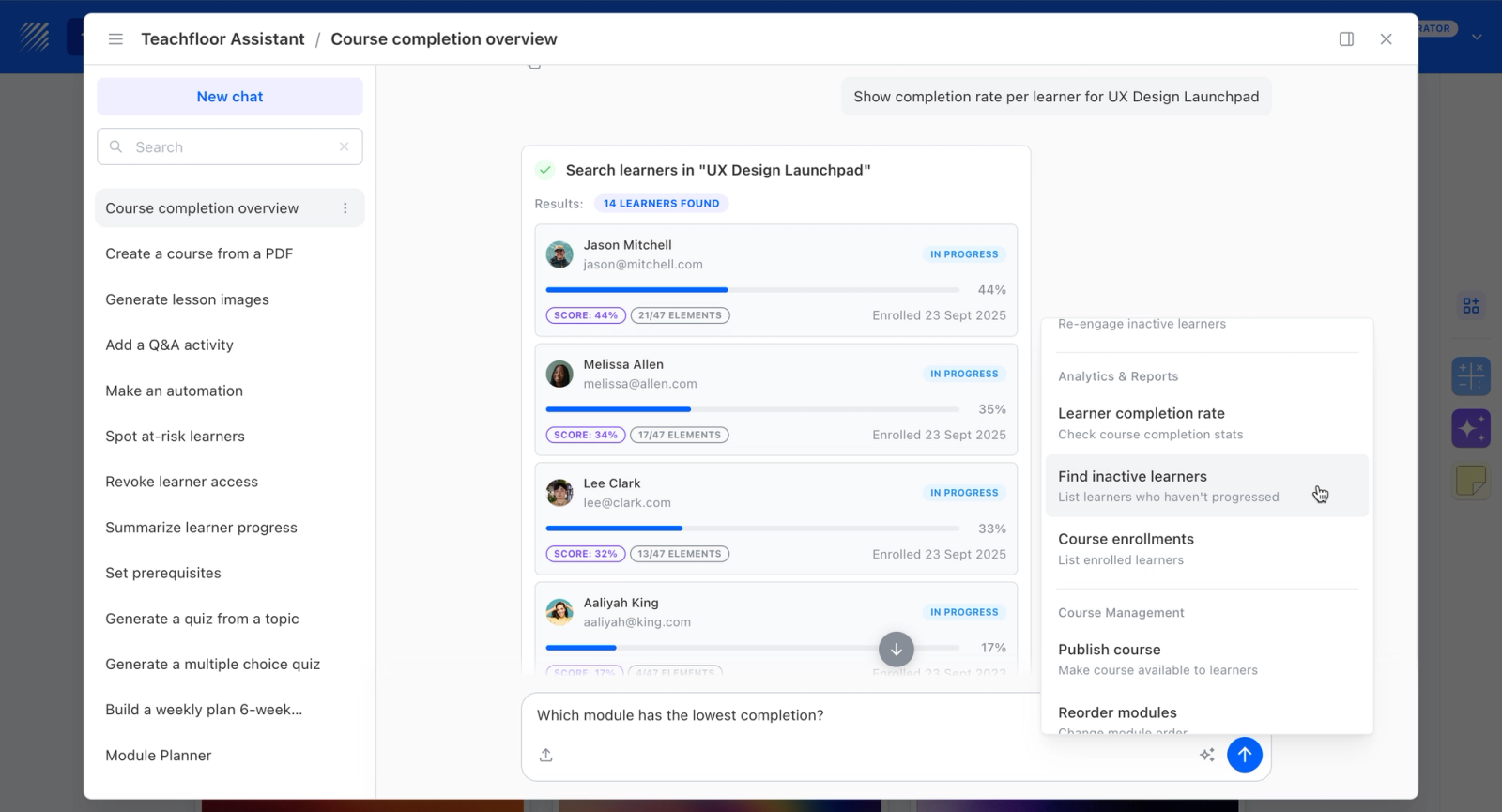
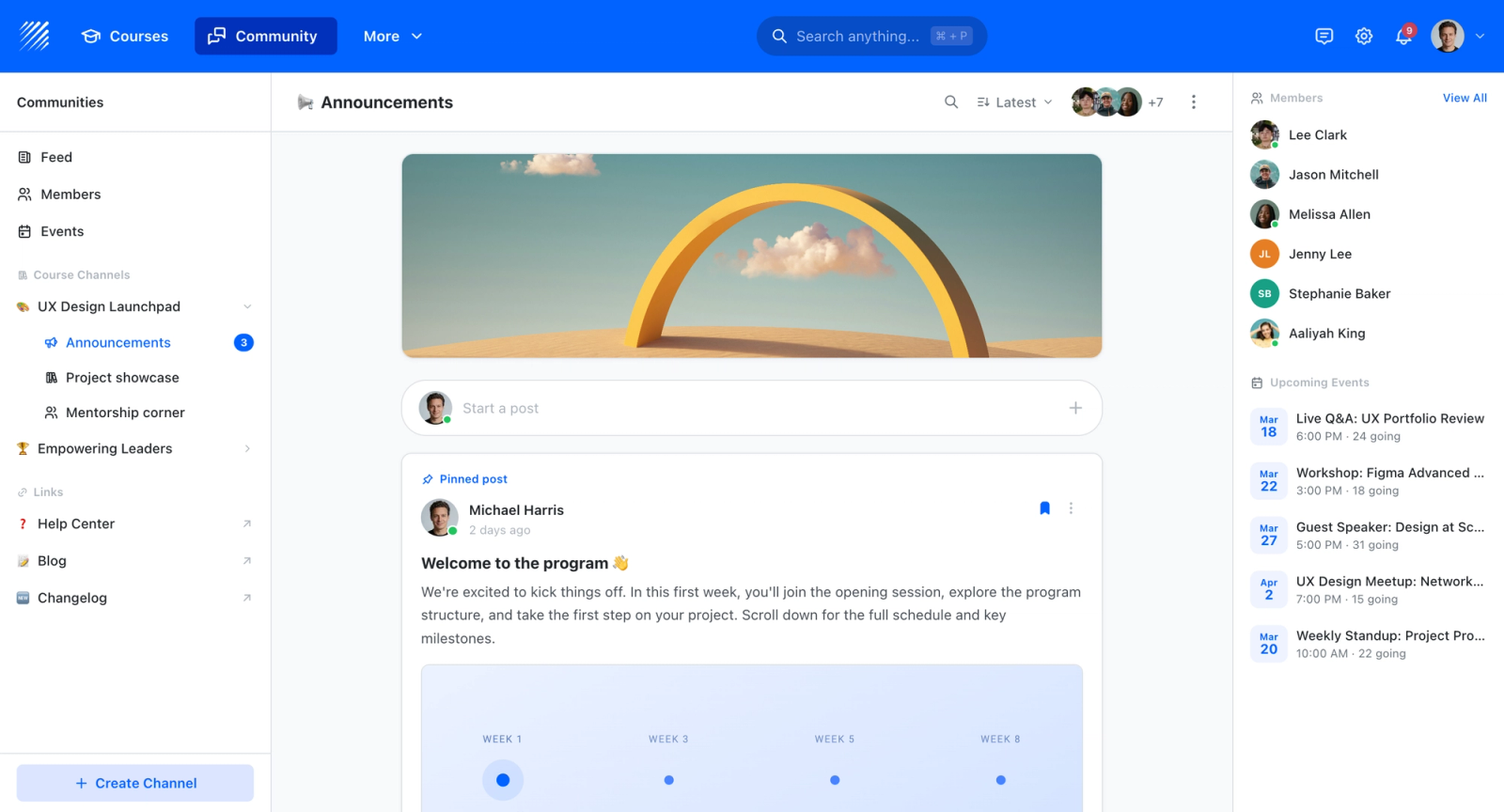
Teachfloor is a learning platform with SCORM support rather than a desktop authoring application, so it sits at a different point in the workflow than tools like Storyline or Captivate. It can host and deliver SCORM packages, and it offers free SCORM utilities, including a converter, for teams handling existing content. Course authoring happens in-platform with AI assistance, lessons, quizzes, and assessments. Teams that want to build and deliver in one place, rather than author files in a separate desktop tool, are the relevant audience.
Core Capabilities
- SCORM support for hosting and delivering existing SCORM packages
- Free SCORM tools, including a converter, for working with content
- In-platform course authoring with lessons, quizzes, and assessments
- AI-assisted content creation
- Self-paced, live, and cohort delivery once content is built
- Certificates and completion analytics
Best For
Teams that want to build courses and deliver them in the same platform, plus host or convert SCORM content, rather than producing standalone SCORM files in a dedicated desktop authoring app.

Pricing Overview
- Startup plan from $89 per month for up to 50 learners
- Full Features plan with custom pricing, white-label, SSO, and advanced integrations
- 14-day free trial; no permanent free plan
- Nonprofit discounts available
Limitations
- Teachfloor is not a desktop authoring tool like Articulate Storyline or Adobe Captivate; it lacks slide-level interaction design, branching simulations, and the granular control those apps offer
- It does not export polished standalone SCORM packages for use in other LMSs the way dedicated authoring tools do
- No permanent free plan for the platform itself, though the SCORM utilities are free
Quick Comparison Insight
Purpose-built authoring tools produce SCORM files for export to any LMS. Teachfloor takes a different approach: it hosts and delivers SCORM content and provides free conversion utilities, suiting teams that prefer to build and deliver in a single environment rather than manage a separate authoring-to-LMS pipeline.
Articulate Storyline 360
Overview
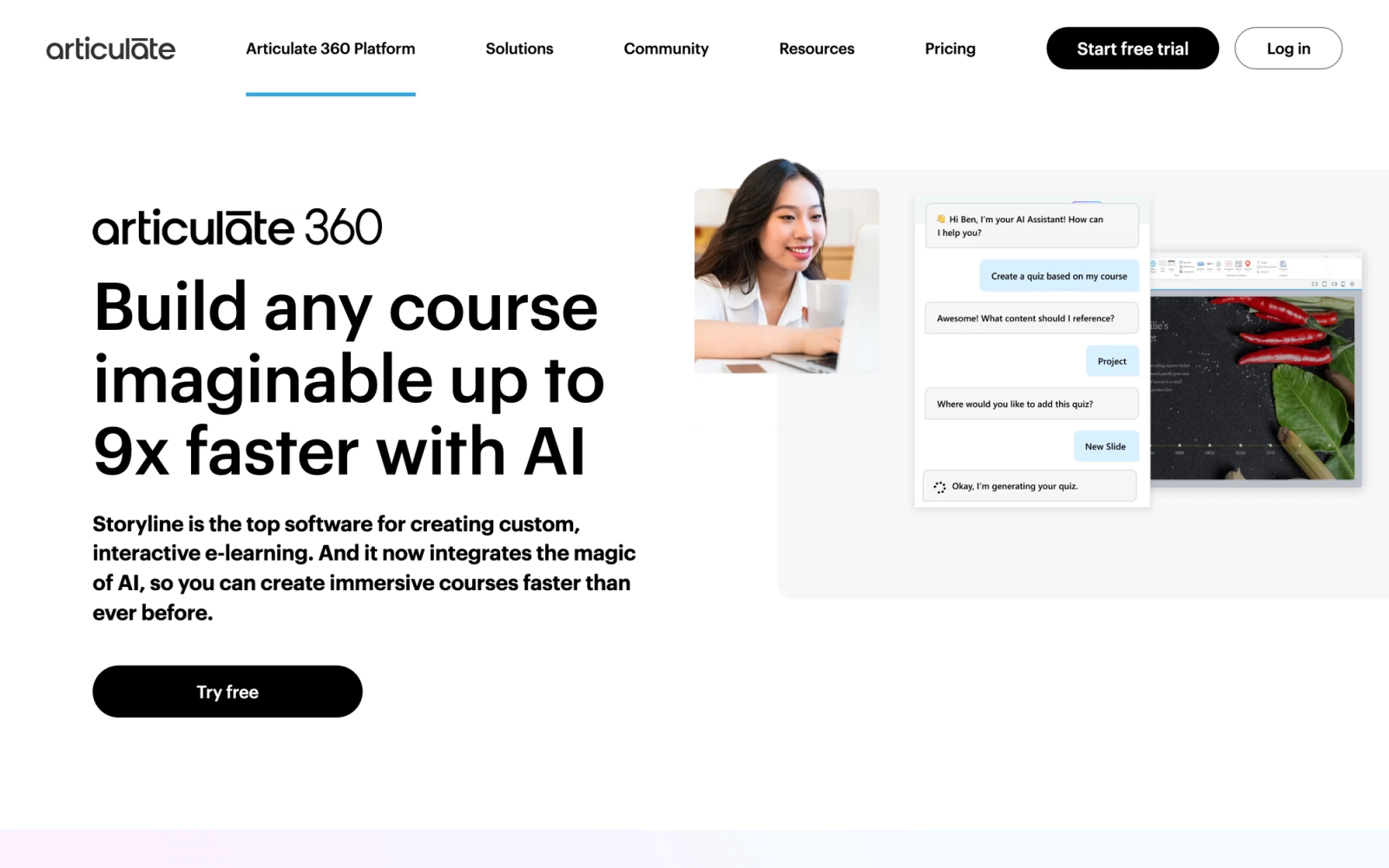
Articulate Storyline 360 is the most widely used desktop authoring tool in corporate e-learning. It is part of the Articulate 360 suite, which also includes Rise 360 (a simpler, responsive course builder), Content Library 360 (stock assets), and Review 360 (stakeholder feedback). Storyline itself is a slide-based authoring environment that gives designers granular control over every interaction, animation, trigger, and variable.
Storyline's interface mirrors PowerPoint closely enough that designers coming from presentation software feel oriented on day one. Under that familiar surface sits a powerful interaction engine with states, layers, triggers, variables, and motion paths that can produce anything from simple click-through modules to full branching simulations. For teams that need pixel-level control over course behavior, Storyline remains the benchmark.
Core Capabilities
- Slide-based authoring with timeline, layers, states, and triggers for granular interaction control
- SCORM 1.2, SCORM 2004, xAPI, cmi5, and AICC output formats
- Built-in screen recording and software simulation with try, view, and test modes
- 25+ question types including drag-and-drop, hotspot, sequencing, and freeform interactions
- Variables and conditions for adaptive branching, scoring, and personalized learner paths
- Content Library 360 with 9M+ stock photos, illustrations, icons, and character poses
- Responsive player with device-specific preview and flexible player chrome customization
- Review 360 integration for stakeholder feedback with timestamped, in-context comments
- JavaScript and web object embedding for custom interactions and third-party content
- Accessibility features including focus order management, custom tab order, and alt text support
Standout Strength
Storyline handles the widest range of interaction complexity among desktop authoring tools without requiring code. From simple knowledge checks to multi-path simulations with persistent variables, the trigger-and-variable system gives designers programming-like conditional logic, with the option to drop in custom JavaScript when the built-in system reaches its limits.
Best For
Corporate L&D teams and instructional design agencies that build complex, highly interactive e-learning modules. Particularly strong for software simulations, compliance training with branching scenarios, and organizations that need fine-grained control over learner experience and assessment design.
Pricing Overview
- Starting price: $1,399 per user per year for Articulate 360 (includes Storyline, Rise, and all suite tools)
- Pricing model: Per-author annual subscription
- Teams plan available with additional collaboration features
- Free 30-day trial available
Limitations
- Windows-only desktop application. Mac users need Parallels, Boot Camp, or a virtual machine, which adds friction.
- The per-author price point puts it out of reach for small teams or individual freelancers on tight budgets.
- Responsive design requires manual adjustment of slide layouts for different breakpoints, unlike Rise 360's automatic reflow.
Quick Comparison Insight
The deepest interaction authoring available without code, but the steepest learning curve and highest price on this list. Teams that need simpler, responsive content may find Rise 360 (included in the same subscription) sufficient.
Adobe Captivate
Overview
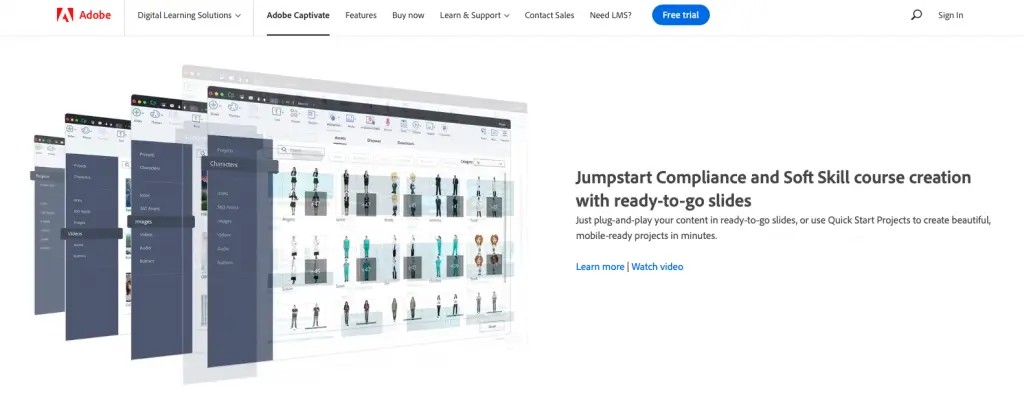
Adobe Captivate is Adobe's dedicated e-learning authoring tool, now in its latest iteration with a rebuilt interface and a shift toward responsive, fluid-box-based design. Where Storyline leans on a PowerPoint-like slide metaphor, Captivate uses a layout-driven approach with fluid boxes that automatically reposition content for different screen sizes.
Captivate's fluid box system takes a different approach to responsive design than other desktop tools. Rather than manually adjusting layouts for desktop, tablet, and phone, authors define content relationships inside fluid containers and the system handles the reflow. The logic takes time to learn, but it produces consistently responsive output that Storyline's manual breakpoints cannot match. The trade-off is that Captivate's interaction engine is less flexible for complex branching and variable-driven scenarios.
Core Capabilities
- Fluid box responsive design system that automatically adapts layouts to any screen size
- SCORM 1.2, SCORM 2004, and xAPI output support
- Software simulation with automatic, manual, and training capture modes
- Virtual reality (360-degree) project support for immersive learning scenarios
- Advanced actions and shared actions for conditional logic and reusable interaction patterns
- Built-in quiz engine with multiple question types, branching, and remediation loops
- Text-to-speech engine for rapid audio narration prototyping
- Integration with Adobe Creative Cloud for importing assets from Photoshop, Illustrator, and Audition
- PowerPoint import with editable slide conversion
- Accessibility support with WCAG 2.1 and Section 508 compliance features built into the output
Standout Strength
Captivate's fluid box responsive engine is the most sophisticated automatic responsive design system among desktop authoring tools. Teams that deliver courses to a device-diverse audience get clean responsive output without maintaining separate layouts. The Adobe Creative Cloud integration also makes it the natural choice for teams already working within the Adobe stack.
Best For
Organizations that prioritize responsive, mobile-first course delivery and already use Adobe Creative Cloud. Strong for software simulation training, VR-based immersive learning pilots, and compliance training programs where accessibility standards are non-negotiable.
Pricing Overview
- Starting price: $33.99 per month (annual commitment) as a standalone Creative Cloud app
- Also available as part of broader Adobe Creative Cloud subscriptions
- Perpetual license option may be available depending on region
- Free 7-day trial available
Limitations
- Steep learning curve, especially for the fluid box system. Designers accustomed to slide-based tools need significant ramp-up time.
- The interaction engine is less flexible than Storyline's for complex branching. Advanced conditional logic requires "advanced actions" scripting that feels cumbersome.
- Historical reputation for bugs and performance issues, though recent versions have improved stability.
Quick Comparison Insight
Stronger than Storyline for responsive design and VR content. Weaker for complex branching interactions and variable-driven logic. The right choice when mobile delivery and accessibility are the primary requirements.
iSpring Suite
Overview
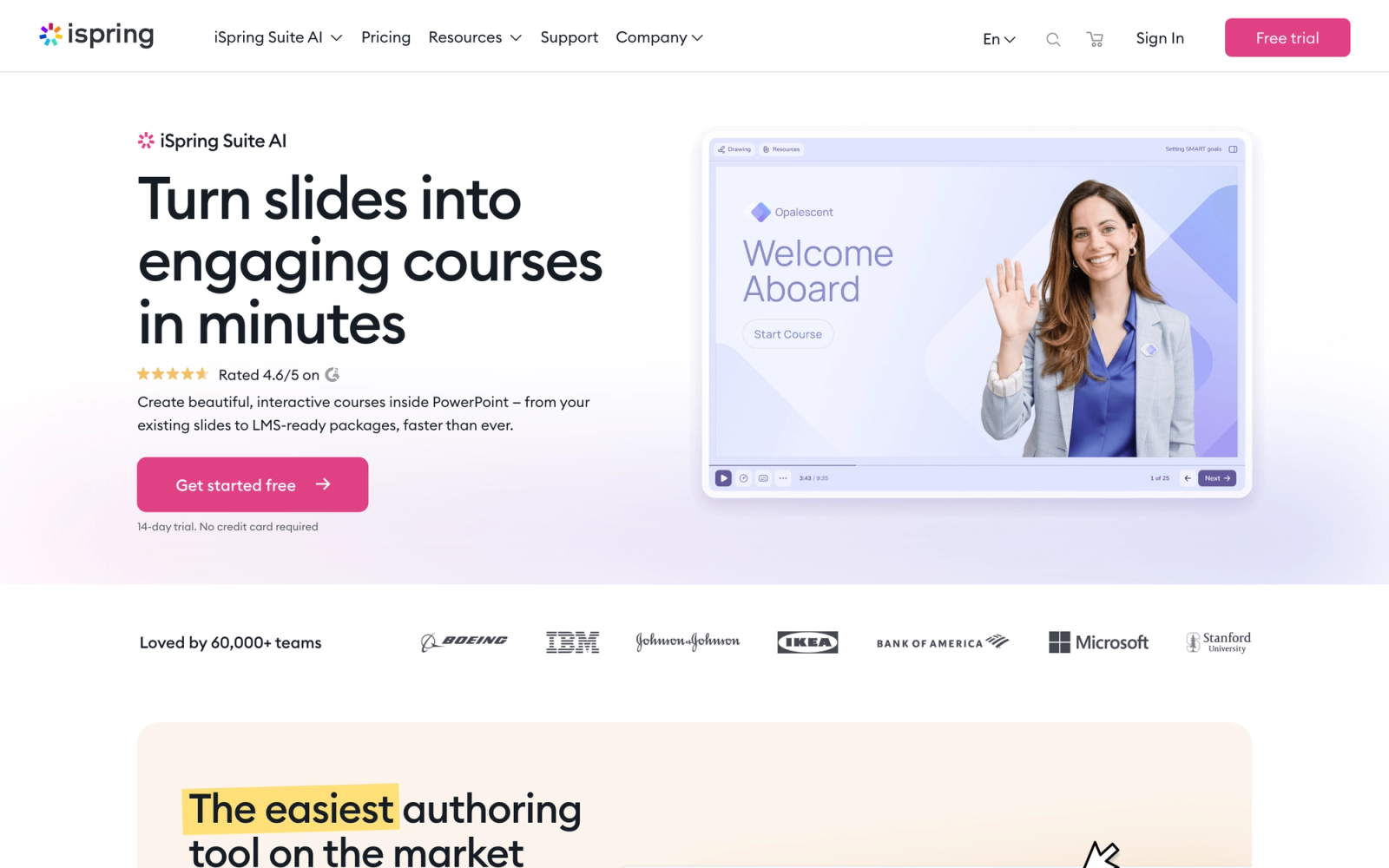
iSpring Suite takes a fundamentally different approach from Storyline and Captivate. Rather than replacing your workflow, it embeds directly into Microsoft PowerPoint as an add-in. You build your slides in PowerPoint, then use iSpring's toolbar to add interactions, quizzes, video narrations, dialogue simulations, and SCORM packaging. The result is an authoring experience with virtually zero learning curve for anyone who already knows PowerPoint.
The speed from content to published SCORM package is iSpring's most notable characteristic. There is no new interface to learn, no project file format to manage. Authors work in .pptx, add iSpring elements, and publish. For teams where subject matter experts create the initial content and instructional designers refine it, that shared PowerPoint foundation eliminates a significant handoff bottleneck.
Core Capabilities
- Full PowerPoint integration with iSpring toolbar for authoring directly in .pptx files
- SCORM 1.2, SCORM 2004, xAPI, and cmi5 output formats
- 14 quiz question types including drag-and-drop, hotspot, matching, sequence, and essay
- Dialogue simulation builder (TalkMaster) for branching conversation practice scenarios
- Screen recording and video editing with annotations, transitions, and picture-in-picture
- iSpring Flip for converting Word and PDF documents into interactive flipbooks
- Content Library with course templates, characters, backgrounds, icons, and location images
- Role-play simulations with branching paths and feedback scoring
- Narration recording and syncing with slide animations
- WCAG accessibility support and closed captioning for video content
Standout Strength
iSpring eliminates the learning curve barrier entirely. Organizations choose it because PowerPoint is already the universal content creation tool in most companies. SMEs can build draft courses in the tool they already use, and L&D teams can enhance them with interactions, quizzes, and SCORM packaging without migrating to a separate authoring environment.
Best For
Corporate training teams where subject matter experts create initial content in PowerPoint and L&D refines it. Strong for rapid employee onboarding modules, product training, sales enablement, and organizations that need fast turnaround without investing in specialized authoring skills.
Pricing Overview
- Starting price: $770 per author per year for iSpring Suite (basic)
- iSpring Suite Max: $970 per author per year (adds content library, cloud collaboration, text-to-speech)
- Pricing model: Per-author annual subscription
- Free 14-day trial available
Limitations
- Windows-only, since it runs as a PowerPoint add-in. Mac users and browser-based teams cannot use it.
- Interaction complexity hits a ceiling more quickly than in dedicated authoring tools. Complex branching scenarios and variable-driven logic are not supported at the same depth as Storyline.
- Design output inherits PowerPoint's constraints. Courses can look "PowerPoint-ish" without significant visual design effort.
Quick Comparison Insight
Faster to learn and less expensive than Storyline, but less capable for complex interactions. The best fit when speed and SME participation matter more than interaction sophistication.
Lectora (ELB Learning)
Overview
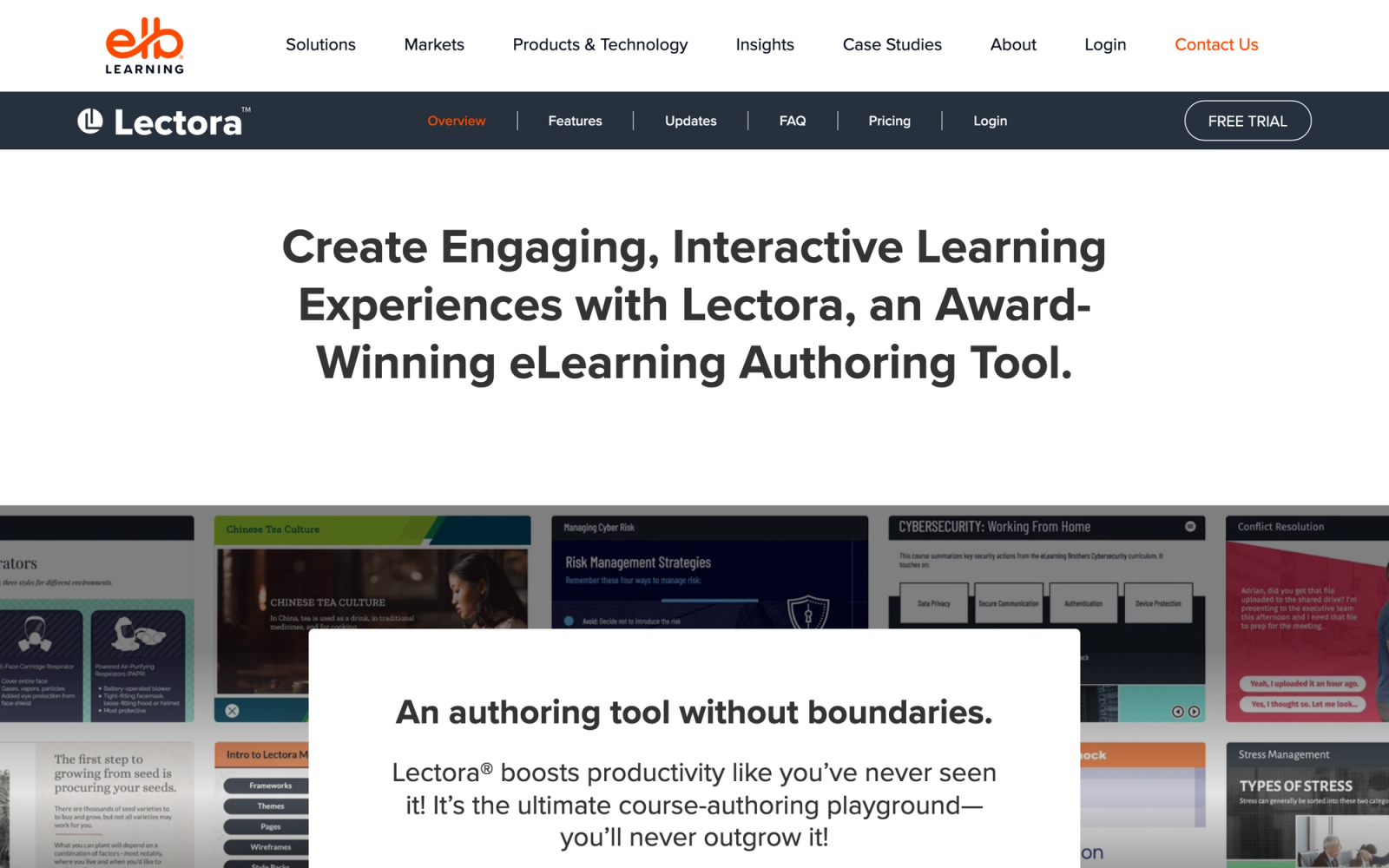
Lectora has one of the longest histories in the e-learning authoring space. Now developed under the ELB Learning brand, it is available as both a desktop application (Lectora Desktop) and a cloud-based platform (Lectora Online). Lectora has traditionally been the authoring tool of choice for organizations in government, healthcare, and regulated industries where accessibility compliance is not optional.
What distinguishes Lectora from Storyline and Captivate is its approach to accessibility. Lectora was the first authoring tool to receive a Voluntary Product Accessibility Template (VPAT) certification, and its output has long been regarded as the most natively accessible among major authoring platforms. Its built-in accessibility checker flags issues other tools routinely miss, including focus order problems and missing ARIA labels on interactive elements.
Core Capabilities
- Desktop and cloud-based authoring options with project sync between both environments
- SCORM 1.2, SCORM 2004, AICC, and xAPI output formats
- Industry-leading WCAG 2.1 AA accessibility compliance with built-in accessibility checker
- Responsive design with adaptive content that restructures for different devices
- BranchTrack integration for scenario-based branching simulations
- ReviewLink for collaborative stakeholder review and feedback collection
- Built-in quiz engine with multiple question types, randomization, and question pools
- Custom themes and CSS override capability for branded course templates
- Version history and collaboration features in Lectora Online
- Translation-ready features including XLIFF export for localization workflows
Standout Strength
Organizations in regulated industries choose Lectora for its accessibility compliance track record. When training content must meet Section 508, WCAG 2.1 AA, or ADA requirements, Lectora produces the most reliably accessible output of any major authoring tool. That compliance capability is not a checkbox feature; it is built into the authoring workflow and validated through the built-in checker.
Best For
Government agencies, healthcare organizations, financial institutions, and any organization where accessibility in training is a legal or regulatory requirement. Also strong for teams that need both desktop and cloud authoring options and for organizations with complex localization needs across multiple languages.
Pricing Overview
- Lectora Online: Starting at $899 per author per year
- Lectora Desktop: Custom pricing, typically higher than the online version
- ELB Learning also offers bundled pricing with other ELB tools (CenarioVR, ReviewLink)
- Free trial available for Lectora Online
Limitations
- The interface feels less modern than Storyline or the newer cloud-based tools. The learning curve is moderate, and the design aesthetic of default outputs can feel dated without custom styling.
- Smaller community and fewer third-party resources (tutorials, templates, forums) compared to the Articulate stack.
- Desktop version pricing can be significantly higher than competitors for comparable features.
Quick Comparison Insight
The strongest accessibility compliance story on this list, but less polished interaction design than Storyline and a smaller support community. The clear choice when regulatory accessibility requirements drive the buying decision.
Elucidat
Overview
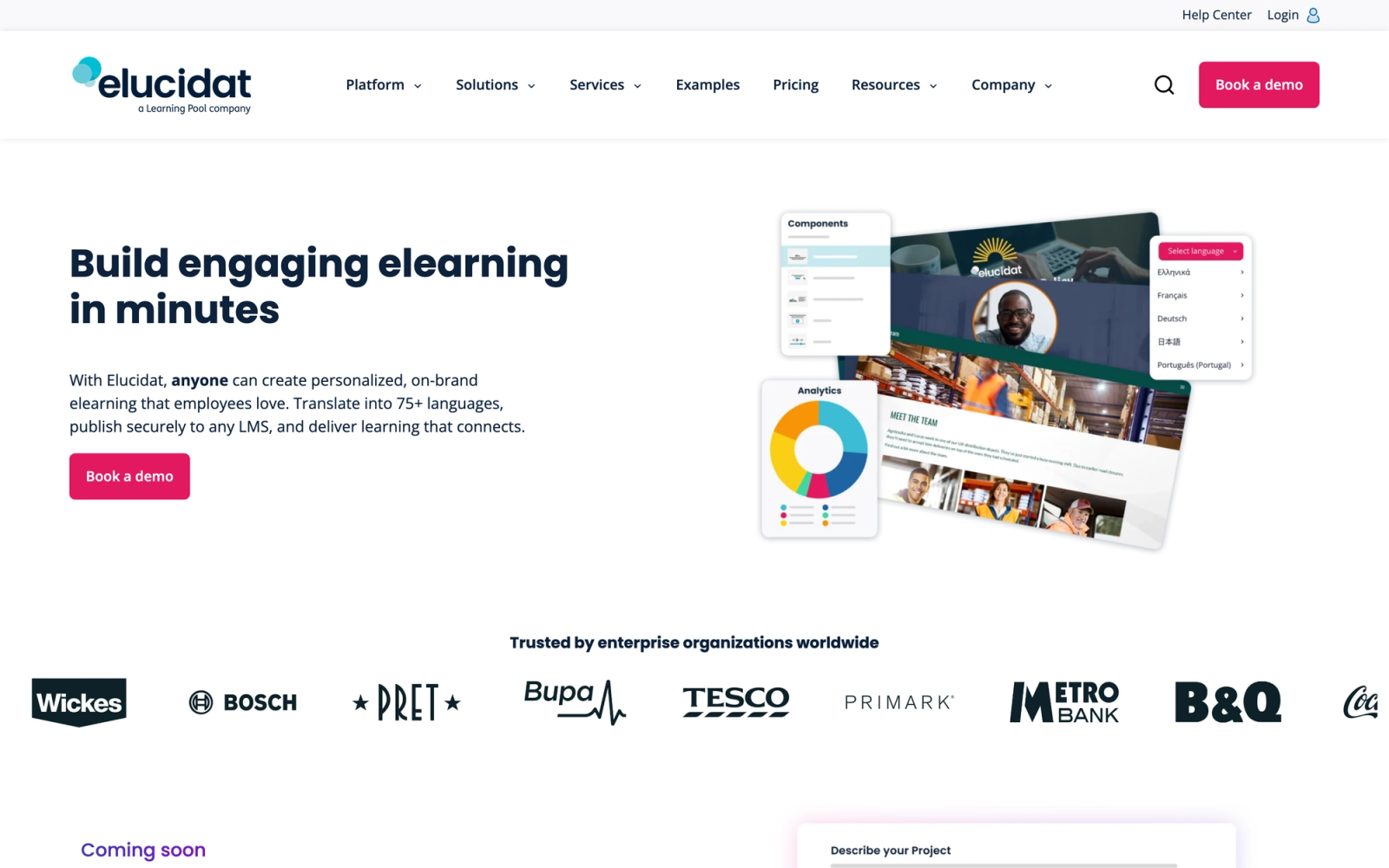
Elucidat is a cloud-based authoring platform built specifically for large organizations that produce e-learning at scale. Where tools like Storyline focus on individual designer productivity, Elucidat focuses on team-wide efficiency: brand governance, content reuse, multi-language publishing, and consistent output across dozens or hundreds of authors.
Elucidat's brand management system is where the platform diverges most sharply from desktop tools. Brand guidelines, approved layouts, and style restrictions are defined at the platform level. Individual authors work within those guardrails, so a team of 50 people can produce visually consistent courses without a design review bottleneck. For organizations where quality assurance at scale is a genuine concern, that governance layer materially changes the authoring workflow.
Core Capabilities
- Cloud-based authoring with no software installation required
- SCORM 1.2, SCORM 2004, and xAPI output formats
- Brand management system with locked templates, approved palettes, and style governance
- Multi-language authoring with side-by-side translation workflows
- Analytics dashboard showing course engagement, completion patterns, and drop-off points
- Collaborative authoring with role-based permissions, review workflows, and approval gates
- Responsive HTML5 output optimized for mobile, tablet, and desktop
- Pre-built interaction patterns including scenarios, assessments, and multimedia elements
- Learning accelerator templates designed for rapid course development
- API access for integration with content management systems and training platforms
Standout Strength
Elucidat's brand governance and scaled authoring model has no direct equivalent among cloud-based tools. The consistency problem that plagues large authoring teams, dozens of contributors producing courses with drifting visual standards, is what the platform is built to solve. When hundreds of courses need to reflect the same brand, tone, and quality standard, platform-level controls enforce that without routing every module through a design review.
Best For
Enterprise L&D teams with 10+ authors producing high volumes of training content across regions and languages. Strong for organizations with strict brand guidelines, multi-market localization needs, and teams where non-designers (SMEs, trainers) contribute to content creation within controlled templates.
Pricing Overview
- Custom enterprise pricing based on number of authors and usage volume
- No publicly listed starting price
- Demo and pilot programs available on request
Limitations
- Interaction depth is the platform's main ceiling. Elucidat is not designed for complex custom interactions or variable-driven branching, those requirements point to desktop tools instead.
- Pricing is enterprise-oriented, making it impractical for small teams or individual designers.
- The template-driven approach can feel restrictive for experienced designers who want pixel-level creative control.
Quick Comparison Insight
Built for scale and consistency rather than individual design depth. More controlled than Storyline, but far more efficient for organizations managing 50+ courses across multiple teams and languages.
dominKnow ONE
Overview
dominKnow ONE is a cloud-based authoring platform that combines three authoring modes in a single environment: Flow (responsive page-based authoring), Claro (slide-based interactive authoring), and Capture (software simulation recording). The result is a platform where teams can build responsive microlearning, complex interactive modules, and software walkthroughs without switching between separate tools.
What makes dominKnow genuinely different is its centralized content management. Every asset, slide, interaction, and text block lives in a shared repository that multiple courses can reference. Change an asset or update a policy statement in one place, and it updates across every course that references it. For organizations managing large course libraries where content reuse and maintenance are constant concerns, that single-source approach eliminates the version control problems that plague file-based authoring tools.
Core Capabilities
- Three authoring modes (Flow, Claro, Capture) in a single cloud platform
- SCORM 1.2, SCORM 2004, xAPI, and cmi5 output formats
- Centralized content repository with reusable objects, shared assets, and single-source updating
- Real-time collaborative authoring with simultaneous multi-user editing
- Built-in review and approval workflows with in-context commenting
- Software simulation capture with annotation and guided walkthrough modes
- Responsive HTML5 output with automatic device adaptation
- XLIFF export for localization with translation management integration
- Accessibility compliance tools with WCAG 2.1 support
- Integration with major LMS platforms and content repositories via LTI and API
Standout Strength
The single-source content management system is dominKnow's real differentiator. When maintaining and updating large course catalogs is a significant operational burden, the centralized repository changes the math. Policy changes, product updates, or branding refreshes propagate across hundreds of courses from a single edit point, eliminating the manual revision cycle that file-based tools require.
Best For
Mid-to-large organizations managing extensive course libraries that require frequent updates and content reuse. Strong for teams that need multiple authoring styles (responsive, interactive, simulation) in one platform and for distributed training teams that collaborate across locations.
Pricing Overview
- Starting price: $1,497 per author per year for the standard plan
- Team pricing available with additional collaboration features and shared asset management
- Free trial available
Limitations
- The three-mode architecture creates complexity. New users need time to understand when to use Flow versus Claro versus Capture, and the mental model is more involved than single-mode tools.
- Interaction depth in Claro does not match Storyline's trigger-and-variable system for complex branching logic.
- Smaller market share means fewer community resources, third-party templates, and tutorial content compared to Articulate or Adobe.
Quick Comparison Insight
Stronger than Storyline for content management and reuse at scale, but less capable for individual interaction complexity. The right choice when maintaining a large, frequently updated course catalog is the primary challenge.
isEazy Author
Overview
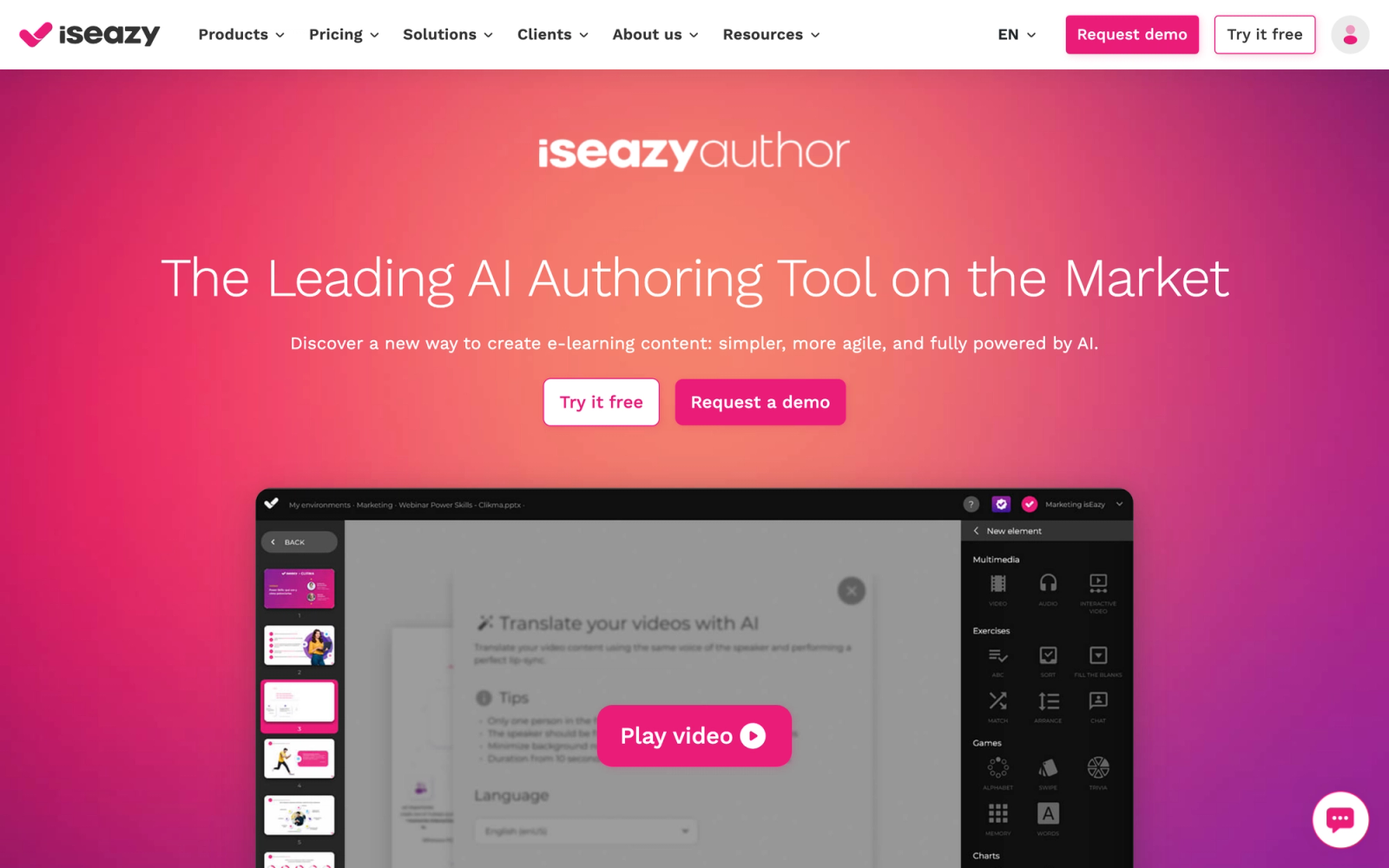
isEazy Author is a cloud-based authoring tool designed to make e-learning creation accessible to people who are not professional instructional designers. The interface is template-driven and visual, with drag-and-drop editing that prioritizes speed and design polish over interaction complexity. It positions itself as the authoring tool for teams that need professional-looking courses without a professional authoring skill set.
The standout quality of isEazy is how polished the output looks with minimal effort. The templates are design-forward, the default animations are restrained, and the visual editor makes it difficult to produce a poorly formatted course. Authors reach a presentable, published module faster in isEazy than in any desktop tool on this list. The trade-off is clear: speed and visual quality come at the expense of interaction depth.
Core Capabilities
- Cloud-based drag-and-drop authoring with no installation required
- SCORM 1.2 and SCORM 2004 output formats
- Design-forward template library with professional visual styles and layouts
- Interactive elements including tabs, accordions, timelines, carousels, and hotspot images
- Quiz engine with multiple question types and automatic scoring
- Gamification elements including points, badges, and leaderboards
- Collaborative authoring with team workspaces, roles, and review features
- Responsive HTML5 output that adapts to mobile devices
- AI-powered content generation assistant for rapid course drafting
- Integration with isEazy LMS and third-party platforms via SCORM package export
Standout Strength
isEazy produces visually polished courses faster than any other tool on this list. Teams choose it when design quality and development speed matter more than interaction sophistication. The template system ensures consistent, professional output even from authors with no design or e-learning background.
Best For
HR teams, marketing departments, and SMEs who need to create professional-looking training content without dedicated instructional design resources. Strong for rapid onboarding content, product knowledge modules, and organizations building a learning culture where non-specialists contribute course content.
Pricing Overview
- Free plan available with basic features and limited publishing
- Professional plan: Custom pricing based on usage
- Enterprise plan: Custom pricing with additional collaboration and governance features
- Free trial available for paid tiers
Limitations
- Interaction complexity is significantly more constrained than in dedicated authoring tools. Branching scenarios, variable logic, and custom behaviors are not available, which limits use to standard content structures.
- xAPI support is not available in all plans, which may limit advanced tracking requirements.
- The template-driven approach constrains experienced designers who want full creative control over layout and behavior.
Quick Comparison Insight
Faster and more design-polished than Storyline for standard content, but far less capable for complex interactions. The right fit when visual quality and authoring speed outweigh the need for deep interactivity.
Easygenerator
Overview
Easygenerator is built on a specific premise: subject matter experts, not instructional designers, should be the ones creating training content. The platform strips away authoring complexity to give SMEs a simple, guided workflow for building courses. It is not trying to compete with Storyline on interaction depth. Instead, it competes on accessibility of the authoring process itself.
What sets Easygenerator apart is the speed at which a non-technical person can produce a complete, SCORM-compliant course. The editor is text-first, with drag-and-drop media placement, built-in quiz creation, and automatic SCORM packaging. A non-specialist with no e-learning background can produce a functional 10-section course in under two hours, that level of accessibility is Easygenerator's entire value proposition.
Core Capabilities
- Simplified cloud-based editor designed for subject matter experts with no authoring experience
- SCORM 1.2, SCORM 2004, and xAPI output formats
- Built-in quiz and assessment builder with multiple question types
- Direct LMS publishing to major platforms without manual SCORM file handling
- Co-authoring with real-time collaboration and commenting
- Analytics dashboard showing learner engagement, completion, and assessment results
- Course branding tools with custom logos, colors, and styling
- Video embedding and multimedia support
- AI-assisted content creation for generating course outlines and text drafts
- Built-in hosting option for courses that do not require LMS delivery
Standout Strength
Easygenerator removes the instructional designer bottleneck. The platform is built specifically for scaling content creation by putting SMEs in the authoring seat. Its guided workflow handles SCORM packaging, responsive formatting, and quiz scoring in the background, so authors focus on content rather than technical configuration.
Best For
Organizations implementing an employee training program where SMEs create the bulk of the content. Strong for knowledge-sharing initiatives, internal process documentation, and companies that want to decentralize course creation beyond the L&D team. Also works well for rapidly scaling onboarding content across departments.
Pricing Overview
- Starting price: $99 per author per month (billed annually)
- Team and enterprise plans available with additional features and support
- Free trial available
Limitations
- Interaction types are basic. No branching scenarios, software simulations, or complex variable-driven logic.
- The simplified editor means experienced instructional designers may find it limiting and frustrating.
- Per-author monthly pricing can become expensive when scaling to many SME authors across the organization.
Quick Comparison Insight
The opposite of Storyline in philosophy: minimal complexity, maximum author accessibility. Far less capable for sophisticated interactions, but far more accessible for non-technical content creators who need to publish SCORM content quickly.
Adapt Learning (Open Source)
Overview
Adapt Learning is an open-source e-learning authoring framework licensed under GPL. It consists of two components: the Adapt Framework (a developer-oriented JSON-based content framework) and the Adapt Authoring Tool (a browser-based GUI that non-developers can use to create courses). The entire project is community-driven, with no licensing fees and full access to source code.
The first thing to understand about Adapt is that it is not a polished commercial product. It is a framework. The authoring tool GUI simplifies course creation, but the real power lies in the framework's extensibility. Organizations can build custom plugins, create bespoke interaction types, and modify the output pipeline to match exact specifications. For teams with development resources, this flexibility is unmatched. For teams without developers, the authoring tool provides a functional but more limited experience.
Core Capabilities
- Fully open-source under GPL license with zero licensing costs
- SCORM 1.2, SCORM 2004, and xAPI output support
- Responsive HTML5 output with mobile-first design architecture
- Browser-based authoring tool (Adapt Authoring Tool) for non-developers
- JSON-based framework for developer-driven customization and plugin creation
- Community plugin library with extensions for navigation, assessment, media, and interactivity
- Theming system for custom visual design and branding
- Multi-language support with configurable localization
- Assessment engine with multiple question types, scoring, and pass/fail criteria
- Self-hosted deployment for full control over data and infrastructure
Standout Strength
Adapt offers total customization freedom at zero licensing cost. For development teams that need an authoring framework they can extend, modify, and integrate into custom workflows, no commercial product matches its flexibility. The trade-off is that the platform is as capable as the development resources behind it, there is no vendor feature roadmap to fall back on.
Best For
Organizations with in-house front-end developers or dedicated e-learning development teams. Strong for universities, government agencies, and large enterprises that need a customizable, self-hosted authoring solution. Also a good fit for open-source LMS environments where the entire learning technology stack is community-driven.
Pricing Overview
- Free and open-source (GPL license)
- Costs include hosting, server administration, and developer time for customization
- Commercial support and hosting available from Adapt community partners
Limitations
- Requires technical skills for installation, configuration, and customization. The authoring tool GUI covers basic use, but anything beyond standard components requires developer involvement.
- The community is active but small compared to commercial tool stacks. Finding answers to niche problems takes longer.
- No official vendor support. Organizations rely on community forums, documentation, and commercial partners for troubleshooting.
Quick Comparison Insight
Maximum flexibility and zero licensing cost, but maximum technical overhead. The opposite of Easygenerator: powerful for teams with development resources, impractical for teams without them.
How to Choose the Right SCORM Authoring Tool
The tools above serve genuinely different use cases, and the best choice depends on your team's specific situation. Here is how to narrow the list based on common decision factors.
Start with who is building the content. If professional instructional designers build all your courses, tools like Storyline, Captivate, or Lectora give them the depth they need. If subject matter experts create content directly, Easygenerator or iSpring Suite remove the authoring complexity. The skill level of your authors is the single most important filter.
Match interaction needs to tool capabilities. If your courses require complex branching simulations, variable-driven scoring, or custom JavaScript interactions, Storyline is the clear leader. If your courses are primarily information delivery with standard assessments, a cloud-based tool like isEazy or Elucidat handles that faster and cheaper.
Consider your team size and collaboration needs. Solo designers and small teams can work effectively in desktop tools. Teams with 5+ authors producing content simultaneously need cloud-based collaboration: real-time co-editing, review workflows, and version control. Elucidat, dominKnow, and Easygenerator are built for that model.
Evaluate your maintenance burden. Organizations with 100+ courses that require regular updates should prioritize content reuse and single-source updating. dominKnow's content management system addresses this directly. File-based tools like Storyline require opening each project individually, which does not scale.
Check accessibility requirements. If your organization must meet Section 508 or WCAG 2.1 AA standards, Lectora has the strongest track record. Other tools support accessibility to varying degrees, but few match Lectora's built-in checker and compliance-first design approach.
Factor in total cost. Per-author pricing models (Storyline, iSpring, dominKnow) make costs predictable per seat. Per-learner or usage-based models scale differently. Open-source Adapt eliminates licensing costs but adds development and hosting costs. Run the total cost calculation for your team size and content volume before committing.
Think beyond the package. If your training programs involve live facilitation, group work, or peer feedback, the authoring tool is only one piece. A delivery platform like Teachfloor that supports cohort-based learning can turn static SCORM modules into structured interactive programs. Consider whether your real bottleneck is content creation or learning experience design.
FAQ
What is the difference between SCORM 1.2 and SCORM 2004?
SCORM 1.2 is the older and more widely supported standard. It tracks basic data like completion status, score, and time spent. SCORM 2004 adds sequencing and navigation rules, more detailed success/failure reporting, and support for multi-SCO (Sharable Content Object) courses with defined pathways between content sections. Most LMS platforms support both, but SCORM 1.2 remains the safer choice for maximum compatibility.
Can I use SCORM content in an LMS that supports xAPI?
Yes. Most modern LMS platforms support both SCORM and xAPI. You can deliver SCORM courses alongside xAPI-tracked content. Some authoring tools let you publish the same course in both formats, which gives flexibility as organizations transition from SCORM to xAPI tracking.
Do I need a separate tool to host SCORM content, or does the authoring tool handle that?
The authoring tool creates the SCORM package. You still need an LMS or learning platform to host, deliver, and track the content. Some authoring tools (like Easygenerator and isEazy) offer built-in hosting as an option, but most teams publish SCORM packages to their existing LMS.
Which authoring tool is best for beginners?
iSpring Suite (if your team already uses PowerPoint) and Easygenerator (if you want a browser-based option) have the lowest learning curves. Both are designed so that people without instructional design training can create functional SCORM courses.
Is there a free SCORM authoring tool?
Adapt Learning is fully free and open-source. isEazy Author offers a free plan with limited features. Most other tools offer free trials ranging from 7 to 30 days, but ongoing use requires a paid subscription.
Can I import SCORM packages into Teachfloor?
Yes. Teachfloor supports SCORM package import, allowing you to deliver courses created in any SCORM-compliant authoring tool within its structured, interactive learning environment. The SCORM content becomes one component of a broader program that can include live sessions, peer activities, and discussions.
Free eLearning tools
Speed up your workflow with these free tools from Teachfloor:


