Customize Course Order and Sorting Options
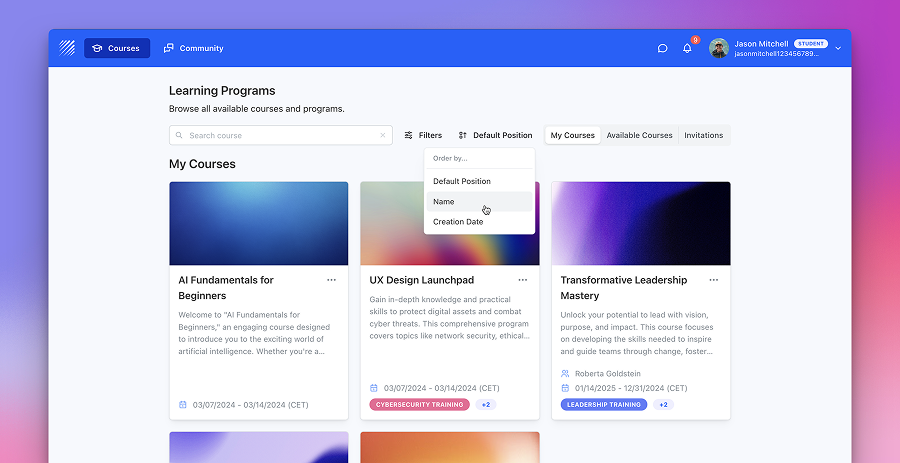
Instructors can now customize course order by setting positions in course settings. New sorting options also allow courses to be arranged by position, name, or creation date.
Learn more →Find out all the things that happen in the Teachfloor universe.
Instructors can now customize course order by setting positions in course settings. New sorting options also allow courses to be arranged by position, name, or creation date.
Learn more →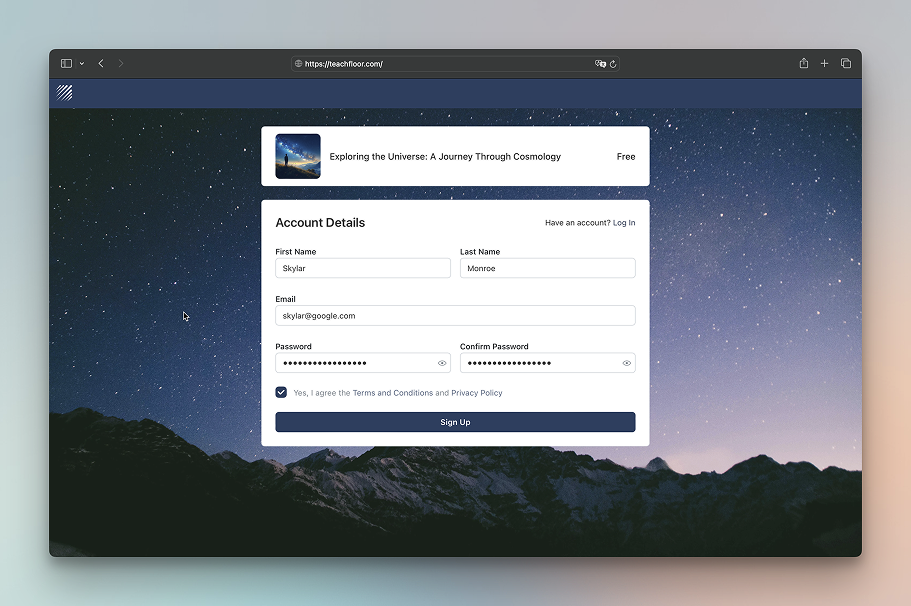
Customize your login and signup pages with a background image or custom color. Enhance branding, improve readability, and create a more polished user experience.
Learn more →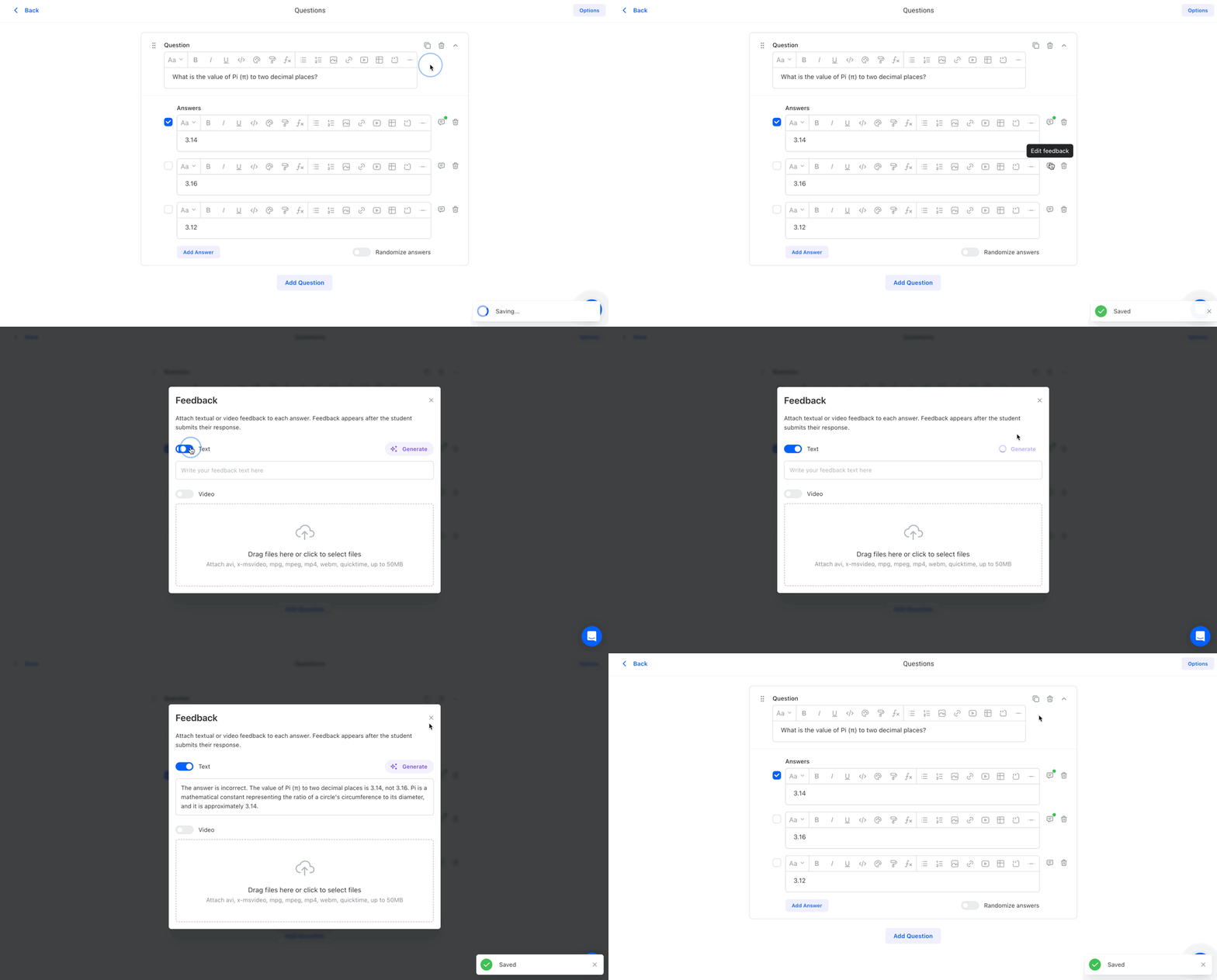
Teachfloor’s AI Quiz Feedback provides instant, AI-generated explanations for quiz answers, helping learners understand why their responses are correct or incorrect. This feature enhances engagement and reinforces learning with real-time insights.
Learn more →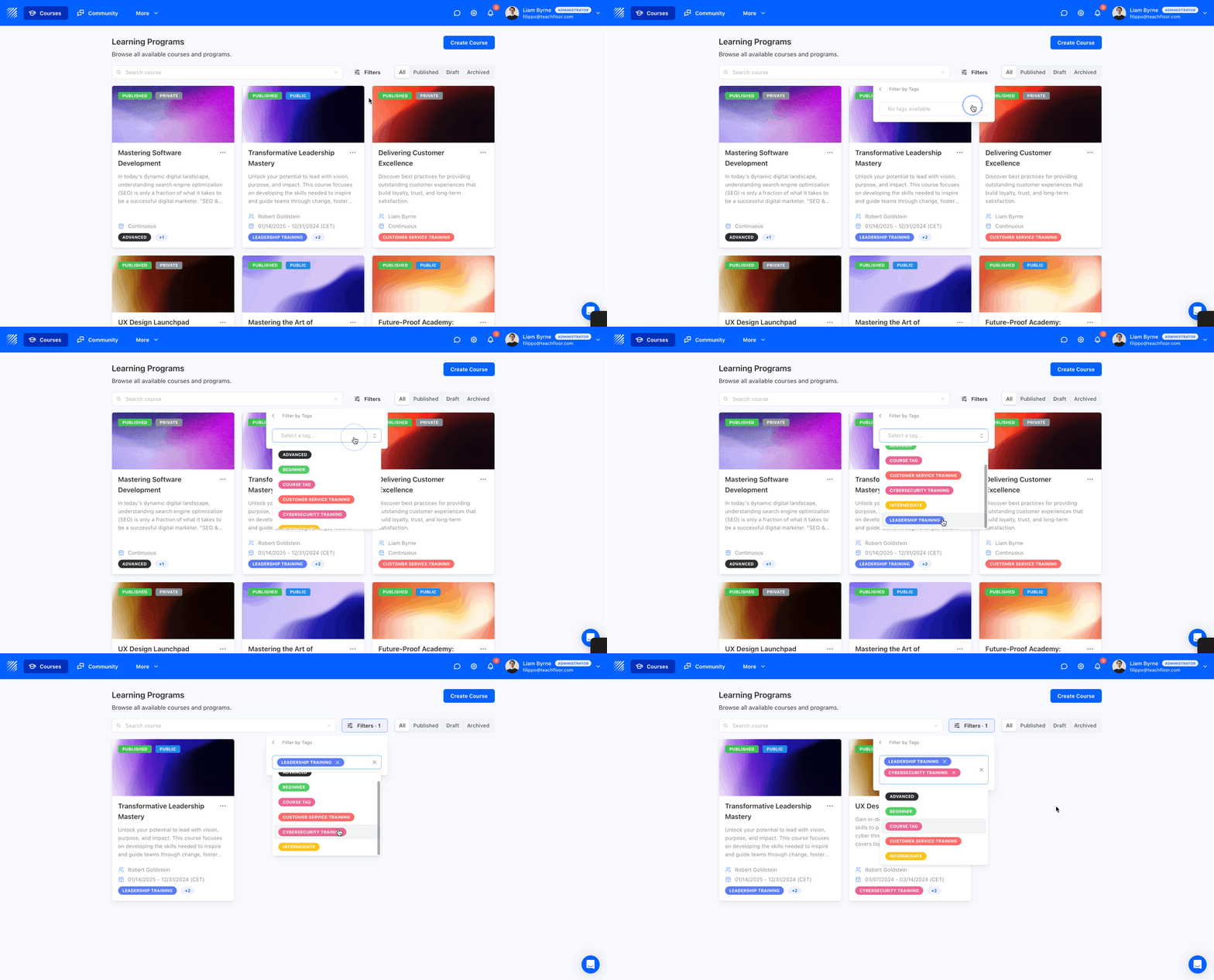
Course Tags allow instructors to create and assign custom tags to courses, making it easier for learners to filter and find relevant training based on topics, departments, or skill levels.
Learn more →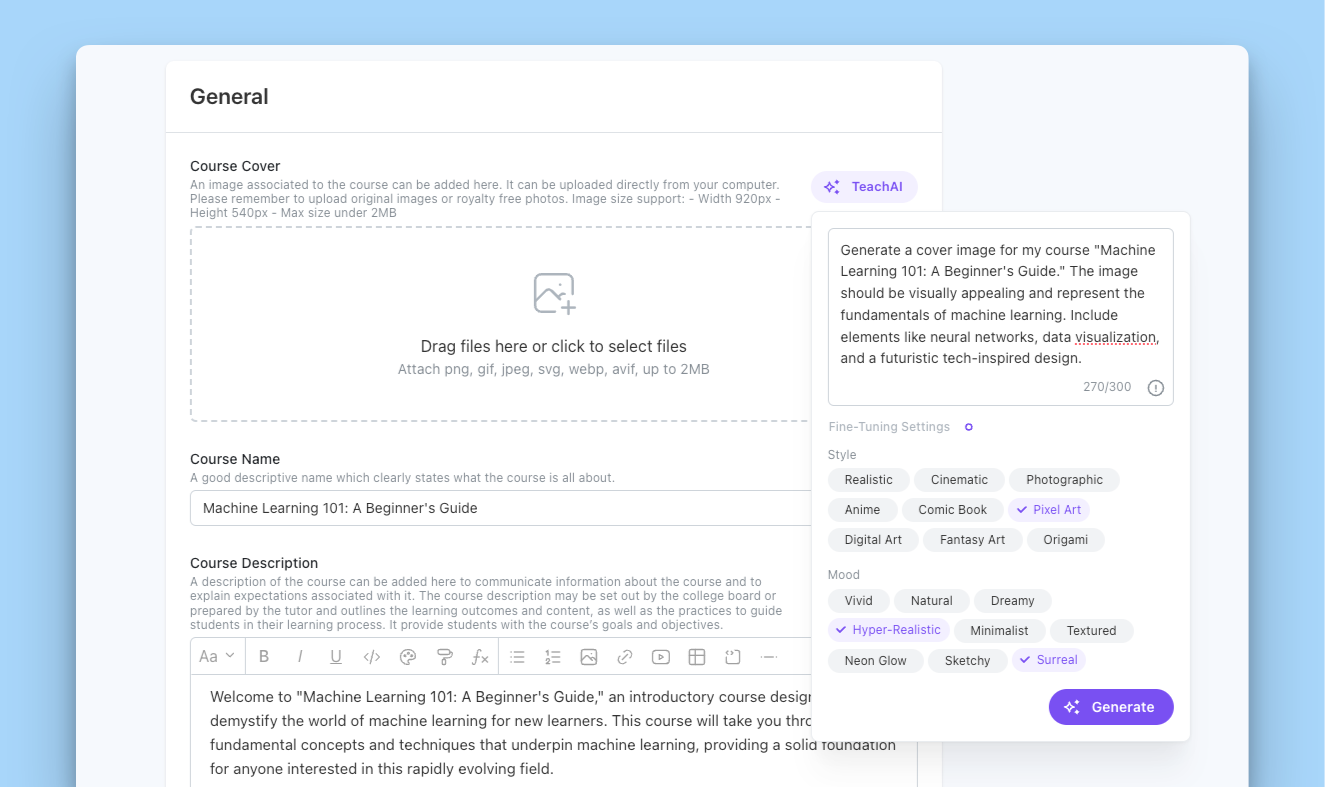
TeachAI simplifies course creation with AI-powered title, description, and cover image generation, helping instructors save time and enhance course quality.
Learn more →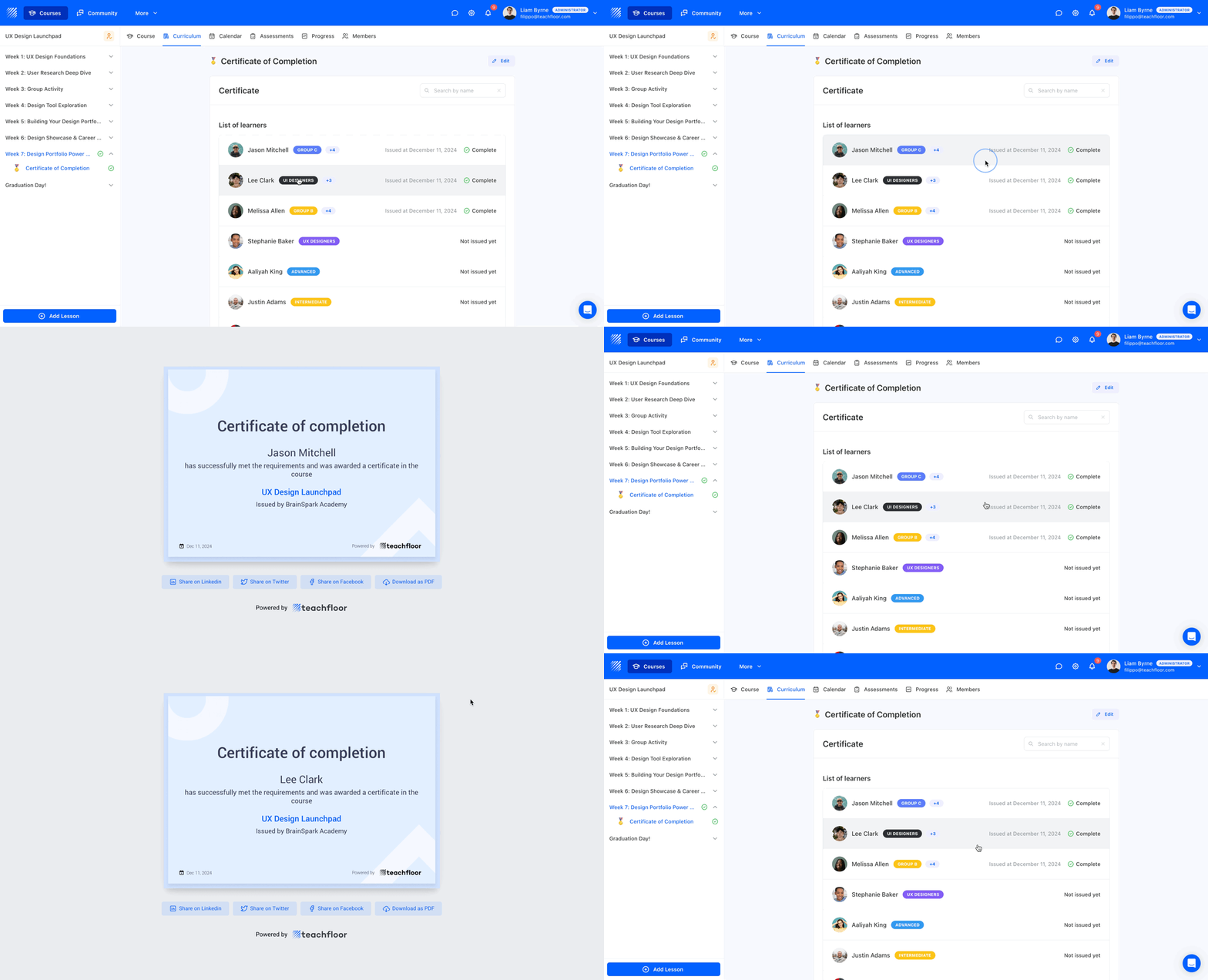
The certificate element now displays a learner status list, tracking certificate issuance and completion dates. Instructors can also view individual certificates for easy verification.
Learn more →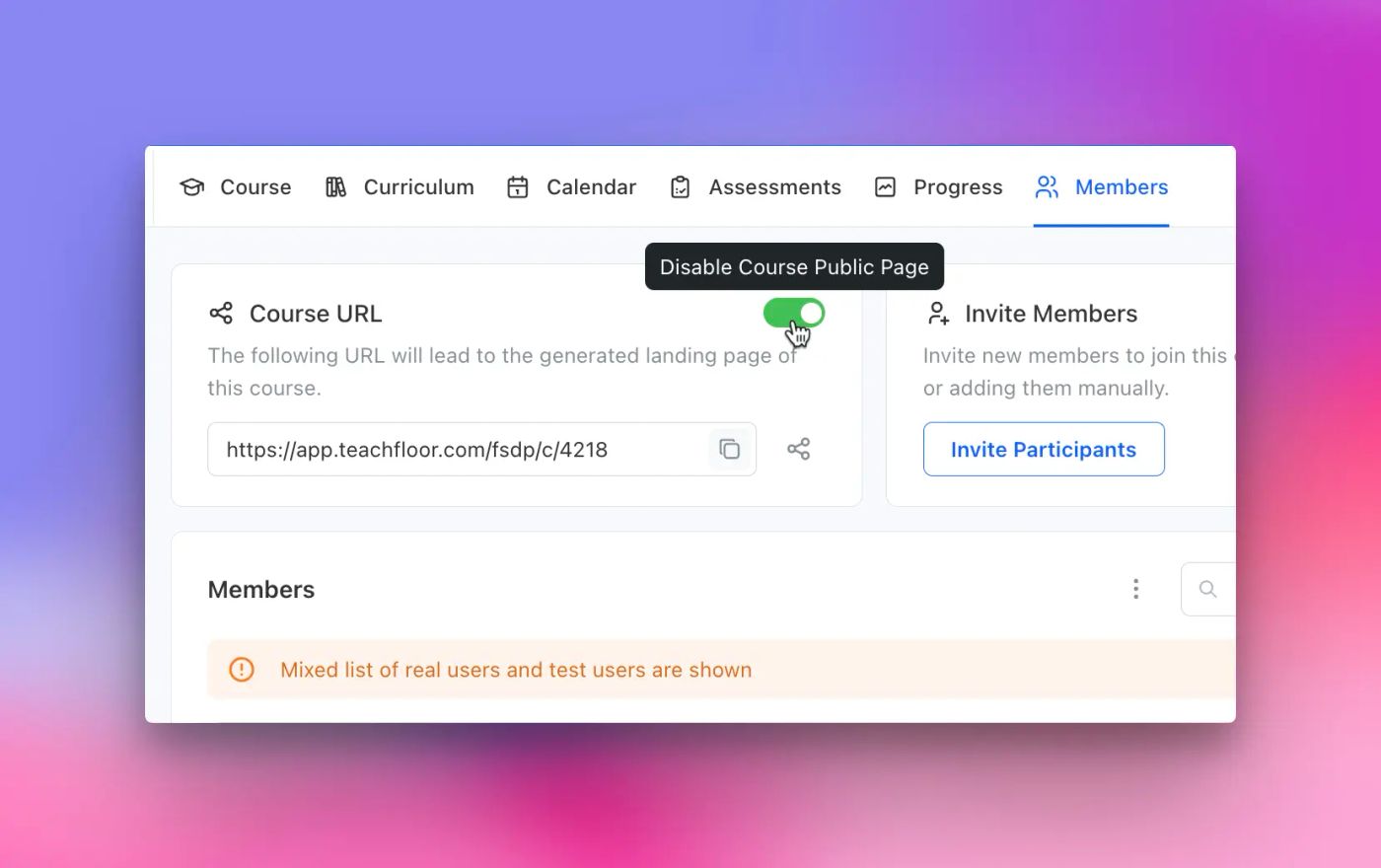
Easily disable the course landing page to stop public enrollments while still inviting learners manually via email, CSV, or organization members.
Learn more →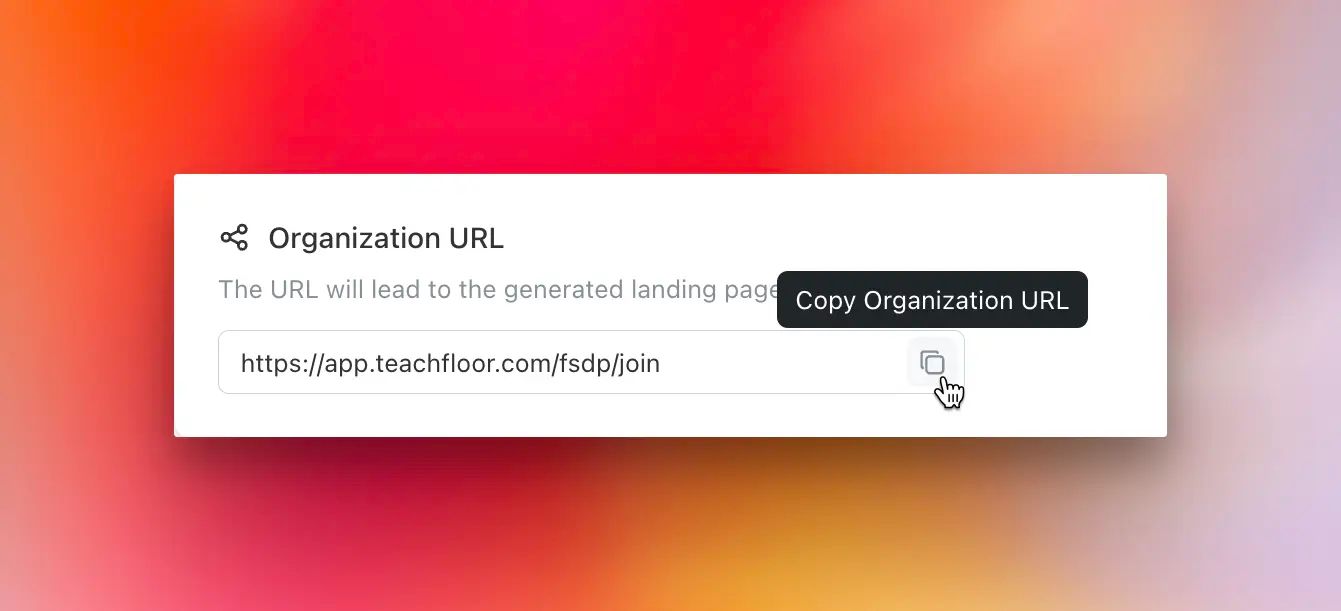
Easily invite learners to your organization via email, CSV, or a public signup link. Instructors can now enroll existing organization members into courses, streamlining learner management.
Learn more →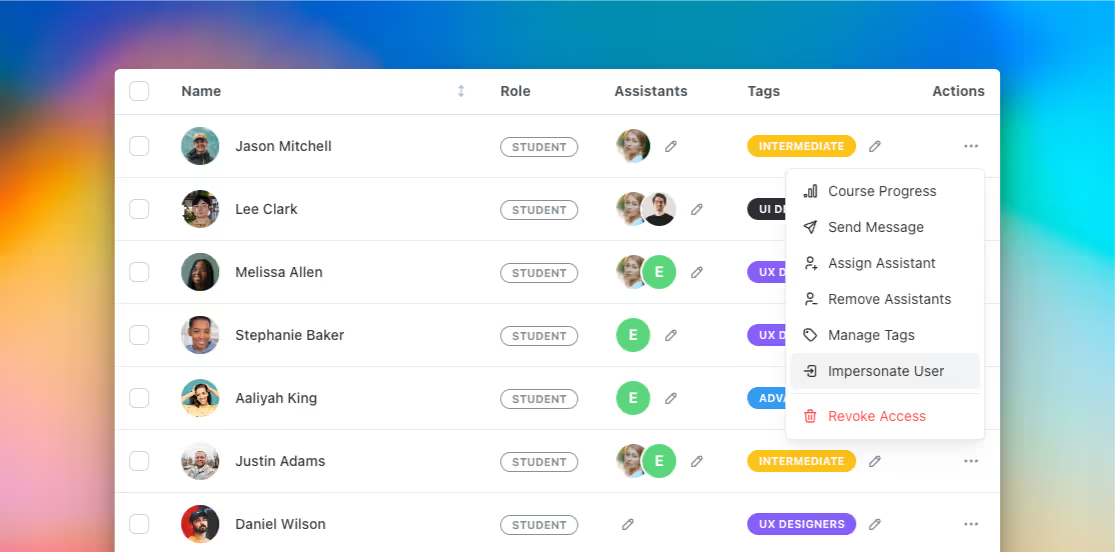
Admins can now impersonate learners directly from the members page to view and interact with the course from their perspective. This feature helps optimize the learning experience and improve course design.
Learn more →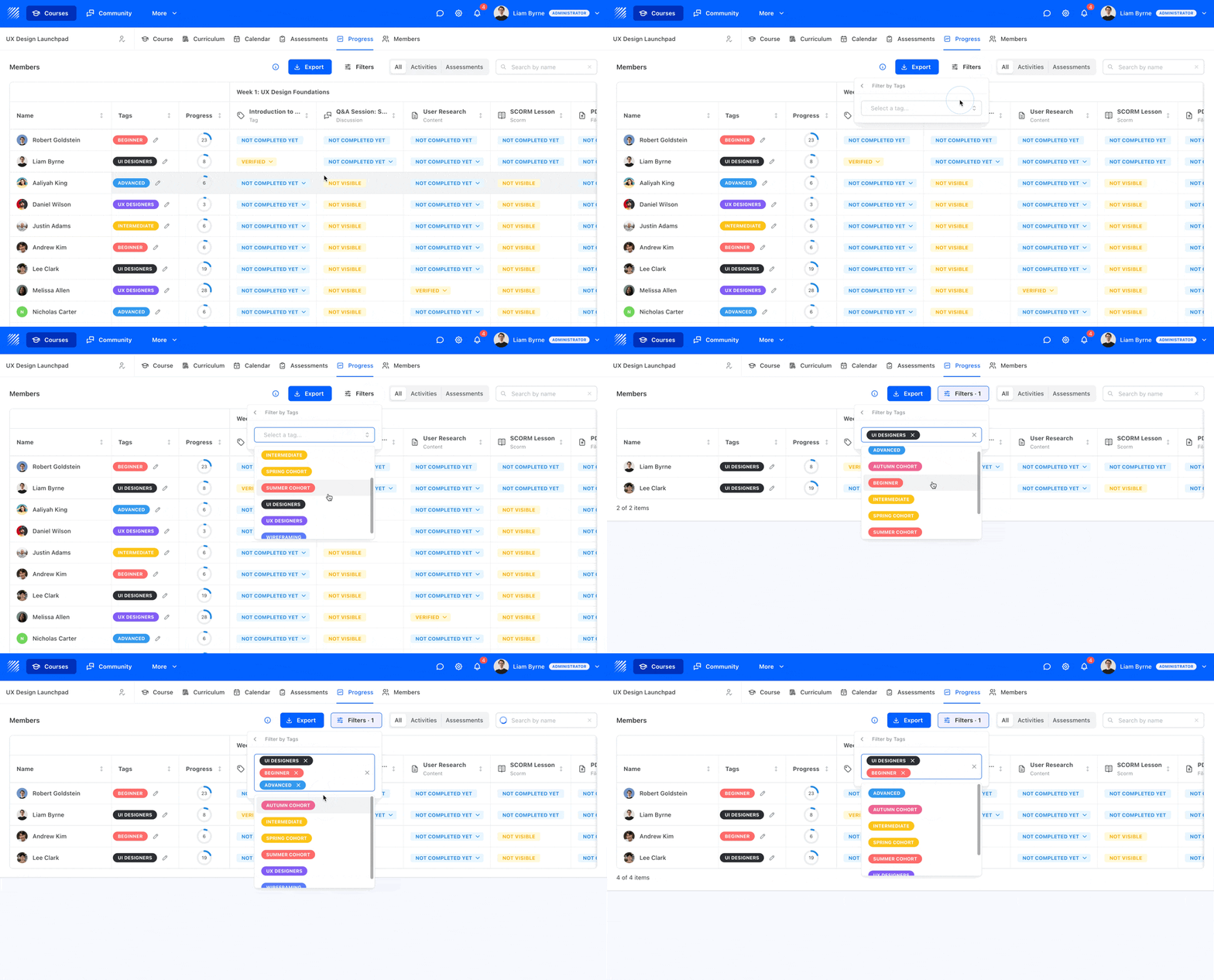
The new tag filters feature on the progress gage allows instructors to easily track and manage learner progress by filtering and assigning tags. It simplifies organizing groups and monitoring specific skills or progress.
Learn more →