
Certificate Tracking and Management
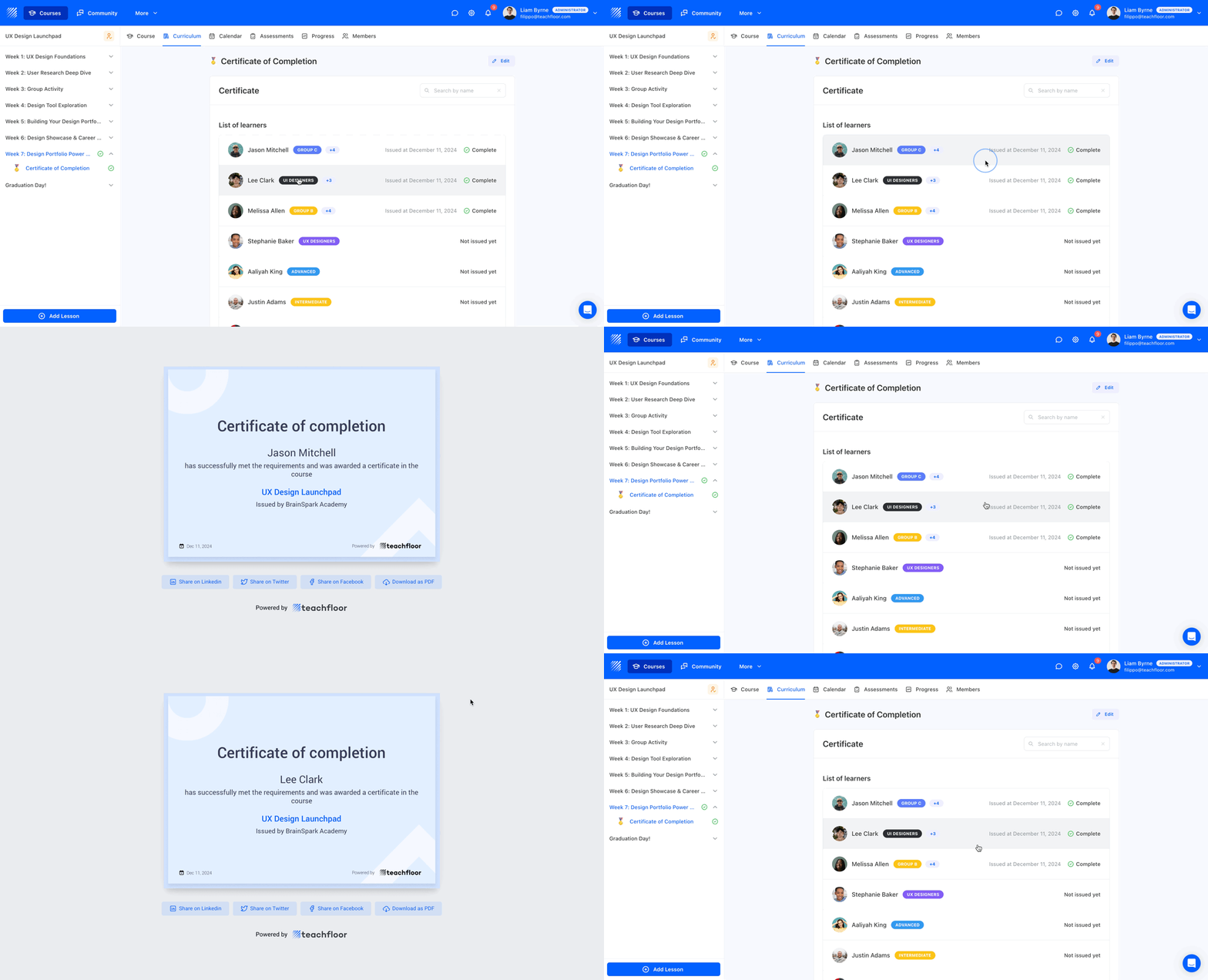
We’re excited to introduce a new enhancement to Certificates on Teachfloor.
Instructors can now track certificate status for each learner, view issuance dates, and access issued certificates directly from the curriculum element.
What’s New?
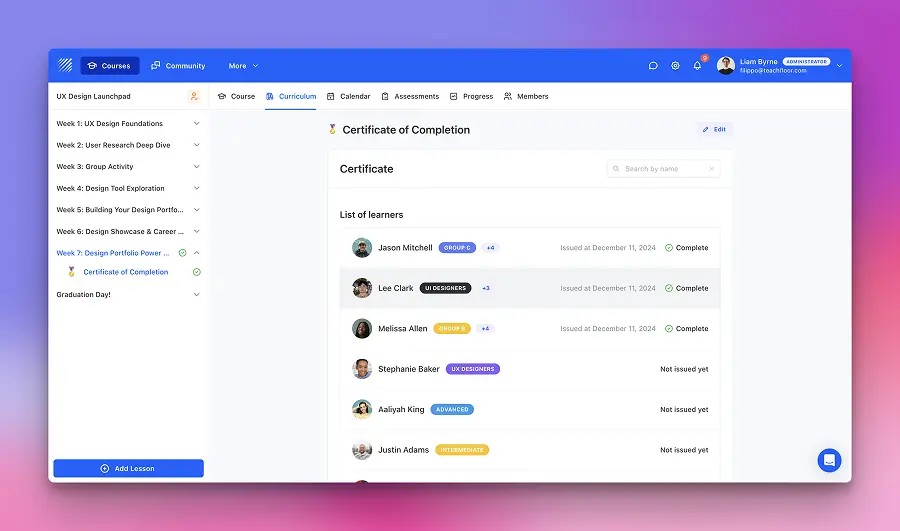
With this update, the Certificate element now includes a learner status list, offering a clear overview of who has generated their certificate, completed the activity, and when. Instructors can also click on individual learners to view their issued certificates, ensuring seamless tracking and verification.
Key Benefits
- Clear Certificate Status: Instantly see which learners have earned their certificates and the issuance date.
- Quick Access to Certificates: Click on a learner’s name to view and verify their issued certificate.
- Improved Tracking: Easily monitor completion and ensure all eligible learners receive their recognition.
How It Works
- Navigate to the Certificate element in your course.
- View the learner list with certificate status and issue dates.
- Click on a learner’s name to open and review their certificate.
This update streamlines certification management, making it easier for instructors to track learner achievements and provide verifications when needed.
Explore Certificate Tracking & Management today and enhance the way you recognize learner success!


