Introducing: Custom Dashboards
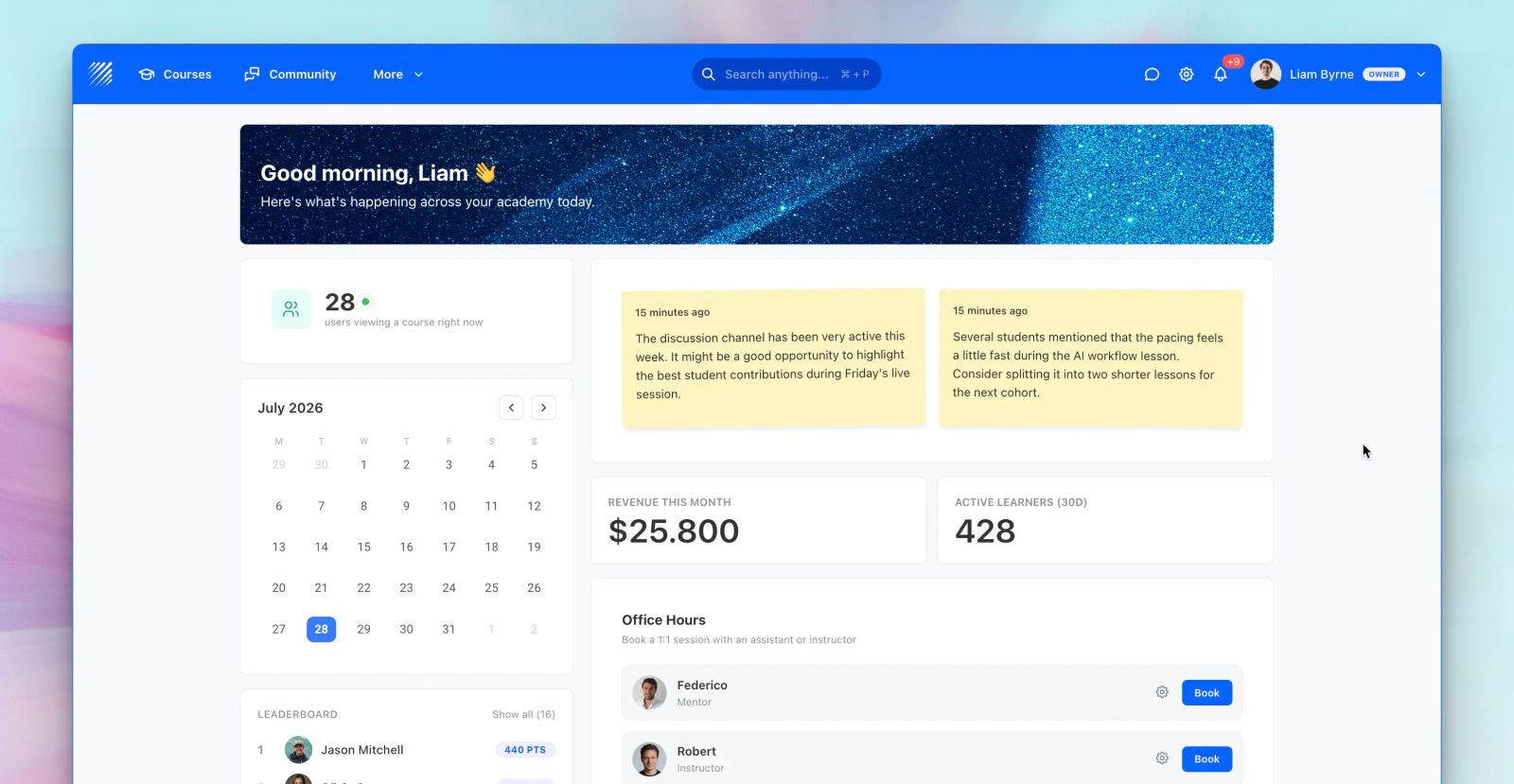
Every user interacts with Teachfloor differently.
Learners want quick access to their courses and achievements. Instructors need teaching tools and upcoming sessions. Administrators need analytics, operational metrics, and organizational insights.
That's why we've introduced Custom Dashboards—a completely new way to personalize the Teachfloor experience for every member of your organization.
Instead of relying on a single homepage, you can now create multiple dashboards with different layouts, widgets, and visibility rules, turning Teachfloor into a fully personalized workspace.
Create Multiple Dashboards
Organizations can build as many dashboards as needed and assign each one to specific user roles.
You can create dedicated dashboards for:
- Learners
- Instructors
- Assistants
- Administrators
- Owners
You can even create multiple dashboards for the same role, allowing users to switch between different workspaces depending on their needs.
Whether you're building an onboarding dashboard, an executive analytics dashboard, or a learner portal, every experience can be completely different.
Choose the Layout That Fits Your Workflow
Every dashboard starts with a customizable layout.
Choose between:
- Single column
- Narrow left + wide right
- Wide left + narrow right
Widgets can then be arranged freely, allowing you to organize information exactly where it makes the most sense.
Build with Modular Dashboard Widgets
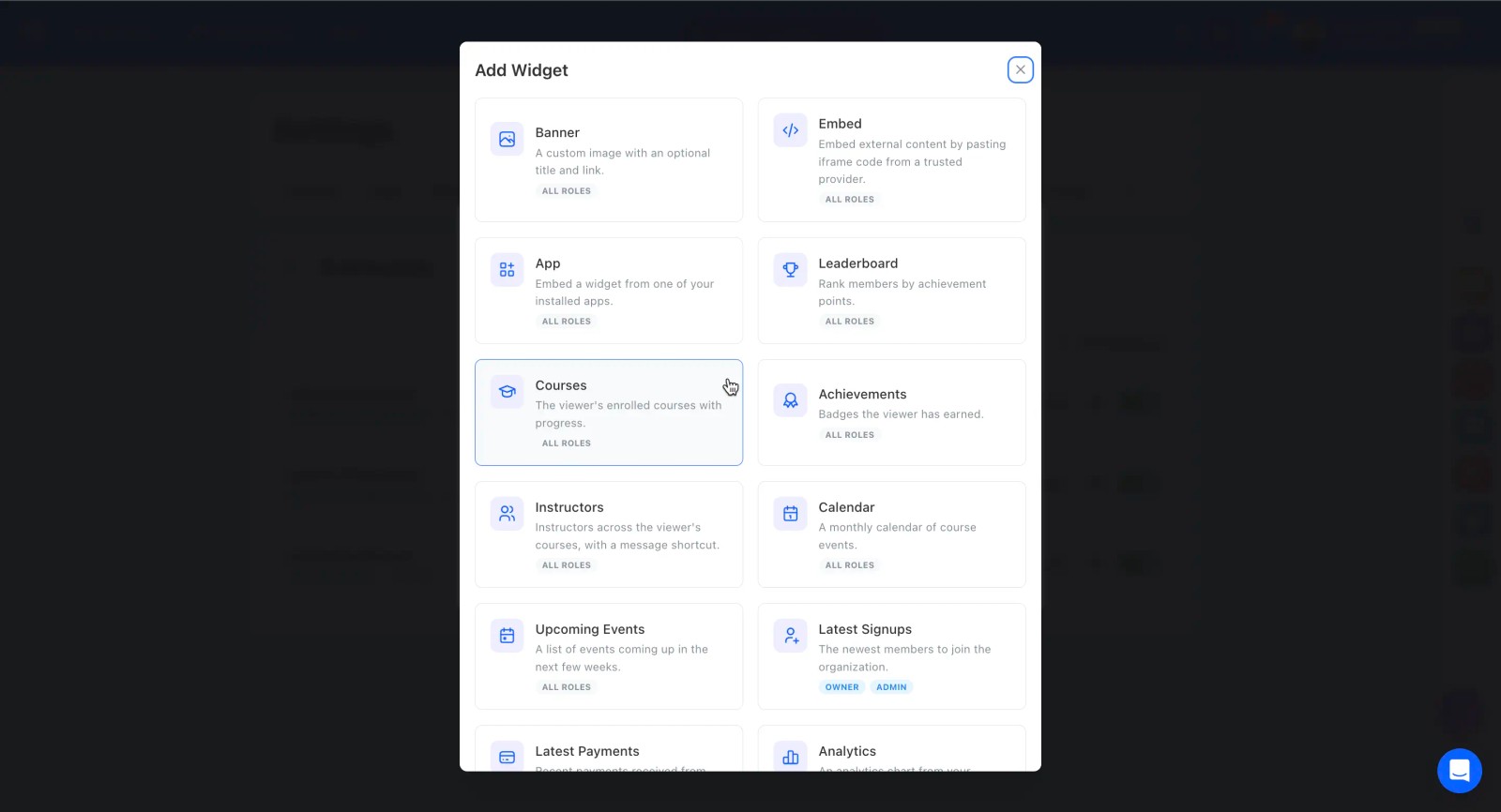
Dashboards are powered by a growing library of modular widgets that can be combined to create virtually any workspace.
Available widgets include:
- Courses
- Calendar
- Upcoming Events
- Leaderboard
- Achievements
- Analytics
- Metrics
- Certificates
- Latest Signups
- Latest Payments
- Automations Health
- Banner
- Embed
- Apps
- Instructors
…and many more.
Each widget can be added, reordered, configured, or removed independently, making every dashboard completely unique.
Customize Every Widget
Every widget includes its own configuration options.
Depending on the widget, you can customize:
- Widget title
- Display position
- Column width
- Number of displayed items
- Filters and display settings
- Visibility
Widgets can also be enabled or disabled without removing them from the dashboard, making it easy to adapt workspaces over time.
Bring External Tools Into Teachfloor
Custom Dashboards aren't limited to native platform features.
Using the Embed widget, you can display external tools such as:
- Power BI
- Google Looker Studio
- Calendly
- YouTube
- Internal business applications
- Any iframe-compatible tool
In addition, the Apps widget allows Teachfloor Apps to expose their own widgets directly inside the dashboard, creating a centralized workspace where users can access everything they need without leaving the platform.
Personalize the Experience
Every dashboard can include a fully customizable header featuring:
- Custom titles
- Custom subtitles
- Background images
- Dynamic placeholders
You can automatically display personalized information such as the learner's first name, role, current date, or a time-based greeting, creating a more welcoming and engaging experience.
Built for Every Organization
Because dashboards are role-based and fully modular, every organization can design experiences that match its workflows.
For example:
- Learners can see courses, achievements, calendars, leaderboards, and learning apps.
- Instructors can focus on teaching tools, upcoming sessions, and classroom management.
- Administrators can monitor analytics, payments, automations, certificates, and organizational KPIs.
Instead of forcing every user into the same interface, Teachfloor adapts to each person's role and responsibilities.
Why It Matters
Custom Dashboards transform Teachfloor from a traditional LMS homepage into a personalized operating workspace.
By combining flexible layouts, modular widgets, embedded applications, analytics, and role-based experiences, organizations can improve navigation, increase engagement, and surface the right information at exactly the right time.
As your organization grows, your dashboards can evolve with it.
👉 Available Now
Custom Dashboards are now available in Teachfloor.
Create personalized workspaces for every role, combine powerful widgets, and build an experience that adapts to the way your organization learns and works.


