
Introducing Helper: Contextual Help in the Dashboard
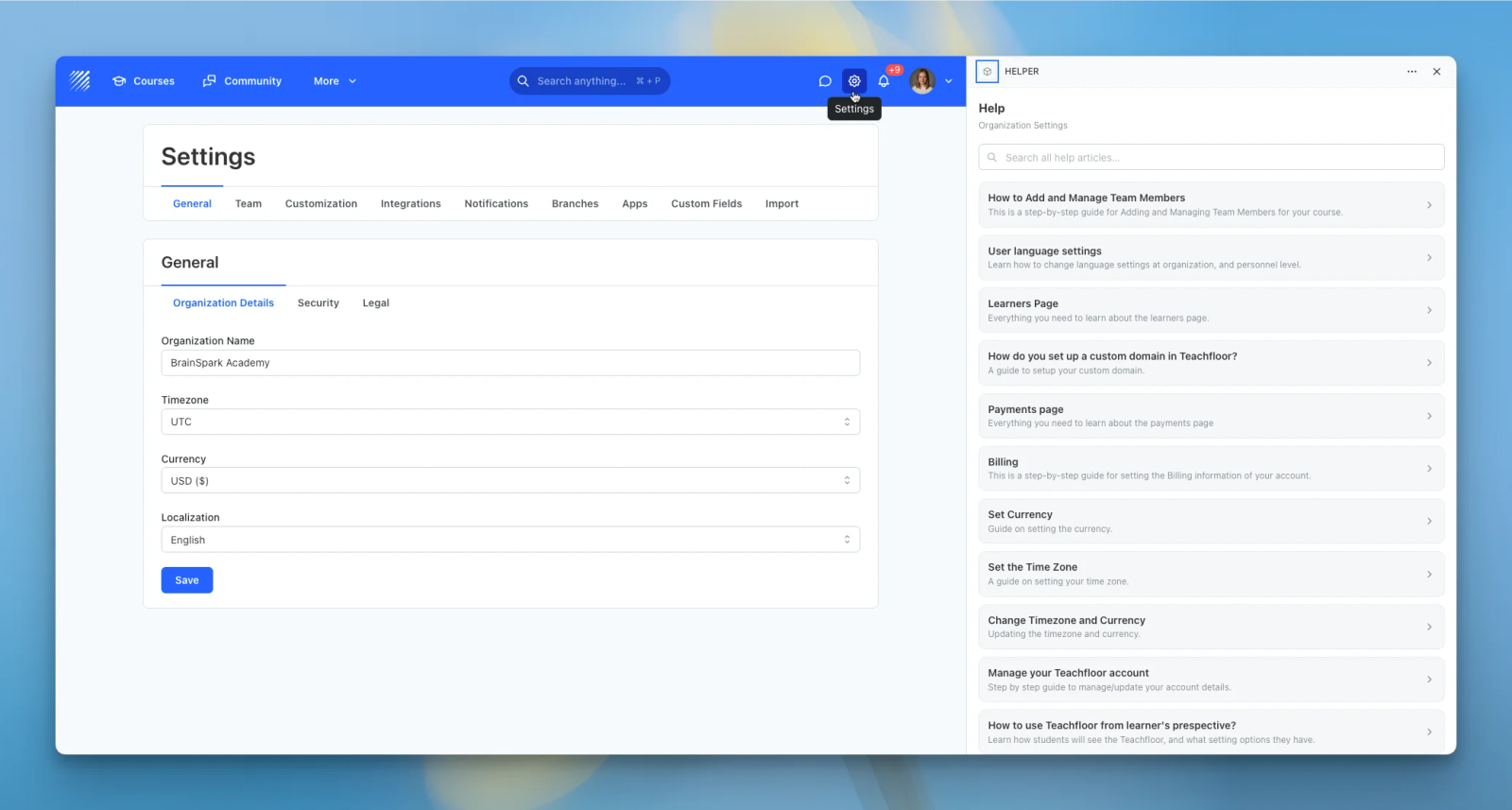
We're excited to introduce Helper, a new app that brings contextual help into the dashboard. Helper surfaces the right knowledge-base article for the page you are on, right in the drawer, so your team finds answers without ever leaving Teachfloor.
Switching to a separate help center breaks your focus. Helper keeps the guidance where the work happens.
What is Helper?
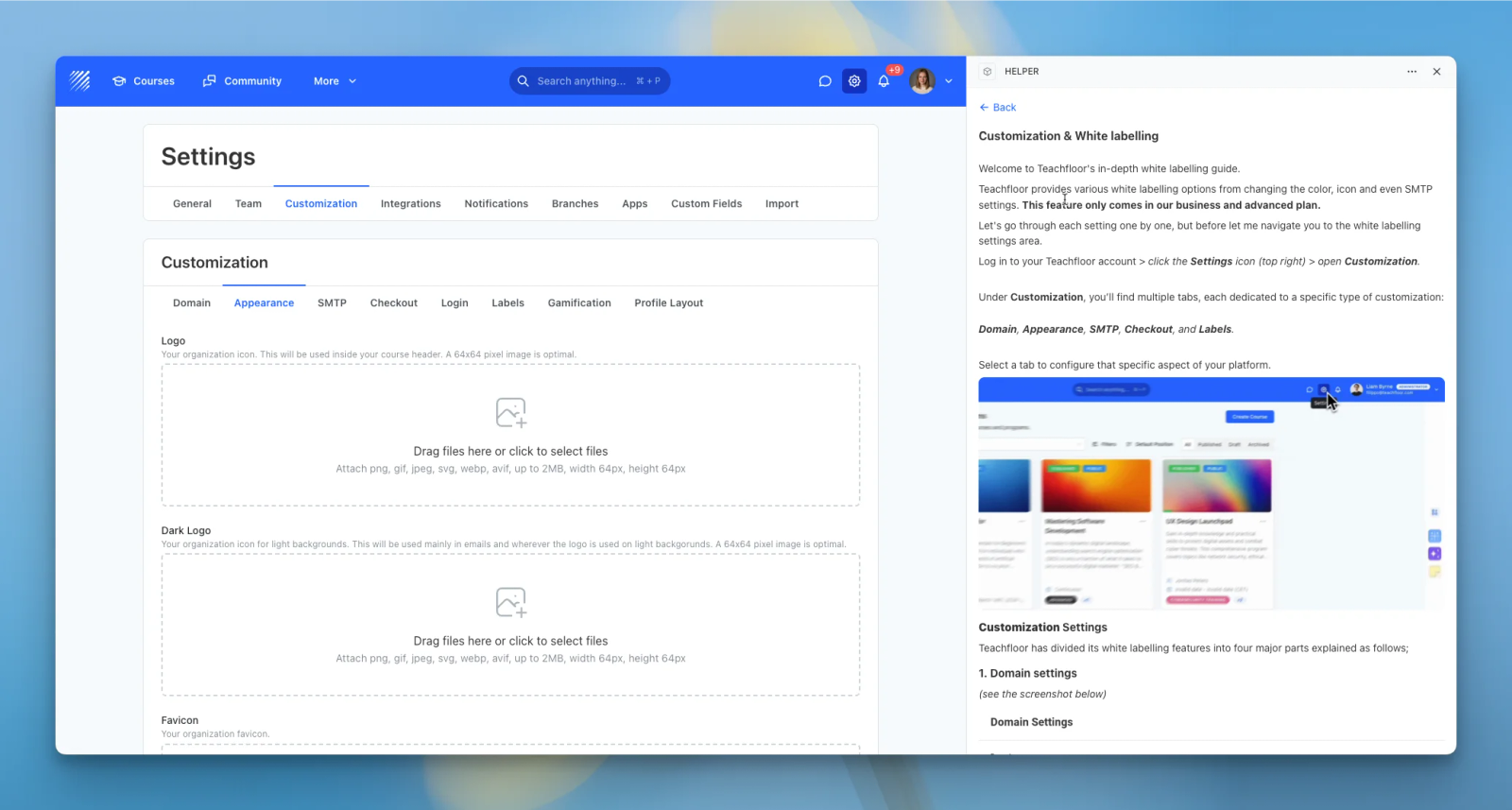
Helper is an in-app assistant for your staff. It detects where you are in the dashboard and shows the guides that match that exact screen, with full search across the whole knowledge base.
Context-aware articles
Helper detects which part of the dashboard you are in and instantly shows the matching knowledge-base articles, from courses to customization, settings, and integrations. The right help is always one tap away.
Full articles in the drawer
Read complete articles, text and images, directly inside the help drawer with a clean, readable layout. A single tap opens the full guide without sending you to another tab.
Search everything
Cannot find what you need on the current page? Search the entire knowledge base from the same panel and jump straight to any guide. Helper stays out of the way until you need it.
Why it matters
Helper is ideal for onboarding new admins, reducing support questions, and helping busy teams move faster. It turns your documentation into in-context guidance that meets people exactly where they are.
Get Helper, available now in the Teachfloor App Marketplace.


