
AI Text-to-Speech: Turn Lessons into High-Quality Audio
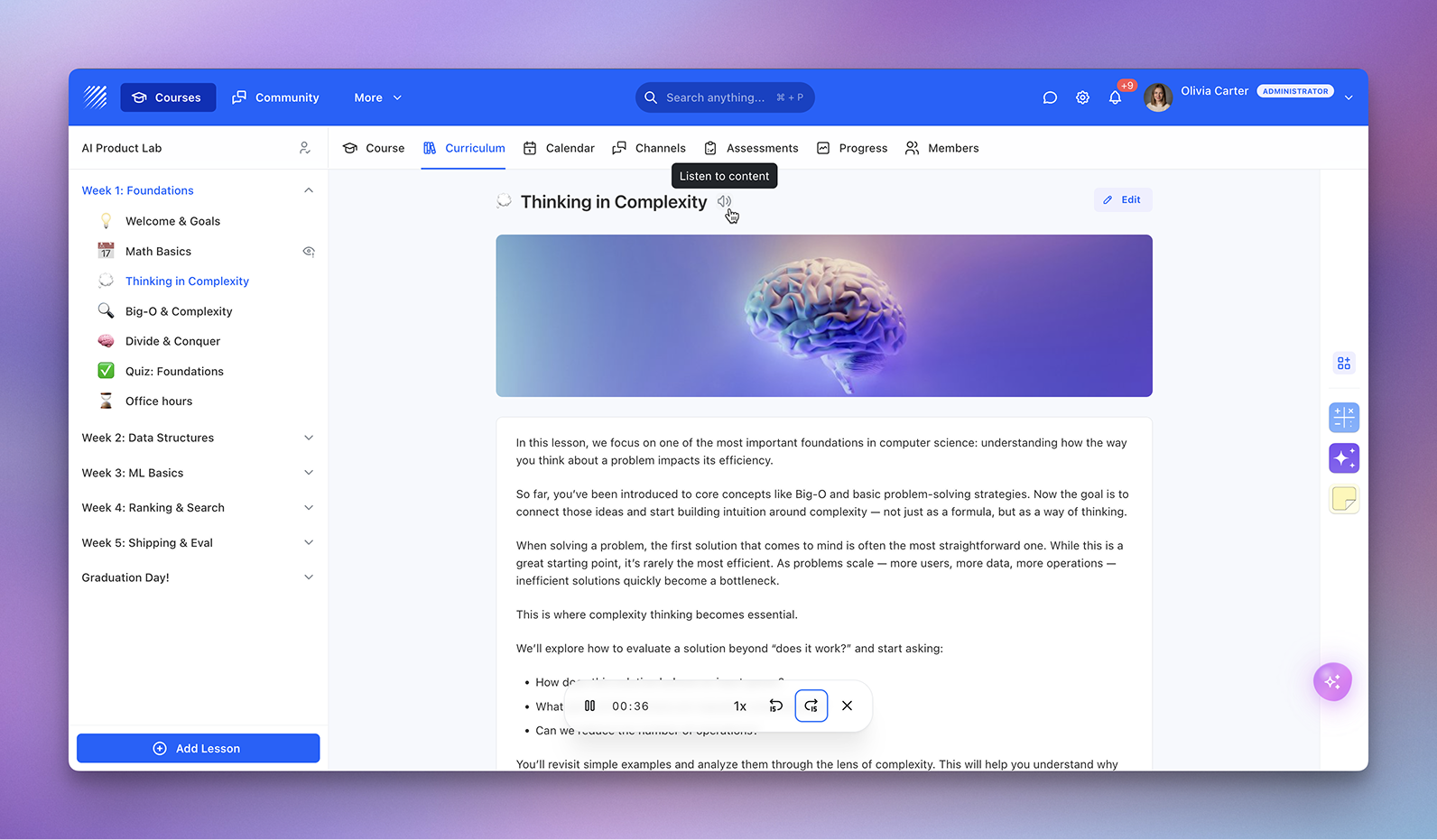
We’re introducing AI Text-to-Speech, a new feature that automatically converts written lesson content into high-quality audio narration.
This allows learners to listen to course materials instead of reading, making learning more flexible, accessible, and engaging.
A New Way to Consume Content
AI Text-to-Speech transforms any text-based lesson into a natural-sounding audio experience.
With a single click, instructors can generate narration for their content, enabling learners to listen, revisit concepts, and switch between reading and listening seamlessly.
This is especially valuable for long-form content, theory-heavy modules, or self-paced courses.
How It Works
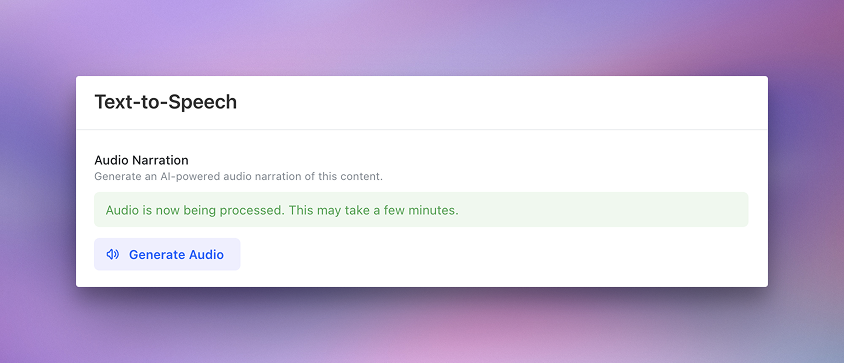
Once enabled, instructors can generate audio directly inside a lesson.
Click Generate Audio → the system processes the content → audio narration is created in a few moments.
When ready, a player appears inside the lesson, allowing learners to play, pause, navigate, and adjust playback speed without leaving the page.
High-Quality, Natural Voice
The generated audio uses advanced AI models to deliver clear pronunciation, consistent tone, and a smooth listening experience.
The result is professional narration that feels close to a human voice, without requiring manual recording.
Built for Accessibility and Flexibility
AI Text-to-Speech expands how learners engage with your content.
It supports learners who prefer audio, professionals learning on the go, and accessibility use cases where reading may be limiting.
It also helps reinforce understanding by allowing content to be consumed in multiple formats.
Why It Matters
Not all learning happens in front of a screen.
AI Text-to-Speech makes your content more flexible and accessible, allowing learners to engage with lessons in a way that fits their context — whether they are reading, listening, or doing both.
Available Now
AI Text-to-Speech is now available inside Teachfloor.
Start generating audio for your lessons and give your learners a new way to engage with your content.


