

What Makes an LMS "Customizable"?
The word "customizable" gets used loosely in the LMS market. Nearly every vendor claims their platform is customizable, but what that actually means varies enormously. Before evaluating individual platforms, it helps to break down the distinct types of customization that matter in a learning management system.
Visual branding. The most basic layer. This includes uploading your logo, choosing brand colors, adding a custom domain, and applying CSS overrides to shape the learner-facing experience. Some platforms offer a drag-and-drop theme editor. Others give you full stylesheet access. The gap between those two approaches is significant when your design team has specific requirements.
Workflow customization. This goes beyond appearance. Can you define your own enrollment flows, approval chains, notification triggers, and completion rules? A platform that lets you change colors but locks you into a rigid course-to-certificate pipeline is not truly customizable where it counts for operations.
API extensibility. APIs determine how deeply a platform integrates with your existing tech stack. A well-documented REST API lets your engineering team push data between the LMS and your CRM, HRIS, analytics tools, or custom applications. The depth of the API, not just its existence, separates superficial LMS integrations from real extensibility.
Open-source code access. Open-source platforms let you modify the core codebase. You can add features, change default behaviors, and host the platform on your own infrastructure. This is the deepest form of customization, but it requires development resources and long-term maintenance commitment.
Plugin and extension architecture. Some platforms sit between closed SaaS and open source. They offer a plugin marketplace or extension framework that lets you add functionality without touching core code. WordPress-based LMS tools and platforms with LTI support fall into this category.
These layers are not mutually exclusive, but most platforms are strong in one or two areas and limited in others. The right fit depends on whether your team needs surface-level branding control, deep workflow configuration, or full architectural freedom.
What to Look for in a Customizable LMS
Once you understand the types of customization available, the next step is matching those capabilities to your actual needs. Here are the criteria that matter most when evaluating customizable LMS platforms for different organizations.
White-label and branding depth. If you are delivering training to external audiences, clients, or partners, white-labeling matters. Look for custom domain support, removable vendor branding, and the ability to style every learner-facing page. A white label LMS should feel like your platform, not a third-party tool with your logo pasted on top.
API depth and documentation quality. An API that exists but lacks documentation, rate limits, or webhook support is not useful. Check whether the platform exposes endpoints for users, courses, enrollments, completions, and reporting. Look for webhook events that trigger actions in your other systems without polling.
Integration platform. APIs handle custom connections, but pre-built integrations save engineering time. Evaluate the platform's marketplace or native connectors for your CRM, video conferencing tools, payment processors, and content authoring tools. SCORM and xAPI support are baseline requirements for importing third-party content.
Theme and CSS control. There is a meaningful difference between a platform that lets you pick from five color presets and one that gives you access to the full CSS layer. If your brand guidelines are specific, you need the latter. Platforms built on open-source foundations generally offer more styling freedom.
Role permissions and access control. Customization also means controlling who can do what. Can you create custom roles beyond the standard admin/instructor/learner trio? Can you restrict access to specific courses, reports, or administrative functions by department, location, or client? Granular permissions are essential for employee training programs that span multiple teams.
Custom reporting and analytics. Standard reports cover basics. But if you need to track learning outcomes tied to business metrics, custom report builders, scheduled report delivery, and data export capabilities matter. Some platforms also support direct database access or BI tool connections for advanced analysis.
Total cost of customization. A platform may be highly customizable in theory but expensive to customize in practice. Open-source tools are free to download but require hosting and development labor. Enterprise SaaS platforms may charge for API access or premium support tiers. Factor in the ongoing cost of maintaining customizations, not just building them.
10 Best Customizable LMS Platforms
The platforms below cover a wide range of customization approaches, from fully open-source systems you can self-host and modify at the code level to enterprise SaaS tools with configurable workflows and API access. They are organized to represent distinct customization strategies rather than ten variations of the same approach.
| Platform | Customization type | Starting price | Free trial |
|---|---|---|---|
| Teachfloor | White-label SaaS, config, SDK | $89/mo (50 seats) | 14 days |
| Moodle | Open source (self-host) | Free software | MoodleCloud trial |
| Canvas LMS | Open source / SaaS-config | Custom | Free for Teacher (limited) |
| Totara Learn | Open source (Moodle fork) | Custom (via partner) | Partner demo |
| LearnDash | WordPress plugin | $199/yr | 30-day money-back |
| Docebo | SaaS config / white-label | Custom (mid-market+) | Demo only |
| Absorb LMS | SaaS config / white-label | Custom | Free trial |
| TalentLMS | SaaS config | $109/mo (annual) | Free plan (5 users) |
| SAP SuccessFactors | SaaS config (in HXM suite) | Custom (suite) | Demo only |
| Open edX | Open source (self-host) | Free software | Free demo (edx.org) |
1. Teachfloor

Overview
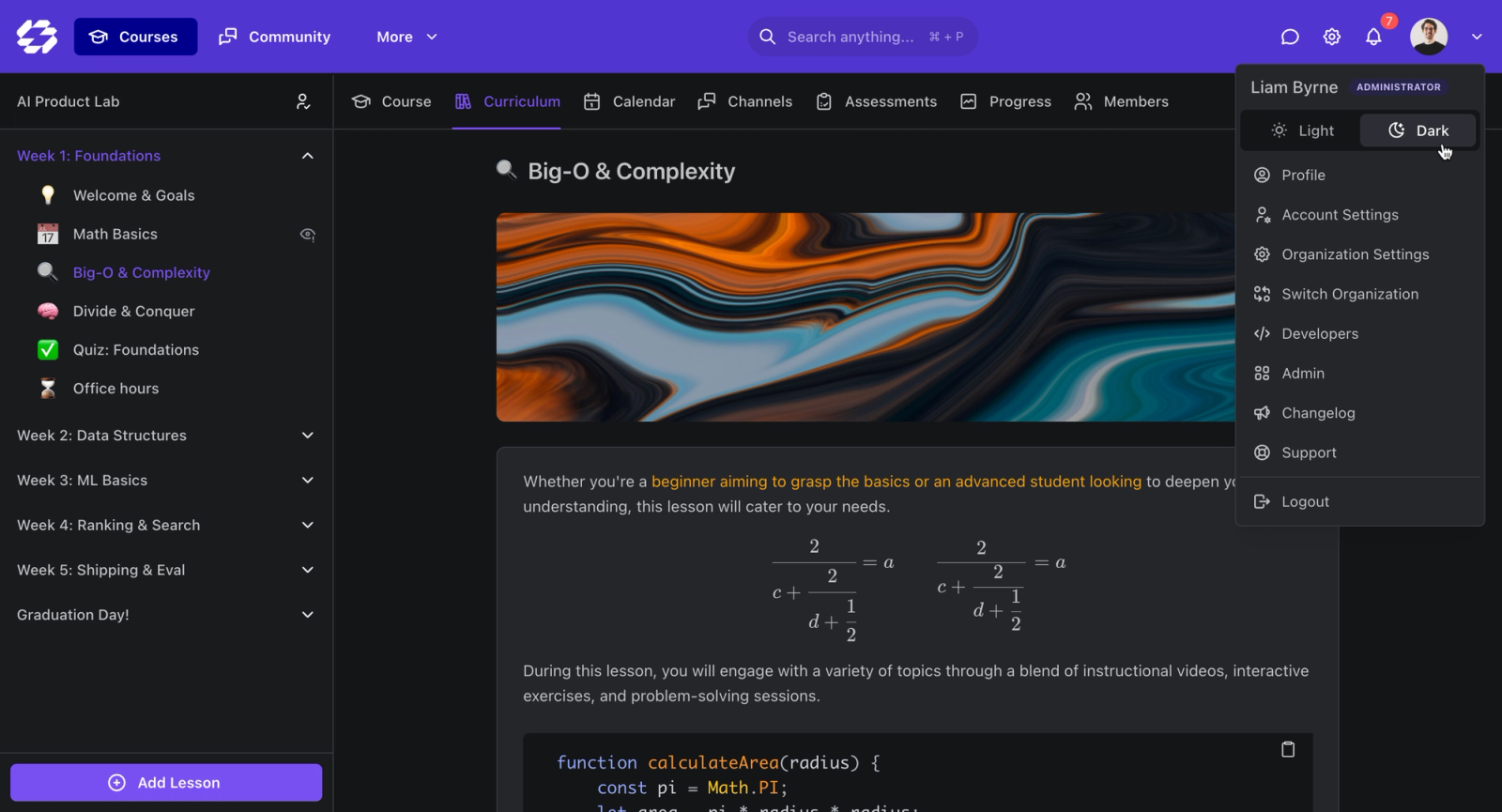
Teachfloor is the most customizable platform on this list for teams that want their training to look and behave like their own product, not a vendor's. The customization runs across two layers most tools treat separately. On branding, you get full white-label control: your own custom domain, your logo, colors, and theme, with Teachfloor's branding removed. On configuration, you can shape course design and layouts, build learning paths, spin up multi-branch (multi-tenant) workspaces for different clients or teams, set up automations, and define custom user roles and permissions.
What sets Teachfloor apart from the open-source and enterprise options here is flexibility in how you deliver. The same platform runs self-paced courses, social and community-driven learning, live sessions over Zoom, and cohort-based programs, and you can mix those formats inside a single program. Add AI course creation that turns your documents and outlines into structured courses, built-in community and peer review, and you get one system instead of a stitched-together stack of LMS, community tool, and video platform.
Core Capabilities
- White-label on your own custom domain, with full branding control over logo, colors, and theme
- Customizable course design and layouts, so each program is structured the way you teach
- Learning paths that sequence courses, assignments, and live sessions into a guided journey
- Multi-branch (multi-tenant) workspaces for running separate branded academies for clients, partners, or business units
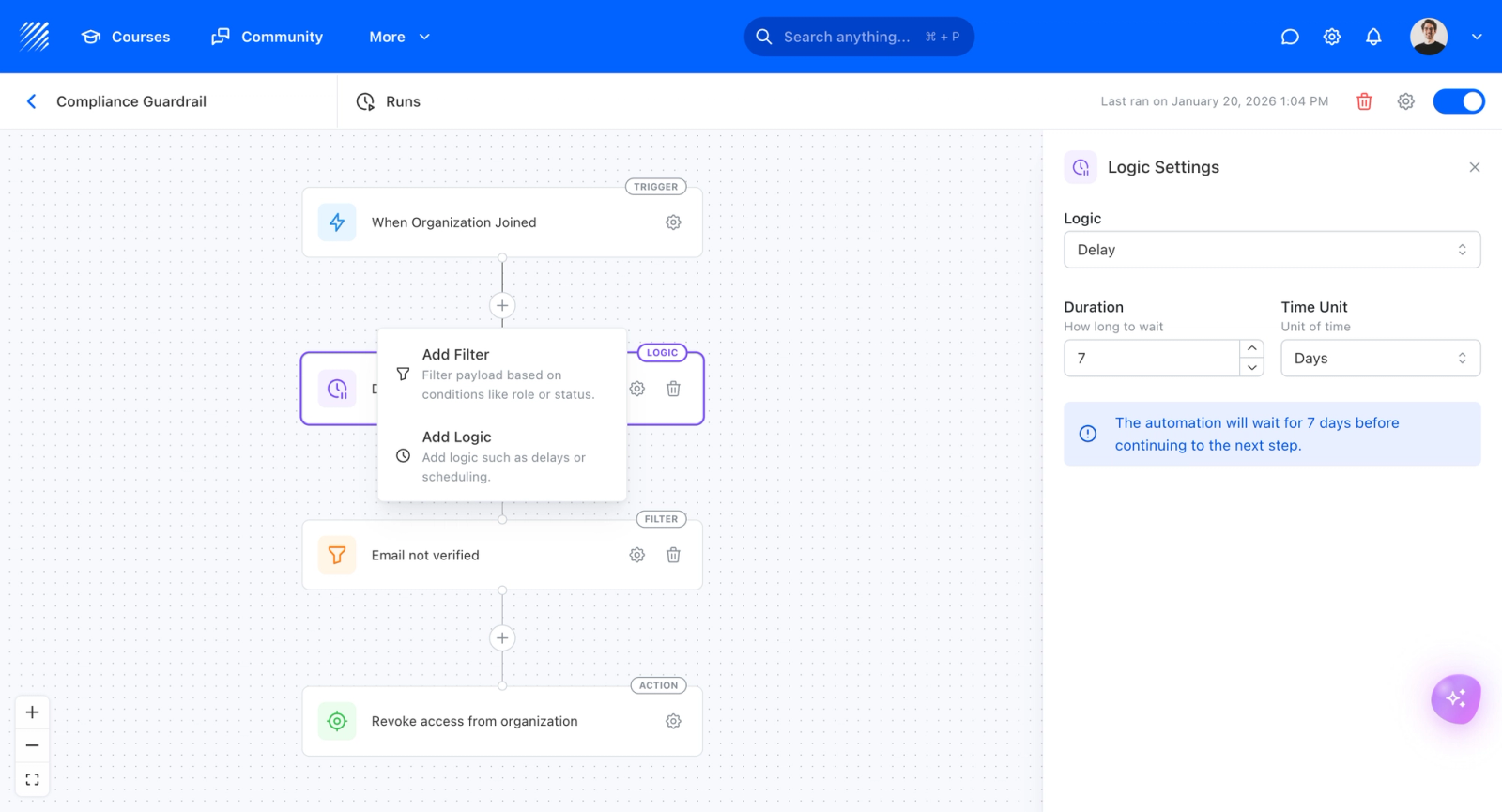
- Automations for enrollment, reminders, and workflow triggers without manual admin work
- Custom user roles and granular user management for admins, instructors, reviewers, and learners
- Flexible delivery: self-paced, social, live, or cohort-based, mixed within a single program
- AI course creation that turns documents, videos, and outlines into structured courses
- Built-in community and discussion spaces plus peer review and collaborative assignments
- Live session integration with Zoom and Google Meet embedded in the course flow
- Payments, enrollment management, and certificates for paid or external programs
- REST API plus a developer SDK for building custom apps on top of the platform

Standout Strength
Two things put Teachfloor ahead of the field on real customization. First, the team works directly with clients to build custom solutions, so requirements that would mean forking an open-source codebase elsewhere are handled as a guided build. Second, Teachfloor offers an SDK that lets your developers build custom apps on top of the platform, which means you extend functionality without giving up a managed, hosted experience. You get open-source-style extensibility and configuration depth, with white-label branding and flexible delivery, in one place.
Best For
Course creators, training companies, customer education teams, and education businesses that want a fully branded, configurable platform without managing servers or a WordPress stack. It fits external academies and partner training (white-label plus multi-branch), customer onboarding (self-paced plus community), and leadership or bootcamp cohorts (live plus peer learning). If you want deep customization but also want flexible delivery and AI-assisted course creation in the same tool, Teachfloor is the most direct fit.
Pricing Overview
- Startup plan from $89 per month for up to 50 user seats, with AI course creation included
- Full Features plan with custom pricing, advanced branding and custom domains, SSO, API, and automations
- 14-day free trial; no permanent free plan
- Nonprofit discounts available
Limitations
- Not built to be a 10,000-seat self-paced content warehouse with AI personalization across a huge library; that is a different category.
- The pre-built integration catalog is smaller than enterprise suites like Docebo or Cornerstone, though the API and SDK cover custom needs.
Quick Comparison Insight
Open-source tools give you code-level freedom but hand you hosting and maintenance; enterprise SaaS gives you configuration but locks delivery into self-paced content. Teachfloor sits between them: white-label, multi-branch, automations, custom roles, an SDK for custom apps, and flexible delivery, all hosted and managed. For teams that want maximum customization without running infrastructure, it is the strongest pick here.
2. Moodle
Overview
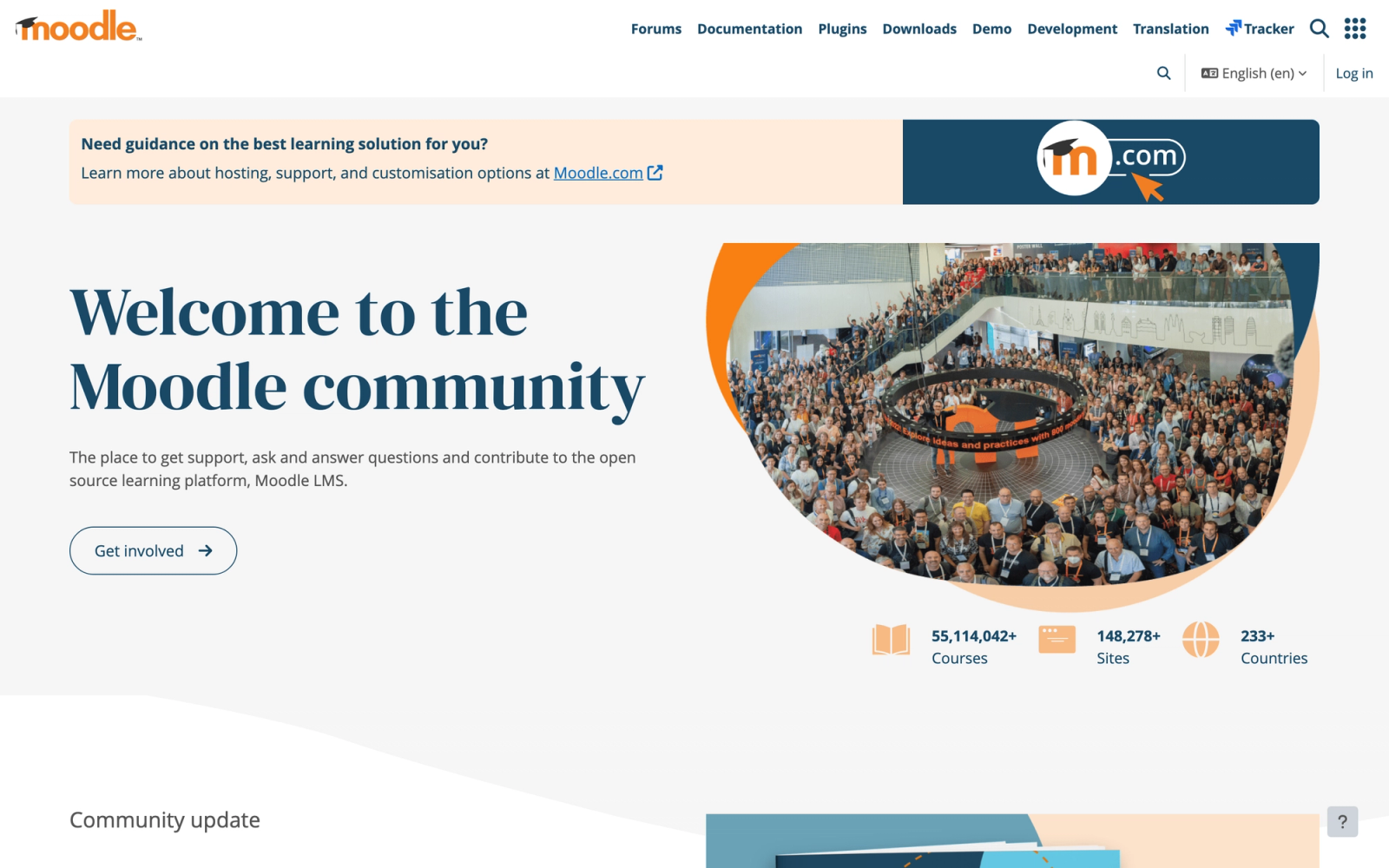
Moodle is the most widely deployed open-source LMS in the world, used by universities, school districts, government agencies, and corporations across more than 240 countries. It is entirely free to download and self-host, which means your team has full access to the source code and can modify virtually anything.
The customization depth here goes further than any closed platform. You can change the database schema, build custom authentication plugins, redesign the user interface from scratch, or integrate with proprietary internal systems at the code level. That level of access comes with a trade-off: Moodle requires server infrastructure, a development team (or a capable hosting partner), and ongoing maintenance. It is not a tool you sign up for and start using in an afternoon.
Core Capabilities
- Fully open-source PHP codebase under the GPL license with unrestricted modification rights
- Over 2,000 community-built plugins covering activities, themes, authentication, enrollment, and reporting
- Granular role and permission system with the ability to define custom roles at the site, category, or course level
- SCORM 1.2, SCORM 2004, xAPI, and LTI 1.3 support for third-party content and tool integration
- Built-in quiz engine with 15+ question types, randomized question banks, and adaptive testing
- Competency frameworks tied to course activities for tracking learner progression against defined standards
- Multilingual support with community-maintained language packs for 100+ languages
- Mobile app (Moodle App) that can be rebranded and deployed to your own app store listing
- Event-driven plugin architecture allowing developers to hook into virtually any system process
- Detailed logging and analytics with configurable data retention policies
Standout Strength
Moodle is the only option here that lets you customize all the way down to the infrastructure level. No other LMS gives you this combination of full code access, a massive plugin library, and zero licensing fees. For institutions with development resources, Moodle can be shaped into practically any learning platform configuration imaginable.
Best For
Universities, large school districts, government training agencies, and corporations with dedicated IT teams that need complete control over hosting, data, and platform behavior. Strong fit for organizations in regulated industries where data sovereignty and on-premise hosting are non-negotiable.
Pricing Overview
- Software: Free and open source (GPL license)
- Hosting: Self-hosted (costs vary by infrastructure) or through certified Moodle Partners
- MoodleCloud (hosted): Plans start around $130 per year for small sites
- Enterprise support through Moodle HQ or certified partners at custom pricing
Limitations
- Requires significant technical expertise to install, configure, and maintain. Non-technical teams will need a hosting partner.
- The default user interface is functional but dated compared to modern SaaS platforms. Achieving a polished look requires theme development work.
- Plugin quality varies widely. Community plugins do not always keep pace with core version updates, creating compatibility risks.
Quick Comparison Insight
More customizable than any commercial LMS on this list, but demands proportionally more technical investment to realize that potential.
3. Canvas LMS
Overview
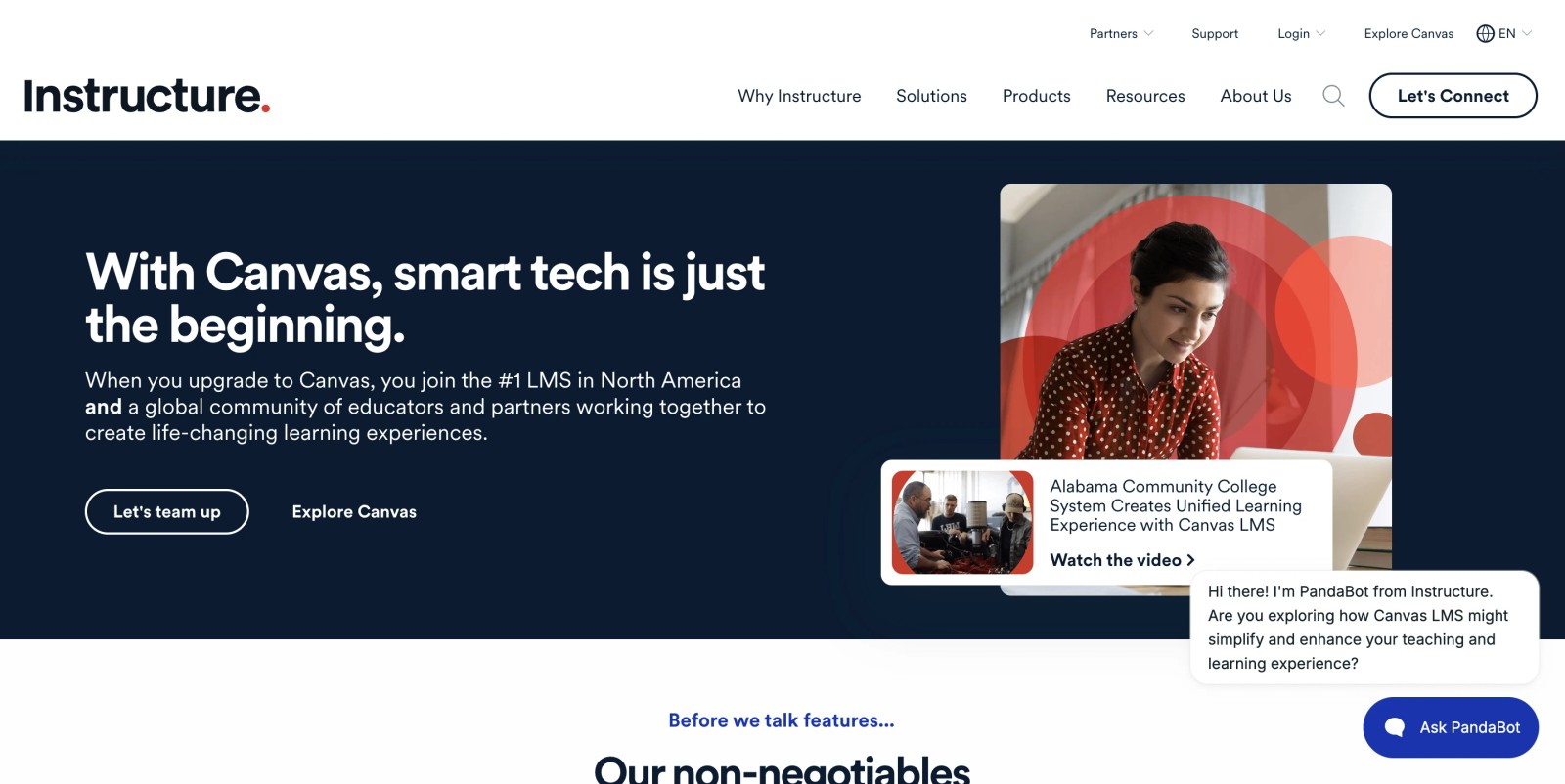
Canvas LMS, developed by Instructure, is an open-source academic LMS that has become the dominant choice in US higher education. Its source code is available on GitHub under the AGPLv3 license, though the vast majority of institutions use the commercially hosted version with Instructure's support and infrastructure.
What makes Canvas distinct as a customizable platform is its LTI (Learning Tools Interoperability) platform. Rather than building all functionality internally, Canvas relies heavily on LTI integrations to extend its capabilities. This means you can connect hundreds of third-party tools, from video platforms to plagiarism detectors to lab simulation software, directly into the Canvas interface. The result is a platform that is less about modifying core code and more about assembling a customized toolset through interoperability standards.
Core Capabilities
- Open-source codebase (AGPLv3) available on GitHub for self-hosted deployment
- Deep LTI 1.3 and LTI Advantage support, making it one of the strongest LTI-native platforms available
- RESTful API with broad endpoints for courses, assignments, users, enrollments, and grading
- SpeedGrader for inline annotation, rubric-based assessment, and multimedia feedback
- Outcomes and rubric alignment for tracking learning outcomes at the course and program level
- Canvas Studio for video management, interactive video quizzes, and screen capture
- Blueprint Courses for templated course design that can propagate updates to associated sections
- Mastery Paths for adaptive, conditional release of content based on learner performance
- Built-in analytics dashboards for course-level and account-level engagement tracking
- Canvas Commons, a shared content repository for reusing and distributing learning objects
Standout Strength
Canvas stands out for its LTI integration network and API-first architecture. If your instructional design strategy depends on integrating specialized tools (Turnitin, Kaltura, Labster, publisher content), Canvas handles that more cleanly than most alternatives. The API is also one of the best-documented in the LMS space, which makes custom development work more predictable.
Best For
Higher education institutions, K-12 districts, and multi-campus systems that rely on LTI-based tool integrations and need strong API access for institutional data systems (SIS, ERP). Also a fit for organizations that want open-source availability as a fallback even if they use the hosted version.
Pricing Overview
- Custom institutional pricing (not publicly listed)
- Canvas Free for Teacher: A limited free tier for individual instructors (no longer accepting new sign-ups)
- Self-hosted: Free (open source), but requires your own infrastructure and support
- Enterprise contracts typically include support, hosting, and SLA guarantees
Limitations
- The commercially hosted version limits some deeper customization compared to self-hosting. Instructure controls the update cycle and feature roadmap.
- Canvas is optimized for academic workflows. Corporate training teams may find it lacks native features for compliance tracking, certification management, and corporate training reporting.
- The open-source version requires substantial DevOps expertise to deploy and maintain at scale.
Quick Comparison Insight
Stronger than Moodle for LTI interoperability and API documentation quality. Less flexible at the code level for non-academic use cases.
4. Totara Learn
Overview
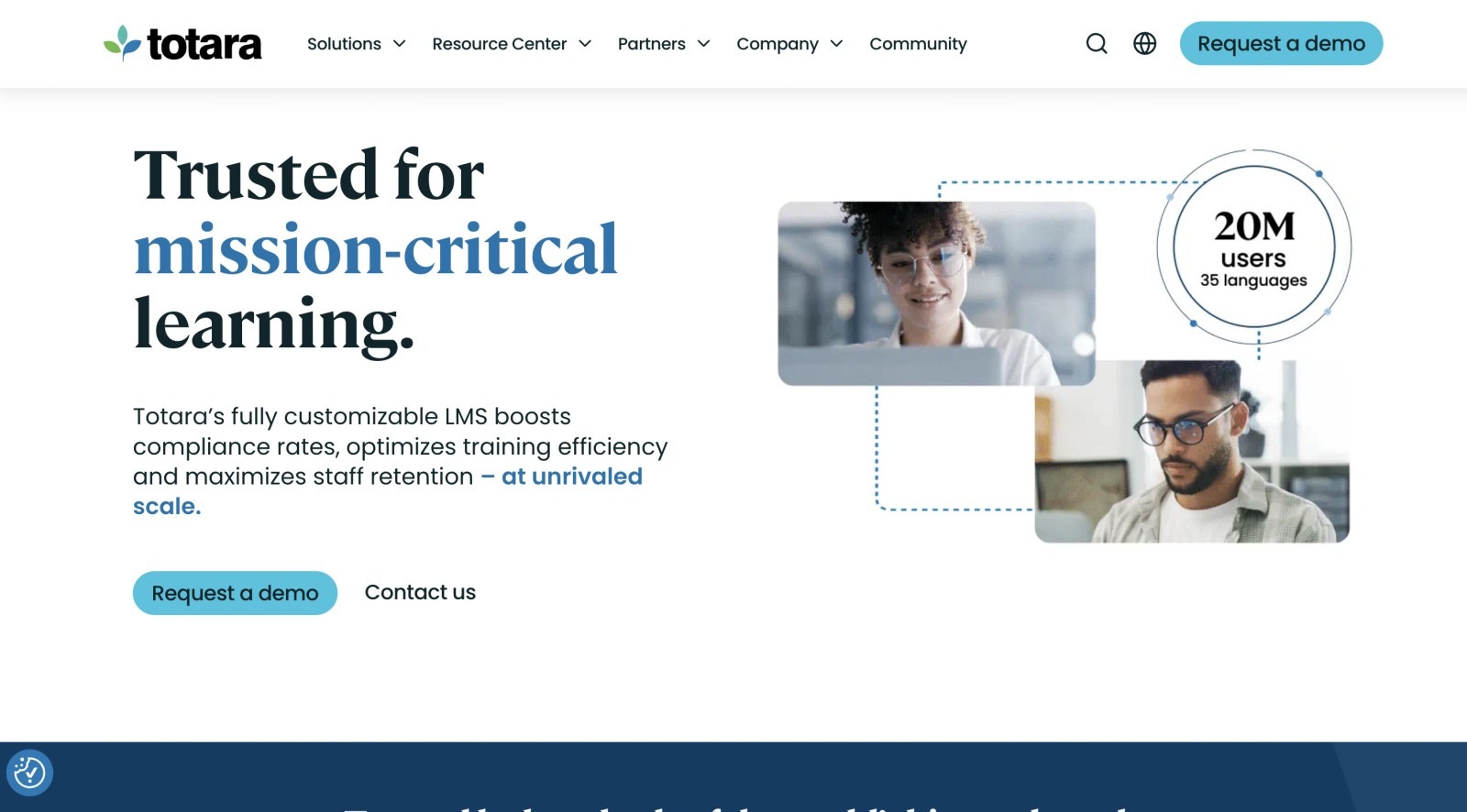
Totara Learn originated as an enterprise fork of Moodle, designed to address the specific needs of corporate learning and development teams. It takes Moodle's open-source foundation and adds enterprise-focused features: audience-based content targeting, manager-driven learning plans, competency management, and appraisal workflows. The platform is distributed through a network of certified Totara Partners, which means you work with a local implementation partner rather than directly with Totara HQ.
The customization model is similar to Moodle in that you have full source code access, but Totara adds a layer of corporate learning logic on top. If Moodle is a blank canvas, Totara is a canvas with enterprise patterns already drawn in, ready for your team to refine.
Core Capabilities
- Open-source codebase (GPL) with full modification rights and self-hosting capability
- Competency frameworks with hierarchical skill tracking tied to positions and organizations
- Audience-based rules-based content targeting (show different learning paths to different teams)
- Manager dashboard with team learning oversight, approval workflows, and performance tracking
- Appraisal and goal-setting module integrated with learning plans
- Seminar (face-to-face) activity management for scheduling and tracking in-person or virtual sessions
- Report builder with custom fields, scheduled delivery, and multi-tenancy-aware filtering
- Moodle plugin compatibility for many community-developed extensions
- SCORM, xAPI, and LTI support for content interoperability
- Multi-tenancy support for organizations managing multiple brands or business units
Standout Strength
Totara pairs Moodle's open-source flexibility with enterprise learning features that work out of the box. The combination of competency management, manager workflows, and audience segmentation fills gaps that Moodle requires custom development to address. For L&D teams building structured employee training programs, Totara reduces the gap between "what the platform does by default" and "what we actually need."
Best For
Mid-to-large enterprises, government agencies, and regulated industries (healthcare, finance, energy) that need full source code control combined with corporate learning workflows. Particularly strong for organizations with complex organizational hierarchies and compliance-driven training requirements.
Pricing Overview
- Custom pricing through certified Totara Partners (not publicly listed)
- Pricing depends on user count, hosting model, and partner implementation services
- No free tier, but demo environments are available through partners
Limitations
- Requires a certified partner for implementation and support, which adds a layer of dependency and cost.
- The interface, while improved over Moodle, still reflects its Moodle heritage and may feel less polished than purpose-built corporate LMS platforms.
- Smaller plugin platform than Moodle since Totara-specific extensions are less numerous than Moodle's community library.
Quick Comparison Insight
More enterprise-ready than Moodle out of the box. Less community support and fewer plugins, but the corporate learning features save significant custom development time.
5. LearnDash
Overview
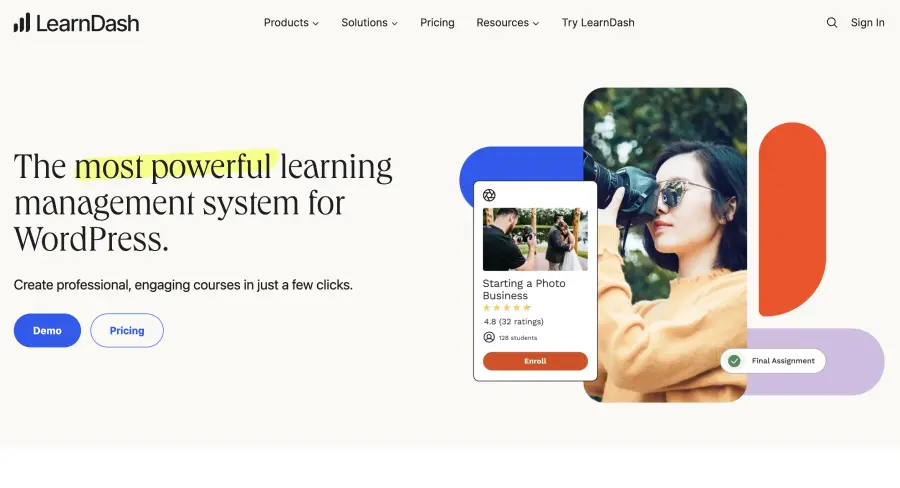
LearnDash is a WordPress plugin that transforms any WordPress site into a full-featured LMS. This positioning is important: rather than being a standalone SaaS platform, LearnDash inherits all of WordPress's customization capabilities. Themes, page builders, custom post types, hooks, filters, and the entire WordPress plugin platform become part of your LMS toolkit.
For course creators and small training businesses, this means you get a level of design and functional control that most SaaS LMS platforms simply do not offer. Organizations regularly build learning portals with LearnDash that are visually indistinguishable from custom-developed platforms, because they are using the same theme and page builder tools that power millions of WordPress sites. The flip side is that you are managing a WordPress site, with all the maintenance, security, and hosting considerations that implies.
Core Capabilities
- Drag-and-drop course builder with lessons, topics, quizzes, and prerequisite controls
- Full WordPress theme compatibility, meaning any WordPress theme can serve as the visual foundation
- WooCommerce integration for course sales, subscriptions, memberships, and bundled pricing
- Focus Mode for distraction-free learning with customizable sidebar and progress tracking
- Advanced quiz engine with eight question types, time limits, randomization, and certificate triggers
- Drip-feed content scheduling to release lessons on a timed schedule
- Groups and group leader functionality for managing cohorts and viewing team progress
- ProPanel add-on for real-time reporting on course activity and quiz performance
- Zapier and webhook support for connecting to external systems and automating workflows
- Multisite compatible, allowing a single WordPress installation to run multiple branded LMS sites
Standout Strength
LearnDash combines LMS functionality with the full design and plugin power of WordPress. If your team already knows WordPress, the learning curve is minimal, and the ceiling for visual customization is very high. No SaaS LMS matches the theme and layout flexibility that a WordPress-based approach provides.
Best For
Independent course creators, training consultants, and small-to-midsize businesses that want complete control over the look, feel, and monetization of their learning platform. Strong fit for teams already invested in the WordPress platform and comfortable managing WordPress hosting and updates.
Pricing Overview
- Starting price: $199 per year for a single site license
- Higher tiers at $399 and $799 per year add additional site licenses and priority support
- WooCommerce and other integrations may carry separate costs
- No free tier, but annual licenses come with a 30-day money-back guarantee
Limitations
- Requires WordPress hosting, maintenance, security updates, and plugin compatibility management. This is not a managed SaaS experience.
- Performance depends on your hosting quality and WordPress configuration. A poorly optimized setup will affect the learner experience.
- Reporting is basic without the ProPanel add-on or third-party analytics plugins.
Quick Comparison Insight
More design flexibility than any SaaS LMS on this list. More operational overhead than any managed platform. The trade-off is clear: maximum control at the cost of self-management.
6. Docebo
Overview
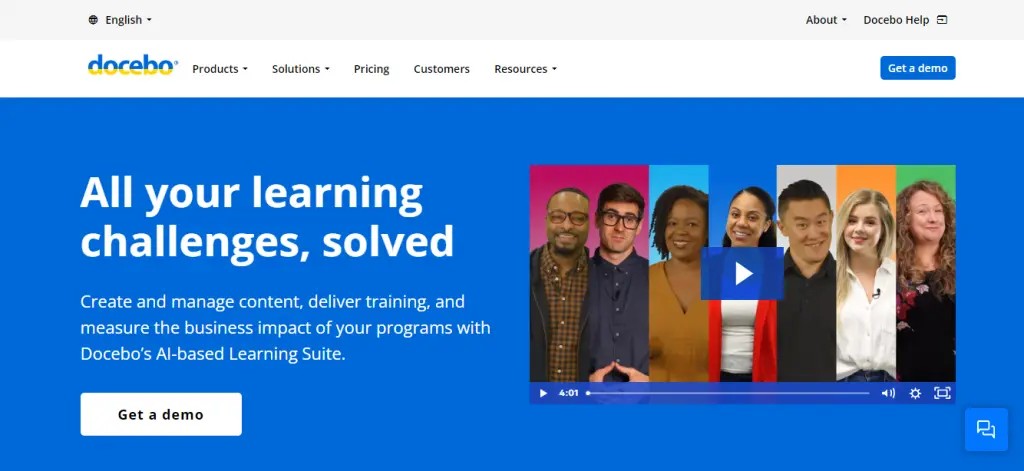
Docebo is an enterprise LMS that approaches customization from the SaaS side: configurable rather than code-modifiable. You cannot change the source code, but you can configure extensive white-labeling, build custom learning pages, connect to over 400 integrations, and use a well-documented API to push and pull data between Docebo and your other systems.
Where Docebo differentiates itself is in its AI-powered features. The platform uses machine learning for content recommendations, auto-tagging, skill gap analysis, and virtual coaching. For large organizations managing thousands of learners across multiple business units, these AI capabilities can reduce the manual curation work that would otherwise require dedicated L&D staff. The white-label capabilities are also among the strongest in the enterprise LMS space, making it a popular choice for companies that sell training to external customers.
Core Capabilities
- Deep white-labeling with custom domains, branded login pages, and per-audience visual themes
- Configurable learning pages using a drag-and-drop page builder for custom learner experiences
- AI-powered content recommendations based on role, skill gaps, and learning history
- Over 400 pre-built integrations with CRM, HRIS, content authoring, and web conferencing tools
- RESTful API with endpoints for users, courses, enrollments, learning plans, and reporting
- Multi-domain support for managing separate branded portals from a single instance
- SCORM, xAPI, AICC, and CMI5 content standard support
- Skills and competency tracking with configurable taxonomies
- Social learning features including Q&A, content sharing, and expert identification
- Salesforce, Workday, and SAP connectors for enterprise system integration
Standout Strength
Docebo delivers white-label depth and AI-driven learning at scale without self-hosting. The combination of configurable branding, multi-tenant support, and a large library of integrations makes it one of the few SaaS platforms that can serve as both an internal training system and an external training commerce platform from a single instance.
Best For
Mid-to-large enterprises (1,000+ employees) that need to deliver branded training to internal teams, external partners, and customers simultaneously. Strong fit for organizations selling training as a product, companies with complex integration requirements, and L&D teams that want AI-assisted content curation without building their own models.
Pricing Overview
- Custom enterprise pricing (not publicly listed)
- Pricing is typically based on active user count and selected feature modules
- Free trial available upon request
- Implementation and onboarding services are quoted separately
Limitations
- Pricing is opaque and generally positioned at the upper end of the LMS market. Small teams may find it cost-prohibitive.
- Customization, while extensive, stays within Docebo's configuration framework. You cannot modify underlying platform behavior.
- The volume of features and configuration options creates a steeper learning curve for administrators.
Quick Comparison Insight
More configurable at the enterprise level than TalentLMS or Absorb, but more expensive and complex. Less flexible than open-source options for organizations that want to modify core platform behavior.
7. Absorb LMS
Overview
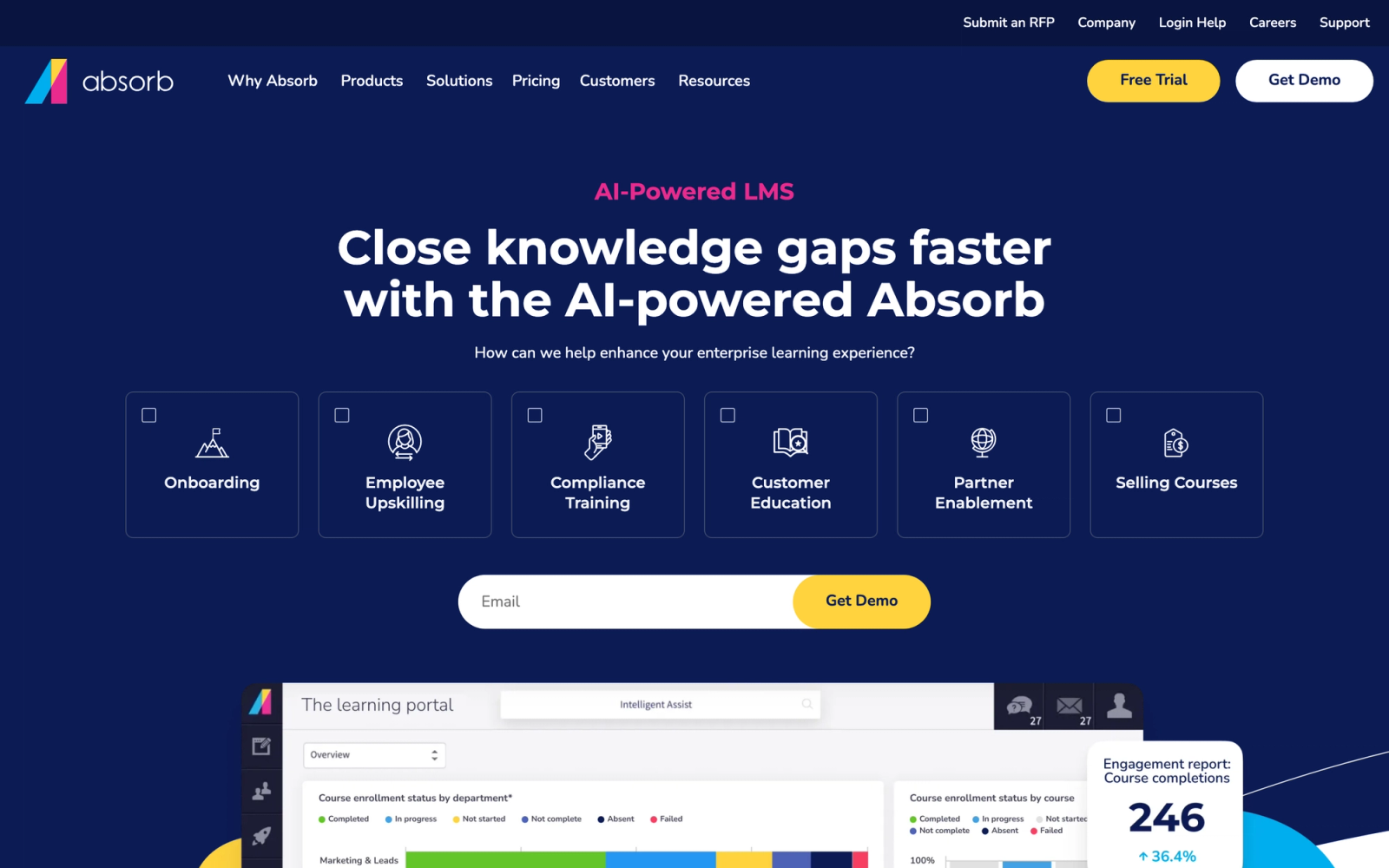
Absorb LMS is an enterprise learning platform built for organizations that need polished branding, strong integrations, and a learner experience that feels modern and intuitive. The platform is not open source, but it offers meaningful customization through its branding tools, API access, and integration framework.
Absorb puts a notable emphasis on the learner portal experience. The interface is clean, responsive, and designed to feel like a consumer-grade application rather than a corporate tool. Custom branding goes beyond logo and colors. You can configure the full portal layout, control which elements appear on the learner dashboard, and apply different themes to different audiences. For companies using their LMS as a client-facing or partner-facing training portal, that presentation quality matters.
Core Capabilities
- Custom-branded learner portals with configurable layouts, themes, and navigation
- Custom domain support with SSL for fully branded training URLs
- RESTful API with webhook support for automating enrollment, completion tracking, and data sync
- Pre-built integrations with Salesforce, BambooHR, ADP, Zoom, and other enterprise tools
- SCORM, xAPI, and AICC content standard support
- eCommerce module for selling courses with payment gateway integration
- Intelligent Assist, an AI-powered admin tool that answers configuration questions and suggests actions
- Observation Checklists for tracking hands-on skill demonstration and on-the-job assessments
- Multi-department and multi-tenant capabilities for segmenting learner audiences
- Custom reporting with scheduled delivery and the ability to share reports with managers
Standout Strength
Absorb is the pick when the learner-facing experience needs to feel premium. The combination of a modern, responsive interface with strong branding controls makes it one of the best-looking enterprise LMS platforms available. For corporate training programs where learner adoption depends on the platform not feeling like a chore, Absorb's UX investment pays off.
Best For
Mid-to-large enterprises (500+ employees) that prioritize learner experience quality and branded training delivery. Strong fit for organizations delivering training to external partners or customers, and for HR/L&D teams that want a polished platform without open-source complexity.
Pricing Overview
- Custom pricing based on user count (not publicly listed)
- Offers both named user and active user pricing models
- Free trial available
- Implementation services are included or quoted separately depending on tier
Limitations
- Limited deep customization compared to open-source alternatives. You work within Absorb's configuration boundaries.
- Pricing is not transparent, which makes budgeting difficult without a sales conversation.
- The reporting module, while improved, does not match the depth of platforms like Docebo or Totara for highly specific analytics needs.
Quick Comparison Insight
Stronger learner experience than most enterprise LMS platforms. Less configurable than Docebo for complex multi-tenant setups, and less flexible than open-source options for teams that need code-level control.
8. TalentLMS
Overview
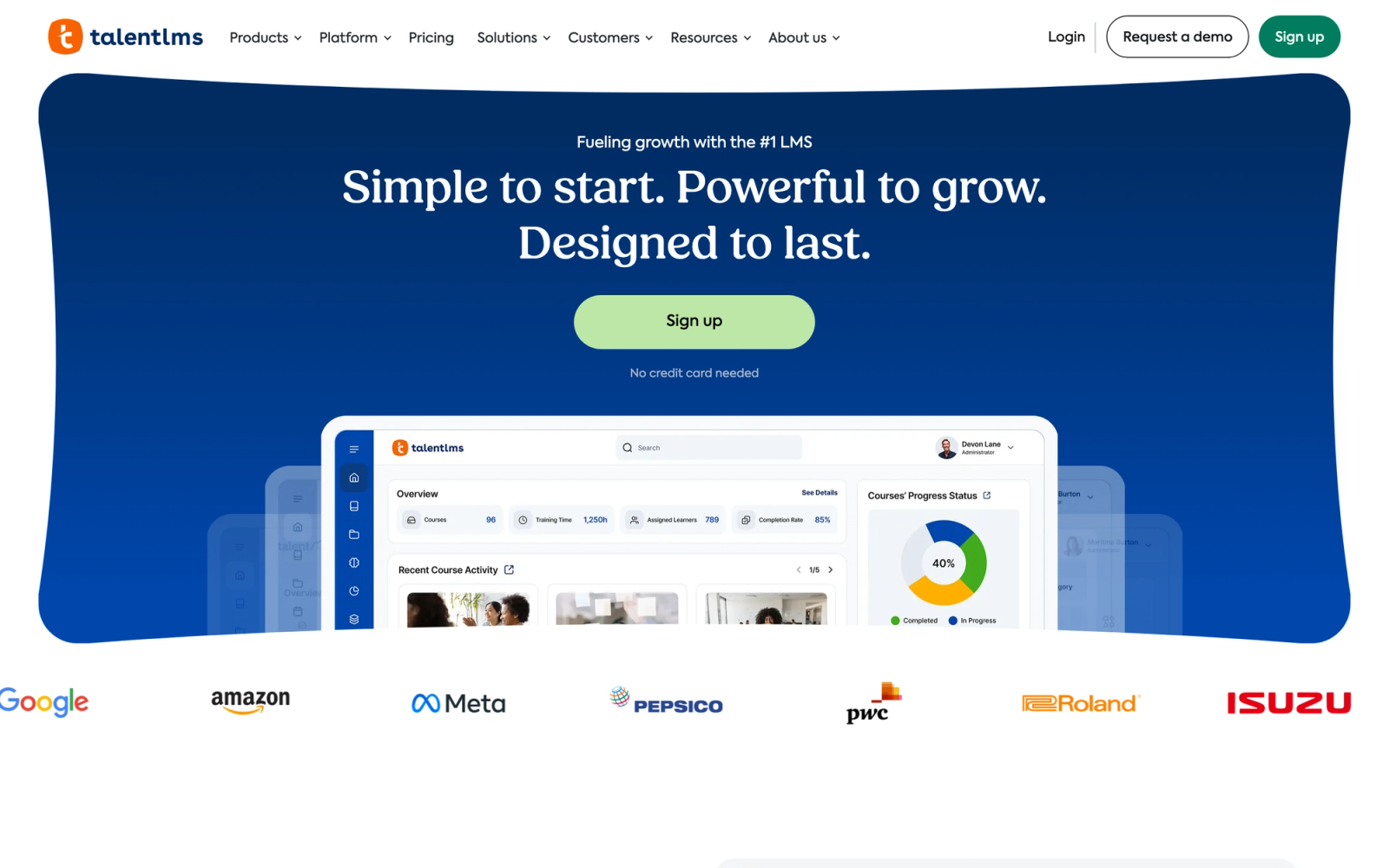
TalentLMS, built by Epignosis, occupies a different space than the enterprise platforms above. It is designed for small and midsize businesses that need to get a branded training platform running quickly, without a six-month implementation project or a dedicated IT team.
The customization approach here is practical rather than deep. You get custom domain support, logo and color branding, theme selection, and CSS overrides for fine-tuning. The API is available for automating user management and integrations. The platform will not let you modify core behaviors or build plugins, but for SMBs that need their LMS to look and feel on-brand without hiring developers, TalentLMS delivers that effectively and affordably.
Core Capabilities
- Custom domain with SSL, logo upload, color scheme customization, and theme selection
- CSS override access for teams that need finer visual control beyond theme options
- REST API for user management, course operations, and reporting automation
- Built-in course builder with support for SCORM, xAPI, video, documents, and presentations
- Branches (sub-portals) for creating separate branded instances for different teams or clients
- Gamification with points, badges, leaderboards, and custom achievement rules
- eCommerce with Stripe and PayPal integration for selling courses
- Native integrations with Zapier, Salesforce, GoToMeeting, and other tools
- Automated user onboarding with self-registration, SSO (SAML, LDAP), and group assignment rules
- Survey and assessment tools for collecting feedback and measuring knowledge retention
Standout Strength
TalentLMS delivers usable branding customization and training functionality at a price point and complexity level that fits small teams. Setup takes hours, not months. A non-technical administrator can configure branding, build courses, and launch training without developer support. For organizations where speed to launch and ease of use outweigh deep customization, TalentLMS hits the right balance.
Best For
Small-to-midsize businesses (25 to 500 employees) that need a branded training platform for onboarding, compliance, or skill development without a large L&D department. Strong fit for companies delivering training to multiple audiences through branches, and for teams that value simplicity over configurability.
Pricing Overview
- Free plan: Up to 5 users and 10 courses
- Core plan: from $109 per month billed annually (up to 100 users)
- Grow from $229 per month and Pro from $399 per month, billed annually, scaling up to 1,000 users
- Custom enterprise pricing available for larger deployments
- All paid plans include core features; some advanced options (automations, custom reports) are in higher tiers
Limitations
- Customization depth is limited compared to open-source or enterprise-grade platforms. You cannot extend core functionality.
- Reporting is functional for basic training metrics but lacks the depth for complex compliance or skills analytics.
- The branch system, while useful, has a learning curve for managing permissions and content sharing across sub-portals.
Quick Comparison Insight
Faster to deploy and more affordable than Docebo or Absorb. Less customizable at the API and workflow level. The right choice when speed and simplicity matter more than configurability depth.
9. SAP SuccessFactors Learning
Overview
SAP SuccessFactors Learning is the learning management module within SAP SuccessFactors, SAP's Human Experience Management (HXM) suite. It is not a standalone LMS in the traditional sense. It is designed to operate as part of an integrated HR technology stack, connecting learning activities to talent profiles, succession planning, compensation, and performance management.
The customization model here is configuration-driven. You do not modify source code. Instead, you configure workflows, approval chains, learning assignment rules, and reporting dimensions within SAP's administrative framework. For organizations already running SAP SuccessFactors for HR processes, the learning module inherits the same organizational structure, user hierarchy, and compliance framework. That integration is the primary customization advantage: learning workflows are tailored to mirror the way your organization already operates in SAP.
Core Capabilities
- Deep integration with SAP SuccessFactors HXM modules (performance, succession, compensation, recruiting)
- Configurable approval workflows for training requests, budget approvals, and certification renewals
- Compliance management with automated assignment rules based on job role, location, and regulatory requirements
- Learning assignment profiles that automatically target content based on SAP organizational hierarchy
- Instructor-led training management with scheduling, resource booking, and waitlist handling
- SCORM, AICC, and xAPI content support with a built-in content management repository
- Extended enterprise learning for delivering training to suppliers, partners, and contractors
- Configurable reporting with SAP Analytics Cloud integration for advanced dashboards
- Mobile-responsive learner experience with SAP SuccessFactors mobile app
- Multi-language and multi-currency support for global deployments
Standout Strength
SAP SuccessFactors Learning makes sense when your HR technology stack is already built on SAP. The ability to tie learning completions directly to performance reviews, compliance status to job roles, and training budgets to cost centers creates a unified people-data environment that standalone LMS platforms cannot replicate without extensive custom integration.
Best For
Large enterprises (5,000+ employees) already running SAP SuccessFactors for core HR processes. Particularly strong for global organizations with complex compliance requirements, regulated industries (pharma, manufacturing, financial services), and companies that need learning data integrated with talent management at the system level.
Pricing Overview
- Custom enterprise pricing as part of SAP SuccessFactors suite licensing
- Typically sold as a module within an existing SAP HCM contract
- Pricing depends on user count, modules selected, and implementation scope
- Implementation costs are significant and usually involve SAP consulting partners
Limitations
- Not practical as a standalone LMS. The value proposition depends on existing SAP SuccessFactors infrastructure.
- Implementation is complex and expensive, often requiring specialized SAP consultants and months of configuration.
- The learner interface, while functional, is not as modern or intuitive as purpose-built LMS platforms. User adoption can be a challenge without change management support.
Quick Comparison Insight
More deeply integrated with HR processes than any other platform on this list, but only if you are already in the SAP platform. Less flexible and more expensive to implement than standalone LMS options.
10. Open edX
Overview
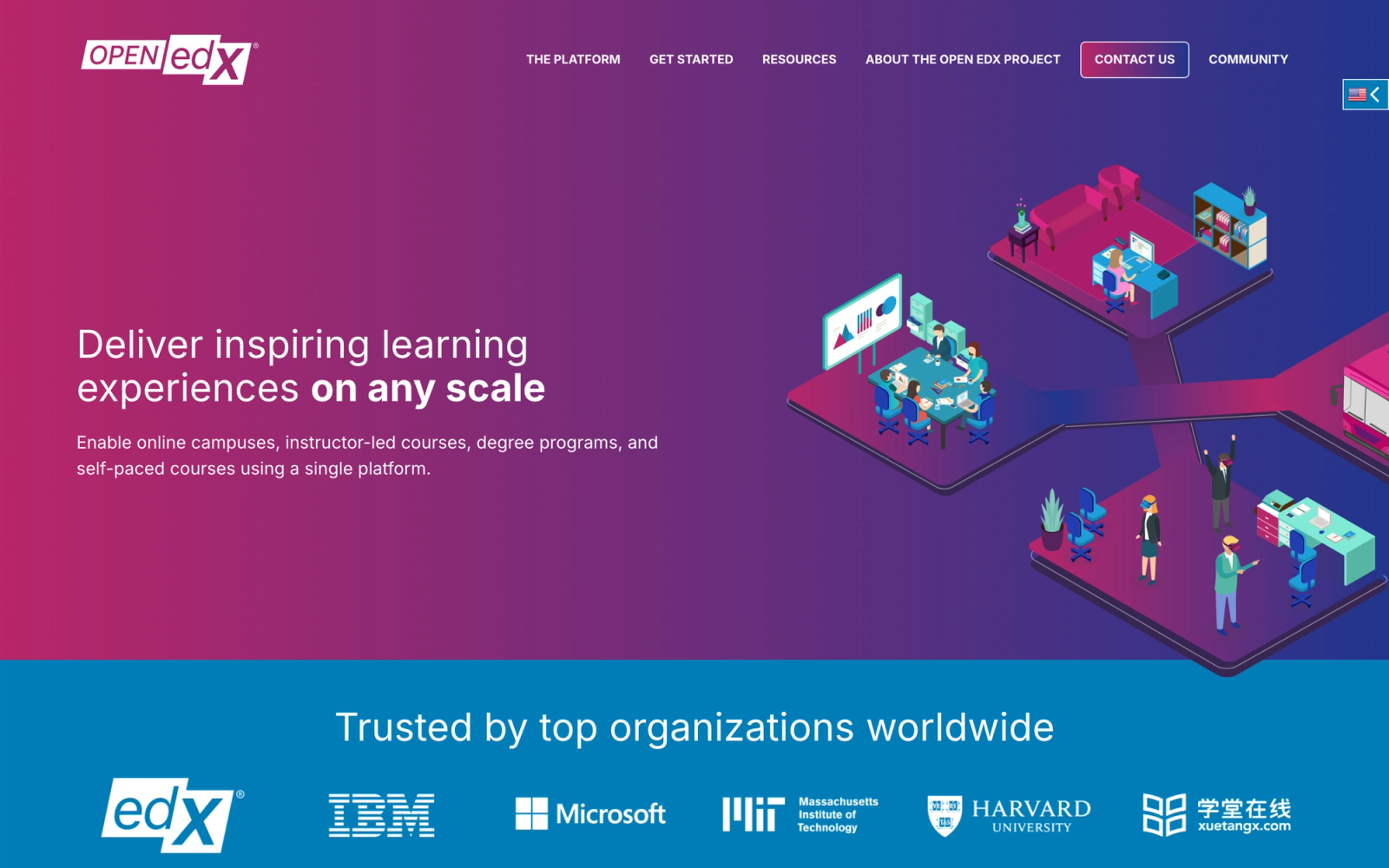
Open edX is the open-source platform behind edX, the MOOC provider founded by Harvard and MIT. After edX's acquisition by 2U, the Open edX project continued as an open-source initiative stewarded by Axim Collaborative, the nonprofit founded by Harvard and MIT. The platform is used by universities, governments, and corporations to build and deliver online courses at scale.
From a customization standpoint, Open edX offers depth comparable to Moodle but with a different architecture. It is built on Python/Django, uses a microservices-oriented approach in newer releases, and has its own extension framework called XBlocks. XBlocks are pluggable course components that can render any type of interactive content: simulations, assessments, coding exercises, peer reviews, or custom visualizations. This modular architecture means you can extend the learning experience without modifying core platform code, though you certainly can modify that too if needed.
Core Capabilities
- Fully open-source under the AGPLv3 license, stewarded by the nonprofit Axim Collaborative
- XBlock framework for building custom, interactive course components
- Studio, a dedicated course authoring environment with drag-and-drop content organization
- Built-in discussion forums with threaded conversations, voting, and moderation tools
- Proctored exam support with configurable exam rules and third-party proctoring integration
- Certificate generation with customizable templates and verifiable digital credentials
- Multi-tenant (multi-site) capability for running separate branded instances from one deployment
- RESTful APIs for enrollment, grading, user management, and analytics
- Blended learning support with configurable pacing modes (self-paced and instructor-led)
- broad analytics pipeline (Open edX Insights) for tracking learner engagement and course performance
Standout Strength
Open edX is built to deliver structured courses at massive scale, with the ability to extend the learner experience through custom interactive components. The XBlock architecture is unique in the LMS space. It lets you build entirely new content types, not just connect external tools. For universities and governments building national learning platforms, that architectural flexibility, combined with zero licensing costs, is difficult to match.
Best For
Universities, government agencies, large NGOs, and corporations that need to deliver courses at scale (thousands to millions of learners) and have the development resources to manage an open-source deployment. Strong fit for organizations building national education platforms, corporate universities, or MOOC-style offerings.
Pricing Overview
- Software: Free and open source (AGPLv3 license)
- Self-hosted: Infrastructure and development costs vary by scale
- Managed hosting available through providers like Raccoon Gang, OpenCraft, and eduNEXT
- Enterprise support and managed services are quoted by hosting partners
Limitations
- Deployment and maintenance require experienced DevOps and Python/Django developers. This is not a platform for small teams without technical resources.
- The default UX, while improved in recent releases, is designed for MOOC-style sequential courses. Adapting it for corporate training workflows takes configuration and customization effort.
- The XBlock platform, while powerful, is smaller than Moodle's plugin library. Finding pre-built solutions for specific needs is less likely.
Quick Comparison Insight
Better suited for large-scale course delivery than Moodle. More architecturally modern with the XBlock framework. Less flexible for non-course learning formats and smaller in community size.
How to Choose the Right Customizable LMS
If your priority is scale or compliance rather than customization depth, two companion guides go deeper on those angles: the best enterprise LMS platforms and the best corporate training platforms.
The platforms above represent fundamentally different customization philosophies. Picking the right one depends less on which platform has the longest feature list and more on which customization model matches your team's capabilities and priorities.
If you need full code control and self-hosting, Moodle, Open edX, or Totara Learn are your starting points. All three give you source code access, but they require development and DevOps resources to deploy and maintain. Moodle has the largest community and plugin platform. Open edX has the most modern architecture for large-scale course delivery. Totara adds enterprise learning workflows on top of Moodle's foundation.
If you need enterprise SaaS with deep configuration, Docebo, Absorb, or SAP SuccessFactors Learning fit the model. Docebo leads in white-label depth and AI features. Absorb leads in learner experience quality. SAP SuccessFactors only makes sense if you are already in the SAP platform, but it offers the deepest HR integration available.
If you need WordPress-based flexibility, LearnDash is the clear choice. It inherits the entire WordPress customization platform and gives course creators a level of design control that SaaS platforms cannot match. The trade-off is self-managed hosting and maintenance.
If you need quick branding at an affordable price, TalentLMS delivers usable customization for SMBs without requiring technical staff. It will not satisfy teams that need API-level extensibility, but for straightforward branded training, it is efficient.
If your training model is collaborative and cohort-based, Teachfloor is designed specifically for programs where peer interaction, group activities, and live facilitation drive learning outcomes. Its customization focuses on workflow design and white-label branding rather than code-level flexibility.
The decision comes down to a few honest questions. Does your team have developers? Do you need to host your own data? Is the learner experience primarily self-paced or collaborative? How important is visual branding versus workflow configuration? Match the answers to the customization model, and the right platform becomes clear.
FAQ
What is a customizable LMS?
A customizable LMS is a learning management system that allows organizations to modify its appearance, workflows, integrations, or underlying code to match specific training requirements. Customization can range from basic branding (logos, colors, domains) to full source code modification in open-source platforms. The level of customization available varies significantly between SaaS platforms and open-source solutions.
Is an open-source LMS always more customizable than a SaaS LMS?
Open-source platforms like Moodle and Open edX offer the deepest customization because you can modify any part of the codebase. However, that flexibility requires development resources. A SaaS platform like Docebo or Absorb may offer sufficient customization through APIs, configuration options, and white-labeling without requiring you to manage infrastructure. The "more customizable" option is only better if your team can actually use that flexibility.
Can I white-label a customizable LMS?
Most platforms here support some level of white-labeling: custom domains, logo uploads, and color changes. Teachfloor, Docebo, and Absorb offer it as a core feature, and Teachfloor extends it with multi-branch workspaces so each audience gets its own branded space. Open-source platforms give you full control over branding because you can modify the interface, though that requires theme development. For a deeper comparison, see our white-label LMS guide.
How much does a customizable LMS cost?
Costs range from free open-source software (Moodle, Open edX) to custom enterprise pricing (Docebo, SAP SuccessFactors). Open-source platforms have no license fees but require hosting and development investment. SaaS platforms vary: Teachfloor starts at $89 per month, TalentLMS at $109 per month billed annually, and LearnDash at $199 per year. For a fuller breakdown, see our guides to LMS pricing and the most affordable LMS options. Total cost of ownership should include implementation, customization labor, and ongoing maintenance.
Do I need developers to customize an LMS?
It depends on the type of customization. Theme selection, color changes, and content configuration can usually be done by non-technical administrators. API integrations, plugin development, CSS overrides, and open-source deployments require development skills. Platforms like TalentLMS and Teachfloor are designed so that non-technical teams can handle most customization. Moodle and Open edX assume you have technical staff available.
Should I buy a customizable LMS or build a custom one?
For most teams, configuring a customizable LMS is faster and cheaper than building a learning platform from scratch. A custom-built system gives you total control but means you own engineering, security, hosting, and every future feature. A configurable platform like Teachfloor, or an open-source one like Moodle, gets you most of that flexibility (custom roles, learning paths, white-label branding, automations, API and SDK access) without the multi-year build. Build only when your requirements are so specific that no existing platform and no amount of configuration can meet them. If you want learning to live inside your own app, a headless LMS gives you that without building the back end.
![12 Best Learning Management System Examples [2025]](/_next/image?url=https%3A%2F%2Fcdn.sanity.io%2Fimages%2Fl9t3o6uq%2Fproduction%2F36b92be52c0679b8a0cda6cb2ac63c44fe271d15-900x601.heif%3Frect%3D0%2C48%2C900%2C506%26w%3D800%26h%3D450%26fit%3Dcrop&w=3840&q=75)


