Build Apps on Teachfloor.
Apps let you extend Teachfloor — build your own internal tools, ship integrations with the systems your team uses, or launch a product on top of the platform and monetize it.
Find an app, or build your own.
Install ready-made apps from the community, or build and publish your own. Browse the full catalog in the App Marketplace.











Create your own apps with AI. Without writing code.
Describe the app you need in plain language, in any language, and an AI assistant builds it, live in your dashboard. Ship as many custom apps as you want in minutes, then load them straight into your academy. No developers required.
Describe it
Tell an AI assistant what you want in plain language, in any language: a feedback widget, a poll, an idea board, whatever your academy needs.
Watch it build
The assistant writes and runs the app live in your dashboard. Refine it just by asking for changes, no code involved.
Ship in minutes
Publish to your academy in one step, then build the next one. Create as many custom apps as you want.
Three ways to extend Teachfloor.
From quick UI add-ons to full integrations that sync with the rest of your stack — apps fit the shape of what you need.
UI extensions
Add interface components throughout the dashboard — sidebar widgets, course tools, custom settings, analytics panels.
Data apps
Store and manage information inside Teachfloor — notes, task managers, progress trackers, custom reports.
Background integrations
Run in the background with no UI — sync events to Segment or Mixpanel, push user data to Intercom or HubSpot.
One example: the AI Assistant.
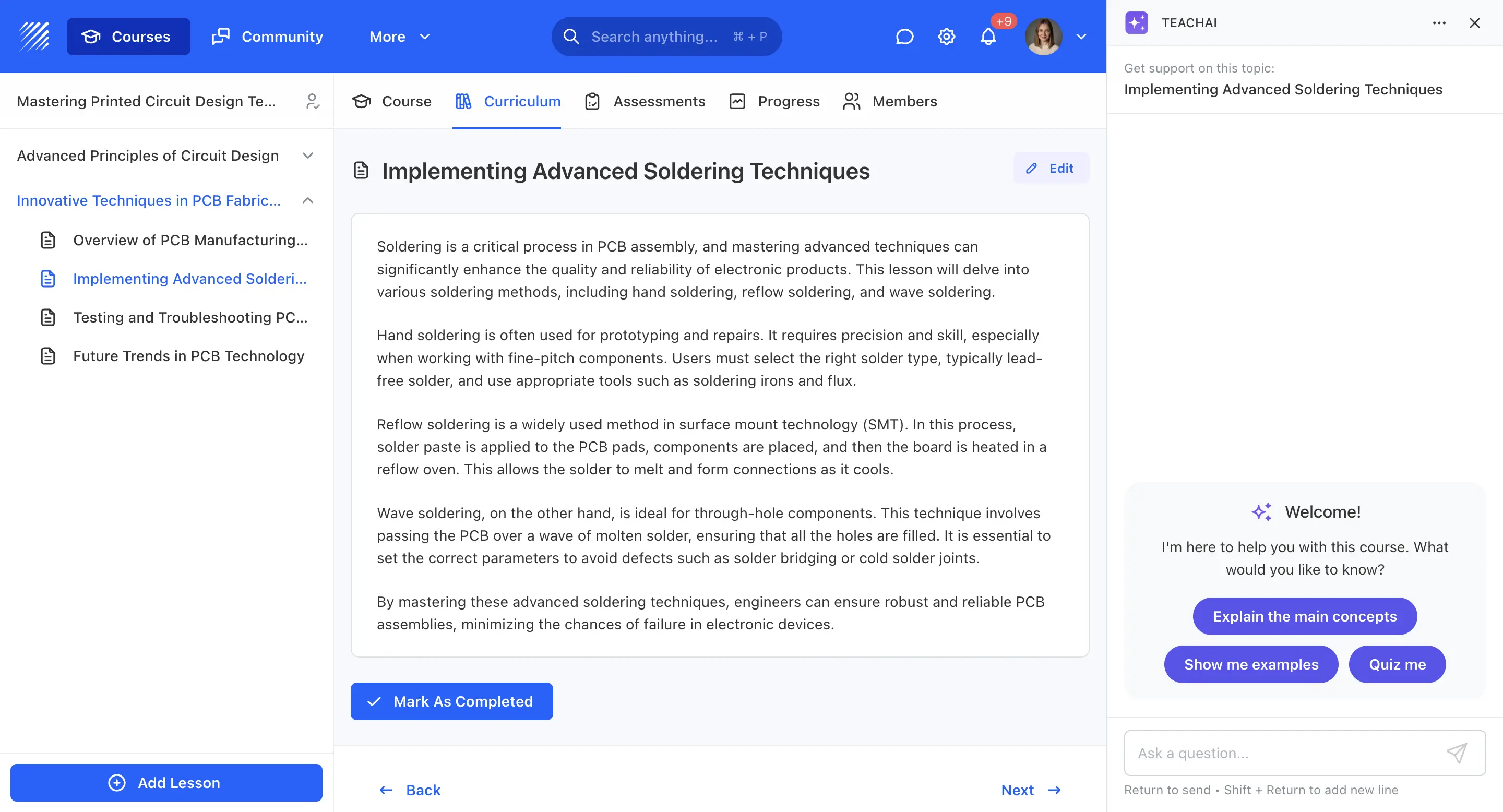
A Teachfloor app, installable from the dashboard. Mounts on course, module and element pages, declares its permissions on install and stores its data through the platform — like any other app you can build.
CLI, SDK and components — same tools your engineering team already uses.
Apps render as sandboxed iframes inside the dashboard, talk to the platform via a typed SDK, and store their own data securely.
Teachfloor CLI
Scaffold, develop and deploy apps from your terminal. Local dev with hot-reload, one command to ship.
Extension Kit
Pre-built React components that match the dashboard out of the box — buttons, panels, settings pages, layouts.
Teachfloor SDK
Talk to the platform from a sandboxed iframe — read user context, store data, listen to events, call APIs.
Build apps for your organization, or for the Teachfloor ecosystem.
Enterprise customers ship internal apps that extend their academy. Product teams and software vendors build commercial apps that run on Teachfloor — distributed across the platform, billed centrally.
Apps for your organization.
Extend Teachfloor with the tools your operations team needs. Visible only to your organization, governed by your admin controls.
- Scoped to your workspace
- No external review required
- Same SDK and APIs as public apps
Apps you distribute and monetize.
Publish your app to every Teachfloor customer. Distribution, billing and payouts are handled by the platform — you focus on product.
- Distributed to every Teachfloor workspace
- Billing and revenue share handled by Teachfloor
- Partnership and co-marketing on request
Secure by design, enterprise-ready.
Apps follow the same security posture as the rest of Teachfloor — sandboxed runtime, declared permissions, scoped encrypted storage, and an audit trail your security team can review.
Sandboxed by default
Apps render in isolated iframes with no direct access to the parent page. All communication is mediated by the SDK.
Explicit permissions
Every app declares the data and actions it needs. Admins approve scopes at install time and revoke them on demand.
Scoped, encrypted storage
Data stored by an app is scoped per organization, encrypted at rest, and aligned with our GDPR and SOC 2 controls.
Common questions.
An extension that runs inside Teachfloor — it can add UI in the dashboard, sync data with external systems, or do both. Apps are written in React and packaged with the Teachfloor CLI.
Apps can mount in the apps drawer, on course pages, inside settings, or as background integrations with no UI. The mount points are declared in the app's manifest.
No. Teachfloor hosts your app — you build, push it through the CLI, and it's live. No servers, no deploy pipelines.
Yes. Private apps are visible only to your org and skip the marketplace review. Useful for internal tools and bespoke workflows.
Anything that exposes an HTTP API — analytics (Segment, Mixpanel), CRMs (HubSpot, Intercom, Salesforce), comms (Slack, Discord), AI providers, your own backend.
Apps render in sandboxed iframes with no direct access to the parent page. Permissions are declared up front and approved at install. Data is scoped, encrypted at rest, and GDPR-compliant.
Yes. Apps published on Teachfloor can be priced per install, per seat, or as a subscription — we handle billing on your behalf and pay out monthly. Talk to us early if you're building something commercial so we can help with positioning.
Read the App Development guide in our docs — it walks you from CLI install to your first app running in the dashboard in under 15 minutes.
Ship your first Teachfloor app today.
Building for your own team or launching a product on top of Teachfloor — the path is the same. CLI, SDK, dashboard.