
arrow
Back to Product Updates
August 3, 2023

In-App Notification Alert
 In-App Notification Alert

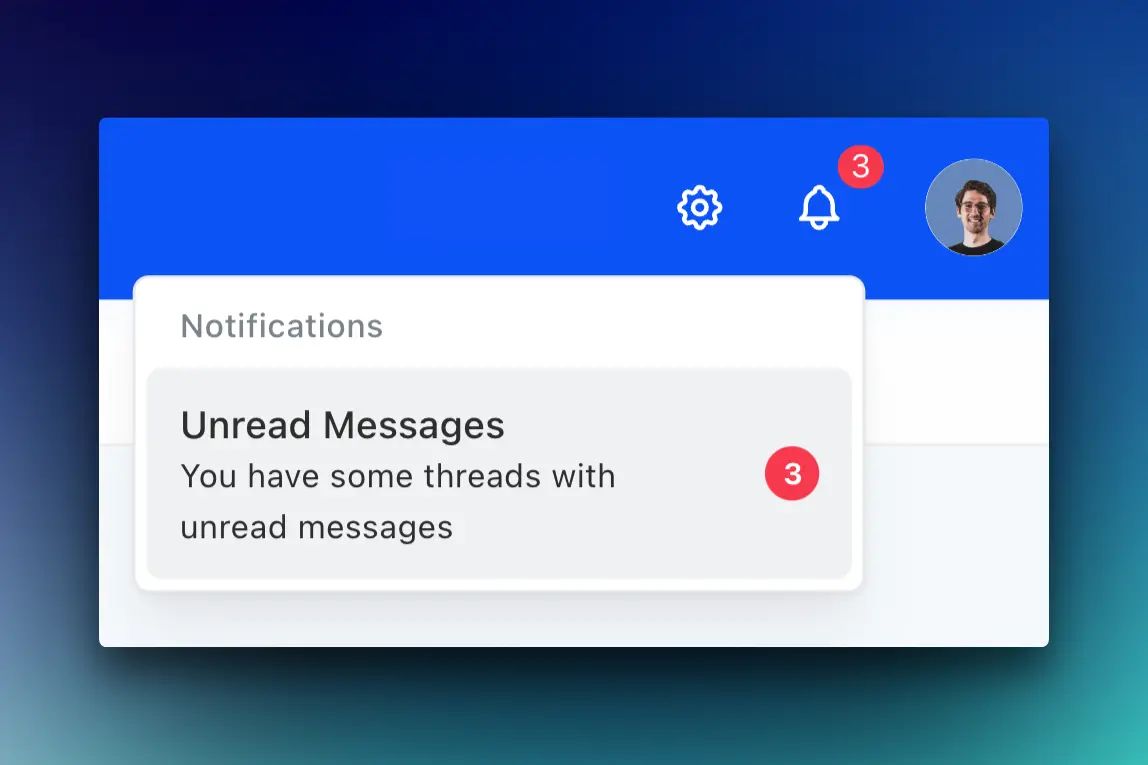
We're excited to introduce the Notification Alert – your gateway to staying informed about important activities on Teachfloor.

What's Included:

  • Centralized Notifications: The new "bell" icon in the header keeps you updated on private messages and comments in the community.
  • Enhanced Communication: Never miss out on discussions or interactions relevant to your courses.

Stay connected, engaged, and informed with our Notification Alert, ensuring you never miss out on meaningful interactions within the Teachfloor community.

Related updates

Visibility Scheduling: Reveal or Hide Activities

Teachfloor's new Visibility Scheduling allows you to automatically reveal activities to students at a specific date and time, or hide them after a designated period. This empowers you to create dynamic learning journeys, promote time management, and keep students engaged.

Preview Course with Test Learners

Discover the New Feature: Preview Course with Test Learners in Teachfloor. Step into the shoes of your learners, fine-tune your course design, and optimize engagement. Try it now!

New Zapier Triggers & Actions

Elevate your Teachfloor experience with new Zapier Triggers & Actions, streamlining integrations and automations between Teachfloor and third-party software