
New Dashboard UI/UX
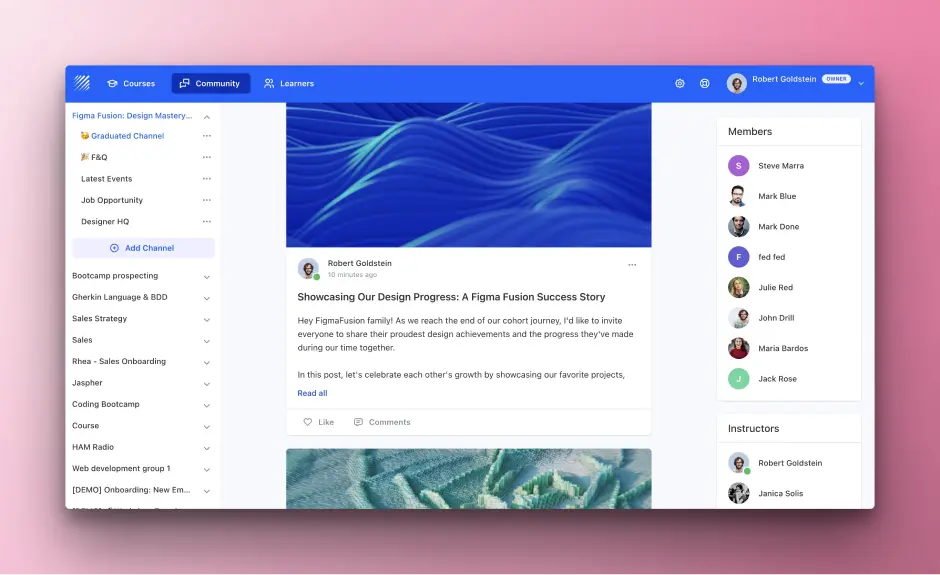
As the online learning market continues to expand, course creators and educators are constantly seeking ways to improve their platforms and deliver exceptional learning experiences. However, navigating complex interfaces and managing courses can be challenging and time-consuming. Teachfloor understands these challenges and is committed to providing innovative solutions that enhance the online learning experience.
Introducing Teachfloor's Latest Solution: New UI/UX Designed for You
We are excited to announce the launch of Teachfloor's new User Interface (UI) and User Experience (UX), specifically designed for online academies, corporate training providers, instructors, and course creators. Our goal is to make course creation and management more intuitive, seamless, and user-friendly.
Key Benefits and Use Cases: Empowering Success
The new UI/UX offers the following benefits to improve your online teaching experience:
- A streamlined dashboard for easy access to your courses and resources
- Improved menu structures for faster navigation
- Enhanced visuals and design elements for a more enjoyable user experience
- Optimized workflows, reducing the time and effort required for course creation and management
By simplifying the platform's interface, Teachfloor enables you to focus on what truly matters: creating engaging content and delivering high-quality courses to your students.
Launch Date and Call to Action: Get Started Today
Teachfloor's new UI/UX is set to launch on May 1, 2023. We invite you to explore the redesigned platform and discover how these improvements can elevate your course creation and teaching experience. Visit your Teachfloor Dashboard to get started and unlock the full potential of your online learning community.
As always, our support team is here to help you make the most of Teachfloor's cutting-edge tools and resources. If you have any questions or need assistance, please don't hesitate to reach out to us at our support.


