Dark Mode
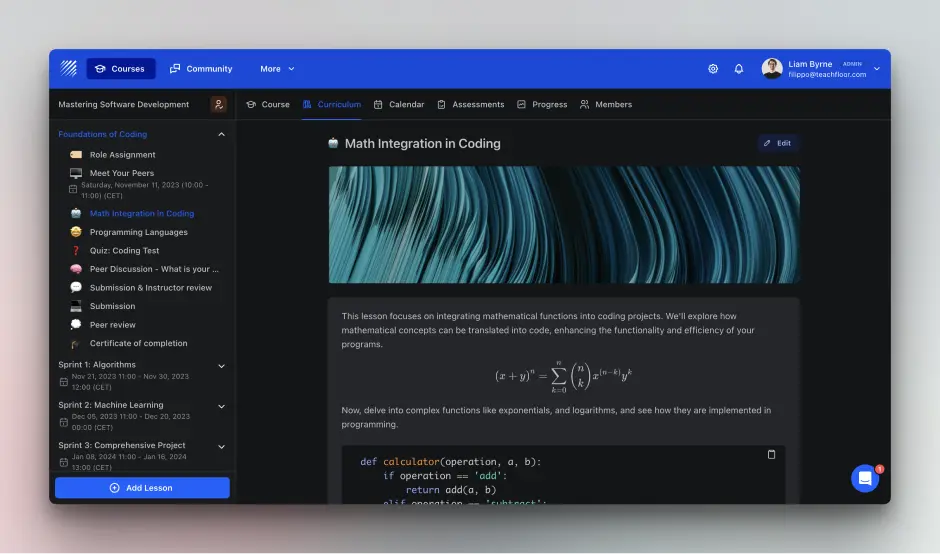
We are pleased to announce the addition of Dark Mode to Teachfloor, a feature designed to offer our users an alternative visual option for their learning interface. This update is part of our ongoing efforts to enhance user experience and provide options that cater to diverse preferences.
About Dark Mode:
Dark Mode is an interface setting that changes the bright, light background to darker colors. This feature is intended to offer a visually less intense viewing mode, which may be preferable to some users, especially in low-light conditions.
How to Enable Dark Mode:
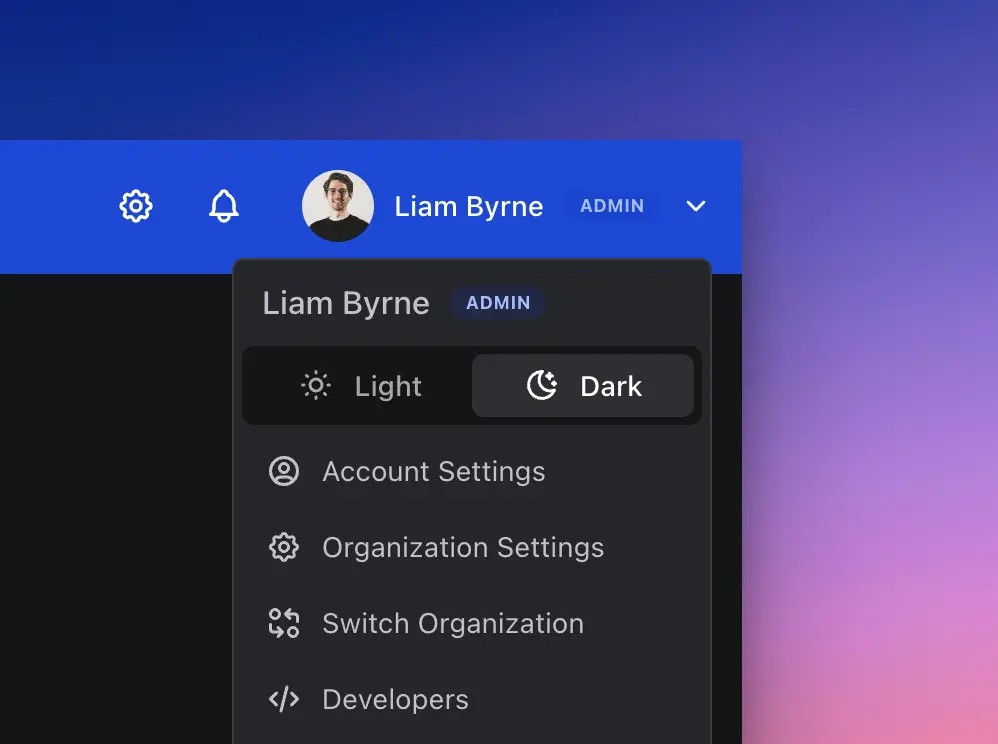
To use Dark Mode on Teachfloor, follow these simple steps:
- Log in to your Teachfloor account.
- Access the dropdown menu in the top right corner of the screen.
- Select the “Dark Mode” option to switch.
The interface will immediately switch to Dark Mode, altering the color scheme to darker tones.
Advantages of Dark Mode:
- Reduced Brightness: Dark Mode offers a less bright interface, which might be easier on the eyes for some users, particularly in dim environments.
- Focus and Clarity: The darker theme can help reduce screen glare, potentially improving focus on course content.
- Battery Efficiency: For devices with OLED or AMOLED screens, Dark Mode may contribute to better battery efficiency.
- Visual Preference: Dark Mode provides an alternative visual style for users who prefer darker color schemes.
Feedback and Continuous Improvement:
As always, user feedback is vital in guiding our improvements and updates. We encourage you to try Dark Mode and share your experience with us. Your input helps us to refine and enhance the Teachfloor platform.
The introduction of Dark Mode reflects our commitment to responsive and adaptive platform development. We hope this new feature provides a comfortable and efficient learning experience for those who choose to use it.
Please feel free to share your thoughts and feedback on this new feature through email or our in-app chat support.
Thank you for being a part of the Teachfloor community.


