Teams: A Smarter Way to Organize Learners and Courses
We’re excited to announce Teams, a powerful new feature that helps administrators and training managers organize learners and courses with ease.
With Teams, you can group members into departments, learning levels, or any other structure that fits your organization, and automatically assign them to the right courses with just one click.
What You Can Do with Teams
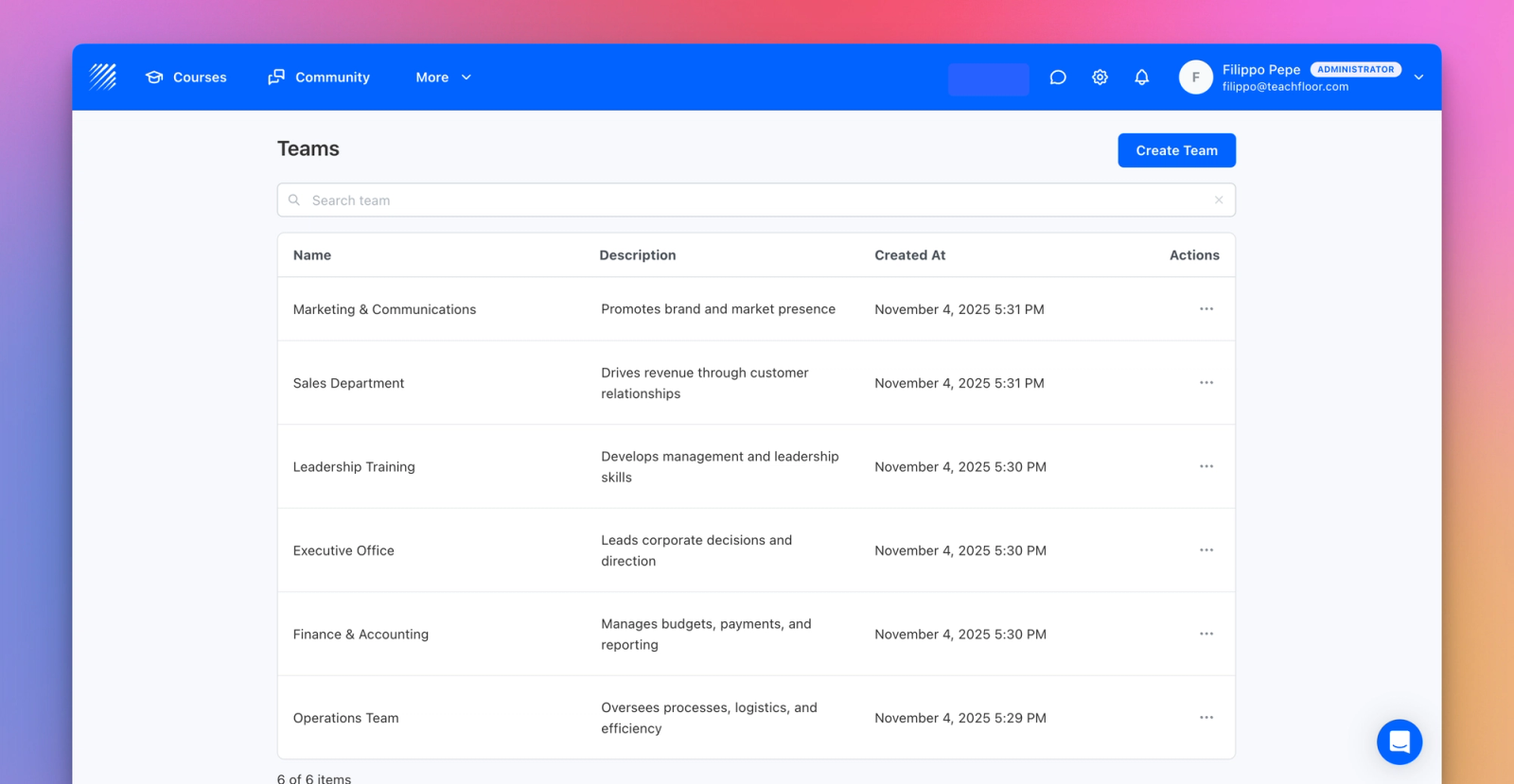
The new Teams feature (accessible from Dashboard → More → Teams) allows you to:
- Create and manage teams inside your organization (e.g., Marketing Department, Onboarding Cohort, Advanced Learners).
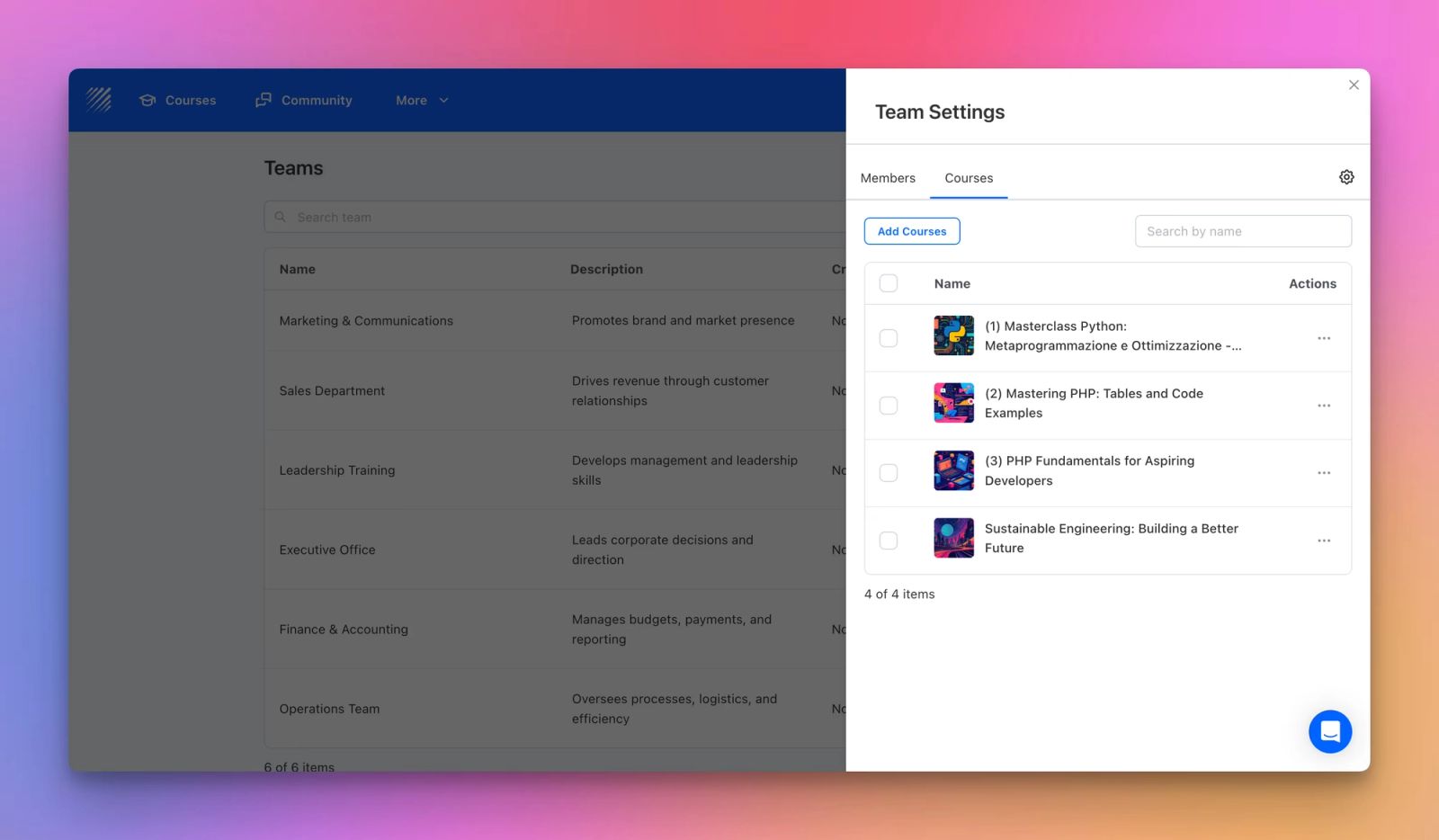
- Add learners and courses to each team to manage enrollments collectively.
- Auto-enroll learners into all courses assigned to their team.
- Automatically tag learners inside courses with their team name for easy tracking and filtering.
- Auto-unenroll learners when courses are removed from a team.
How It Works
- Go to Dashboard → More → Teams.
- Click Create Team and give it a name and description.
- Add members (learners, instructors, or assistants).
- Assign courses to the team.
- Enable Auto-Enroll to automatically add all members to the selected courses.
When the “Assign Tag” option is enabled, Teachfloor automatically creates a tag with the team’s name and assigns it to every learner in the team — helping instructors quickly identify and manage participants.
Why It Matters
Teams make course management faster, more structured, and scalable especially for organizations running multiple programs or departments.
Here are a few ways you can use it:
- Corporate Training: Group employees by department (e.g., Sales, Finance, Customer Support) and assign relevant training.
- Universities & Schools: Create groups for different academic levels or classes (e.g., Year 1 Students, Graduate Track).
- Bootcamps & Academies: Organize learners by cohort or specialization (e.g., Data Science Cohort 2025, Frontend Developers).
This new workflow helps you save time, stay organized, and scale your learning programs effortlessly.
Available Now
The Teams feature is now live in your dashboard.
Head to More → Teams to start creating your first groups and experience a simpler way to manage your learners and courses.


