Search Bar: Find Courses, Lessons, Files, and Users Instantly
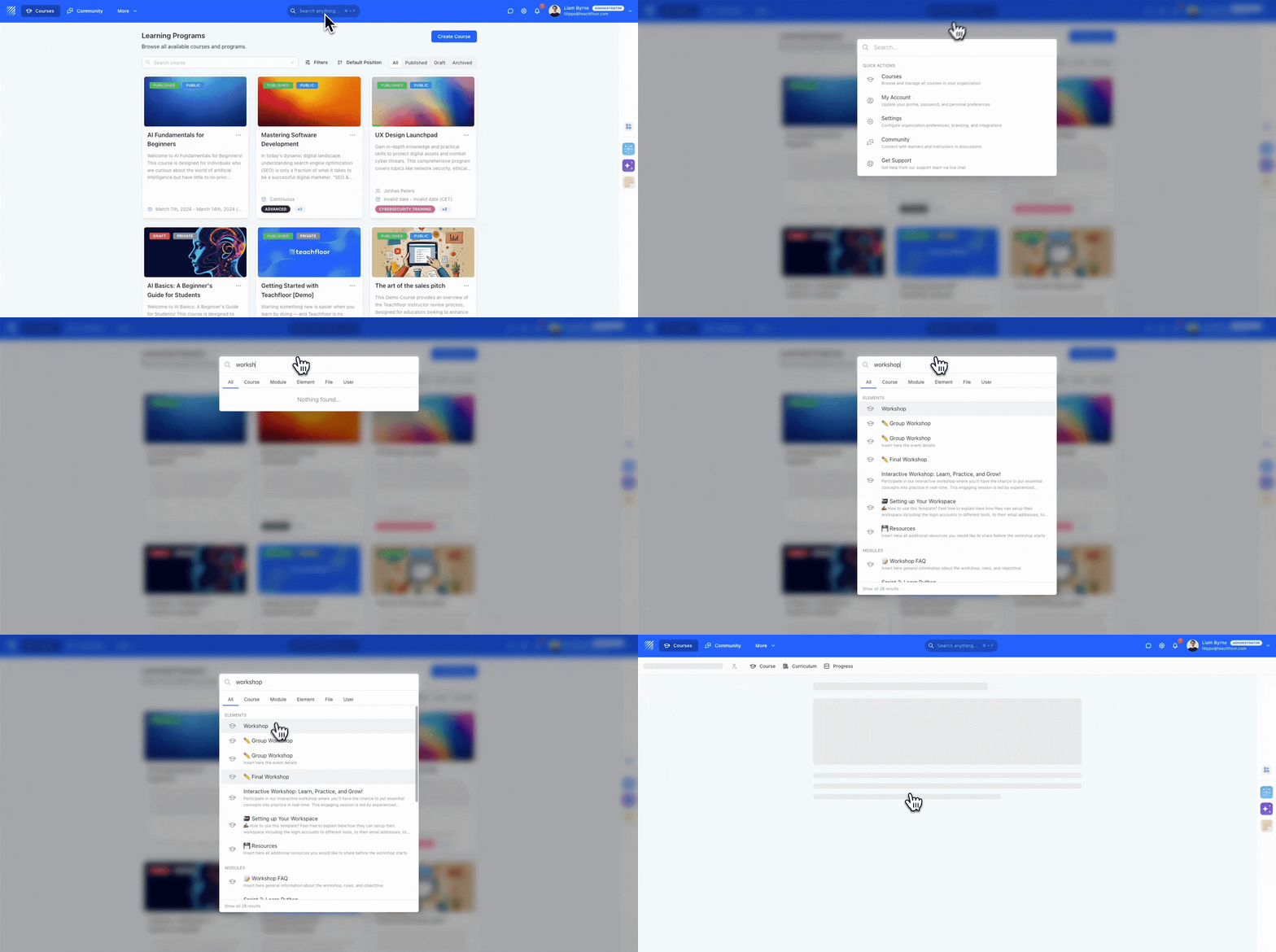
We’re excited to introduce the Universal Search Bar, a major improvement that makes navigating Teachfloor faster, smarter, and dramatically simpler.
Whether you're managing hundreds of lessons or browsing a large content library, Universal Search helps you find exactly what you need in seconds.
A Single Search for Everything
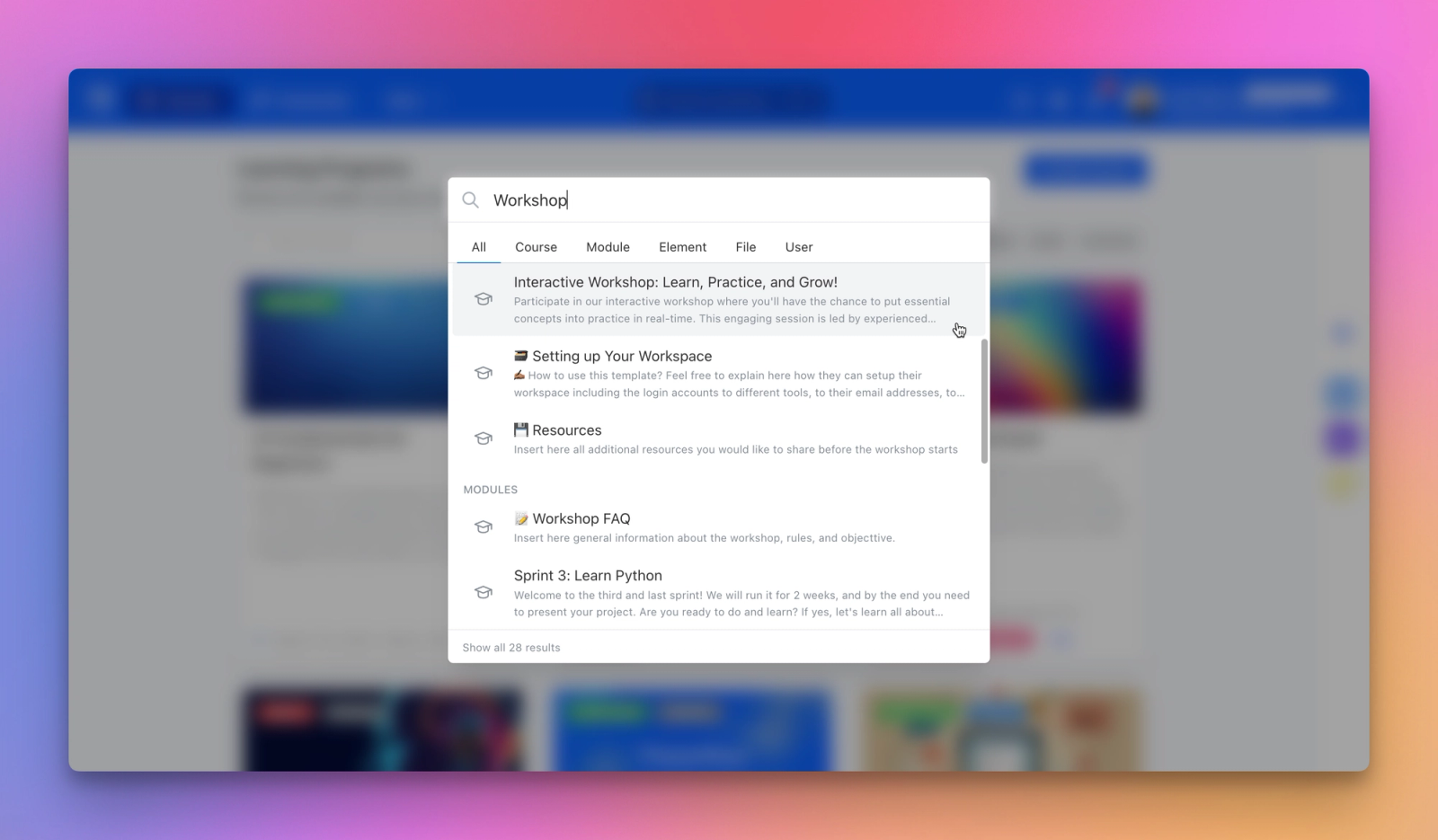
The Universal Search Bar lets you search across your entire organization — including:
- Courses (titles, descriptions, tags)
Modules
Lesson elements
- Files (Library + Course Library)
- Users (name, email)
Just type a keyword and Teachfloor instantly scans titles, descriptions, and metadata to surface the most relevant results.
Easy to Access
You can open the Universal Search from anywhere:
- Click the search bar in the top navigation
- Or use the shortcut Cmd + P (Mac) / Ctrl + P (Windows)
Perfect for fast navigation and power users.
Filter Results by Content Type
Refine your results with one click:
- All
- Course
- Module
- Element
- File
- User
These filters help you quickly locate exactly the resource you're searching for — from a specific PDF to a student profile.
Smart Result Previews
Search results include:
- Title
- Content type
- A short descriptive preview
- Clear icons for quick recognition
Click on any result to jump directly to the course editor, module, lesson element, library file, or user page.
“Show All” for Complete Search Results
If your query returns many matches, you’ll see a Show all button.
Clicking it opens a full results page where everything is organized by category.
This is especially useful when:
- A course contains dozens of modules or elements
- Your library has hundreds of files
- You want a complete view of all matching items
Power Use Cases
Here’s where Universal Search becomes indispensable:
✔ Quickly finding files in large organization libraries
✔ Jumping to a module or lesson element in complex courses
✔ Managing large groups by searching learners by name or partial email
✔ Retrieving specific activity types, such as quizzes, assignments, workshops, and peer reviews
Why It Matters
The Universal Search Bar transforms how you navigate Teachfloor by eliminating unnecessary clicks and making every piece of content instantly accessible.
It’s invaluable for organizations that manage:
- Large course catalogs
- Hundreds of lesson elements
- Extensive file libraries
- Multiple instructors and learner groups
Everything you need is now just a keyword away.
👉 The Universal Search Bar is available now — start exploring your content faster than ever.


