
New App: Notes
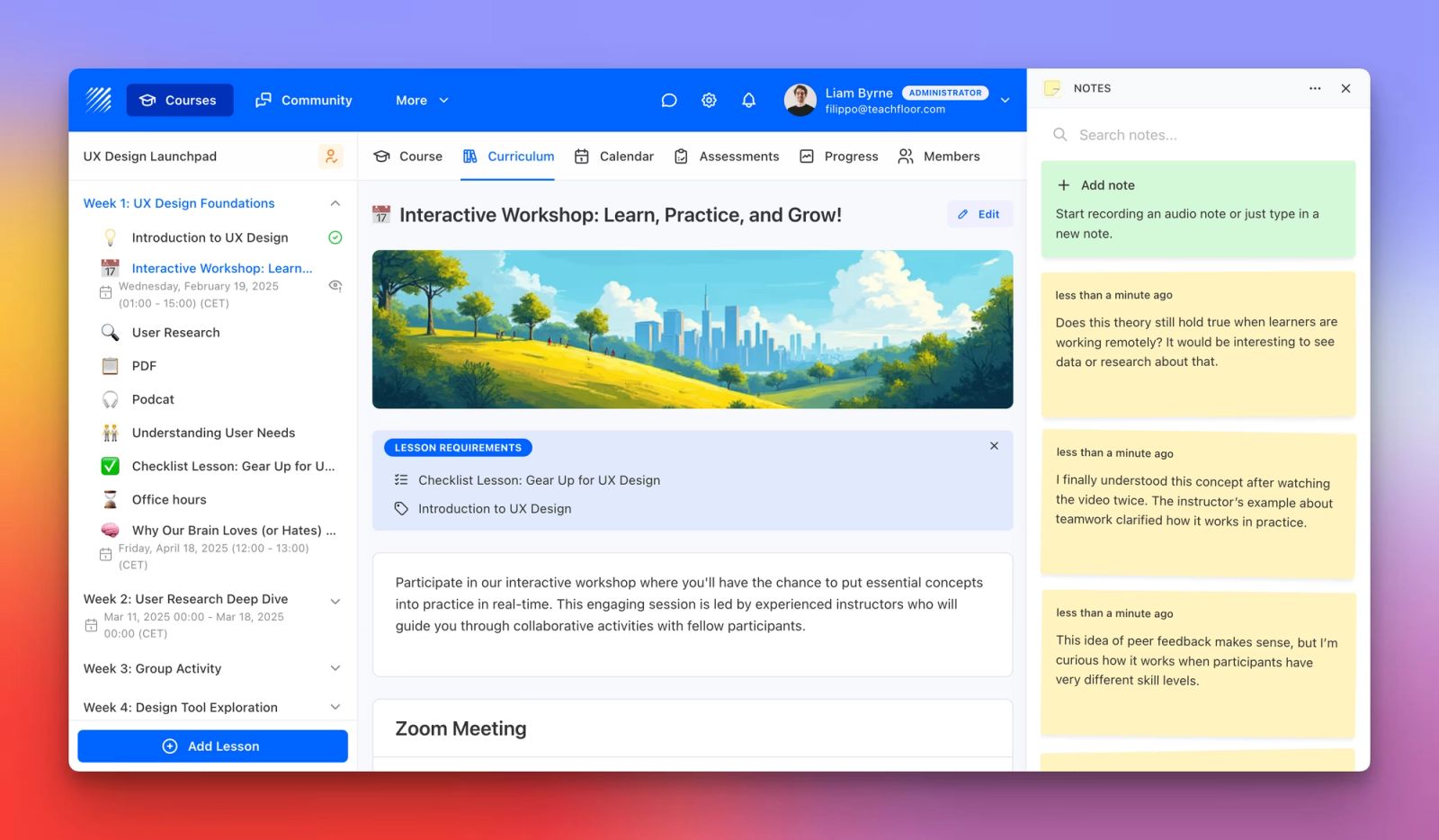
We’re excited to introduce Notes, a brand-new app available in the Teachfloor App Marketplace that helps both learners and instructors capture ideas, reflections, and feedback all without leaving the course page.
The Notes app is built to make learning and teaching more interactive, helping users record thoughts, questions, or observations as they progress through their courses.
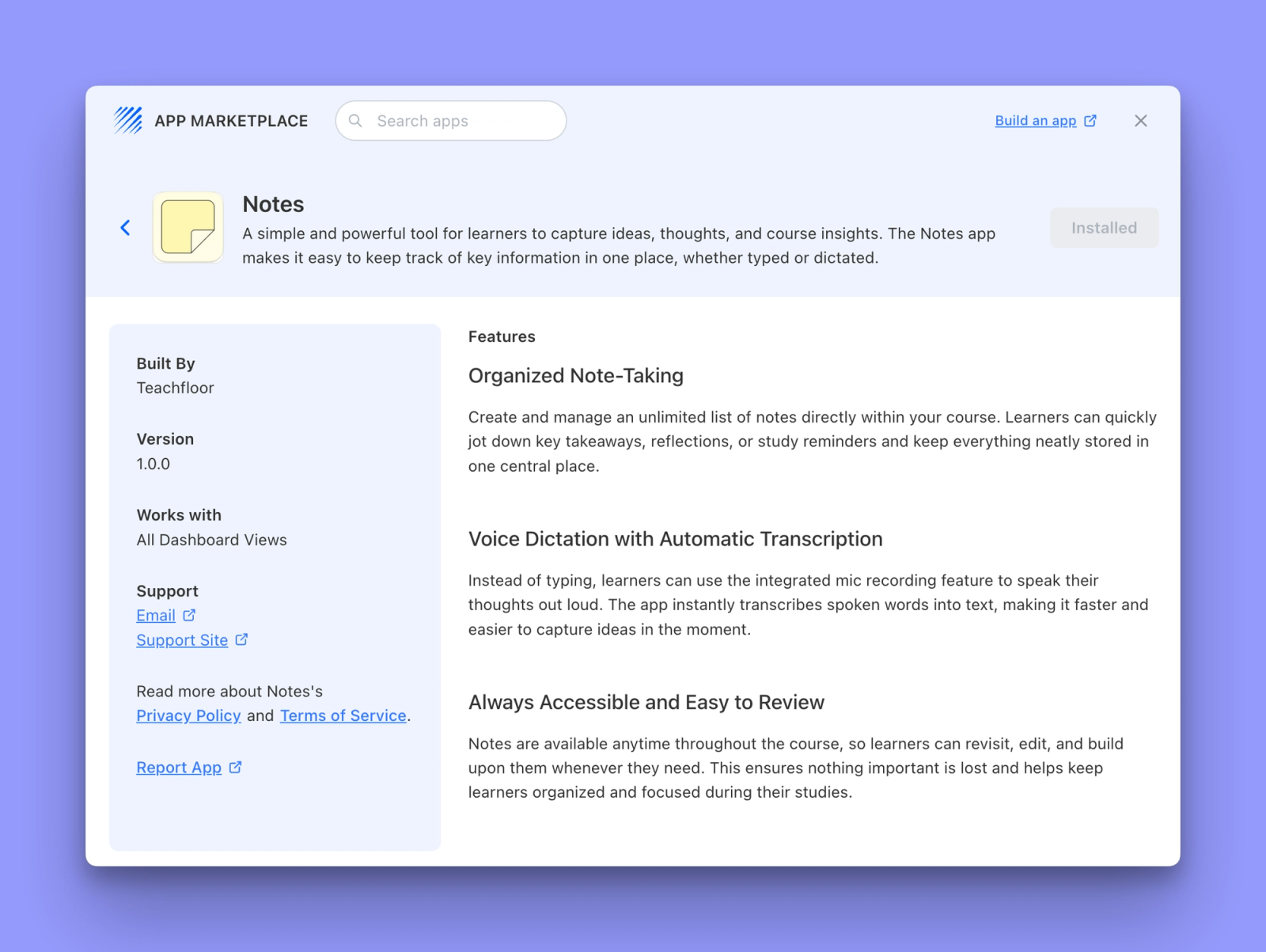
Organized Note-Taking
Learners can now create and manage an unlimited list of notes within their course. Whether jotting down quick ideas, reflecting on lessons, or writing study reminders, Notes keeps everything neatly stored in one central place — making learning more active and personal.
Voice Dictation with Automatic Transcription
Typing isn’t the only way to take notes anymore. With integrated voice recording, users can speak their thoughts out loud and let Teachfloor automatically transcribe them into text. This makes it faster and easier to capture insights in the moment — perfect for on-the-go or auditory learners.
Always Accessible and Easy to Review
All notes are saved and available throughout the course. Users can revisit, edit, and expand them at any time, ensuring nothing is lost and all reflections remain organized. It’s a simple yet powerful way to reinforce understanding and engagement.
How to Enable Notes
- Go to your Teachfloor Dashboard
- Open the App Marketplace
- Find the Notes App and click Enable
- Once activated, users will see the Notes icon on the right side of their course screen
Why It Matters
The Notes App empowers learners to engage more deeply with course content while giving instructors a practical tool to document teaching insights or track student reflections.
By combining flexibility, accessibility, and real-time organization, Teachfloor continues to make learning environments smarter, more connected, and more reflective.
👉 The Notes App is now available in the Teachfloor App Marketplace.
Enable it today to bring organized, accessible note-taking to every course, for both learners and instructors.
Read also: Introducing Notes in the Student Details


