Library: Organize and Share Course Materials
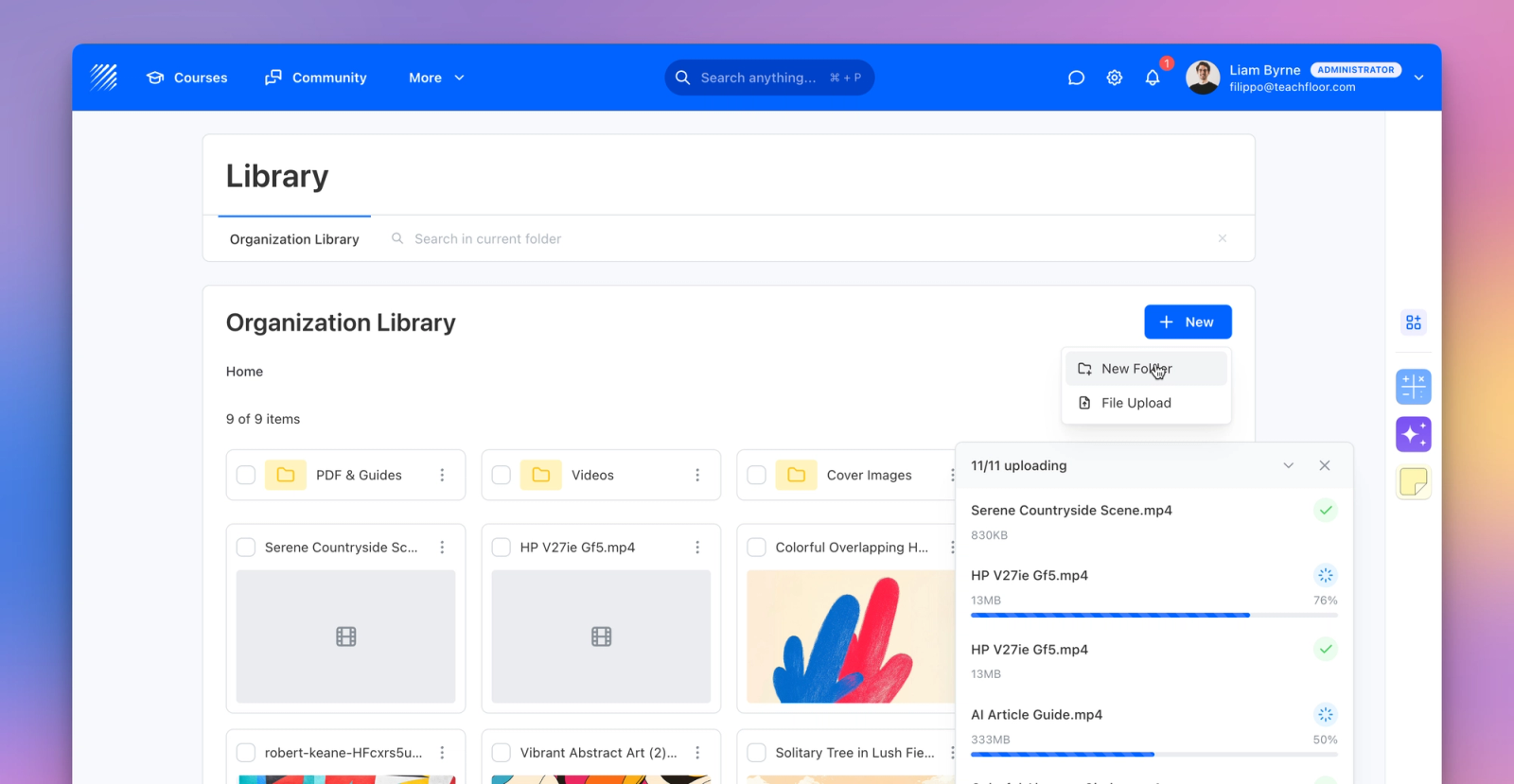
We’re excited to announce the release of one of the most impactful updates to Teachfloor’s infrastructure: the Library, a powerful system designed to organize, store, and manage all your learning materials in one place.
A Unified Hub for All Your Content
The new library serves as your organization’s central repository for files, folders, and course materials. From documents and PDFs to videos and images, every resource can now be uploaded, organized, and shared efficiently across your platform.
Use it to:
- Upload, rename, and categorize files by folder or topic.
- Reuse materials across multiple courses without re-uploading.
- Create nested folders to maintain a structured and scalable content hierarchy.
- Manage permissions and control visibility by roles, users, or courses.
Smart Permissions and Access Control
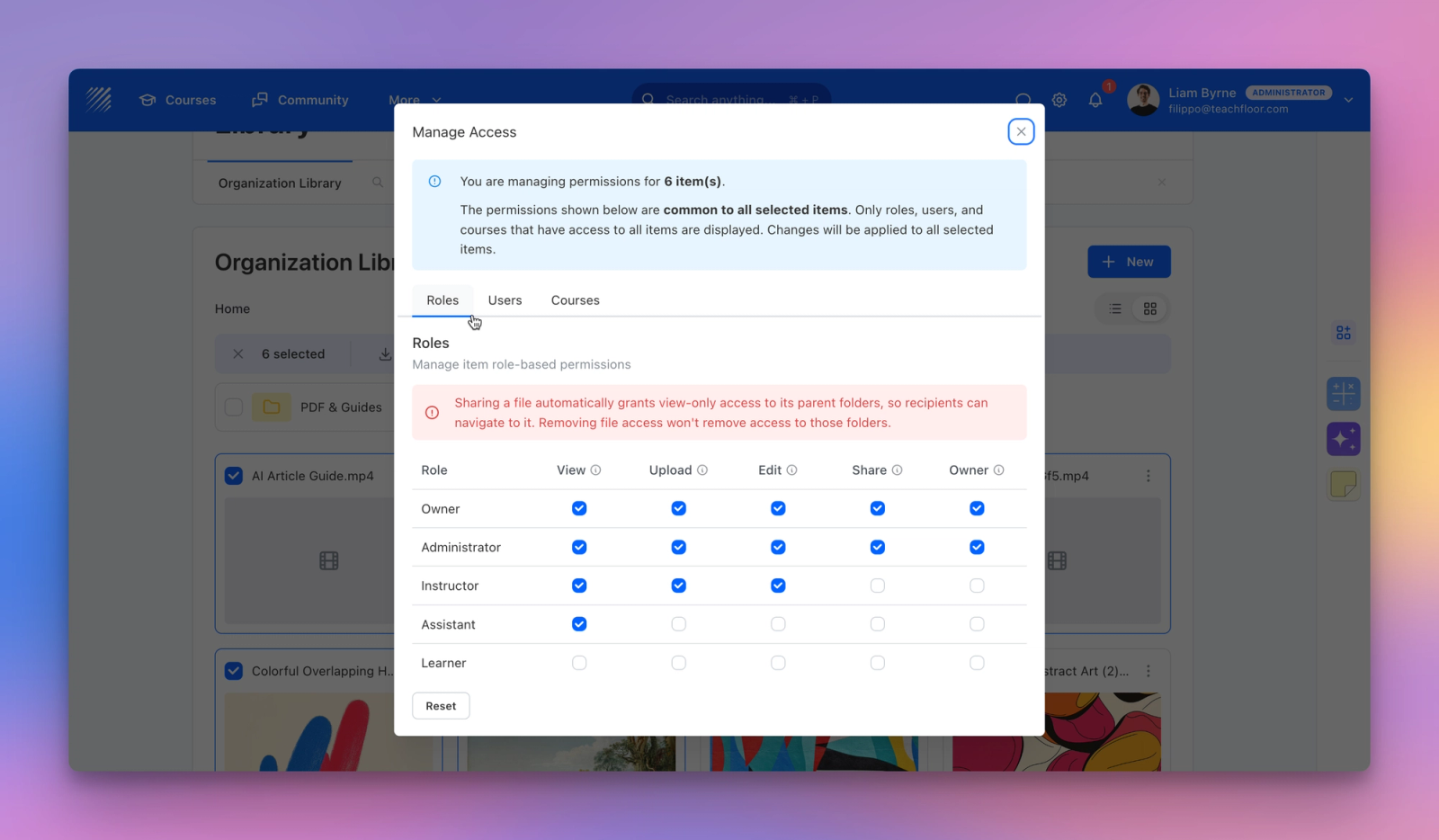
Every file and folder in the Library comes with detailed permission settings.
Admins can decide exactly who sees what and who can modify content, making it easier to maintain security and consistency across large organizations.
Control access by:
- Role: Assign viewing, editing, or sharing rights to entire groups (e.g., Instructors or Learners).
- User: Give specific individuals tailored access.
- Course: Grant access to learners enrolled in selected courses.
This means you can safely share files organization-wide or keep resources private to a specific program or audience.
Course Libraries for Focused Learning
Each course now comes with its own dedicated Course Library, a curated space where instructors can share materials exclusively with their enrolled learners.
You can add content from the Organization Library with just a few clicks, keeping all course materials in sync and avoiding file duplication.
Flexible and Customizable Visibility
Admins can control which roles see and use the Library directly from Settings → Customization → Appearance.
Choose whether the Library is visible to Owners, Admins, Instructors, Assistants, or Learners — creating the right balance between collaboration and control.
Why It Matters
The Library streamlines how organizations handle course assets, bringing order and efficiency to content management.
With structured folders, fine-grained permissions, and reusability, it saves time, reduces duplication, and ensures every course stays organized and up-to-date.
👉 Start using the Library today to centralize your course content and simplify your workflow.


