
PowerPoint Files Now Supported
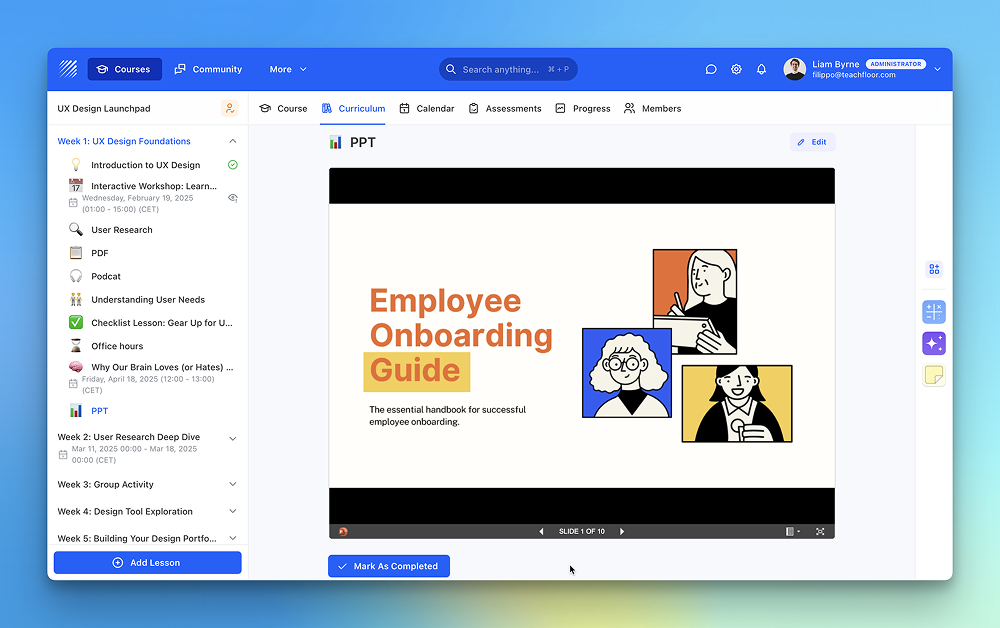
We’ve expanded the capabilities of the File element to support PowerPoint (PPT) files.
In addition to PDFs, CSVs, audio, and other formats, instructors can now upload and share presentation files directly inside their courses.
What’s new
The File element now supports:
- PowerPoint (PPT / PPTX) files
- PDFs
- CSV files
- Audio files
This means you can include slide decks as part of your lessons without converting them to other formats or relying on external tools.
Why it matters
Many instructors and organizations rely on slide presentations to structure lessons, explain concepts, or guide live and asynchronous sessions.
With native PPT support, you can now:
- Share presentation materials exactly as they were designed
- Keep all course resources in one place
- Reduce friction for learners by avoiding external downloads or links
- Reuse existing training and classroom materials more easily
How to use it
To add a PowerPoint file to your course:
- Open the course curriculum
- Add a File element
- Upload your PPT or PPTX file
- Publish and share it with your learners
The presentation will be available alongside your other course materials, making access simple and consistent.
Available now
PowerPoint file support is live and ready to use in Teachfloor.
Upload your presentations today and deliver richer, more complete learning experiences


