
AI Review: Automate Learner Feedback at Scale
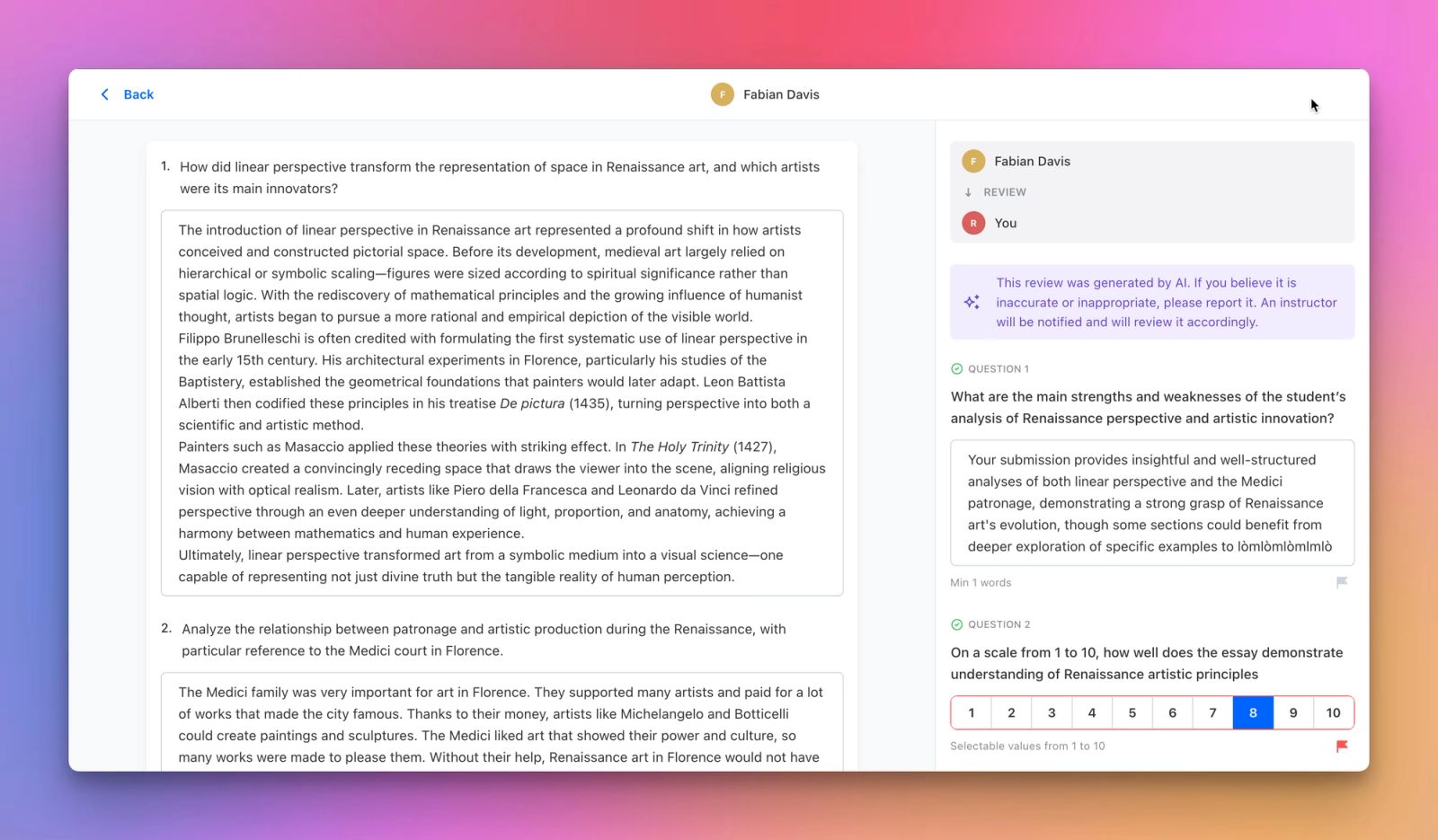
We’re introducing AI Review, a new assessment element designed to help organizations deliver consistent, structured learner feedback at scale—without removing instructors from the process.
AI Review combines learner submissions, AI-powered evaluation, and reflection into a single, pedagogically sound workflow. It’s built for programs with high learner volumes, where manual reviews would otherwise slow down learning and limit growth.
What Is AI Review
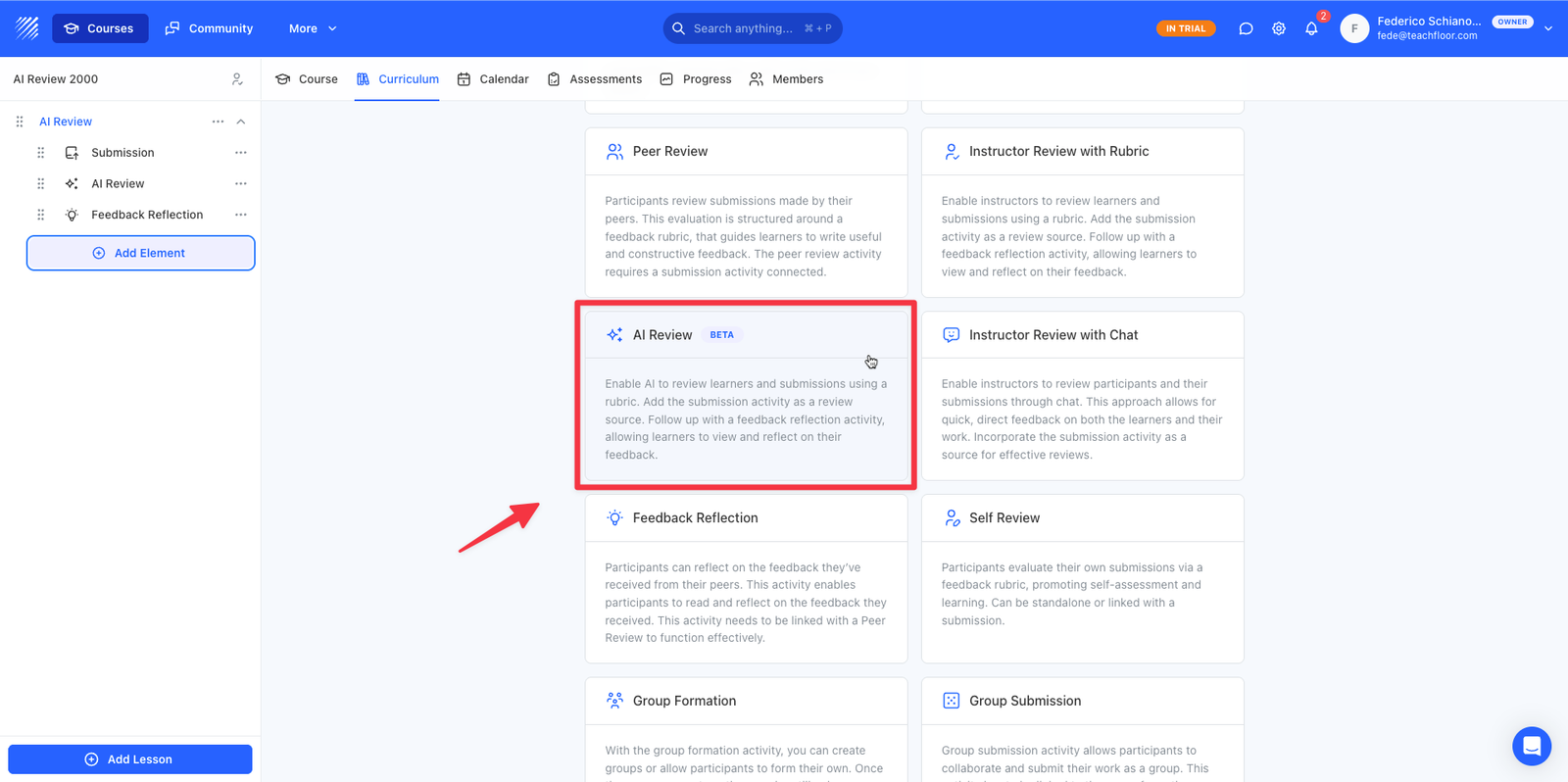
AI Review is an assessment element that automatically evaluates learner submissions using AI, based on a custom rubric defined by instructors.
It is designed to work as part of a structured sequence:
- Submission – where learners submit their work
- AI Review – where the submission is evaluated using AI
- Feedback Reflection – where learners read and reflect on the feedback
This sequence ensures feedback is contextual, structured, and aligned with your teaching goals.
How It Works
Once a learner submits their work:
- The AI analyzes the submission using the instructor-defined rubric.
- The rubric is completed automatically with scores, selections, and written feedback.
- Learners access the feedback in the Feedback Reflection step.
- Instructors can review, edit, regenerate, or respond to the AI-generated evaluation at any time.
This approach delivers fast feedback while keeping instructors in full control.
Custom Rubrics, Fully in Your Control
Each AI Review includes a customizable rubric that defines exactly how submissions are evaluated.
You can combine multiple rubric question types, including:
- Open questions with written explanations
- Numeric ratings
- Text-based scales (e.g. Meets Expectations, Needs Improvement)
- Yes / No evaluations
The AI follows the rubric exactly as defined, ensuring consistency across all learner submissions.
Human Presence at Scale
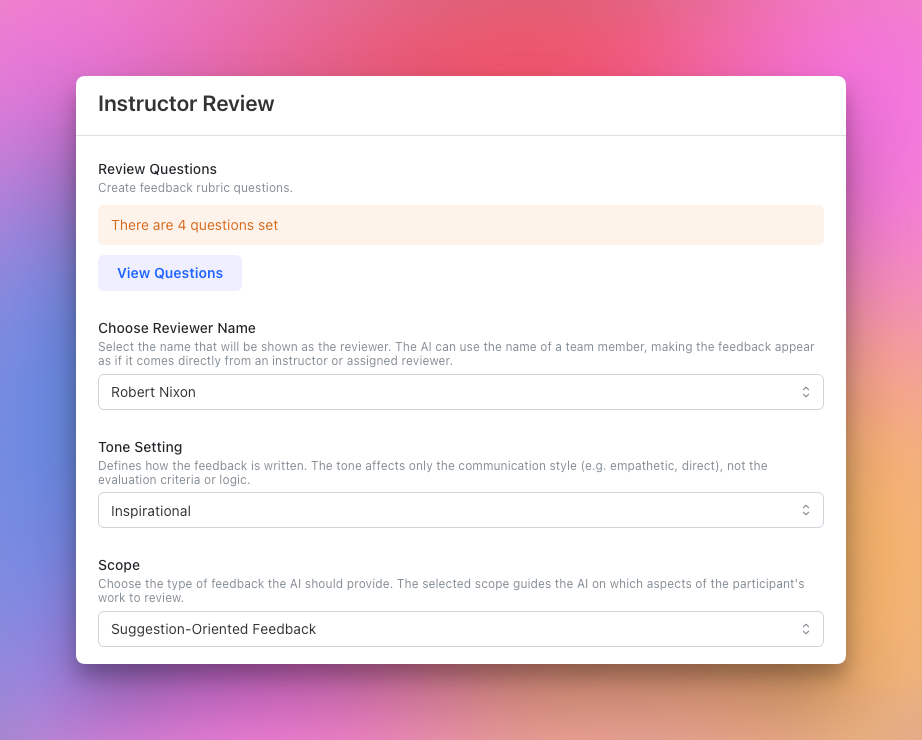
AI Review allows you to choose which instructor appears as the reviewer.
The AI-generated feedback is presented as if it were written by a selected instructor or team member, preserving a human, consistent teaching presence—even in large programs.
Control the Tone and Focus of Feedback
Instructors can define how feedback is written without changing grading logic.
You can set:
- Tone, such as supportive, educational, neutral, critical, or friendly
- Scope, such as grading, error detection, suggestions, or deep understanding checks
This ensures feedback aligns with your pedagogical intent and teaching style.
Built-In Oversight and Accountability
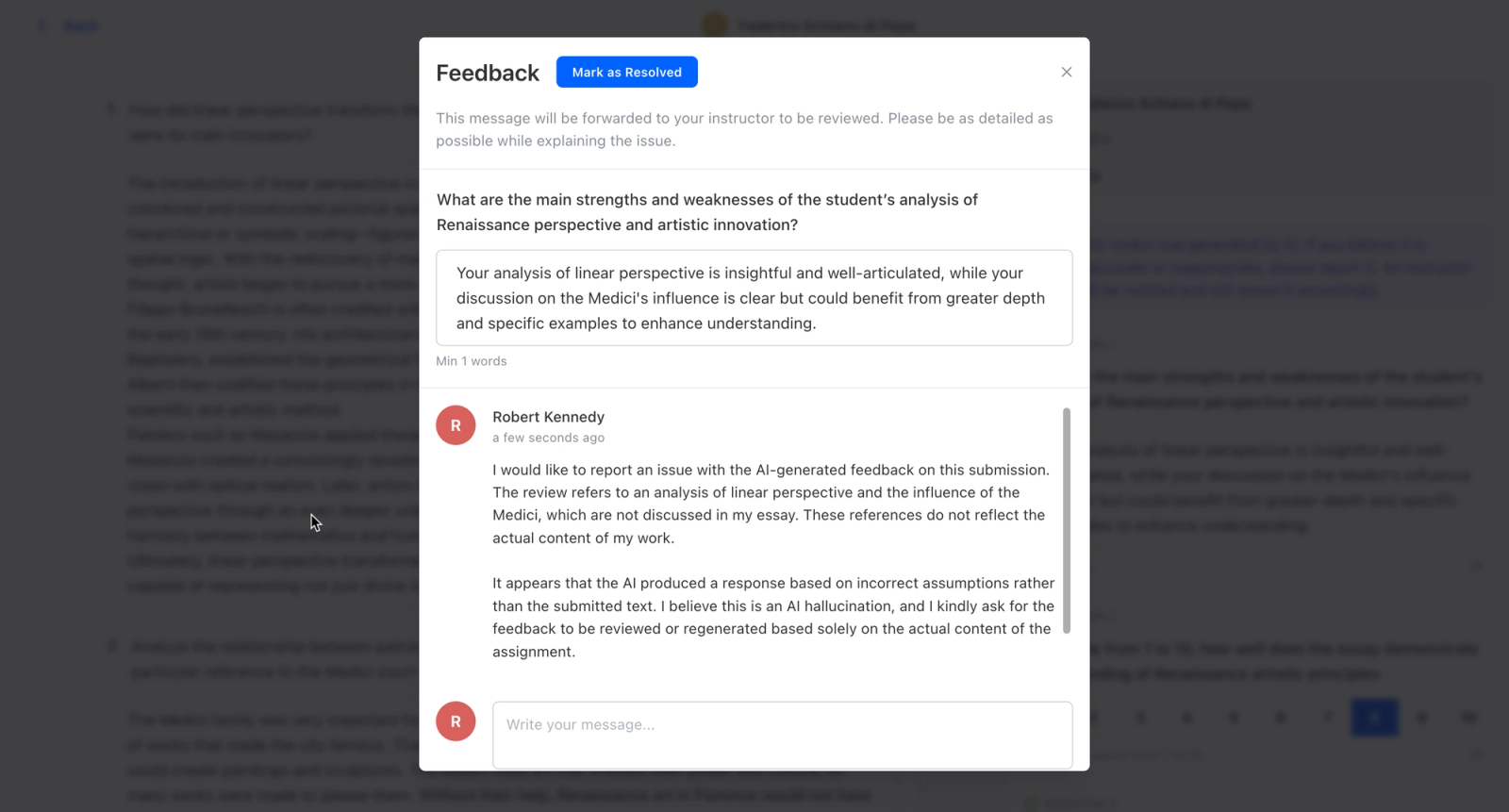
AI Review includes clear mechanisms for human oversight.
Learners can report feedback they believe is inaccurate or inappropriate. Instructors are notified and can:
- Review the reported feedback
- Edit or regenerate the AI response
- Reply directly to the learner
- Mark the issue as resolved
This keeps AI-assisted assessment transparent, accountable, and human-led.
Why AI Review Matters
AI Review enables organizations to:
- Scale assessments to thousands of learners
- Reduce instructor workload without sacrificing quality
- Deliver timely, structured, and consistent feedback
- Maintain full instructor control and oversight
It’s especially effective for universities, bootcamps, corporate training programs, and large online academies.
Available Now
AI Review is now available in Teachfloor and can be added as part of your assessment sequences.
It brings together automation and instructional control helping you deliver high-quality feedback at scale, without removing humans from the loop.


